Integrations
Integrations that publish, sync, and measure for you
Connect your website, social accounts, ads, and books once. Craftify publishes to them, pulls contacts from them, and reports on them, so nothing gets copy-pasted between tools.
Publish to your channels
Contacts kept in sync
Reports in one place
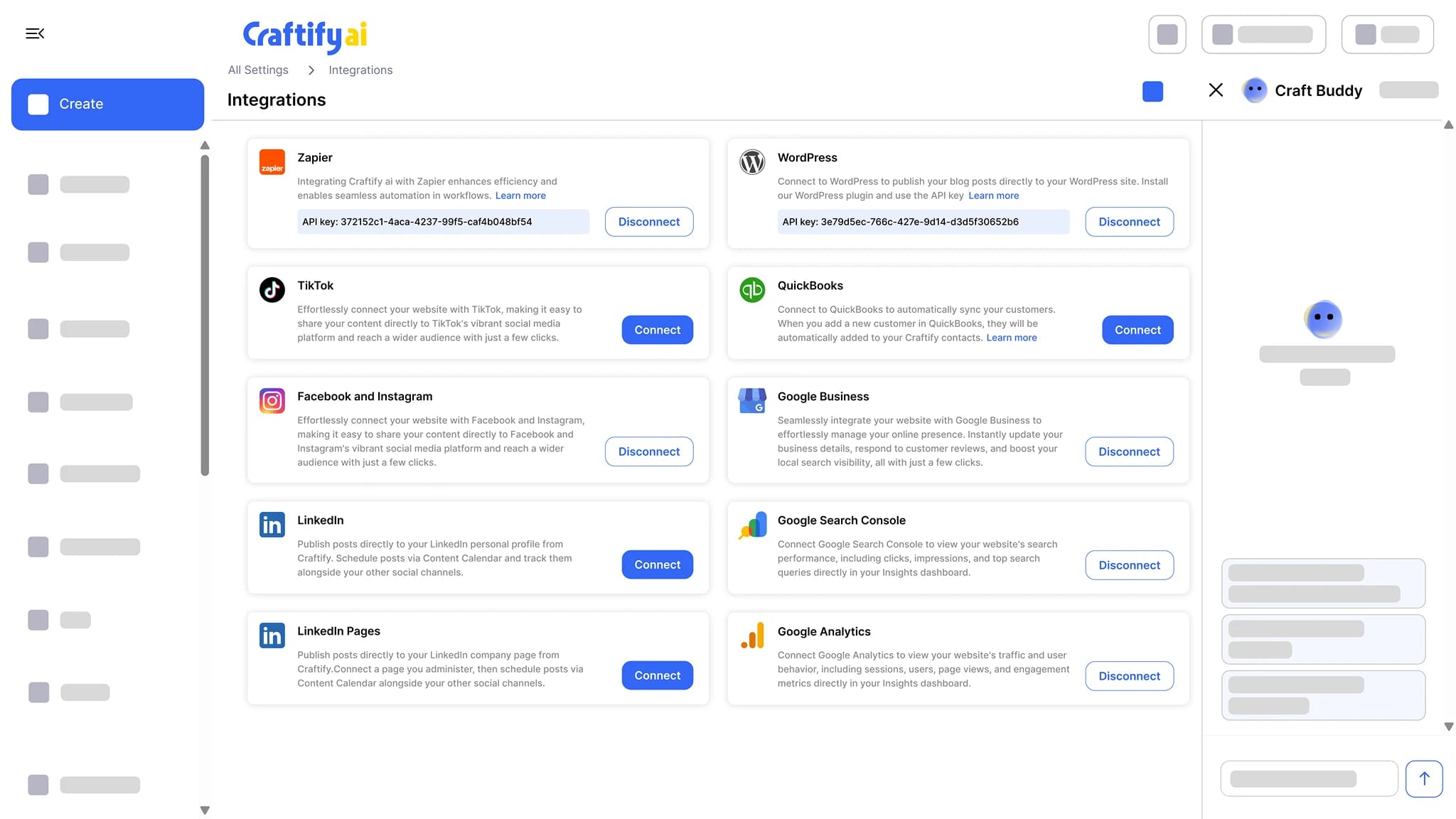
What connects to Craftify AI
Connect them from Settings in a couple of clicks; no developer needed. Every integration is included on every plan, except the Shopify app, which is billed through Shopify.
Publish
Content leaves Craftify and lands where your customers are, without copy-pasting.

Facebook and Instagram
Schedule and publish posts and carousels to your Facebook Page and Instagram account from the social post tool, the content calendar, or an automation.
Connect Facebook and Instagram
TikTok
Schedule and publish posts to TikTok with the caption and hashtags Craftify wrote.

WordPress
Publish or schedule blog articles straight to your WordPress site, one at a time or on a blog automation.

Shopify
Publish blog articles to your Shopify store blog and import your customers into Contacts.
See the Shopify integration
Webflow
Publish blog articles to a Webflow CMS collection through Zapier, or on a blog automation.
See the Webflow integration
Google Ads
Publish the ads the ad writer drafts to your Google Ads account, headlines and descriptions already within the character limits.
See the Google Ads writer
Sync
Your contacts and your business details, kept current from the systems you already use.
QuickBooks
Read your customers from QuickBooks into Contacts, with their invoices logged on the contact timeline, so follow-ups and review requests go to real customers.

Zapier
Trigger a Zap when a craft is ready or a form is submitted, and send contacts in from thousands of other apps.
Connect Zapier
Google Business Profile
Fill your business profile from Google Maps, and read and reply to your Google reviews inside Craftify.
See Google reviews
Measure
The numbers behind your website, in Insights, each with a Craft Buddy summary.

Google Analytics
Website traffic, top pages, and where visitors come from, summarized so you know what to do next.
See insights
Google Search Console
The searches that bring people to your site, the pages that rank, and what is slipping.
See insights
Using something not listed? Tell us on a call and we will show you the Zapier route.
Connected tools, connected work
An integration is only useful for what it lets the rest of the workspace do.
What it does
Publish, sync, and measure from one workspace
Blog articles go out to your site, contacts come in from your books, and the results come back to Insights.
Connect Google Business Profile, Google Ads, Google Analytics, Search Console, Facebook and Instagram, TikTok, WordPress, Shopify, QuickBooks, and Zapier. Publish and sync without copy-pasting.
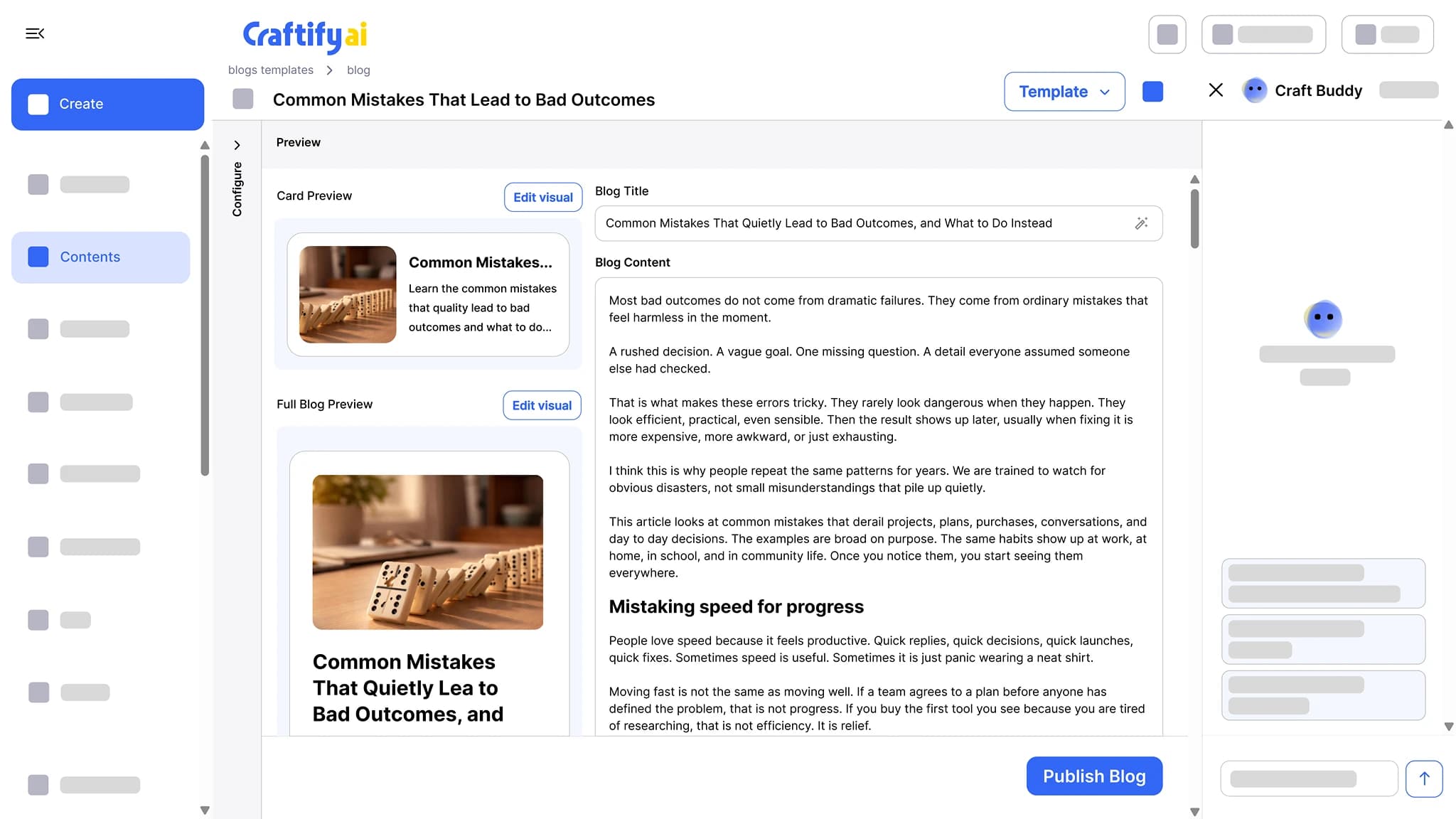
SEO-optimized articles written around the keywords you want to rank for, with a cover image and a card preview. Publish to WordPress or Shopify in one click.
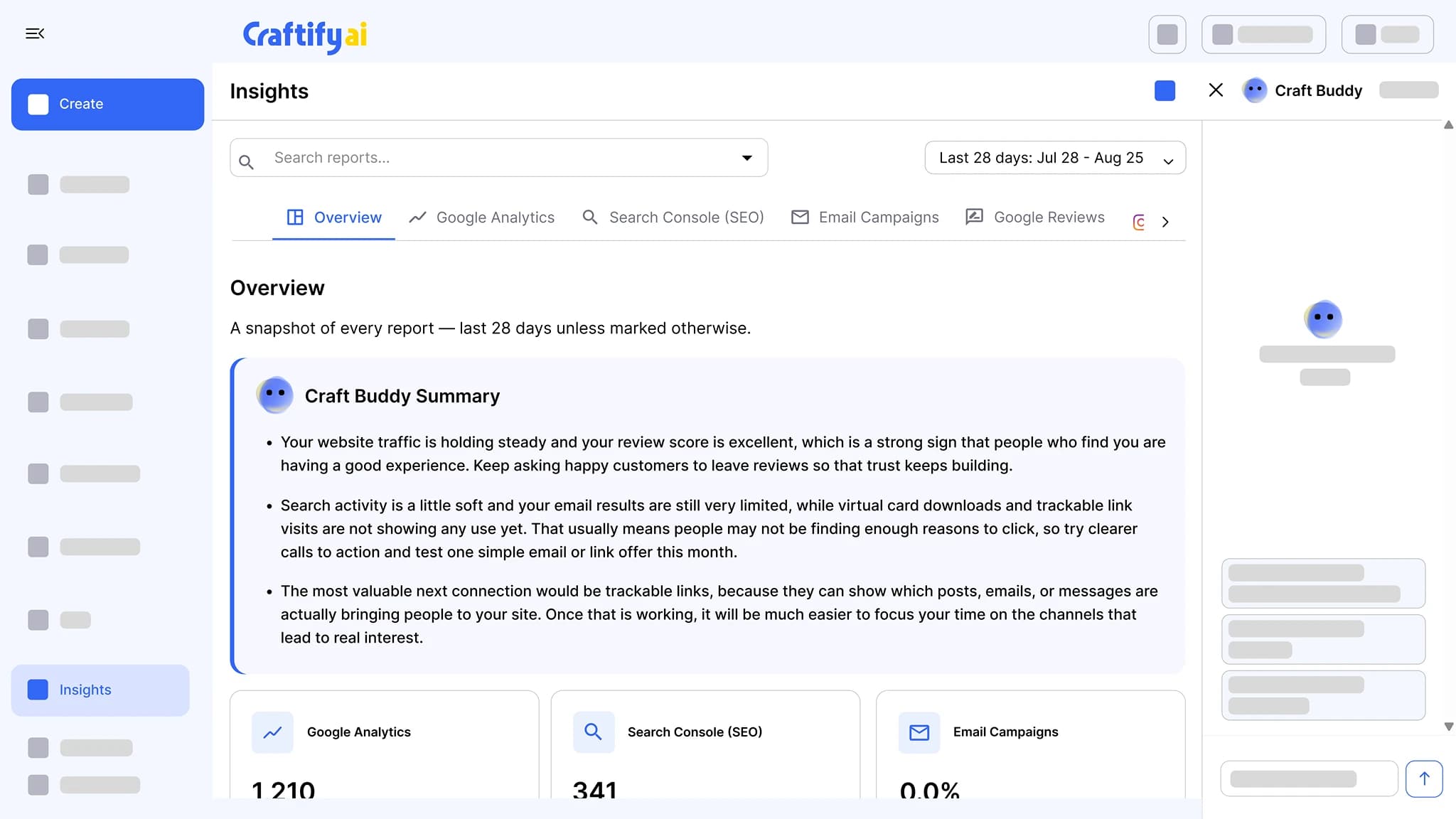
See the blog post writerGoogle Analytics, Search Console, email results, Instagram, and Google reviews in one place, each with a Craft Buddy summary that says what to do next.
See insights
How it works
Connect once from Settings. Every tool in the workspace can use the connection from then on.
1
Connect the account
Open Settings, pick the integration, and sign in to the account you want Craftify to use. Team members see the connection state; only owners and admins can change it.
2
Pick it where you work
The social post tool offers your connected accounts as publish targets, the blog writer offers your site, and Contacts offers the import.
3
Let automations use it
A blog or social automation publishes through the same connection on a schedule, after you approve the draft.
Ready to stop copy-pasting between tools?
Frequently asked questions
Integrations are the connections between Craftify AI and the tools your business already uses: your website, your social accounts, Google Ads, your books, and Google Analytics and Search Console. Once connected, Craftify publishes content to them, pulls contacts from them, and reports on them.
Facebook and Instagram, TikTok, WordPress, Shopify, Webflow (through Zapier), Google Ads, QuickBooks, Zapier, Google Business Profile, Google Analytics, and Google Search Console. All of them except the Shopify app are included on every plan.
No. Every integration on this page is included on every Craftify plan, with no per-channel fee. The one exception is the Shopify app, which has its own plan billed through Shopify.
Yes. WordPress and Shopify publish directly. Webflow and other site builders publish through Zapier. A blog automation can write and publish on a schedule after you approve each draft.
Connect QuickBooks from Settings and your customers are read into Contacts, with their invoices logged on each contact timeline. New customers keep syncing after that.
Zapier connects Craftify to thousands of other apps: a Zap can fire when a craft is ready or a lead form is submitted, and can send contacts into Craftify from another system.