Google Reviews
Google Reviews on autopilot, from request to reply
Send every customer a review request after each job, with your Google review link one tap away. New reviews land in Craftify, where AI drafts the reply and you approve it before it posts.
Ask after every job
AI-drafted replies you approve
Reported in Insights
Most customers would leave a review. Most businesses never ask.
Most owners mean to send a 'leave us a review' message after every job and forget by the third one. The reviews that do come in sit unanswered for weeks, and nobody is watching how the rating moves.
Forgetting to ask, or asking weeks later when the job is no longer top of mind.
Reviews piling up unanswered because nobody has time to log into Google Business Profile.
Not knowing whether the rating went up or down this month because the numbers live in another tab.
See review requests that send themselves →
Why service businesses run reviews through Craftify
A review request that reaches every customer after the job, a Reviews tab where AI drafts the reply, and a report that shows how it is going.
Every customer gets the review link
A review request email goes to every customer after each job, with your Google review link one tap away. Set it up once as an automation and it sends itself.
Every review in Craftify, with an AI-drafted reply
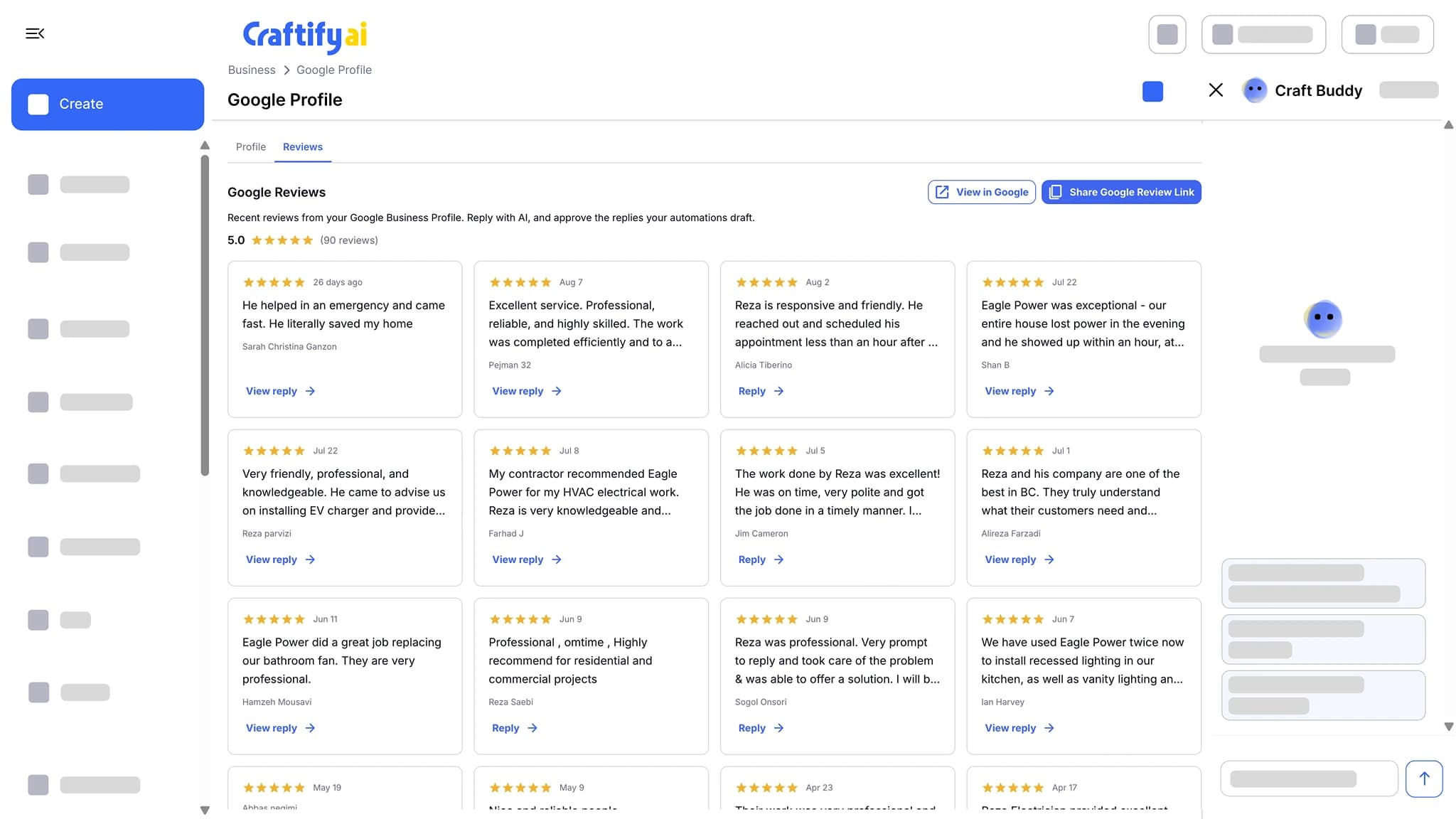
Connect your Google Business Profile and new reviews land in Craftify under Business, Google Profile, Reviews. AI drafts a reply for each one. Edit if you want, approve, and it posts to Google.
Your rating, reported
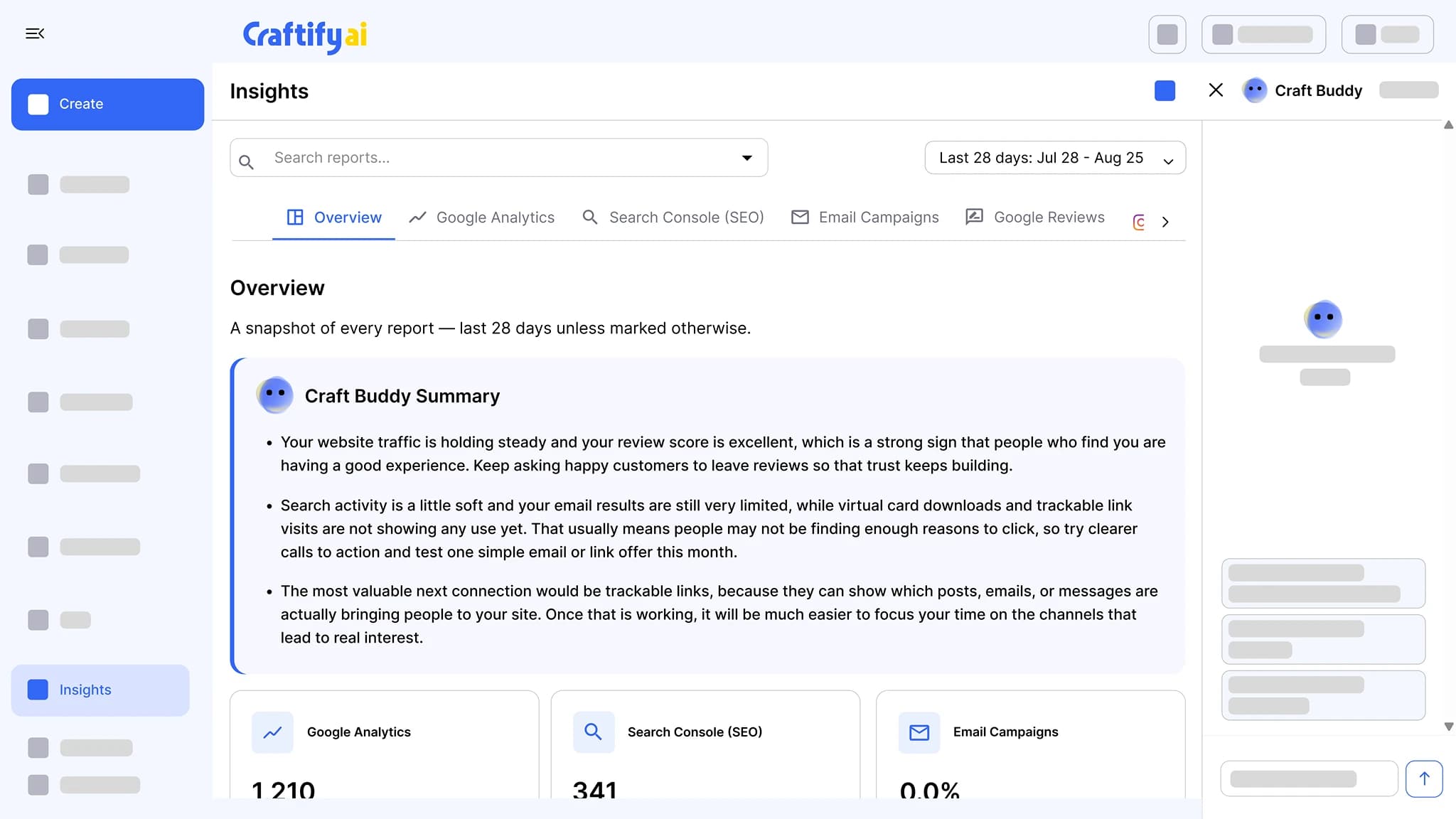
The Google reviews report in Insights shows the reviews coming in, with a Craft Buddy summary that says what to do next.
Requests, replies, and the report in one place
A review request after every job, a Reviews tab where AI drafts the reply, and an Insights report on how it is going.
What it does
From the job to the reply
The Reviews tab, the automation that sends the request, and the Insights report that tracks the result.
Send every customer a review request after each job, with your Google review link one tap away. New reviews land in Craftify, where AI drafts the reply and you approve it.
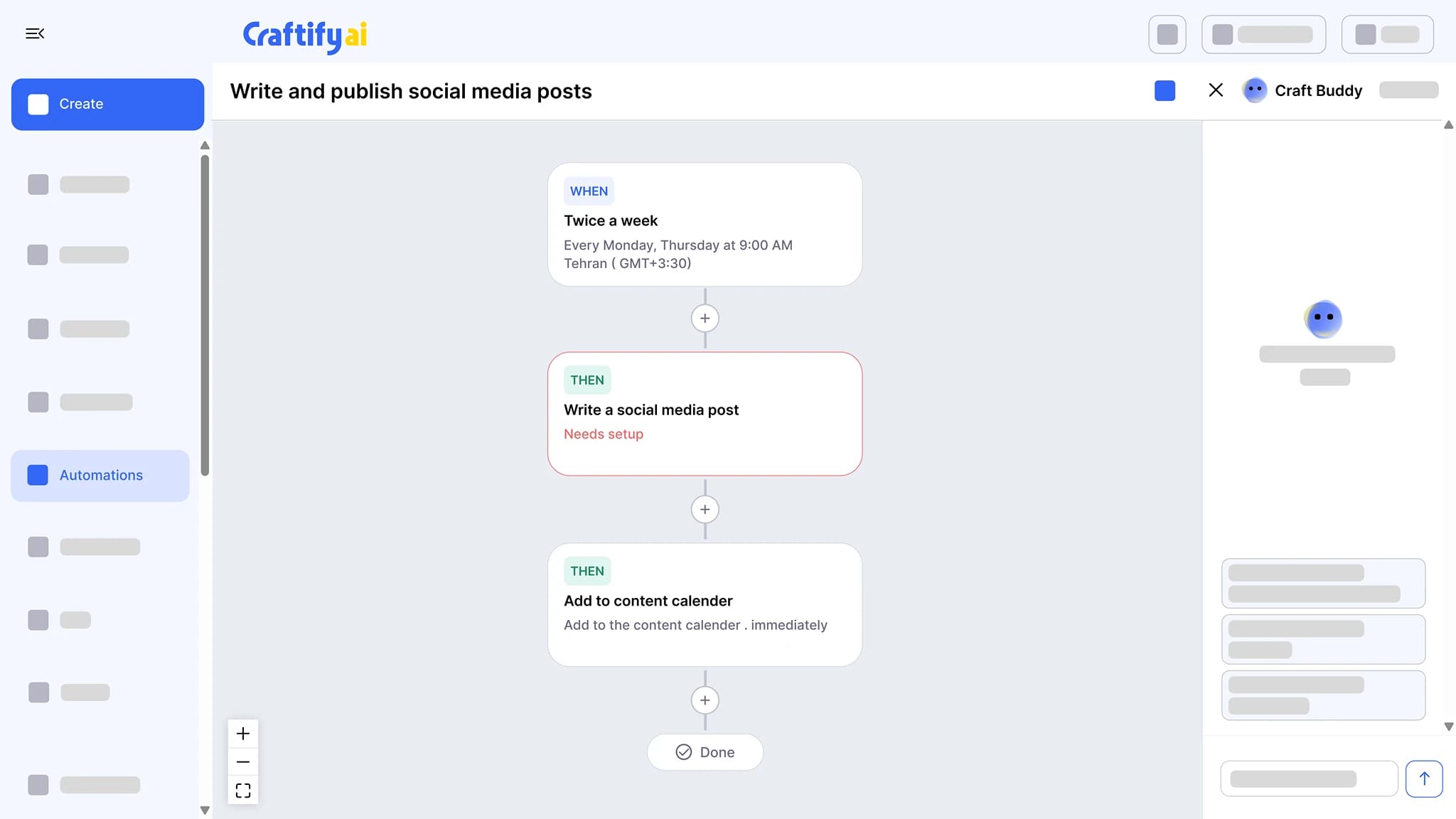
Chain a trigger to actions: write a social post twice a week and add it to the calendar, send a birthday email, or follow up after a job. Set the schedule once and approve what it drafts.
See marketing automationGoogle Analytics, Search Console, email results, Instagram, and Google reviews in one place, each with a Craft Buddy summary that says what to do next.
See insights
Want help setting it up for your business? Book a quick demo with our team.
How it works
Connect your Google Business Profile, set up the review request, and approve the replies.
1
Connect Google Business Profile
Connect once. Craftify pulls your business info from Google Maps into the Business tab, along with your reviews and the link customers use to leave new ones.
2
Set up the review request
Build a post-service automation that emails each customer after the job with your Google review link. Every customer gets the same request.
3
Approve the reply
New reviews land on the Reviews tab with an AI-drafted reply. Edit or approve, and it posts to Google. The Insights report tracks the rest.
Ready to grow your rating without another tab to check?
Frequently asked questions
Google Reviews in Craftify AI sends every customer a review request after each job, brings new reviews into Craftify, and drafts a reply with AI that you approve before it posts to your Google Business Profile.
A post-service automation emails the customer a set time after the job, with your Google review link one tap away. Every customer gets the same request. Their review lands on your Google Business Profile like any other.
In Craftify under Business, Google Profile, on the Reviews tab, with the rating, the customer name, and the review text. They also appear in the Google reviews report in Insights.
Yes. Each review comes with an AI-drafted reply. Edit it or approve it as is, and it posts to your Google Business Profile without leaving Craftify.
Yes. The Google reviews report in Insights shows your reviews with a Craft Buddy summary that points out what to do next.
Yes. Connect your Google Business Profile in Integrations and Craftify pulls in your business info, your reviews, and the link customers use to leave new ones.