CRM
CRM for small businesses, built into your marketing
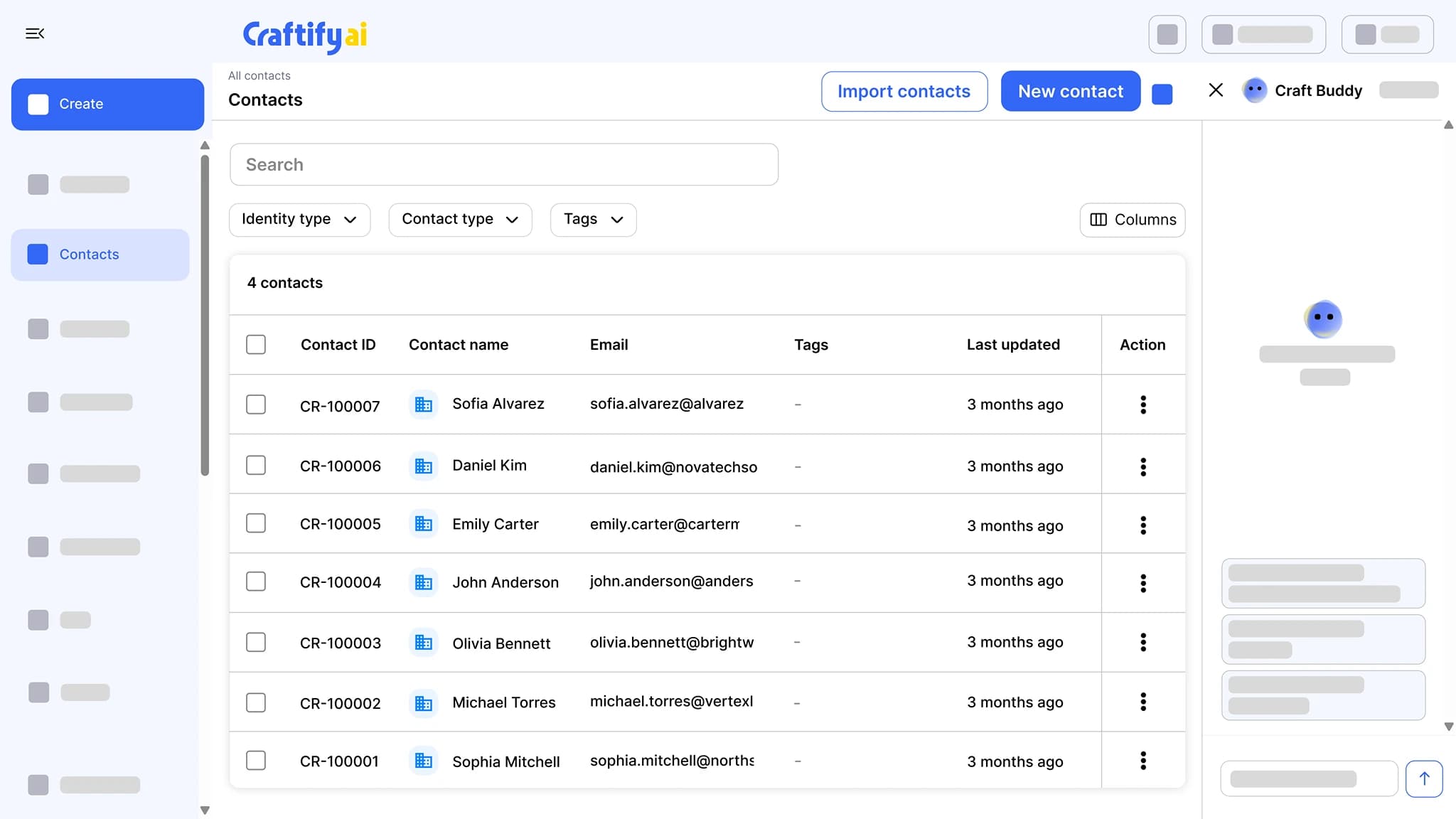
Import contacts from CSV, QuickBooks, or Shopify, or let your website lead forms add them for you. Tags, custom fields, notes, and pipelines feed the email, segments, and automations you already use, so one record drives every send.
CSV, QuickBooks, Shopify import
Interaction timeline
Tags, fields, pipelines
Your contacts live in three apps and a spreadsheet.
Most service businesses end up with leads in one tool, customers in another, and notes in a Google Doc. The result: stale lists, missed follow-ups, and segments that take an hour to rebuild.
Contacts spread across QuickBooks, your email, and a CSV someone exported last quarter.
Leads from your website go nowhere because the form isn't connected to anything.
Paying for a CRM, an email tool, and a scheduler that all need separate setup.
See how one record drives every send →
Why small businesses pick the Craftify CRM
Built for service businesses that want the contact list to do something. Tags, fields, and pipelines feed every email, segment, and automation.
Imports the way your data already exists
Import a CSV in any of several formats, pull contacts from QuickBooks or Shopify, or point your website lead forms at Craftify and new leads add themselves.
Contact types with their own fields
Set up contact types for leads, customers, or partners, each with its own custom fields and interaction types. Add tags, notes, and file attachments to any record.
Pipelines that trigger marketing
Move a lead through the stages of a pipeline and segments update and automations fire, so the right email goes out without you copying anything.
Your contact list, working harder
Tags, custom fields, pipelines, notes, file attachments, and an interaction timeline, all on one record that the rest of Craftify reads from.
What it does
One record, every send
The contact list, the emails that go to it, and the automations that follow up on their own.
Import from CSV, QuickBooks, or Shopify, or let your website lead forms add contacts for you. Tag, segment, add notes, and move leads through pipelines that trigger follow-ups.
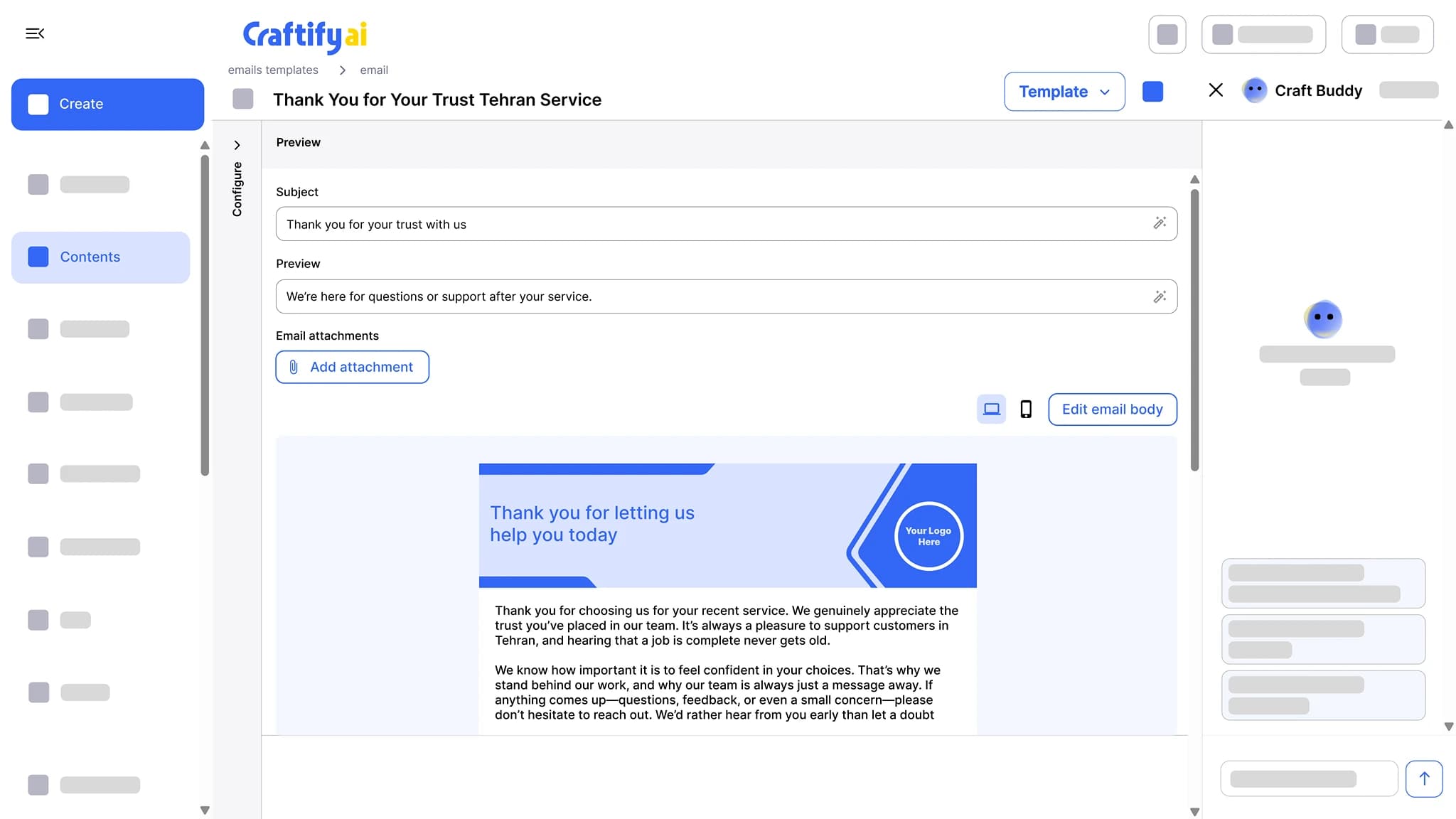
Write the subject line, preview text, and a branded email body, then send from your own domain with no Craftify branding on it. Opens and clicks are tracked per contact.
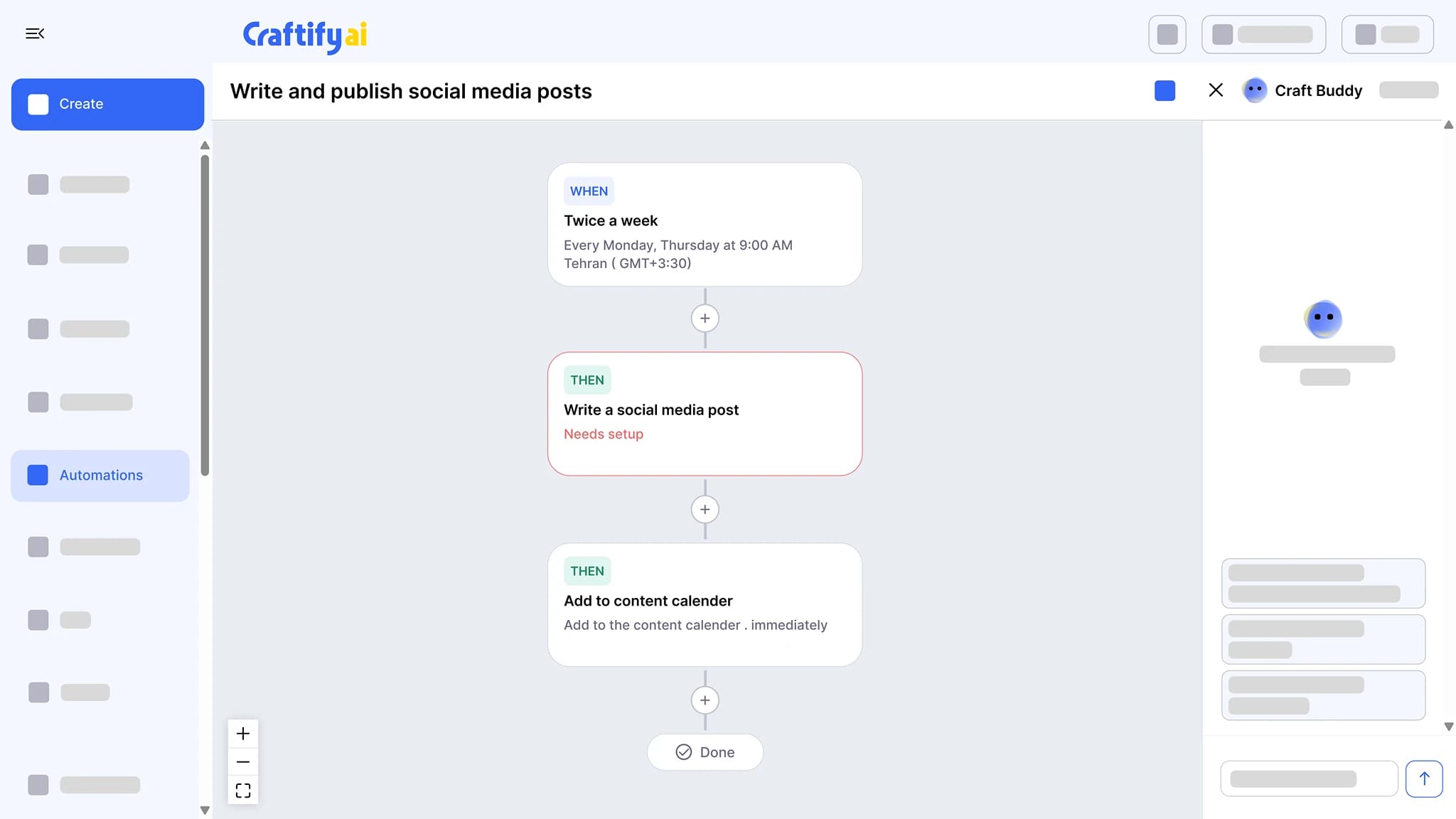
See email marketingChain a trigger to actions: write a social post twice a week and add it to the calendar, send a birthday email, or follow up after a job. Set the schedule once and approve what it drafts.
See marketing automation
Need a custom field or pipeline stage? Tell us what you need. The CRM is configurable per contact type.
How it works
Bring your contacts in, set up types and pipelines once, then let the rest of Craftify do the work.
1
Import your contacts
Drop a CSV, connect QuickBooks or Shopify, or point your website lead forms at Craftify. Several CSV formats are supported out of the box.
2
Set up types, fields, and pipelines
Configure a contact type with its own custom fields and interaction types, add tags, and set up the pipeline stages a lead moves through. Notes and file attachments live on the record.
3
Send and track
Email a saved segment from your domain, or let a pipeline stage change fire an automation. Every email, open, click, note, and form submission logs to the contact timeline.
Ready to put your contact list to work?
Frequently asked questions
The CRM in Craftify AI is the contact list the rest of the platform reads from: import contacts from CSV, QuickBooks, Shopify, or your website lead forms, organize them with contact types, custom fields, tags, and notes, and move leads through pipelines that trigger segments and automations. Every email, open, click, note, and form submission shows on the contact timeline.
Import a CSV (several formats are supported), pull contacts from QuickBooks or Shopify, or connect your website lead forms so new leads are added as they come in.
Yes. Each contact type you configure has its own custom fields and its own interaction types, so a lead and a customer can carry different information and log different kinds of activity.
Move the contact to the next pipeline stage. The stage change can update segments and fire automations, like a welcome email or a request for a Google review after the first service.
Yes. Each contact has an interaction timeline with the emails sent, the opens and clicks, your notes, and the form submissions that created or updated the record.
Yes. Build a segment on any custom field, tag, or pipeline stage, save it, and use it when sending emails or setting up automations.