Content Calendar
Content Calendar for everything you publish, in one view
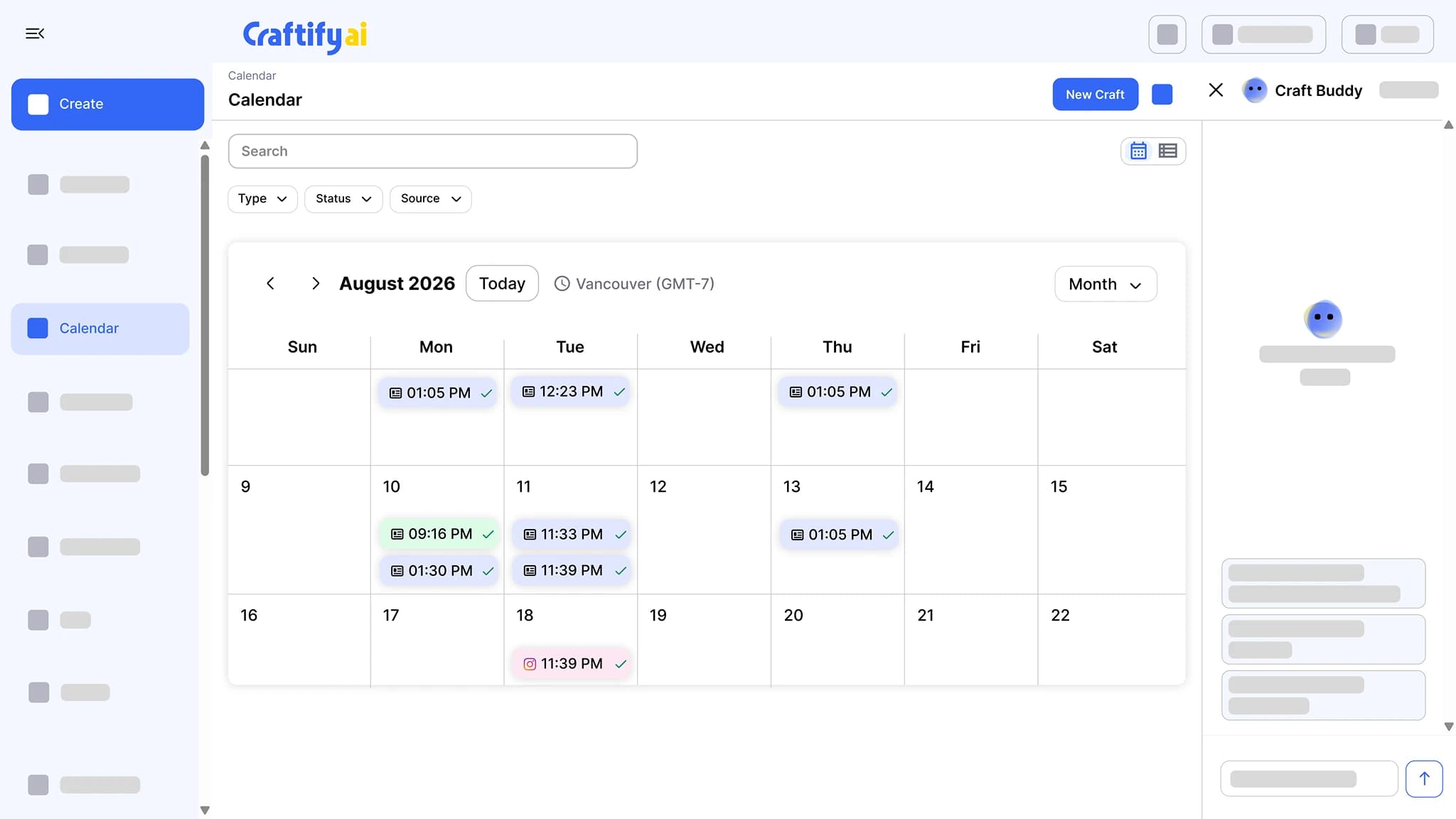
Every scheduled blog post, email, social post, and reminder on one calendar, color-coded by channel. Filter by type, status, or source, and see a check mark on each item once it has gone out.
Every channel, one view
Color-coded by channel
Filter by type, status, source
Your marketing schedule lives in five places.
Posts in one scheduler, emails in another, blog drafts in a doc, and a plan on a screenshot from your phone. The result: missed sends and double-posts.
Switching tabs to see what is going out this week.
Two posts going live the same day because nothing showed the conflict.
Not knowing whether the email from last Tuesday actually went out without opening another tool.
See your whole month in one calendar →
Why one calendar beats five
Everything Craftify schedules or publishes shows up here, color-coded, with its status on it.
Every channel on one calendar
Blog posts, emails, social posts, and automation reminders share the same view, color-coded by channel. You see what goes out this week without opening four tools.
A check mark once it has gone out
Scheduled items wait on their day. Published ones get a check mark. The same month shows what is done and what is still to come.
Fed by everything else in Craftify
Schedule a post or an email, approve a campaign item, or let an automation write a post twice a week. Each one lands here, tagged with where it came from.
A month of marketing, in one view
Every blog post, email, social post, and reminder side by side, with the campaigns and social posts that fill it.
What it does
What lands on the calendar
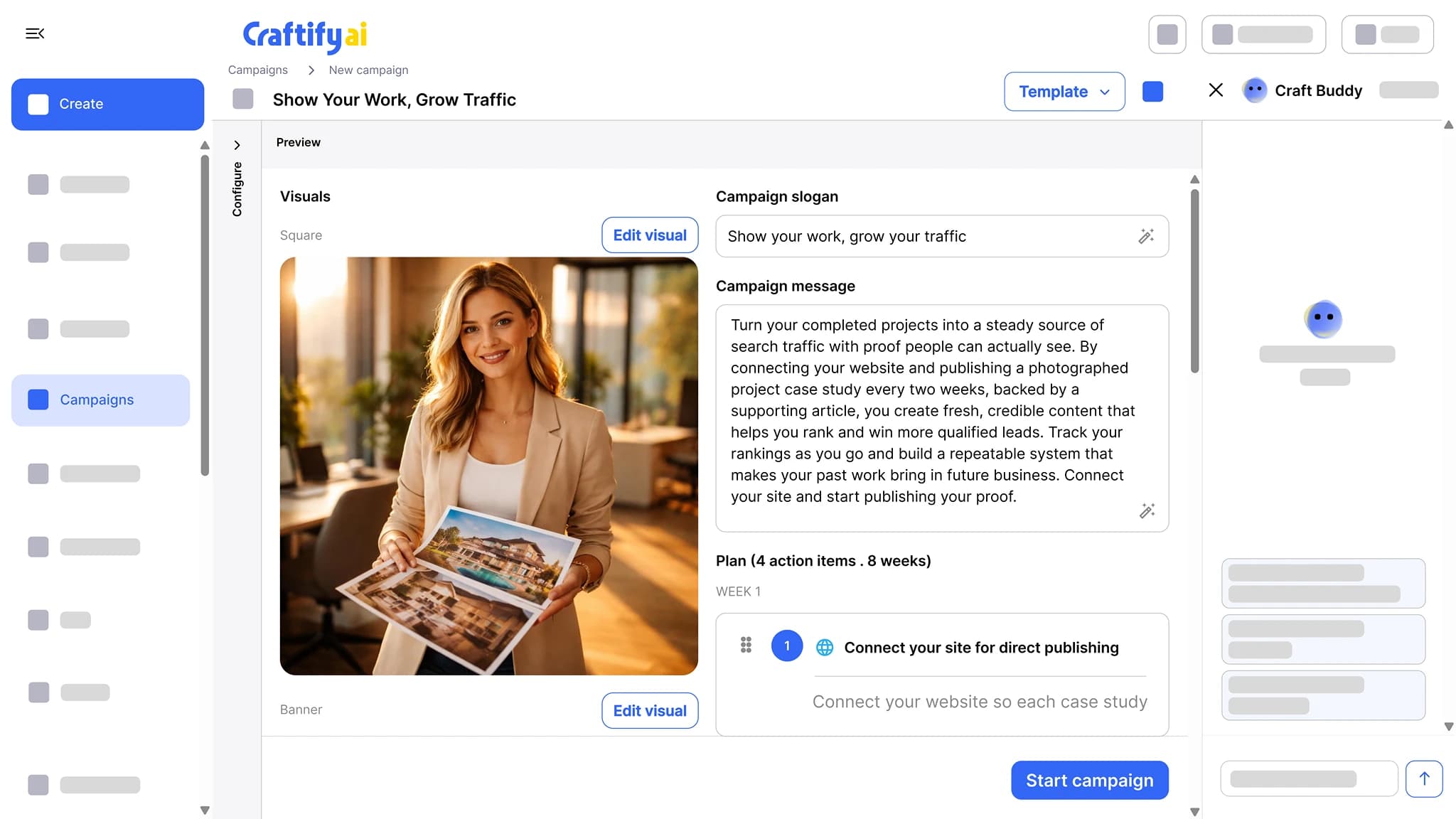
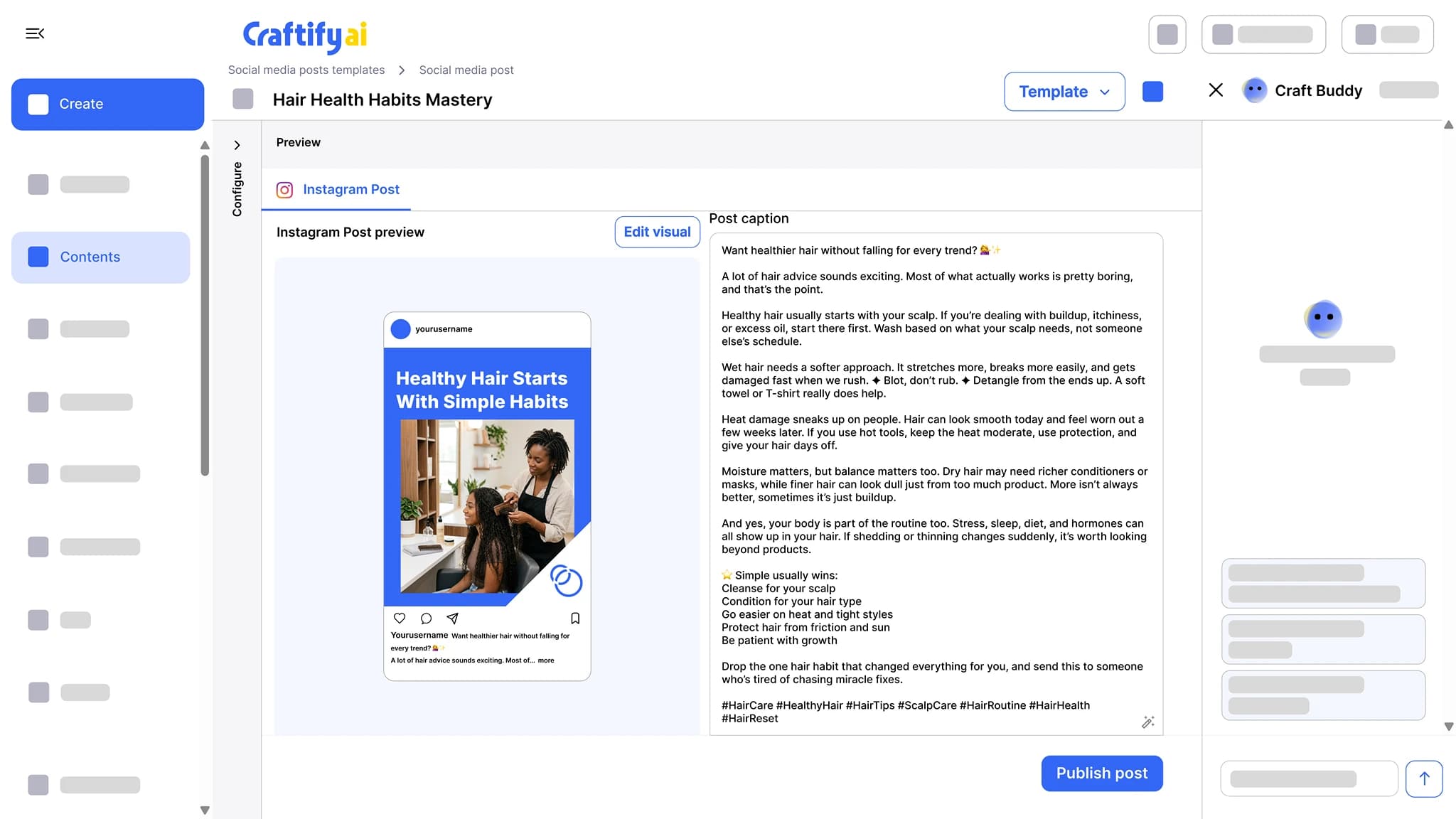
The calendar itself, the campaigns that plan a rollout onto it, and the social posts that fill it.
Every scheduled post, email, and article on one calendar, color-coded by channel, with a check mark once it has gone out. Filter by type, status, or source.
Pick a goal, and Craftify drafts the slogan, the message, the visuals, and a week-by-week plan of action items. Each item becomes a post, an email, or an article you approve.
See campaignsGet the caption, the hashtags, and the visual for Instagram, Facebook, or TikTok in one pass. Edit the design in the built-in Visual Designer, then publish or schedule from the same screen.
See the social post tool
Want to see it on a real schedule? Book a quick demo with our team.
How it works
Schedule from any tool, then read the month from one view.
1
Schedule from any tool
Schedule a blog post, an email, or a social post, approve a campaign item, or let an automation draft posts on a schedule. Each one lands on the calendar.
2
Filter to what you need
Open the month and filter by type, status, or source: only emails, only what is still scheduled, or only what an automation created.
3
Check what went out
Published items get a check mark, so the same view shows what is still to come and what has already gone out.
Ready to see your whole month at a glance?
Frequently asked questions
The Content Calendar is the one view in Craftify AI of everything you have scheduled or published: blog posts, emails, social posts, and reminders, color-coded by channel. Published items get a check mark, and you can filter by type, status, or source.
Every blog post, email, social post, and reminder you have scheduled or published in Craftify. Items created by campaigns and automations show up too, tagged with the source they came from.
Yes. Filter by type (blog, email, social, reminder), by status (scheduled or published), or by source, so you can look at only your emails or only what an automation created.
Published items get a check mark. Scheduled items wait on their day without one, so the same month shows what is done and what is still to come.
Yes. Approve a campaign action item and it is scheduled on the calendar. An automation that writes a social post on a schedule can add each post to the calendar as well.
No. The Content Calendar runs in your browser, so it works on any device.