Business Stationery
Business Stationery from card to letterhead, ready to print
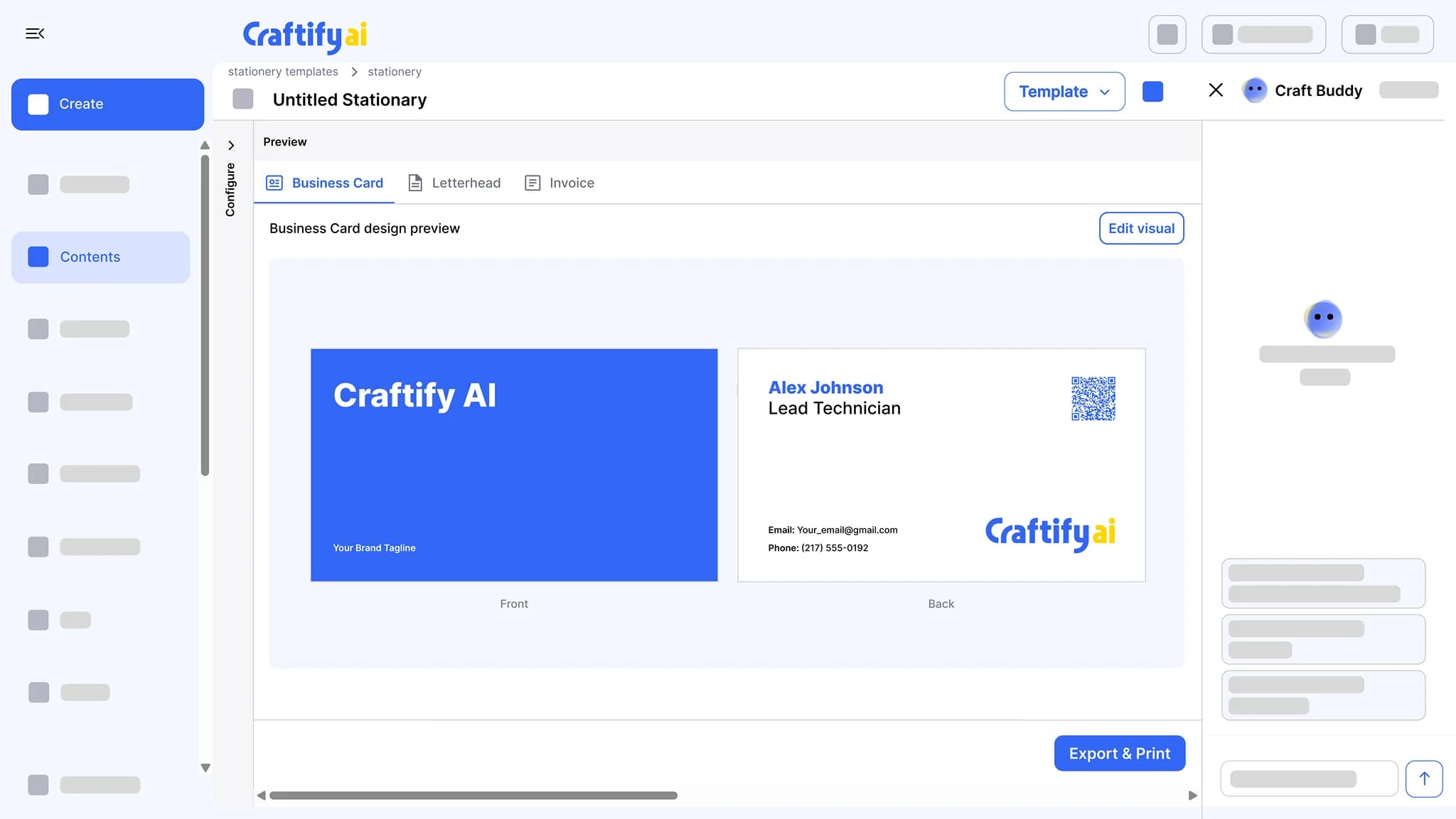
Business card, invoice, letterhead, and envelope designs built from your brand profile: logo, colors, and contact info. Adjust them in the Visual Designer, export a print-ready PDF, and send it to your print shop.
From your brand profile
Edit in the Visual Designer
Print-ready PDF
Designing print files takes a designer most owners do not have.
Bleed margins, color profiles, vector logos, the right paper size. The print shop rejects the PDF you sent and you start over from scratch.
Reformatting business cards because the print shop needs a different file.
Letterheads and invoices that look like five different companies sent them.
Hiring a designer per print run when you just need a fresh batch of cards.
See a stationery set built from your brand →
Why owners pick the Business Stationery generator
Built from your business profile, editable in the Visual Designer, and exported as a print-ready PDF for the print shop you already use.
One brand across the whole set
Logo, colors, and contact info come from your business profile, so the card, the invoice, the letterhead, and the envelope look like the same company.
Print-ready PDF for your print shop
Export a print-ready PDF and send it to the print shop you already use. No designer in between.
Edit it, then save it as a template
Open any piece in the Visual Designer to move things around or change the text. Save the result as a template for the next batch.
A full stationery set, on-brand
Business cards, invoices, letterheads, and envelopes. Built from your brand profile, editable in the Visual Designer, exported as print-ready PDFs.
What it does
A matching print set, from your brand
The stationery set, the designer you adjust it in, and the digital card that goes with it.
Business cards, letterheads, and invoices built from your logo, colors, and contact details. Adjust them in the Visual Designer and export a print-ready file.
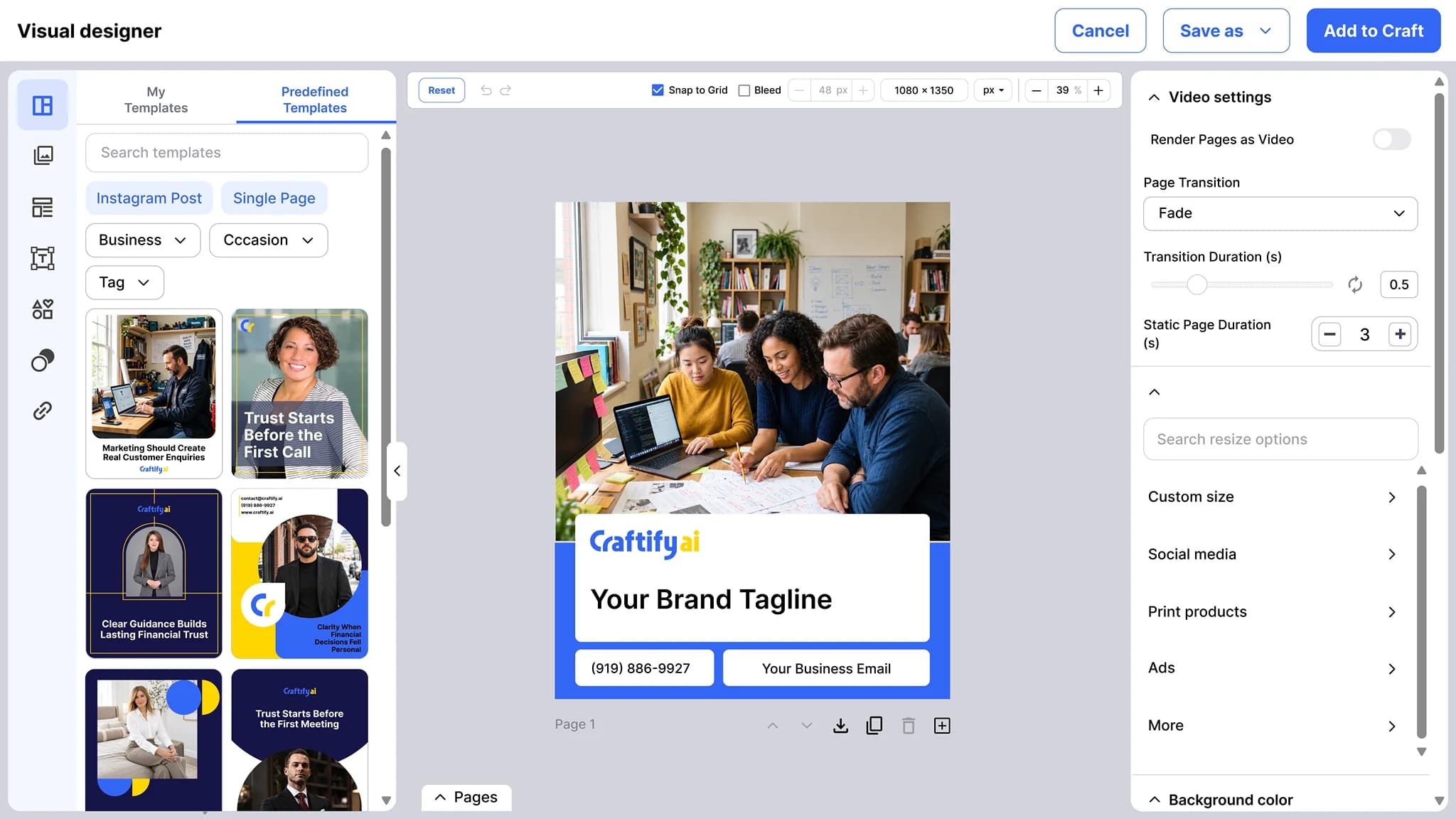
A drag-and-drop editor for social posts, ads, cover images, and print pieces. Your logo, business name, and contact details fill in from your business profile, and any design can become a template.
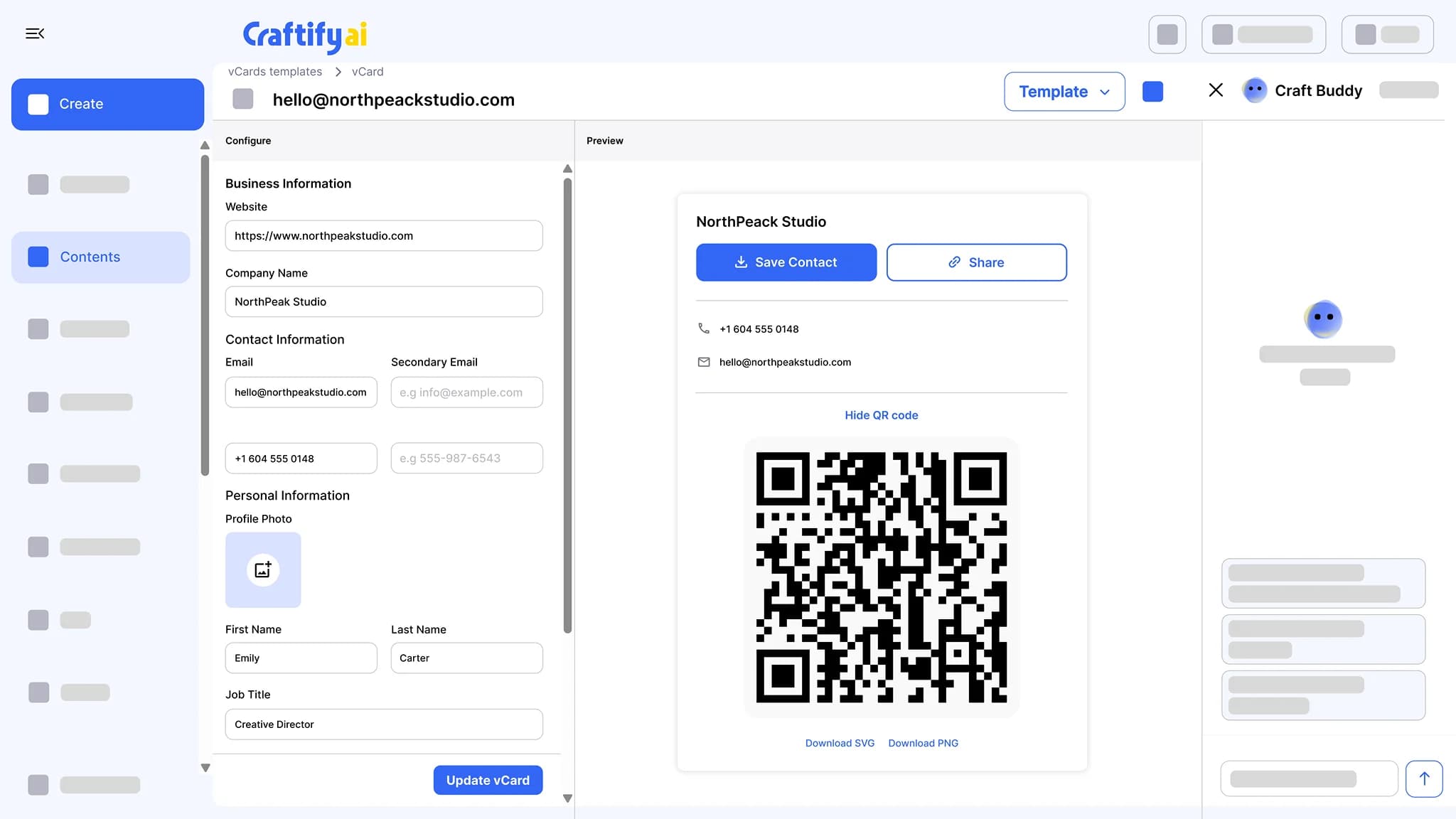
See the Visual DesignerA public card page with your photo, contact details, and social links. Share it by QR code or link, and one tap saves you to the phone as a contact.
See the virtual business card
Questions about sizes or formats? Talk to our team before your next print run.
How it works
Pick the piece, edit if needed, export the PDF.
1
Pick the piece
Business card, invoice, letterhead, or envelope. Each one starts with your logo, colors, and contact info already in place.
2
Edit and save as a template
Adjust the design in the Visual Designer if you want to. Save it as a template so the next batch starts from the same design.
3
Export and send to print
Export a print-ready PDF and send it to your print shop, or print it yourself.
Ready to ship a print order without a designer?
Frequently asked questions
Business Stationery is the tool in Craftify AI that designs your business card, invoice, letterhead, and envelope from your brand profile. Each piece uses your logo, colors, and contact info, opens in the Visual Designer for edits, and exports as a print-ready PDF for your print shop.
Business cards, invoices, letterheads, and envelopes. Each piece is a design you can open in the Visual Designer and export as a PDF.
Yes. Open any piece in the Visual Designer to move elements, change text, or swap an image. The brand profile fills in the defaults, and you take it from there.
Export a print-ready PDF and send it to the print shop you already use, or print it yourself. The file is the same one a designer would hand over.
Yes. Save any piece as a template and start the next batch from it, with the same layout and updated details.
Yes. The same brand profile feeds your emails, social posts, and stationery, so the logo and colors match across print and screen.