Blog Post Writer
Blog Post Writer for articles that bring organic traffic
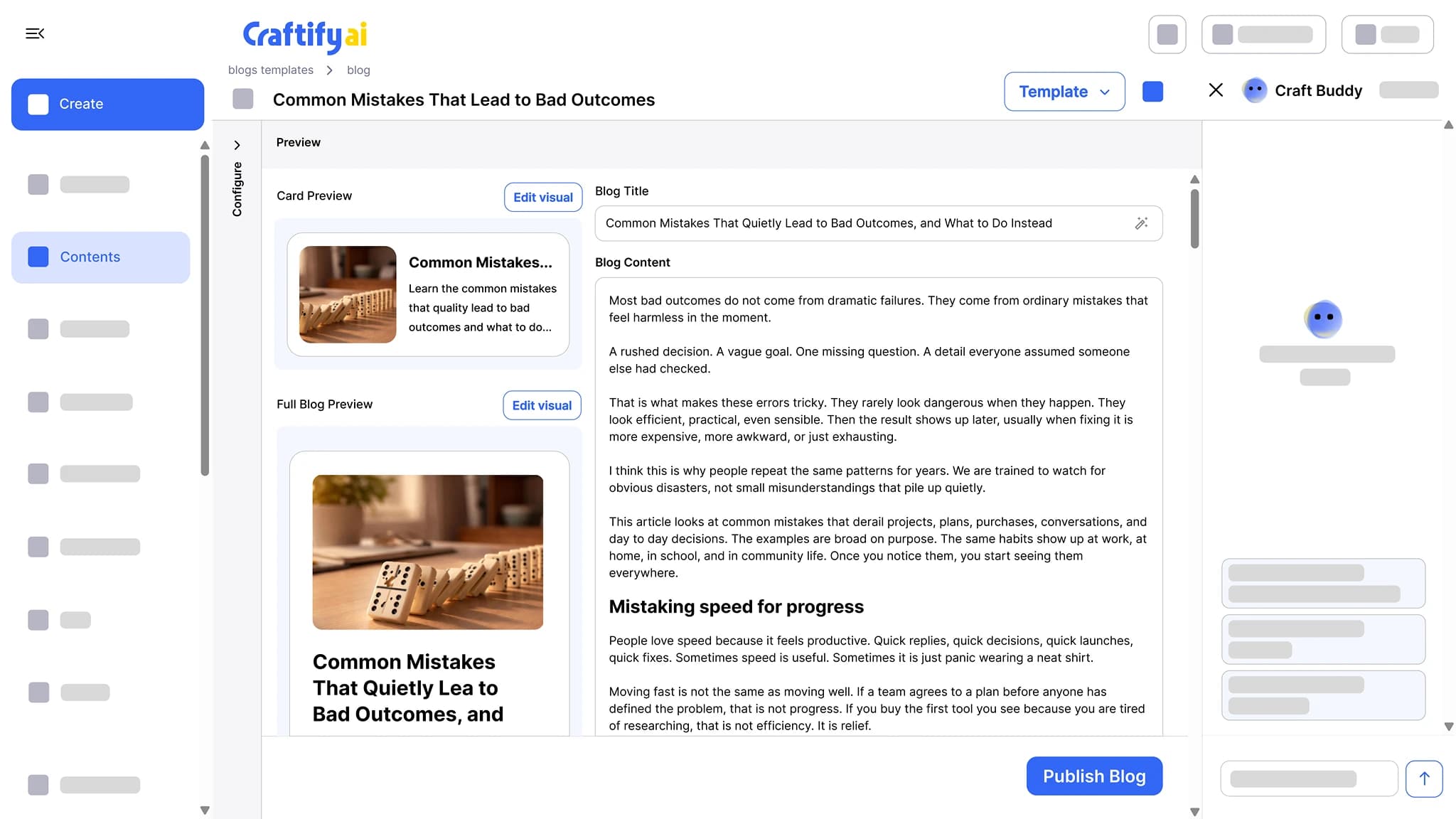
Write SEO-optimized articles around the keywords you want to rank for, with a cover image and a card preview. Publish to WordPress or Shopify in one click, or schedule it for later.
Written for your keywords
Cover image included
One-click WordPress publish
Most business blogs stop after the third post.
Picking a topic, finding the keyword, writing the article, making a cover image, and pasting it all into WordPress takes an afternoon. So the afternoon never comes, and the blog goes quiet.
Hours writing and rewriting one article, with no cover image at the end of it.
Posts that target keywords nobody actually searches.
Drafts that never make it past Google Docs because nothing connects to your blog.
See articles that go from keyword to published →
Why service businesses write their blog in Craftify
Written around the keywords you want to rank for, tied to your brand voice, and published from the same screen.
SEO-optimized around your keywords
Enter the keywords you want to rank for, or pick a topic from Topic Research, and the article is structured around them, with the headings and metadata written for organic traffic.
Cover image and card preview included
Every article comes with a cover image and a card preview, so you see how the post looks in a blog listing before it goes out. Edit the cover in the Visual Designer.
Publish to WordPress or Shopify in one click
Publish now or schedule it. The post lands on your content calendar with the rest of your marketing, and blog automations can write and publish on a schedule with a review step.
Blog posts that earn organic traffic
Keyword in, finished article out: the text, the cover image, the card preview, and a publish button for WordPress or Shopify.
What it does
From a keyword to a published article
The article itself, the campaigns that plan a series of them, and the integrations that publish them.
SEO-optimized articles written around the keywords you want to rank for, with a cover image and a card preview. Publish to WordPress or Shopify in one click.
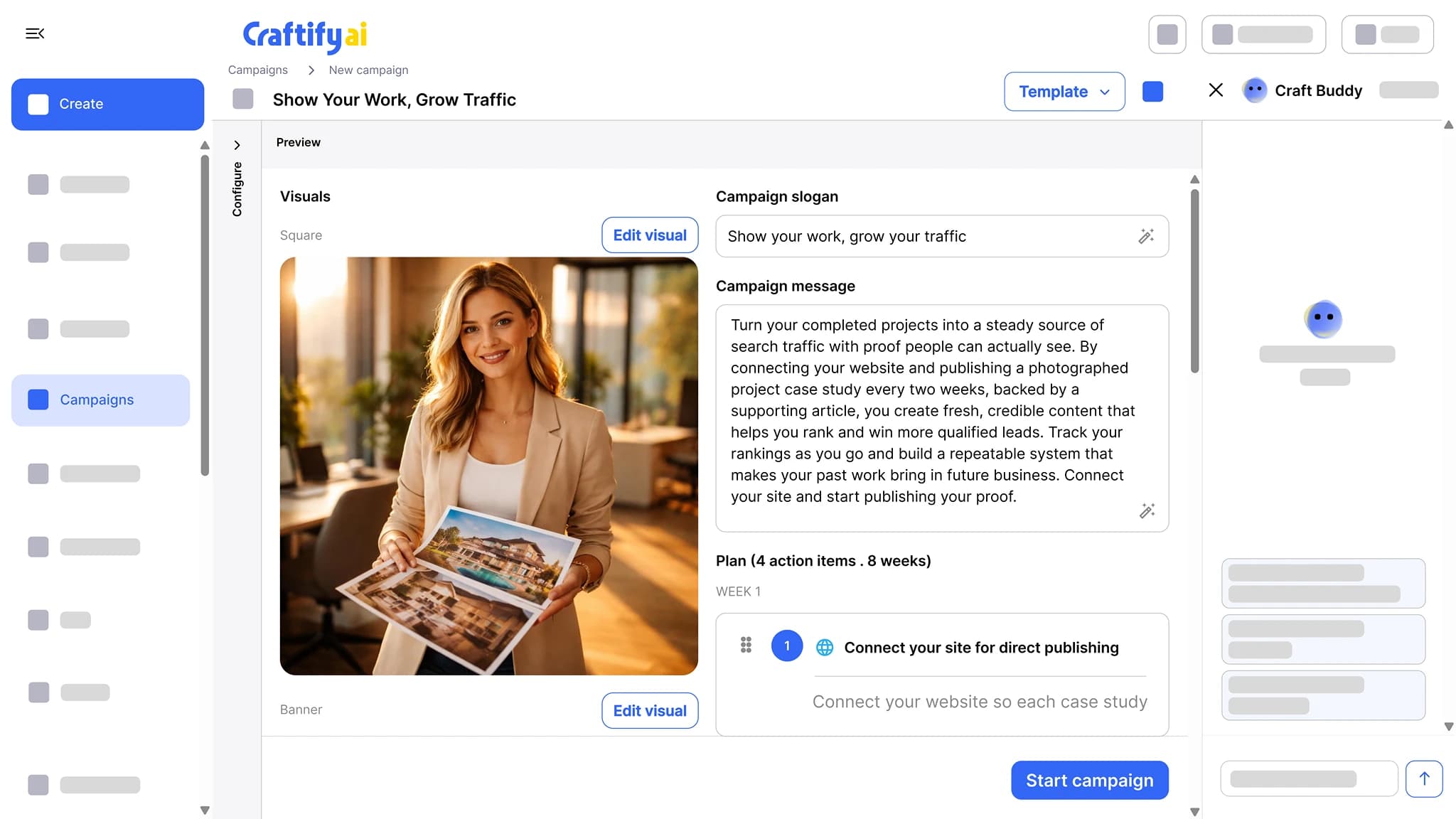
Pick a goal, and Craftify drafts the slogan, the message, the visuals, and a week-by-week plan of action items. Each item becomes a post, an email, or an article you approve.
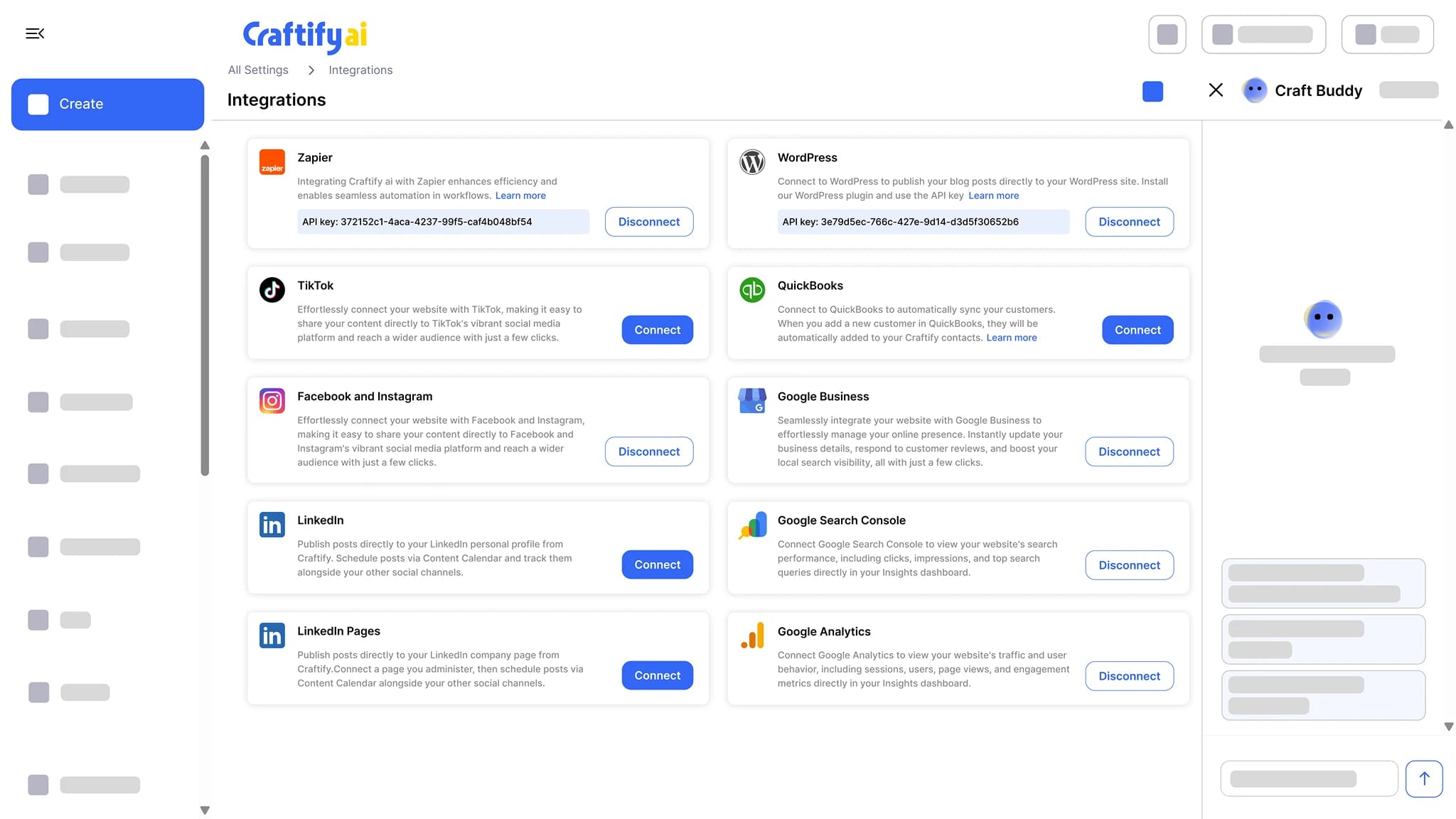
See campaignsConnect Google Business Profile, Google Ads, Google Analytics, Search Console, Facebook and Instagram, TikTok, WordPress, Shopify, QuickBooks, and Zapier. Publish and sync without copy-pasting.
See integrations
Want a content plan for your business? Book a quick demo with our team.
How it works
Pick a topic and keywords, review the article, publish it.
1
Pick a topic and keywords
Enter the keywords you want to rank for, or hand a topic over from Topic Research. The writer reads your business profile for the services, audience, and brand voice.
2
Review the article
A full article with intro, headings, body, and conclusion, plus the cover image and the card preview. Edit any part of it before publishing.
3
Publish or schedule
Publish to WordPress or Shopify in one click, or schedule it and the post lands on your content calendar.
Ready to get blog content out the door?
Frequently asked questions
The Blog Post Writer is the tool in Craftify AI that writes an SEO-optimized article around the keywords you want to rank for, with a cover image and a card preview, and publishes it to WordPress or Shopify in one click. It reads your business profile, so the services, audience, and brand voice are already set.
Yes. Each article is structured around the keywords you provide, with the headings and metadata written for organic traffic. Topic Research can feed it topics and keywords before you start.
Yes, to WordPress or Shopify in one click from the article screen. Blog automations can also publish to Webflow or through Zapier on a schedule.
Yes. Schedule from the article screen and the post lands on your content calendar with the rest of your marketing.
Yes. A blog automation writes a new article on the schedule you set and publishes it to WordPress, Webflow, Zapier, or the content calendar. A review step lets you approve each article before it goes out.
Yes. Every article comes with a cover image and a card preview of how the post looks in a listing. You can edit the cover in the Visual Designer or swap in your own image.