Segmentation
Segmentation on every contact field and every interaction
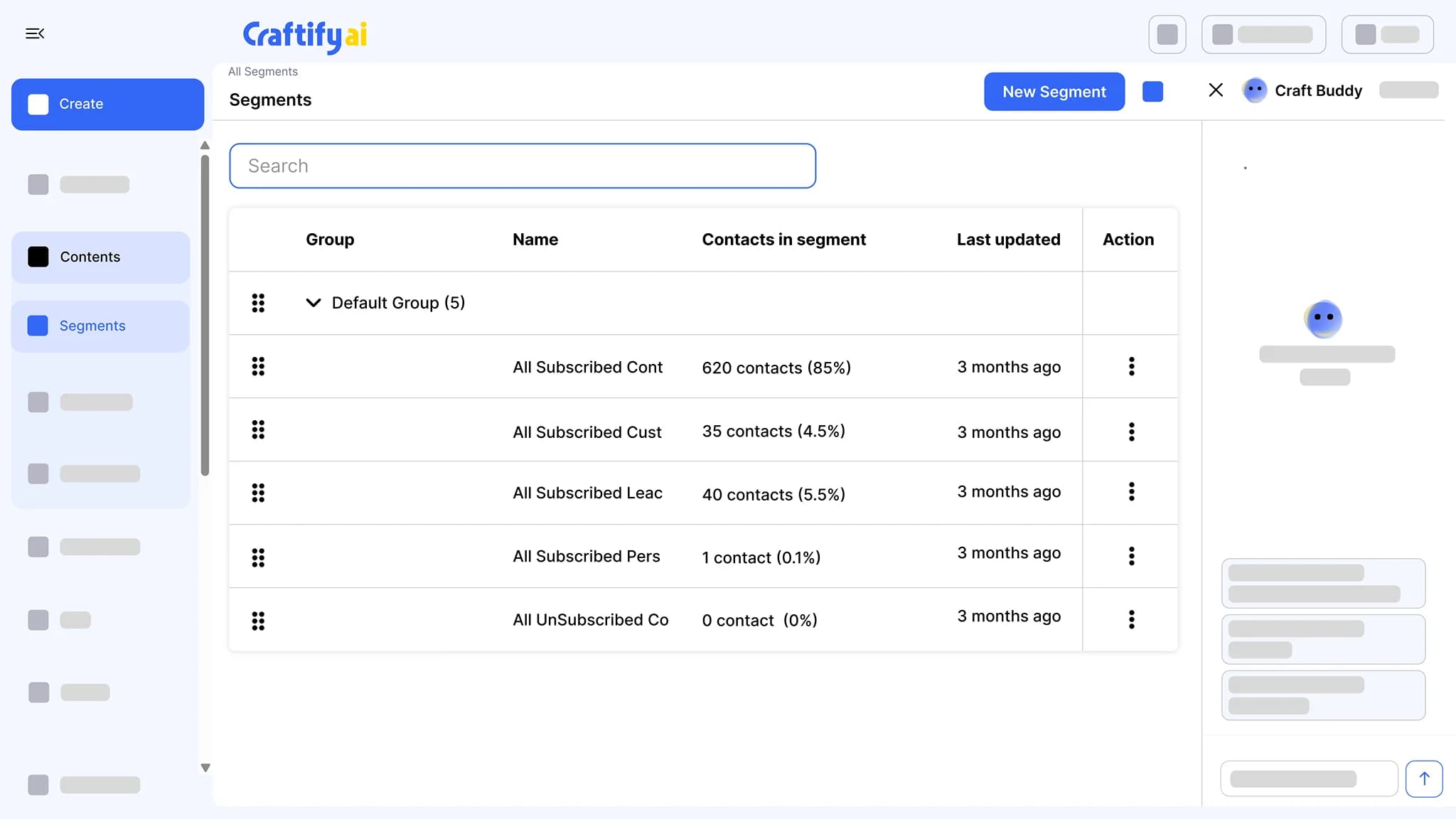
A query builder over profile fields, tags, custom fields, pipeline stage, and interaction history: who opened an email, who clicked, who submitted a form. Save the segment and it keeps itself current.
Any field, any combination
Interaction history
Refreshes on its own
Pulling a list of "the right people" takes longer than the campaign.
Most owners export a CSV, sort by columns, paste into another tool, and lose track of who already got the last email. By the time the segment is ready, the moment is gone.
Exporting CSVs and filtering them in a spreadsheet every time you need a segment.
Sending the same email to people who already engaged and skipping the ones who did not.
Missing the chance to follow up with the people who clicked, opened, or filled in a form.
See segments built from any field or interaction →
Why service businesses pick Craftify Segmentation
Filter on profile fields, custom fields, tags, pipeline stage, and the interactions logged on a contact record. Saved segments refresh as new data comes in.
Any field, any combination
Filter on profile fields, custom fields, tags, pipeline stage, or source, and combine them. Build segments like "customers in Toronto tagged VIP who joined this year".
Filter on real interactions
Pull the contacts who opened the last email, clicked a link in it, or submitted a form. Each interaction is logged on the contact record, so the segment reads from what already happened.
The audience for sends and automations
Pick a segment as the audience for an email send or a campaign. When a contact enters or leaves a segment, that change can trigger an automation.
Segments that match how you already think
VIPs who opened last week, customers who clicked the offer, leads who came through the quote form, contacts whose birthday is this month. All built from data already on the record.
What it does
The right list for every send
Segments built from your contacts, ready for the next email campaign.
Group contacts by profile fields, tags, pipeline stage, and what they opened, clicked, or submitted. Saved segments keep themselves current, ready for the next email or automation.
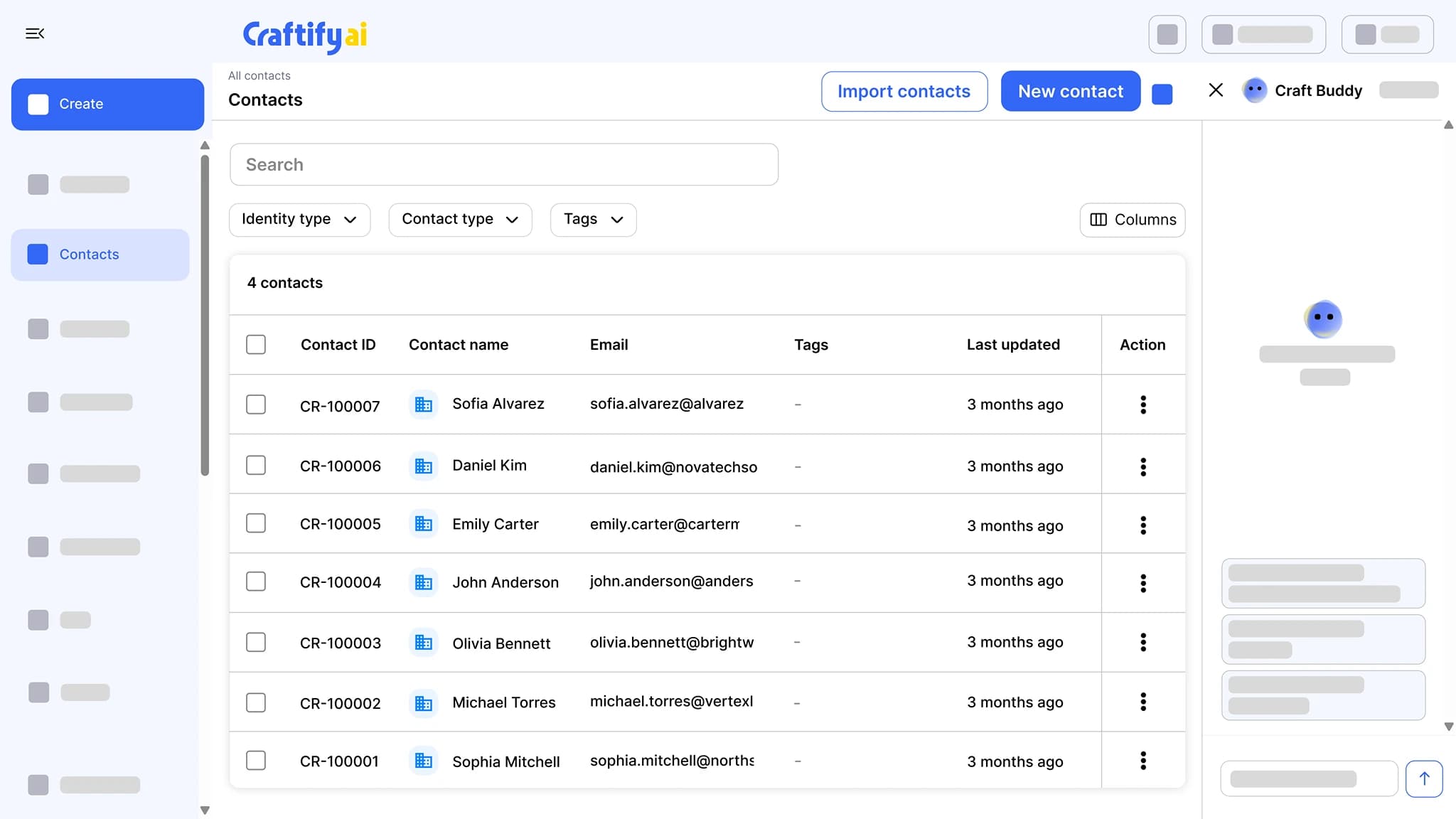
Import from CSV, QuickBooks, or Shopify, or let your website lead forms add contacts for you. Tag, segment, add notes, and move leads through pipelines that trigger follow-ups.
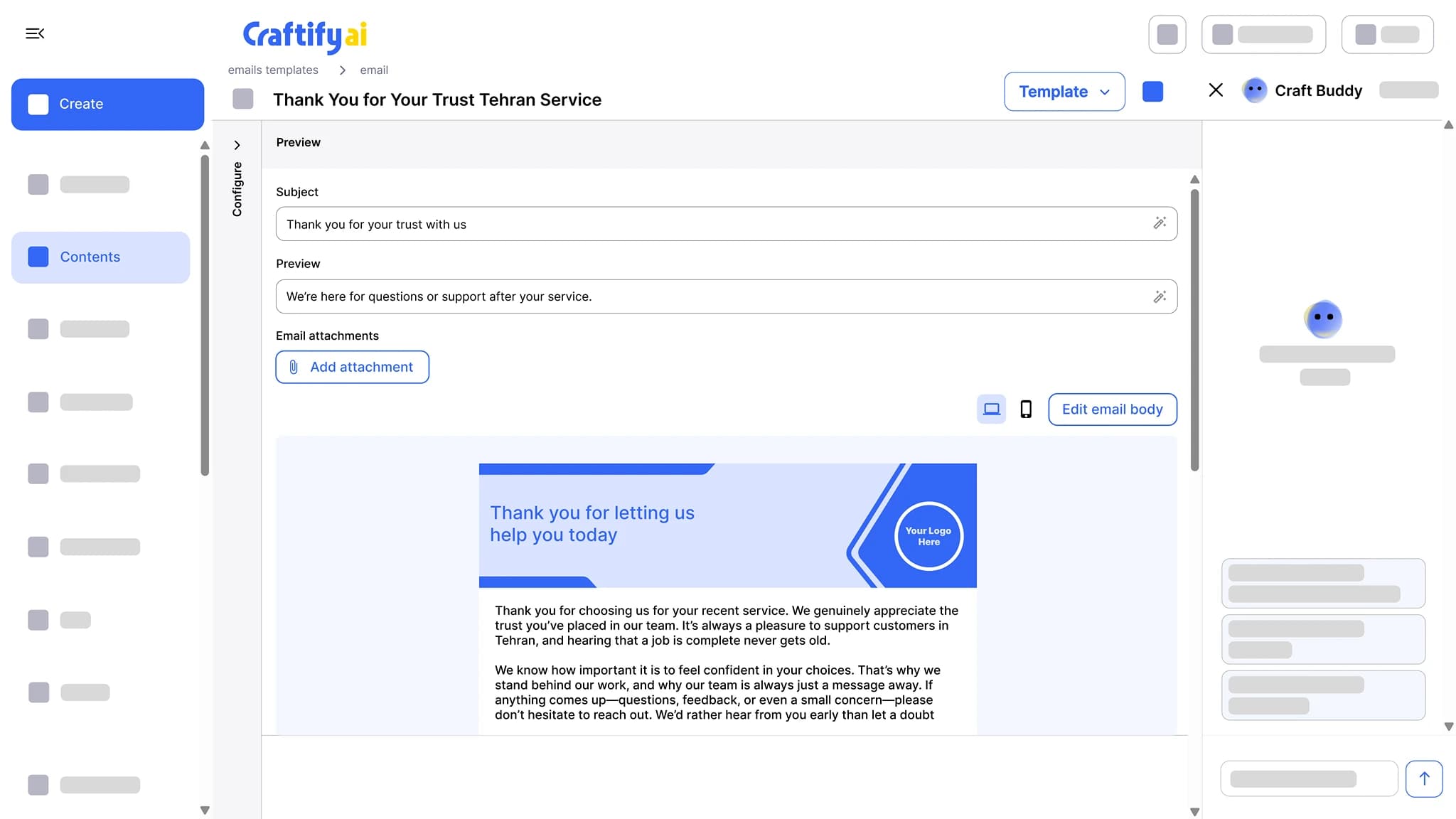
See the CRMWrite the subject line, preview text, and a branded email body, then send from your own domain with no Craftify branding on it. Opens and clicks are tracked per contact.
See email marketing
Need help building a specific segment? Book a quick demo with our team.
How it works
Pick the filters, save the segment, use it everywhere.
1
Pick your filters
Choose any combination of profile fields, custom fields, tags, pipeline stage, and interaction history in the query builder.
2
Save the segment
Name it and save it. Membership refreshes on its own as contacts match or stop matching, so you never rebuild the list.
3
Use it in sends and automations
Pick the segment as the audience for an email or a campaign, or let entering or leaving it trigger an automation. One segment, every place it makes sense.
Ready to send to the right contacts every time?
Frequently asked questions
Segmentation is the query builder in Craftify AI that groups contacts by profile fields, tags, custom fields, pipeline stage, and interaction history, and keeps the group current on its own. A saved segment is the audience for email sends and campaigns, and entering or leaving one can trigger an automation.
Profile fields such as name, email, city, and source, custom fields you defined for each contact type, tags, pipeline stage, and interaction history: opened an email, clicked a link, submitted a form. Combine any of these in one segment.
Yes. Every email sent through Craftify logs opens and clicks on the contact record. Build segments like "opened the last campaign but did not click".
Yes. A segment is a saved query, not a frozen list. As contacts match or stop matching, membership refreshes, and new contacts who match are included.
Yes. When a contact enters or leaves a segment, that change can start an automation: a welcome sequence for new leads, or a follow-up for contacts who reach a pipeline stage.
A segment is a live list of your actual contacts, built from their data. An audience persona, from Strategy Tools, describes the kind of customer you are writing for and guides the tone and angle of generated content. Use personas to write, segments to send.