Visual Designer
Visual Designer for on-brand posts, ads, and print, in minutes
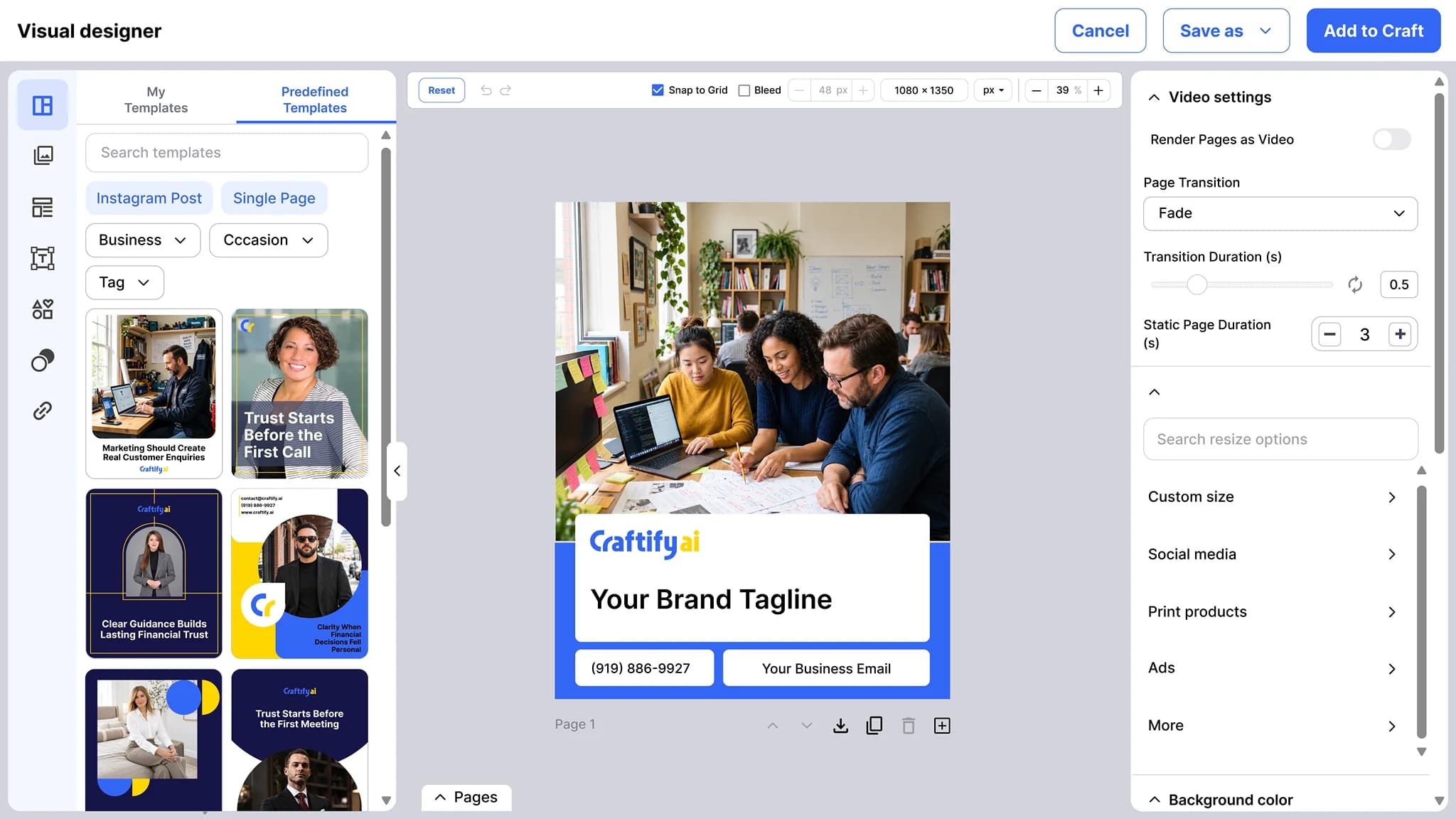
A drag-and-drop designer for social posts, ad creatives, email and blog cover images, business cards, brochures, pamphlets, and website visuals. Your logo, business name, contact info, and social links come from your business profile, so a branding change updates every design.
Drag-and-drop editor
Dynamic brand values
Reusable templates
Stop juggling three design apps and a folder of half-finished posts.
Most small businesses end up with disconnected design tools, inconsistent branding, and posts that took an hour to make and another hour to schedule. Visual Designer fixes what actually slows the work down.
Hours spent recreating the same template every week.
Designs that drift off-brand because the logo and colors live in five places.
Paying for design tools, schedulers, and printers separately when one would do.
See how Visual Designer keeps every channel on-brand →
Why small businesses pick Visual Designer
Built for service businesses who do their own marketing. Set up your brand once, then design without re-typing your details.
Dynamic values from your business profile
Your logo, business name, contact info, and social links are fields, not pasted text. Change your phone number in the profile once and every design that uses it updates.
One editor for every format
Social posts, ad creatives, email cover images, blog cover images, business cards, brochures, pamphlets, and website visuals. Multi-page designs for print, PNG and PDF export for everything.
Templates and folders that carry over
Save a design as a template and reuse it when you generate a social post, an ad, or a blog cover. Keep designs in folders, nested up to three levels deep.
Everything you can design in one place
From the post you publish today to the brochure you hand a customer next month, one editor covers the visual work of a small business.
What it does
Your brand, filled in on every design
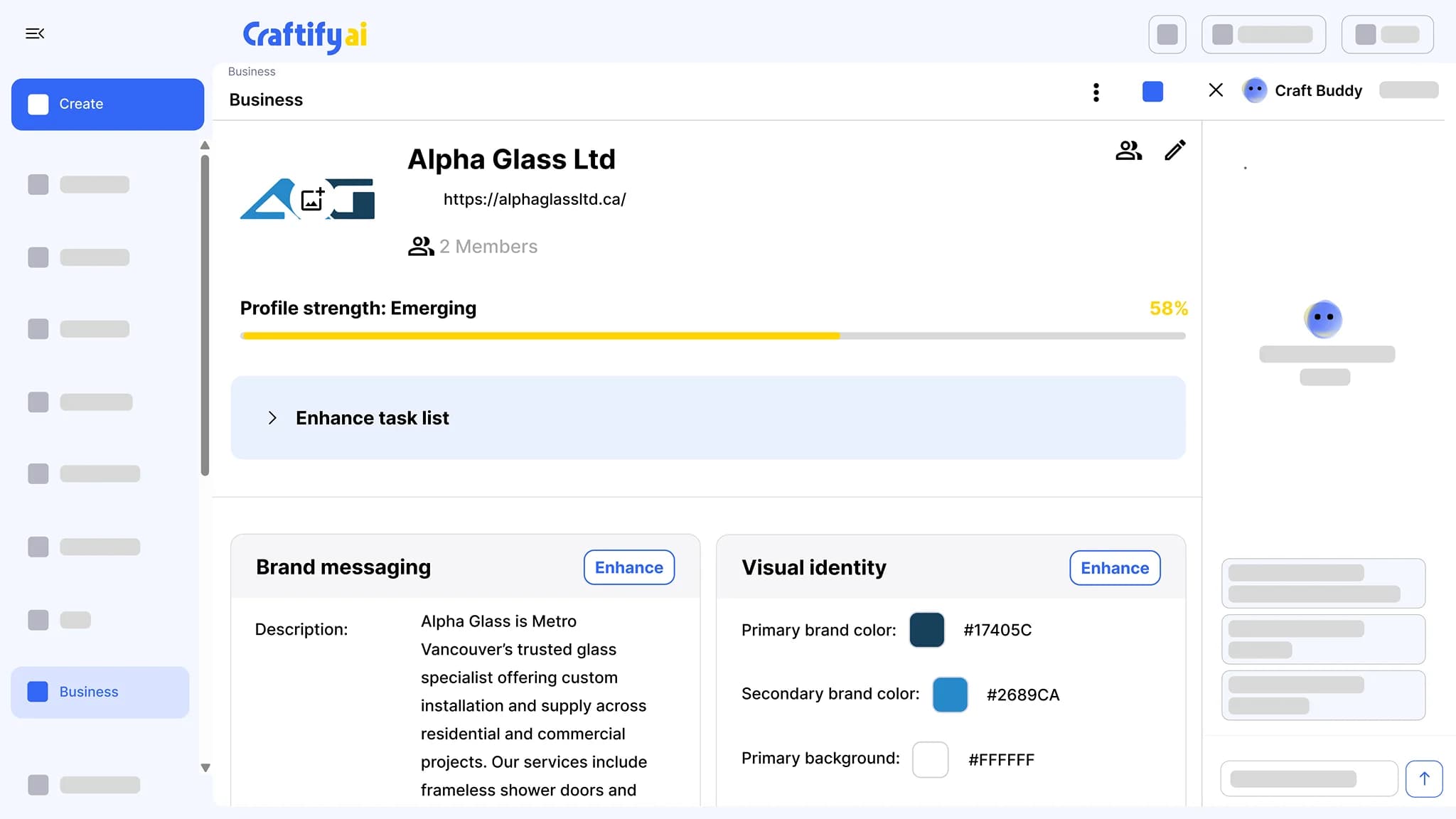
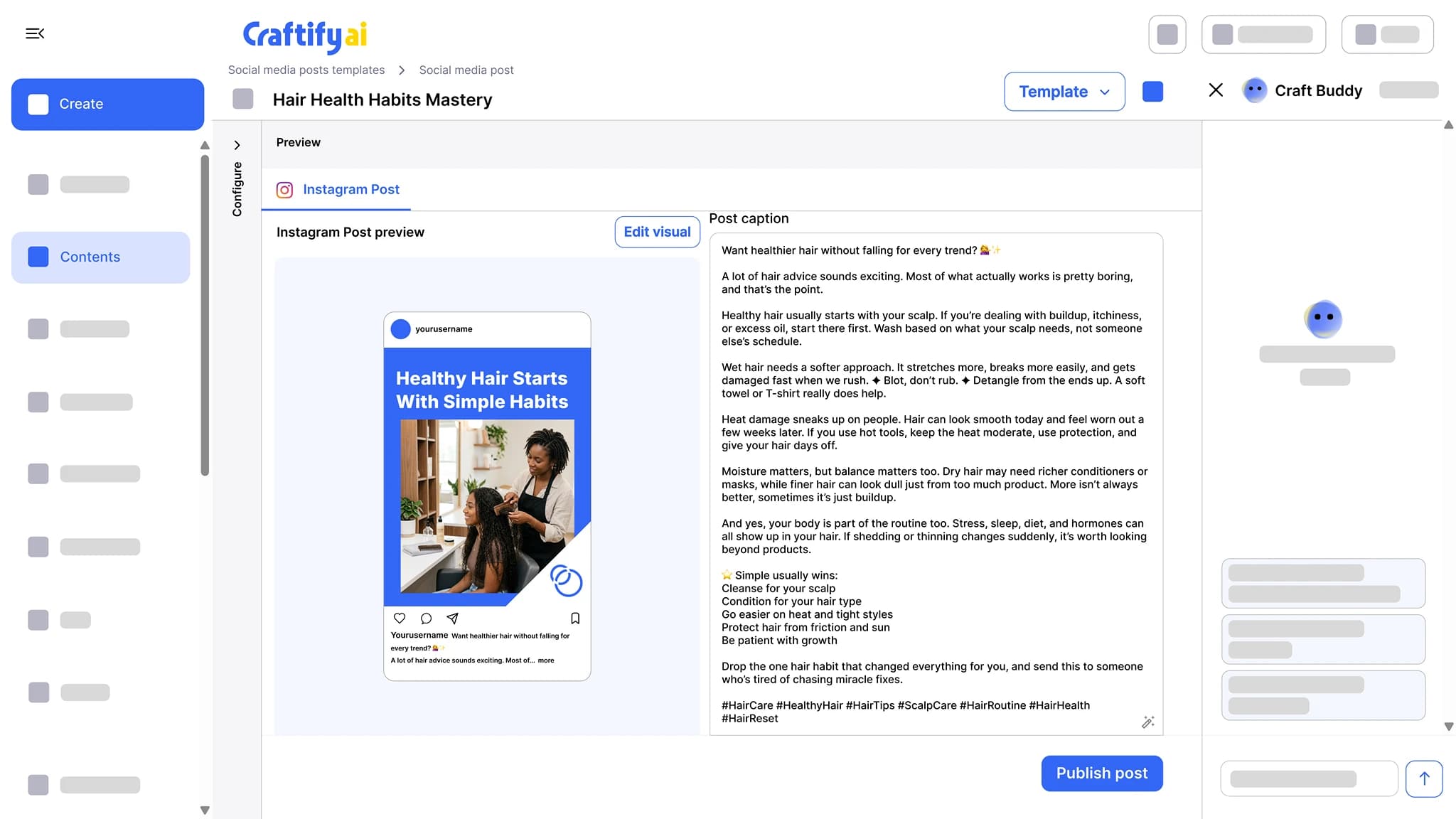
The designer, the business profile it pulls your brand from, and the social posts it dresses up.
A drag-and-drop editor for social posts, ads, cover images, and print pieces. Your logo, business name, and contact details fill in from your business profile, and any design can become a template.
Build your profile from your website URL or your Google Business Profile: description, logo, brand colors, and brand voice. Every tool writes and designs from it.
Get the caption, the hashtags, and the visual for Instagram, Facebook, or TikTok in one pass. Edit the design in the built-in Visual Designer, then publish or schedule from the same screen.
See the social post tool
Want to see it on your own brand? Book a demo with our team.
How it works
Set up your brand once. After that, every design starts with your details already in place.
1
Set up your business profile
Add your logo, brand colors, contact info, and social links once. Build the profile from your website URL or fill it from Google Business Profile.
2
Design from a template or a blank canvas
Drag and drop text, images, and shapes. Drop in dynamic values for your business name, phone, or logo, and add pages when the piece needs more than one.
3
Export it or reuse it
Download the design as a PNG or a PDF, or save it as a template and pick it when you generate your next social post, ad, or blog cover.
Ready to design without the busywork?
Frequently asked questions
Visual Designer is the drag-and-drop design tool in Craftify AI for social posts, ad creatives, email and blog cover images, business cards, brochures, pamphlets, and website visuals. Designs pull your logo, business name, contact info, and social links from your business profile, and any design can be saved as a reusable template.
Social media posts and carousels, ad creatives, email cover images, blog post cover images, website visuals, and print pieces such as business cards, brochures, and pamphlets. Designs can have more than one page, so a brochure or a pamphlet fits in one file.
No. Start from a template, swap in your text and images, and the layout is already set. If you prefer a blank canvas, the editor is drag-and-drop.
Every design that uses a dynamic value updates. Your logo, business name, contact info, and social links are pulled from the business profile, so a change there carries into each design that references it.
Yes. Save any design as a template and it is available when you generate a social post, an ad, or a blog cover. The next version starts from your layout with your details already in place.
Keep designs in folders, nested up to three levels deep. Export any design as a PNG or a PDF.