Smart Editor
Smart Editor for long-form writing with AI inline
Write long-form documents in an editor with AI built in. Highlight a sentence or a section, pick a command, and the AI rewrites, shortens, expands, or changes the tone of that selection only.
One AI edit control
Acts on your selection
Unlimited documents
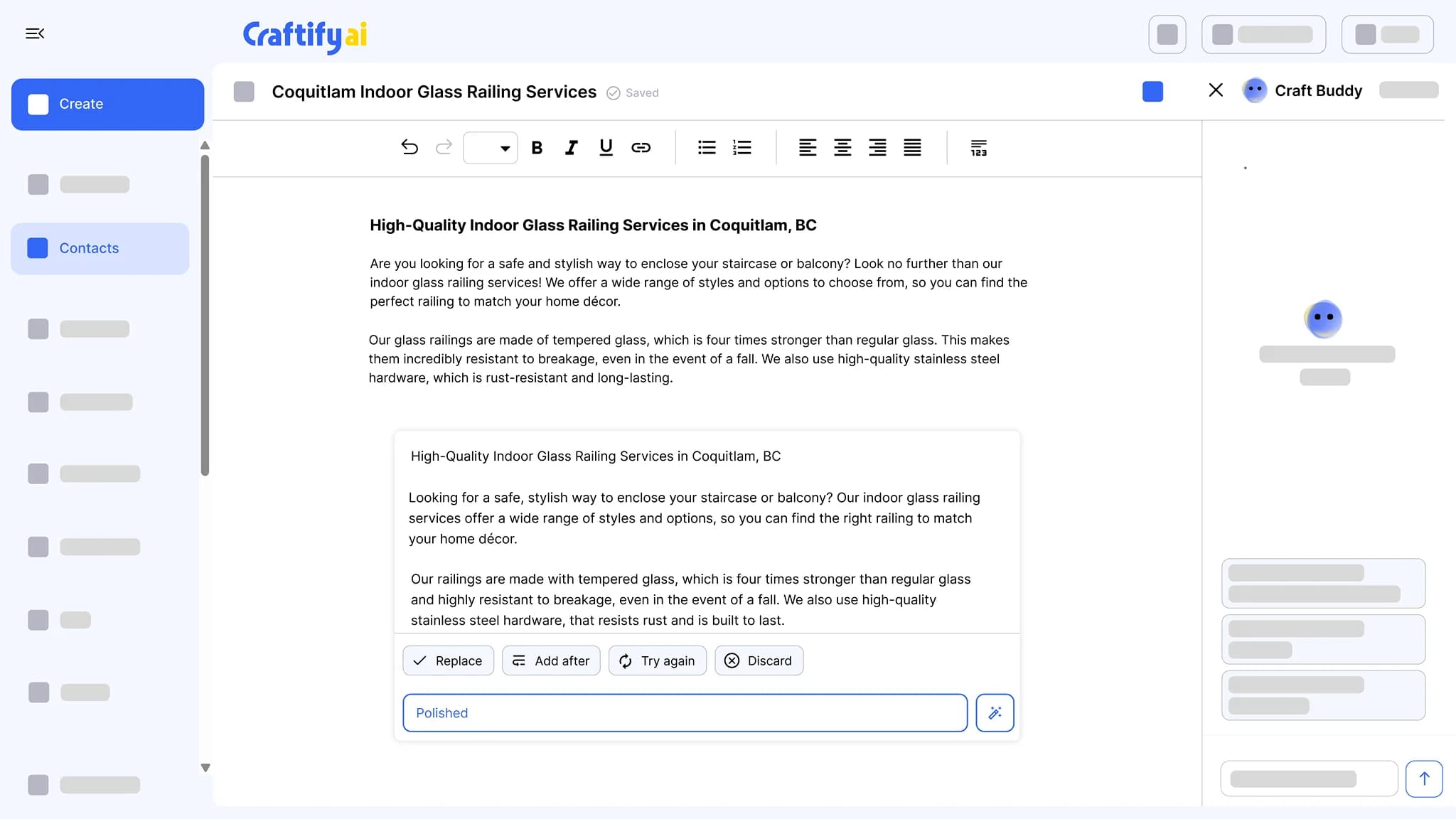
Most AI editors are autocomplete in a sidebar.
You highlight the paragraph that needs work, and the editor offers to start a new chat. You ditch it and rewrite by hand. Smart Editor changes that.
Pasting your document into a separate chat to rewrite a single paragraph.
Losing context every time the AI forgets what the doc is about.
Switching between three writing tools to get one long-form piece done.
See AI commands that act on the selected text →
Why long-form writers pick Smart Editor
AI lives inside the doc. Highlight, command, done. The rest of the document stays as you wrote it.
AI commands act on what you highlight
Select a paragraph and apply a command: rewrite, shorten, expand, or change tone. Only the selection changes. The rest of the document stays untouched.
One edit control, not a chat
Every AI edit runs through one standard control in the editor. No sidebar chat, no pasting your draft somewhere else and copying it back.
Lives with your crafts
Documents sit in the same workspace as your posts, emails, and blog articles, and every plan includes unlimited documents.
Highlight any text, apply a command
Rewrite, shorten, expand, or change the tone of the text you select. The rest of the doc keeps its voice.
What it does
Long-form writing, with AI where you need it
The editor, the blog posts it polishes, and the topics that start them.
Write long-form documents with AI built in. Highlight a passage, ask for a rewrite, then replace it, add it after, or try again.
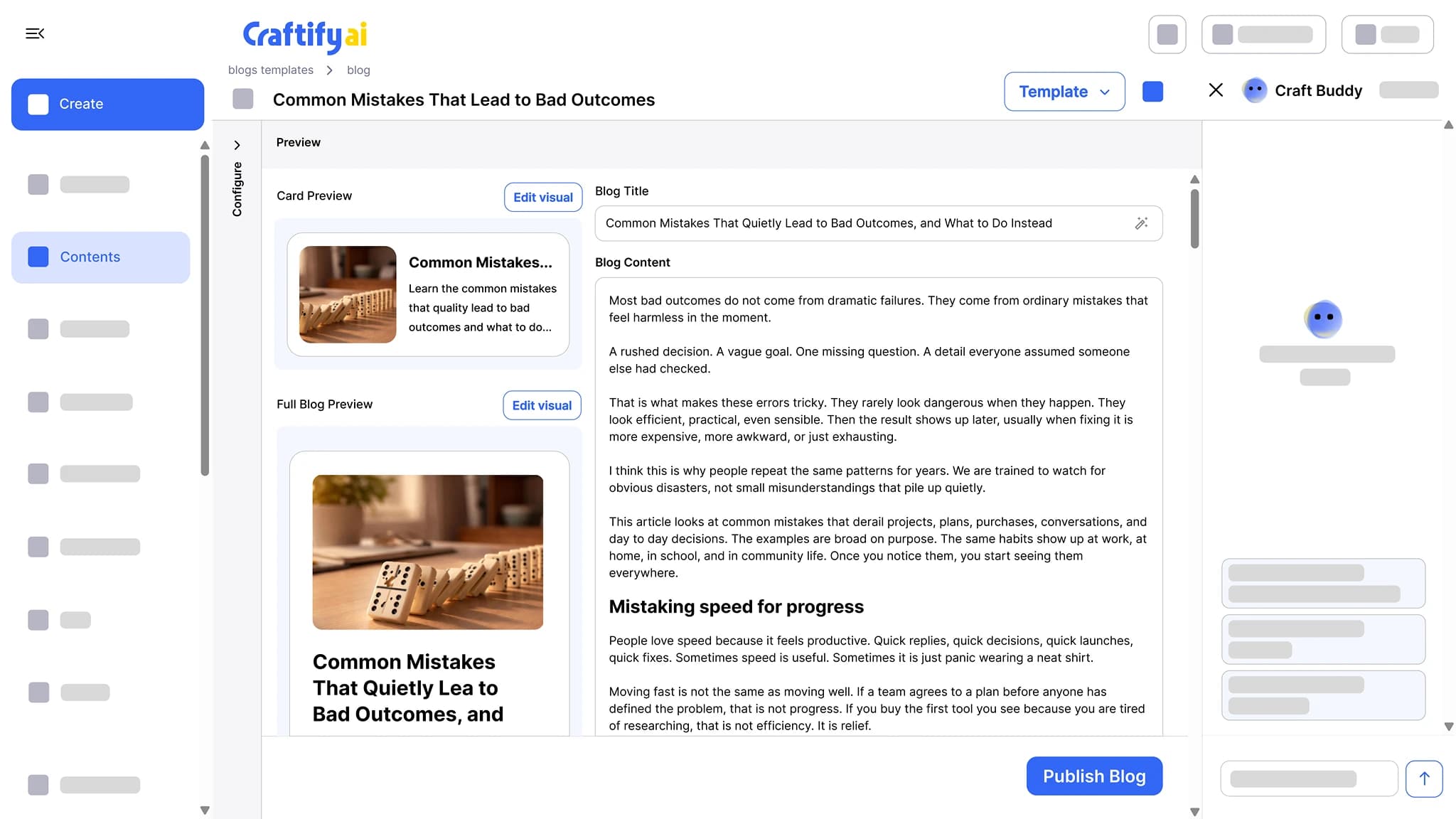
SEO-optimized articles written around the keywords you want to rank for, with a cover image and a card preview. Publish to WordPress or Shopify in one click.
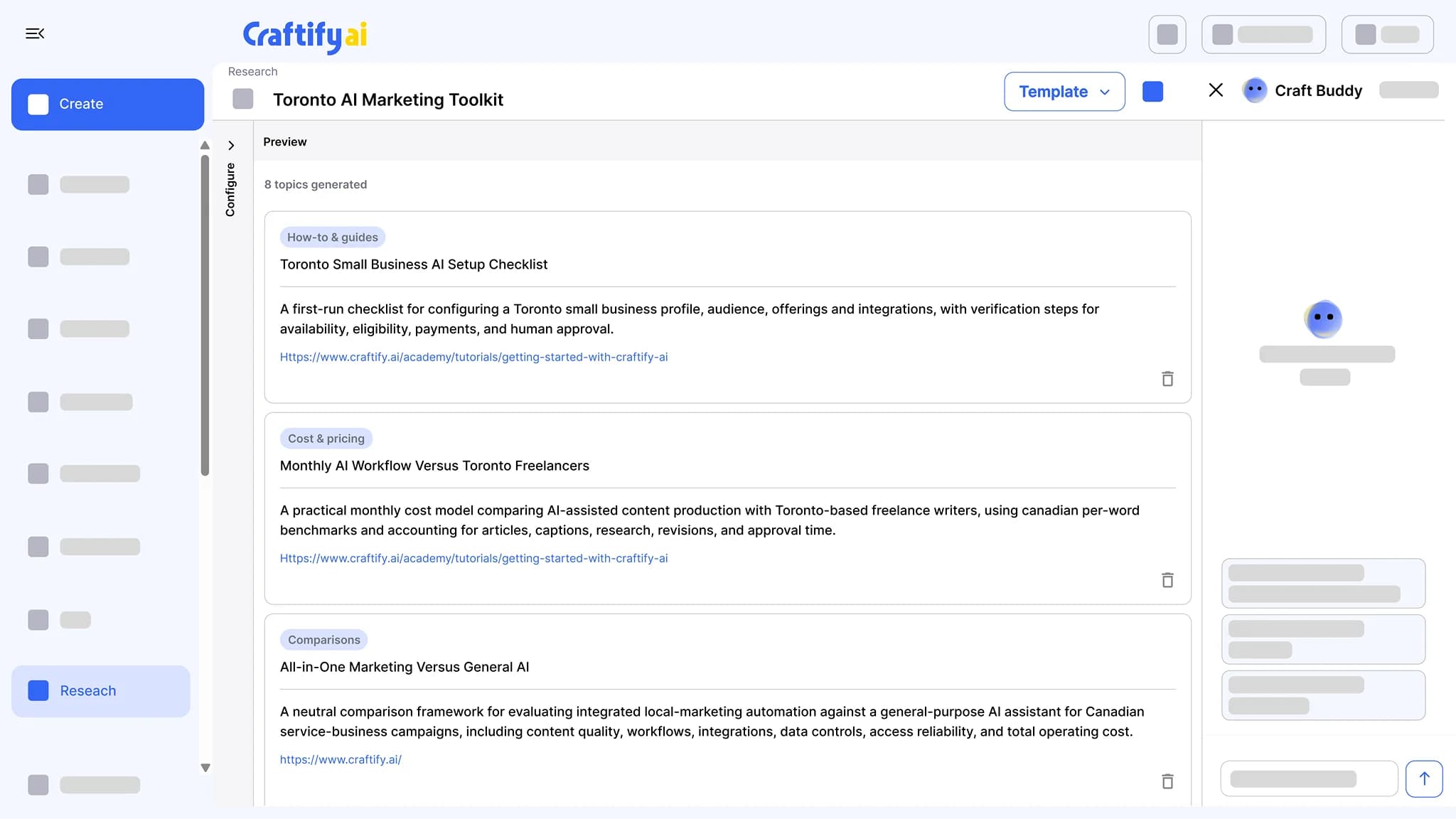
See the blog post writerEnter a keyword or a service and get a list of topic ideas, each with its angle. Hand a topic to the blog or social post writer to fill the month.
See topic research
Want a tour for a specific use case? Book a quick demo with our team.
How it works
Write the doc, highlight what needs work, and let the AI act on it.
1
Write or paste a draft
Start from blank or paste an existing draft. The editor is built for long-form documents, not a single caption.
2
Highlight and command
Select any text and pick rewrite, shorten, expand, or change tone from the AI edit control. The AI rewrites that selection only.
3
Keep it with your crafts
The document saves to your workspace next to your other crafts. Come back to it, keep editing, and start as many documents as you need.
Ready to write long-form without switching tools?
Frequently asked questions
Smart Editor is the long-form document editor in Craftify AI with AI built in: you highlight text and apply a command to that selection only. Documents live in your workspace with your other crafts, and every plan includes unlimited documents.
Rewrite, shorten, expand, or change the tone of the text you select. Commands run from one standard AI edit control and act only on the selection.
No. The command applies to the text you highlighted. Everything outside the selection stays exactly as you wrote it.
As many as you need. Unlimited documents are included on every plan.
In your Craftify workspace, alongside your social posts, emails, and blog articles. Open a document later and keep editing.
Guides, proposals, long articles, service descriptions, and any piece too long for a single AI prompt. Draft it, then fix the parts that need work with a highlight and a command.