Insights
Insights from every channel, in plain English
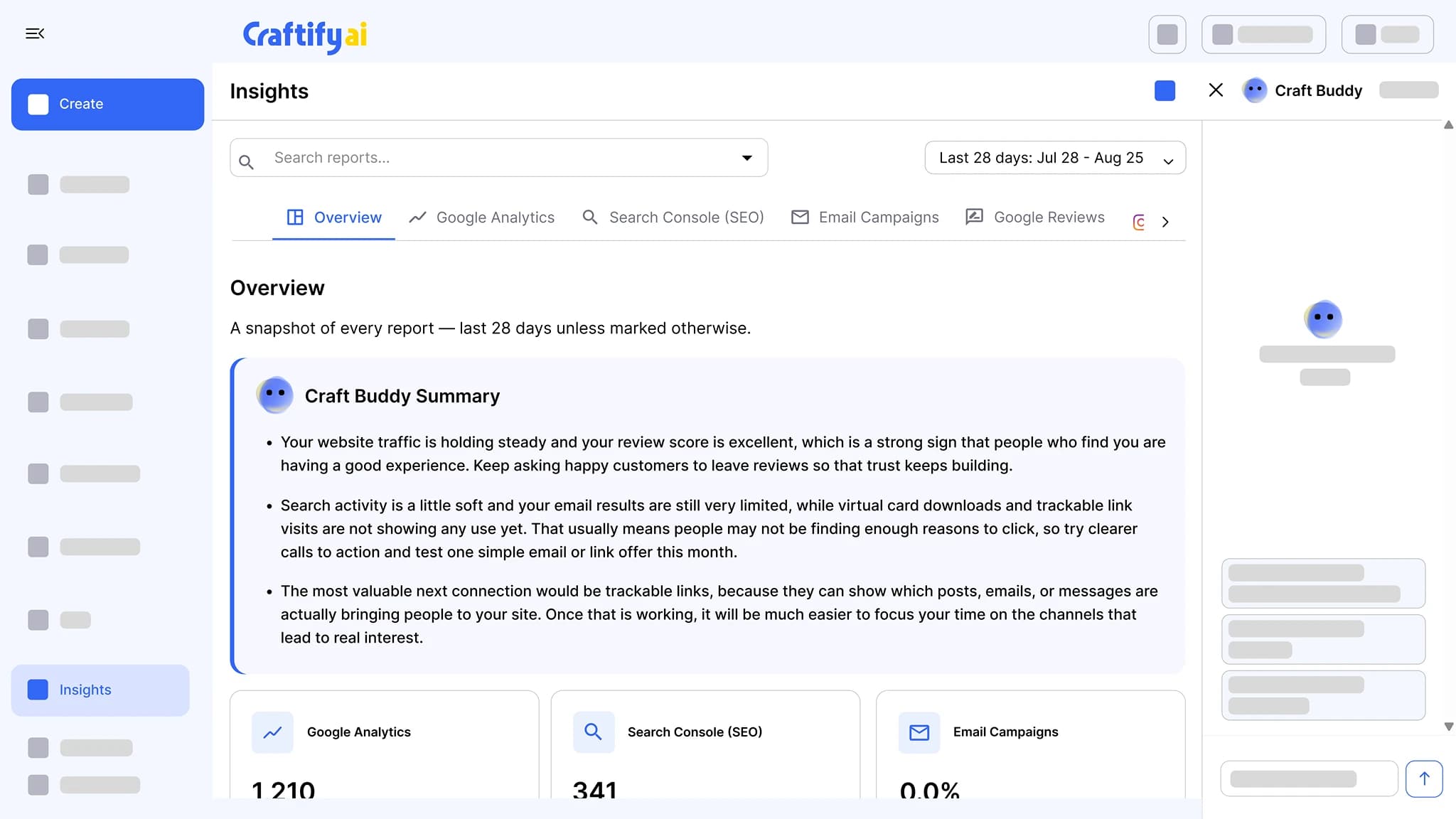
Google Analytics, Google Search Console, website health, email campaigns, Instagram, Google reviews, and virtual business card scans, in one place. Every report has a Craft Buddy summary that says what to do next.
Google Analytics + Search Console
Email, Instagram, reviews
Craft Buddy summaries
You have data in ten dashboards and can't tell what's working.
Analytics in one tab, Search Console in another, your email tool somewhere else, and Instagram on your phone. Numbers without an action plan are just noise.
Logging into five tools to know if last week worked.
Reading numbers without knowing which ones actually need a response.
Skipping reports entirely because nobody has time to interpret them.
See the one place every report lives →
Why one Insights view beats ten dashboards
Every report you need, each with a Craft Buddy summary that says what changed and what to do about it.
Every channel, one place
Google Analytics, Google Search Console, website health (Lighthouse and Web Vitals), email campaigns, Instagram, Google reviews, and virtual business card scans. Open one tab to see your week.
Craft Buddy summaries
Each report leads with a Craft Buddy summary in plain English: what changed and what to do next, so you can act without learning analytics.
Reply to reviews from the same view
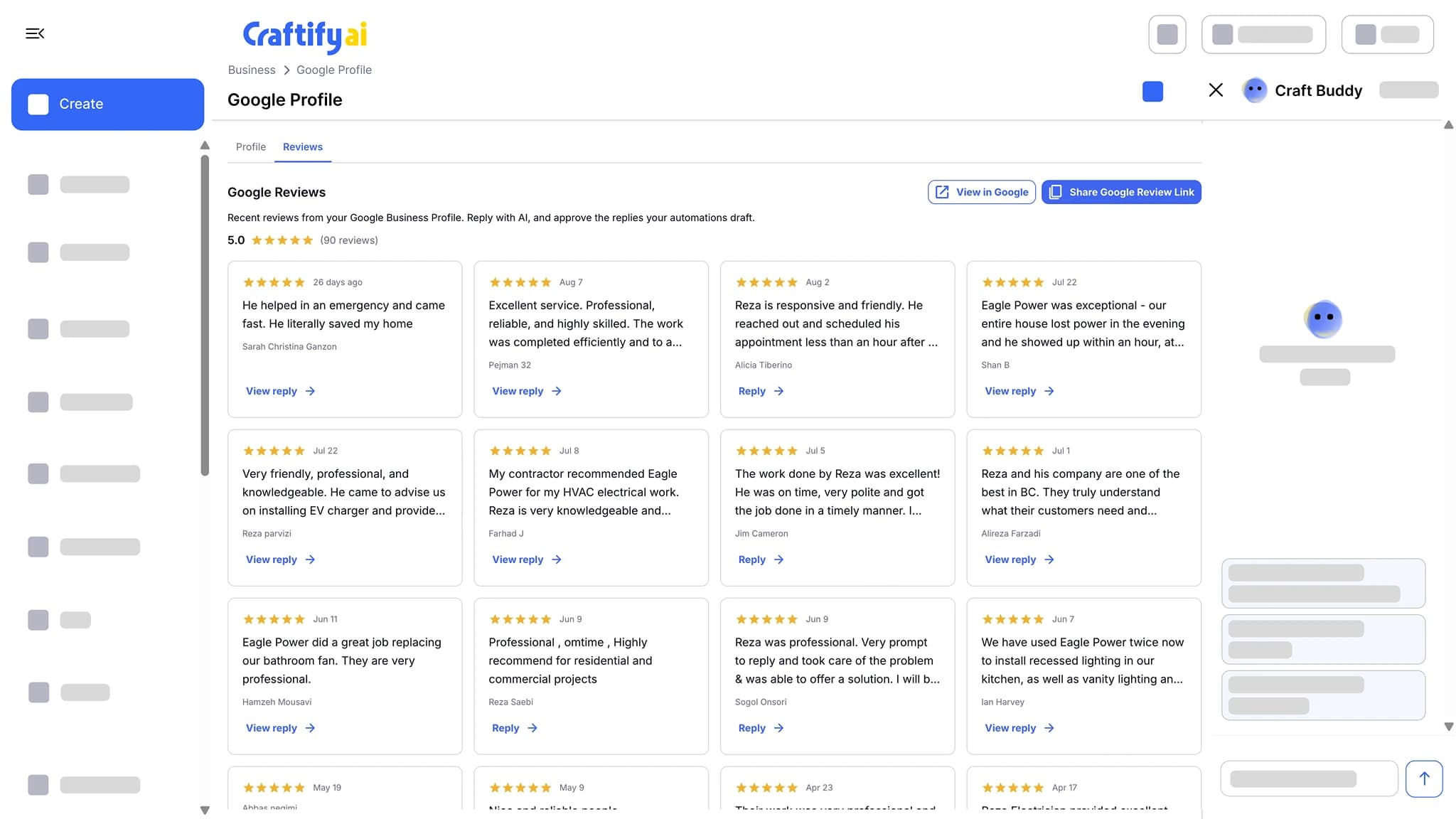
Read and reply to your Google reviews from the reviews report. Reputation work next to the numbers it drives.
Every channel, on one screen
Web traffic, search performance, website health, email results, Instagram, Google reviews, and card scans, each summarized so you know what to do next.
What it does
The numbers, and what to do about them
The reports themselves, the reviews you reply to from them, and the integrations that feed them.
Google Analytics, Search Console, email results, Instagram, and Google reviews in one place, each with a Craft Buddy summary that says what to do next.
Send every customer a review request after each job, with your Google review link one tap away. New reviews land in Craftify, where AI drafts the reply and you approve it.
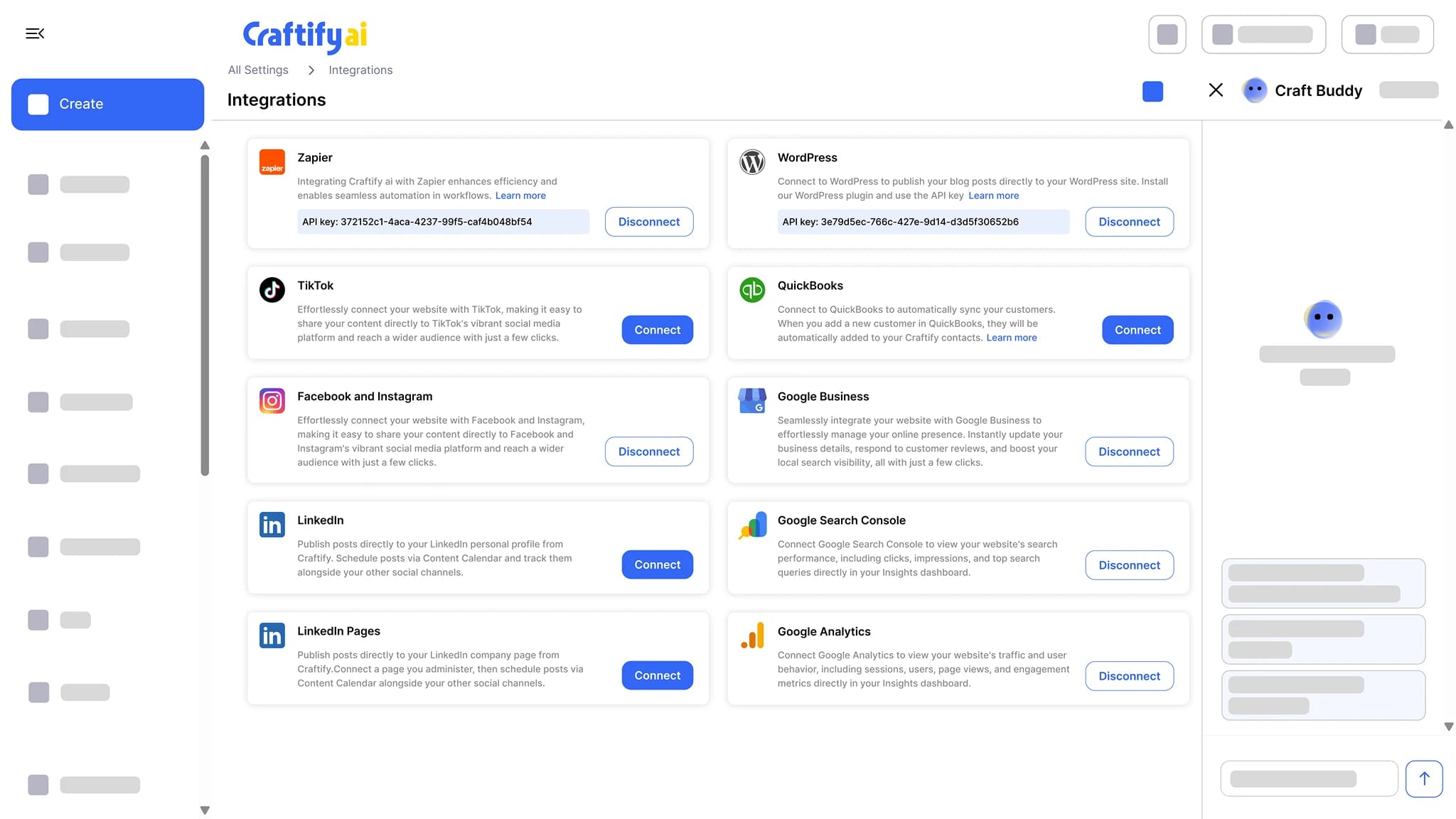
See Google reviewsConnect Google Business Profile, Google Ads, Google Analytics, Search Console, Facebook and Instagram, TikTok, WordPress, Shopify, QuickBooks, and Zapier. Publish and sync without copy-pasting.
See integrations
Want a tour of the reports? Book a quick demo with our team.
How it works
Connect your accounts once, then check one tab every week.
1
Connect your accounts
Google Analytics, Google Search Console, Google Business Profile, and Instagram. Connect each once and its report fills in. Email campaigns and card scans report on their own.
2
Read the summary
Each report leads with a Craft Buddy summary of what changed. Skip to the chart only if you want to.
3
Act on it
Reply to a Google review, fix a Web Vital, write the next blog post on a keyword you already rank for. Actions live next to the numbers.
Ready to stop hopping dashboards?
Frequently asked questions
Insights is the reporting tab in Craftify AI that puts Google Analytics, Google Search Console, website health, email campaigns, Instagram, Google reviews, and virtual business card scans on one screen, each with a Craft Buddy summary that says what to do next. You connect each account once and check one tab instead of seven.
Google Analytics, Google Search Console, website health (Lighthouse and Web Vitals), email campaigns, Instagram, Google reviews, and virtual business card scans. Every report has a Craft Buddy summary.
A plain-English explanation at the top of each report. It says what changed and what to do about it, so you do not have to read the chart to know the next step.
For each campaign, how many emails were delivered, opened, and clicked, plus a not-delivered column so you can see which addresses bounced.
Yes. The Google reviews report lists incoming reviews and lets you reply from the same screen, without opening Google Business Profile.
No new analytics tool. Connect the Google Analytics and Google Search Console accounts you already have, and the reports pull from them.