Virtual Business Card
Virtual Business Card with QR, vCard, and scan tracking
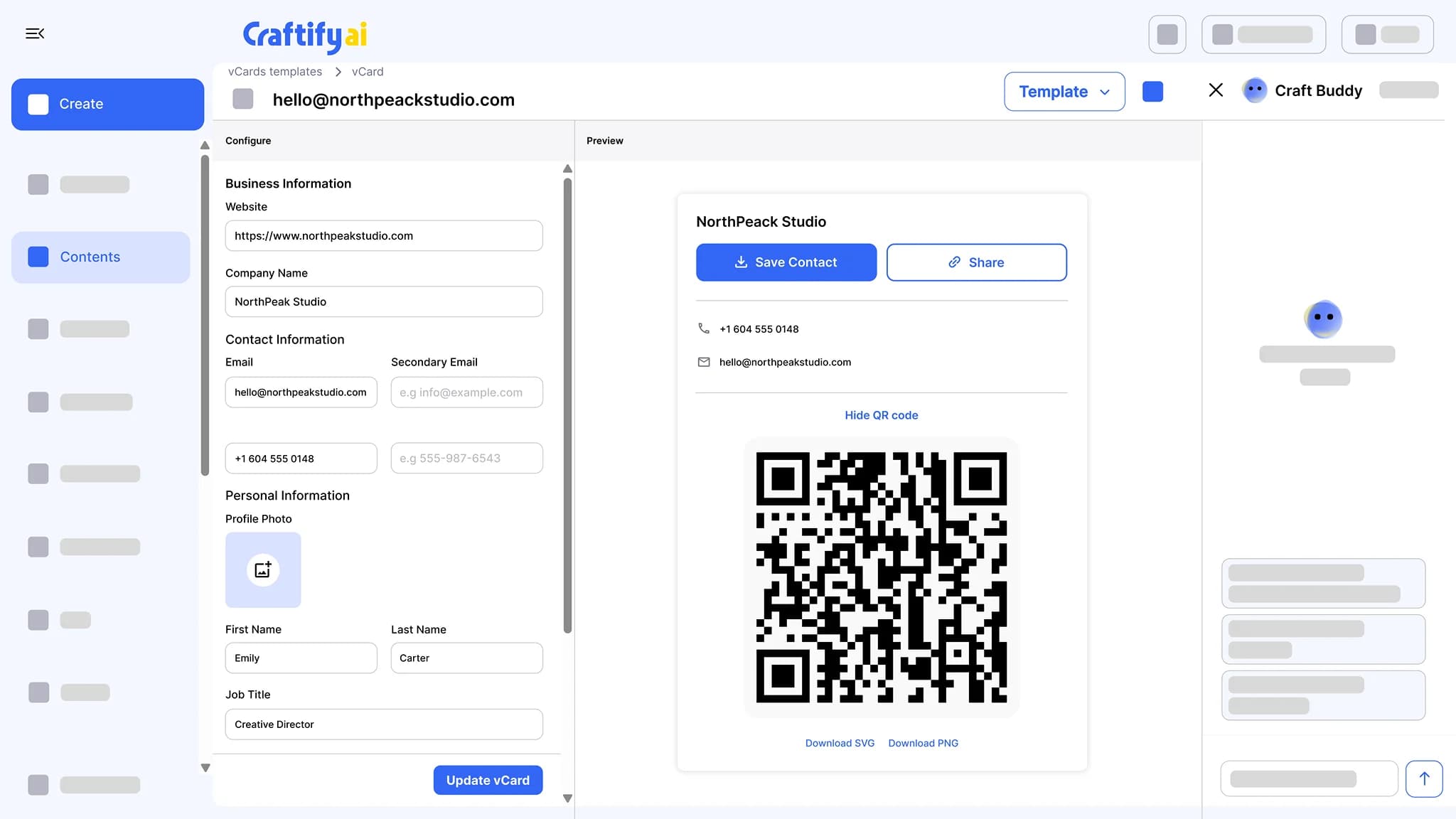
A public card page with your photo, contact details, and social links. Share it by QR code or link, and one tap saves you to the phone as a contact, photo included. Scan and download counts show up in Insights.
QR code and share link
One-tap vCard save
Scan counts in Insights
Paper business cards end up in someone's drawer.
You print 500 cards, hand out 50, and have no idea which ones turned into a follow-up. Update your phone number and the rest become useless.
Reordering paper cards every time your phone number or address changes.
Handing out 100 cards with no way to know which led to a sale.
Spending on print runs that get tossed in a drawer.
See a card people actually save →
Why service businesses pick the virtual card
One page, one QR code, every detail. People save it to their phone in one tap and you see the count.
Saved to contacts in one tap
The card page has a download button that hands the phone a vCard (.vcf) with your name, phone, email, address, social links, and photo. The contact lands in their phone with your face on it.
Scan and download counts in Insights
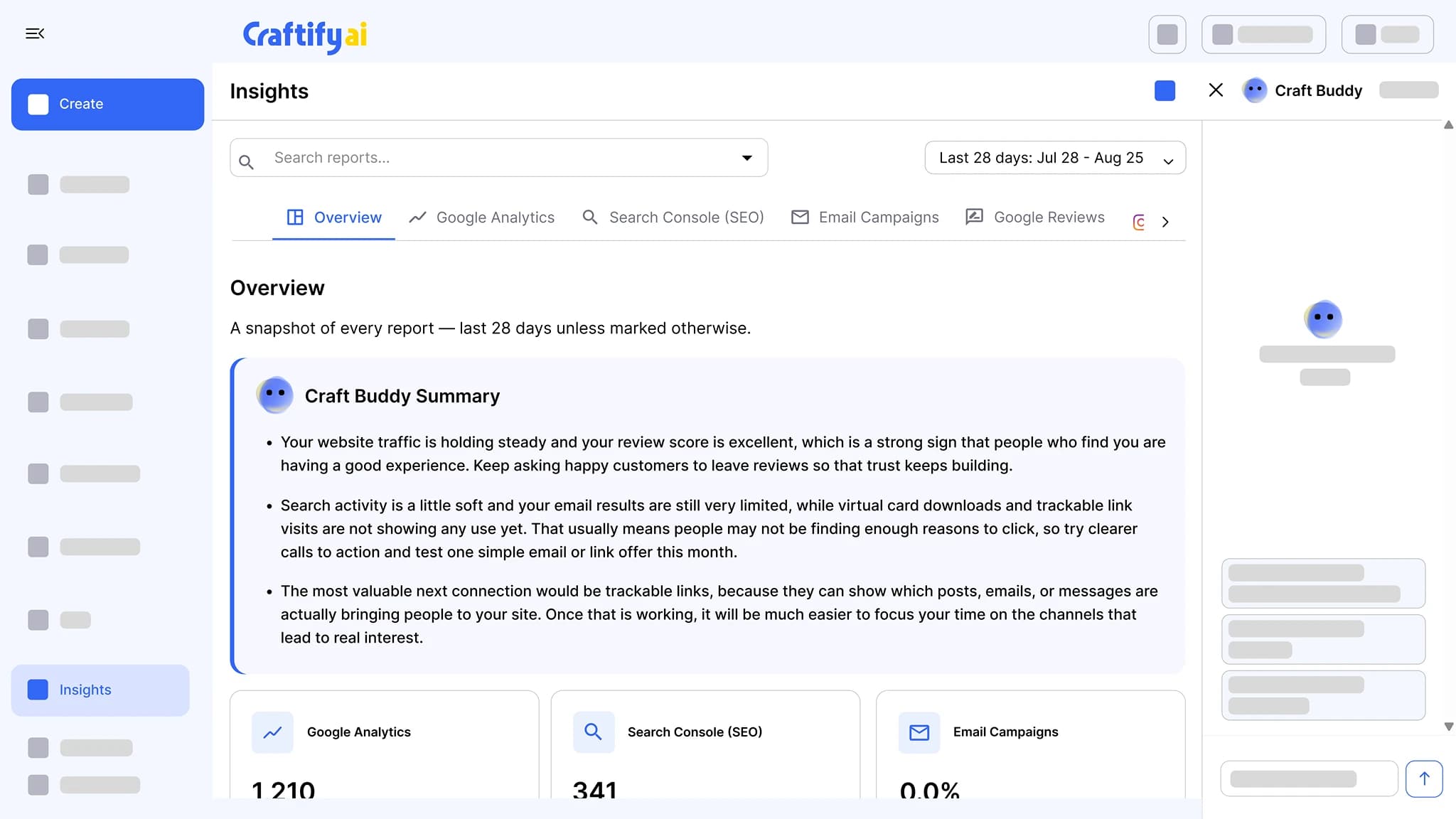
See how many people scanned the QR code and how many downloaded the contact. The vCard report sits in Insights next to your other marketing reports.
One live page behind the QR code
The QR code and the share link open the same card page. Edit the card and the next scan shows the new details, no reprint.
Share the card, count the scans
A public card page, a QR code, a share link, a vCard download with your photo embedded, and scan and download counts in Insights.
What it does
A card people keep
The digital card, the printed set that matches it, and the scan counts in Insights.
A public card page with your photo, contact details, and social links. Share it by QR code or link, and one tap saves you to the phone as a contact.
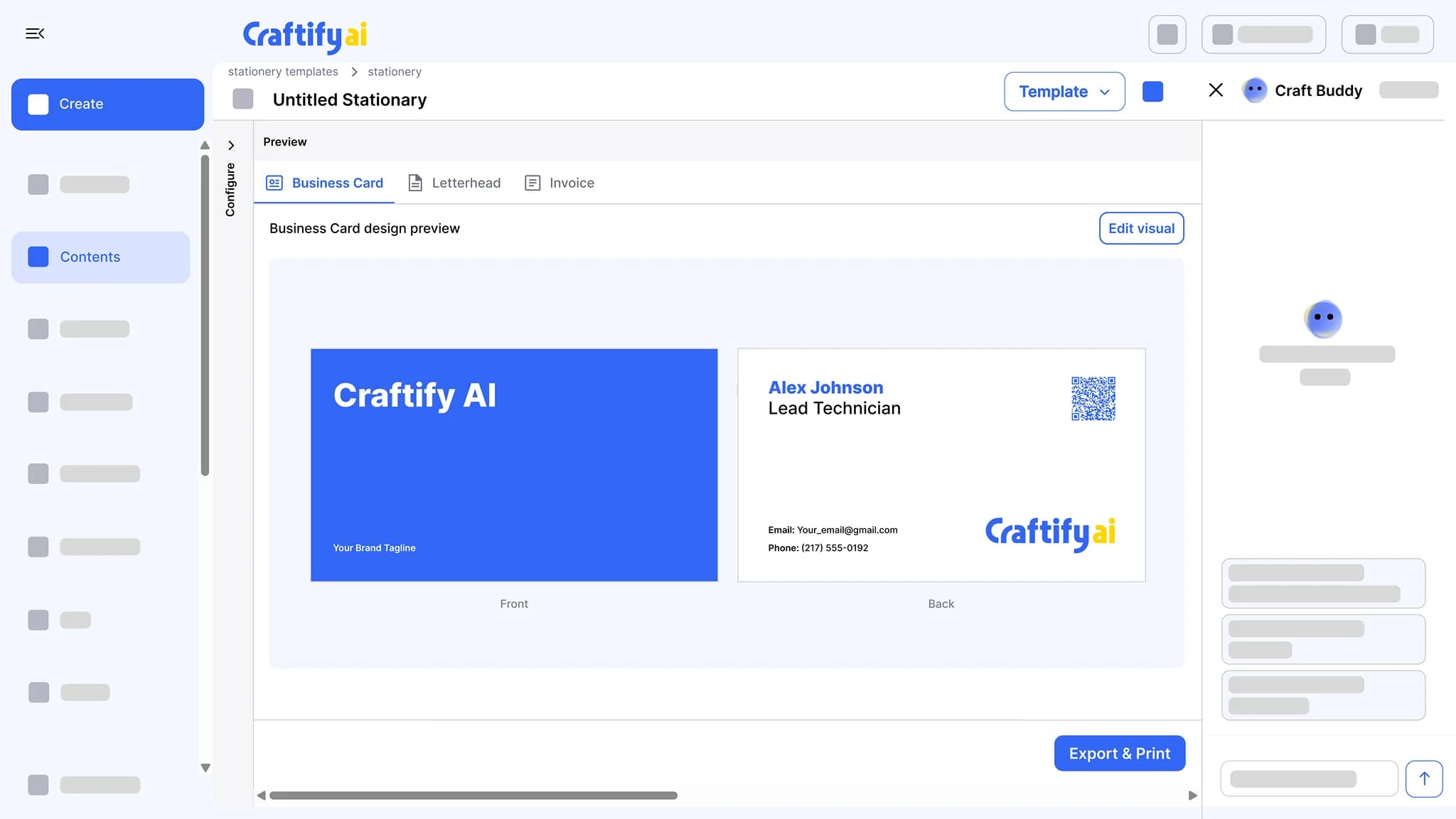
Business cards, letterheads, and invoices built from your logo, colors, and contact details. Adjust them in the Visual Designer and export a print-ready file.
See business stationeryGoogle Analytics, Search Console, email results, Instagram, and Google reviews in one place, each with a Craft Buddy summary that says what to do next.
See insights
Want a tap card to go with it? See Easy Tap cards that work with your virtual card.
How it works
Build your card, share it, count the scans.
1
Build your card
Add your photo, name, title, phone, email, address, and social links. Craftify publishes it as a public card page with its own QR code.
2
Share by QR or link
Put the QR code on a flyer, a name badge, or a poster, or send the share link in an email signature. Both open the same card page.
3
Count the scans
Scan and download counts show up in Insights, next to the rest of your marketing reports.
Ready to ditch paper cards?
Frequently asked questions
The Virtual Business Card is a public card page with your photo, contact details, and social links that people open by scanning a QR code or tapping a share link. A download button saves you to their phone as a vCard with your photo embedded, and Insights counts the scans and downloads.
They scan the QR code or open the share link, then tap the download button. The phone receives a vCard (.vcf) file with your name, phone, email, address, social links, and photo, and offers to save it as a contact.
Yes. Scan counts and vCard download counts show up in Insights with your other marketing reports. The card counts scans and downloads, not who did the scanning.
Yes. The QR code and the share link point to a live page, so an edit shows up for everyone who scans after that. A contact someone already downloaded stays as it was on their phone.
Yes. An NFC tap card that stores your share link opens the same card page on a tap. Craftify also sells Easy Tap business cards at craftify.ai/easy-tap-business-card.
Yes. The vCard generator at craftify.ai/tools/vcard-generator is a free tool that builds a card page and its QR code. Scan and download counts live in Insights inside Craftify.