Ad Writer
Ad Writer for Google, Facebook, Pinterest, and TikTok
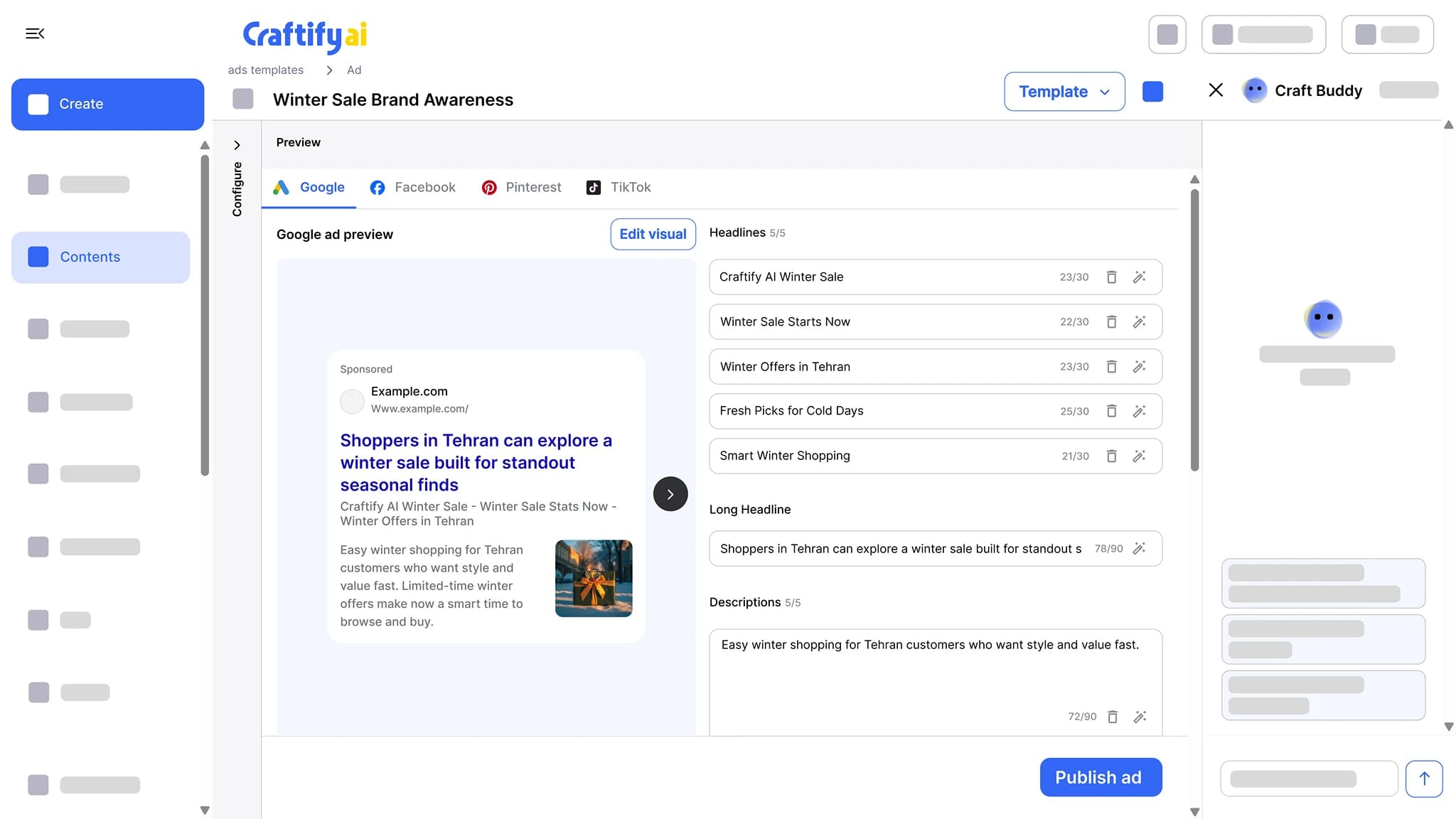
Pick awareness or lead ads, and Craftify writes the headlines, descriptions, and keywords for your services, with an ad image sized for each network. Character counts update as you edit. Google Ads publish straight from Craftify.
Live character counts
Image sized per network
Publish to Google Ads
Writing ads is the part nobody wants to do.
Three headline variants, four descriptions, two image options, all within strict character limits. Most owners just rerun last year's ad and hope.
Burning hours fitting copy into Google's headline character limits.
Reusing the same ad for a year because writing fresh variants is exhausting.
Hiring a freelancer for one ad set when you need to ship five.
See ad sets that come out ready to ship →
Why owners use the Craftify Ad Writer
Built for service businesses. The copy, the keywords, and an image, in the right shape for the network you picked.
Headlines with live character counts
Several headlines and descriptions per ad, each with its character count beside it. Edit a line and the count updates, so you see a headline run over before the ads manager rejects it.
Keywords written with the copy
Keywords come out alongside the headlines and descriptions, based on your services and the audience you set, so the ad and its targeting match.
An ad image sized for each network
The ad comes with an image in the dimensions Google, Facebook, Pinterest, or TikTok expects. Google Ads publish straight from Craftify. The others come ready to paste into each ads manager.
Ad sets that ship in minutes
Awareness or lead ads for Google, Facebook, Pinterest, and TikTok. Headlines, descriptions, keywords, and the image, together on one screen.
What it does
From a service to a finished ad set
The ad set itself, the social posts that run beside it, and the reports that show what the traffic did.
Headlines, descriptions, and images sized for each network, with character counts checked as you edit. Google Ads publish straight from Craftify.
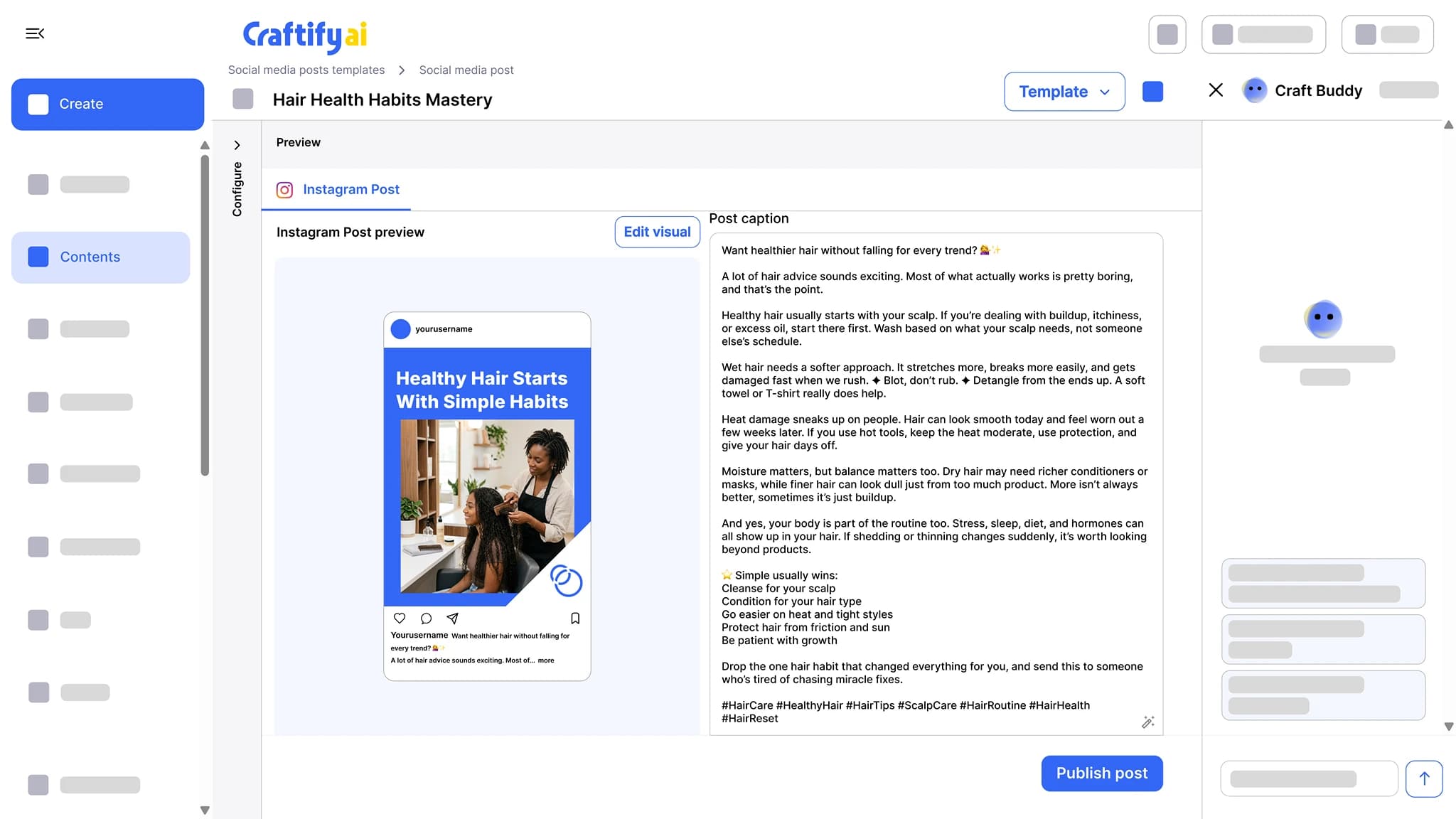
Get the caption, the hashtags, and the visual for Instagram, Facebook, or TikTok in one pass. Edit the design in the built-in Visual Designer, then publish or schedule from the same screen.
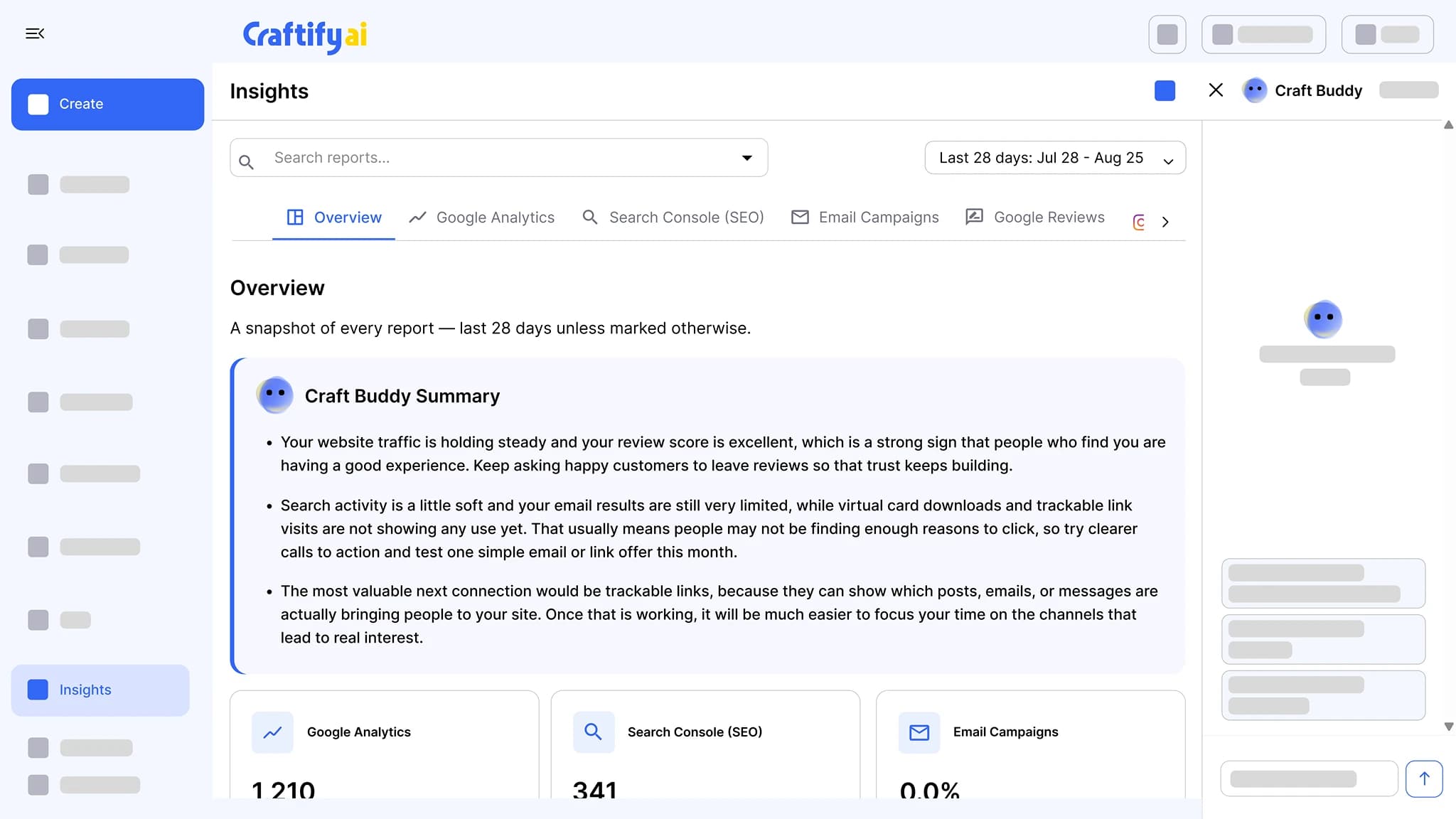
See the social post toolGoogle Analytics, Search Console, email results, Instagram, and Google reviews in one place, each with a Craft Buddy summary that says what to do next.
See insights
Want help with your first paid campaign? Book a quick demo with our team.
How it works
Pick the network, pick the goal, get a full ad set.
1
Pick the network and the goal
Google, Facebook, Pinterest, or TikTok, and awareness or lead generation. The Ad Writer adapts the copy, the format, and the image dimensions to match.
2
Edit the ad set
Headlines, descriptions, keywords, and the image, with a preview of the ad. Character counts update as you type, so nothing runs over the limit.
3
Publish or paste
Google Ads publish straight from Craftify. For Facebook, Pinterest, and TikTok, copy the finished text and download the image for each ads manager.
Ready to ship the ads you have been putting off?
Frequently asked questions
The Ad Writer is the tool in Craftify AI that writes a complete ad set, the headlines, descriptions, keywords, and an ad image, for Google, Facebook, Pinterest, or TikTok. You pick awareness or lead ads, edit the lines with live character counts, and publish Google Ads straight from Craftify.
Google, Facebook, Pinterest, and TikTok. Each network gets copy in its own format and an image in its own dimensions, and you switch between them with a tab on the same ad.
Google Ads, yes: connect your Google Ads account once and publish from the ad screen. Facebook, Pinterest, and TikTok ads come out as finished copy and visuals you paste into each ads manager.
Each headline and description shows its character count next to it, and the count updates as you edit. You see a line run over before you publish, instead of finding out in Google Ads.
Yes. Every ad comes with an image sized for the network you picked, and you can open it in the Visual Designer to change the text, colors, or layout.
They are written with the ad, from the service you are advertising and the audience you set in your business profile. You can add or remove keywords before publishing.