Marketing Automation
Marketing Automation that runs while you work
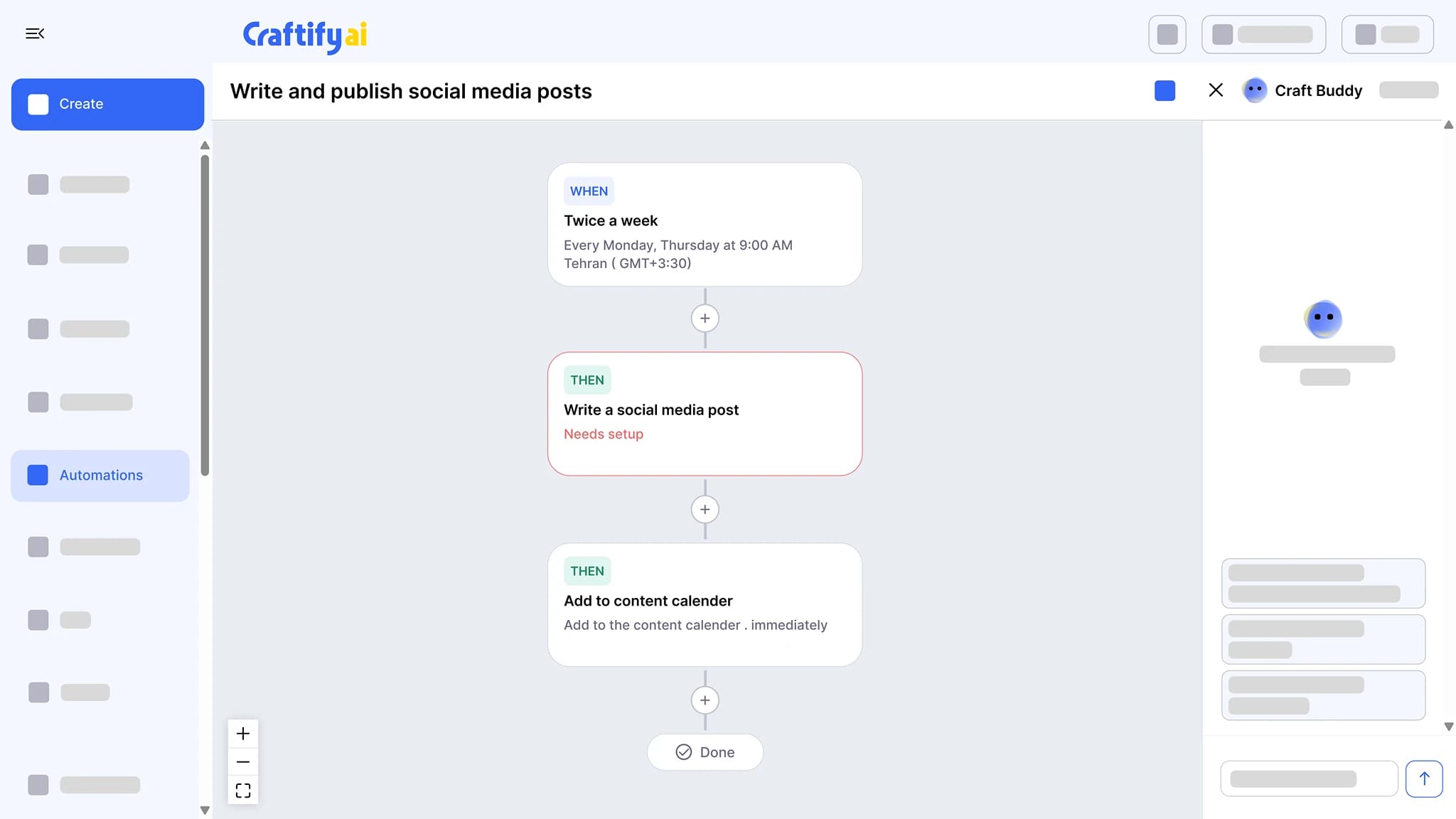
Chain a trigger to actions on one builder: write a social post twice a week, publish a blog article, send a birthday email, or ask for a Google review after a job. Set the schedule once and approve what it drafts.
Blog, social, and email
Approve before it publishes
Birthday and review triggers
Touchpoints that should be automatic, aren't.
Birthday emails get forgotten. Review requests go out a week too late. The social feed goes quiet the week you are busy. Most of this should run on its own.
Forgetting to send the post-service review request, so the Google review never lands.
Two weeks with no posts because writing them by hand fell off the list.
Birthday and re-engagement emails skipped entirely because they need a tool to set up.
See the touchpoints Craftify can run for you →
Why automations belong in your customer platform
Tied to the same contacts, brand profile, and content tools you already use. Set it up once and it runs on the schedule you set.
Three automation types, one builder
Blog, social, and email automations use the same builder. A blog automation publishes to WordPress, Webflow, Zapier, or the content calendar. A social automation posts to Facebook, Instagram, or TikTok. An email automation sends to a segment, a list, or the contact that triggered it.
Triggered off your real contact data
A birthday, a finished job, a segment change, or a fixed schedule like twice a week. The trigger is whatever the contact record or the calendar says, not a separate database.
You approve before it publishes
Add a review-and-approve step and every draft waits for you. Nothing goes out until you say so. A topic pool rotates subjects so posts do not repeat.
Touchpoints that run on their own
A twice-a-week social post, a birthday email, a post-service review request, and a scheduled blog article, all from one builder.
What it does
From a trigger to a published piece
The automation builder, the review requests it can send, and the emails it sends from your domain.
Chain a trigger to actions: write a social post twice a week and add it to the calendar, send a birthday email, or follow up after a job. Set the schedule once and approve what it drafts.
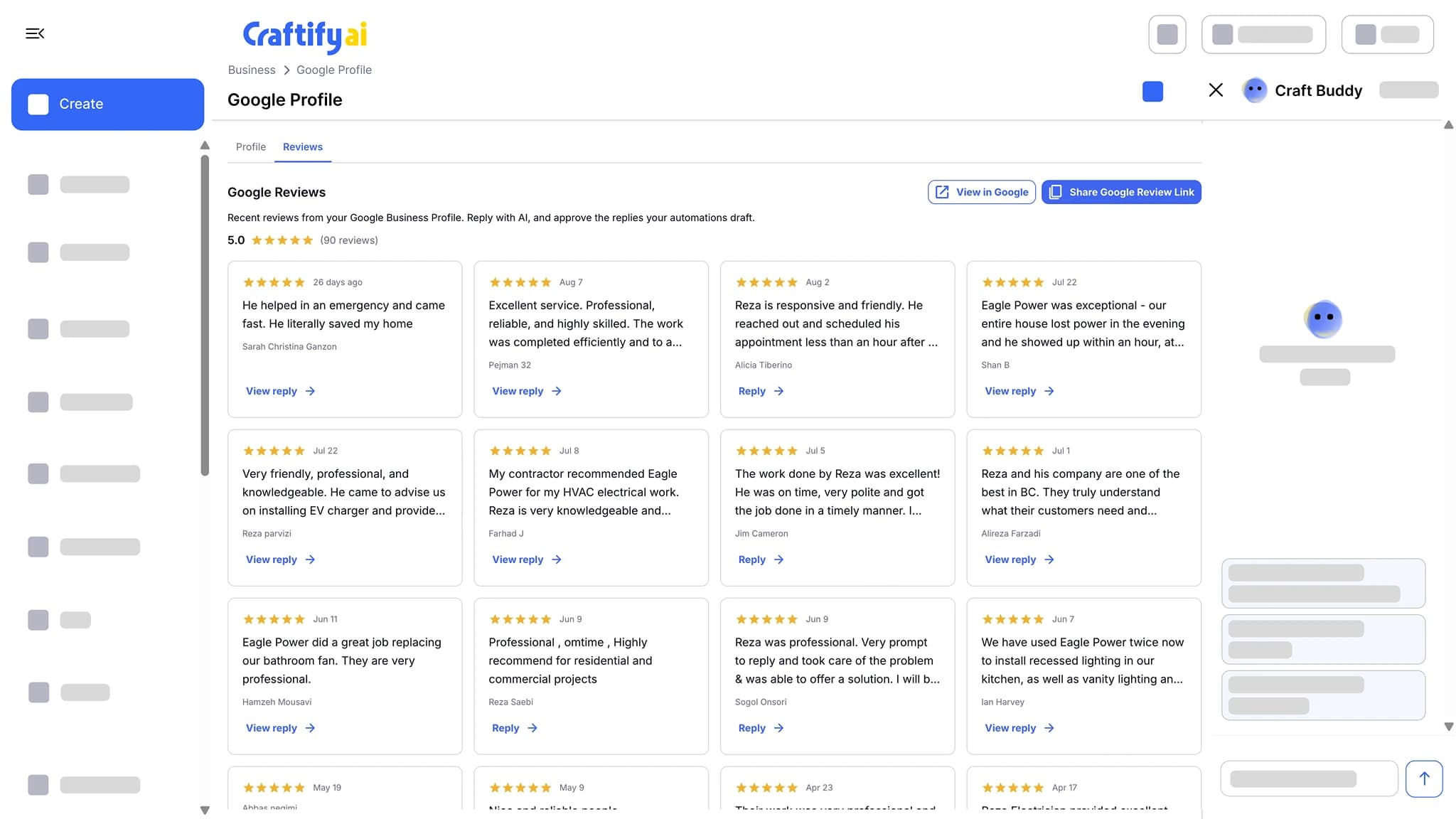
Send every customer a review request after each job, with your Google review link one tap away. New reviews land in Craftify, where AI drafts the reply and you approve it.
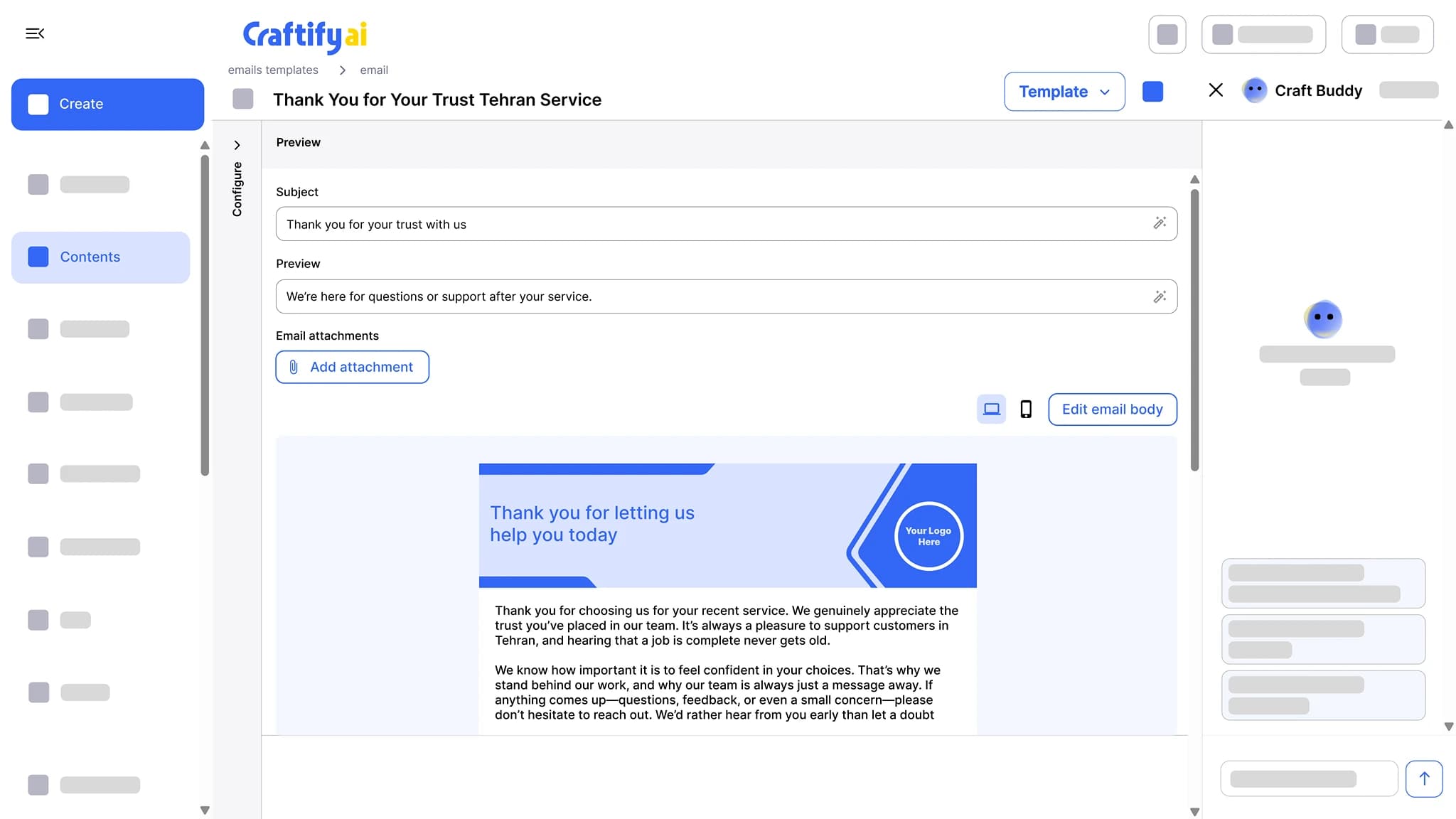
See Google reviewsWrite the subject line, preview text, and a branded email body, then send from your own domain with no Craftify branding on it. Opens and clicks are tracked per contact.
See email marketing
Need a custom trigger? Talk to our team about your workflow.
How it works
Pick a trigger, choose the type, set where it goes, and approve what it drafts.
1
Pick a trigger and a type
Start from a birthday, a finished job, a segment change, or a schedule. Choose blog, social, or email.
2
Set where it goes and when
Point a blog at WordPress, Webflow, Zapier, or the calendar, a social post at Facebook, Instagram, or TikTok, and an email at a segment, a list, or the triggering contact. Keep the default publish schedule or set your own.
3
Approve and let it run
Each run drafts the piece and waits at the review step if you added one. Approve it and it publishes. Topics rotate from a pool so posts do not repeat.
Ready to stop hand-sending the same email every week?
Frequently asked questions
Marketing Automation in Craftify AI chains a trigger to actions, such as writing a social post twice a week and adding it to the content calendar, sending a birthday email, or requesting a Google review after a job. You set the schedule once and approve what it drafts.
Three types on one builder: blog, social, and email. Blog automations publish to WordPress, Webflow, Zapier, or the content calendar. Social automations publish to Facebook, Instagram, or TikTok. Email automations send to a segment, a list, or the contact that triggered them.
A post-service trigger sends the customer an email with your Google review link a set time after the job. Every customer gets the same request, and new reviews land in Craftify with an AI-drafted reply for you to approve.
Yes. Add a review-and-approve step and every draft waits for you. Nothing publishes until you approve it.
No. A social or blog automation draws from a topic pool and rotates through it, so each run gets a different subject.
On the default publish schedule, or on a custom one you set. Scheduled pieces land on the content calendar with the rest of your marketing.