Campaigns
Campaigns from idea to publish, without the spreadsheet
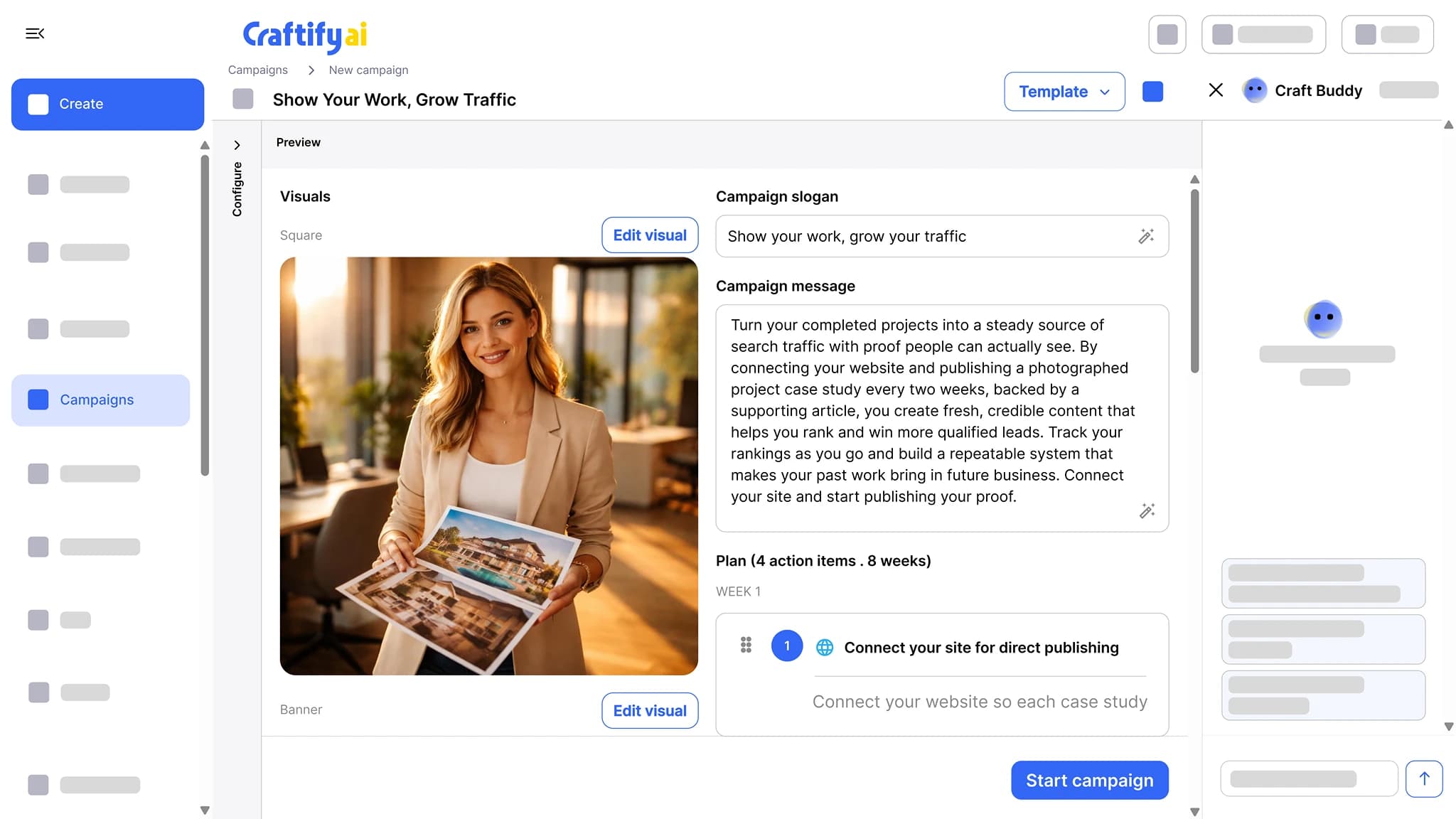
Pick a goal, and Craftify drafts the slogan, the message, the visuals, and a week-by-week plan of action items. Each item becomes a post, an email, or an article you approve, all on the same brand profile, contacts, and content calendar.
Week-by-week plan
SEO, ads, social templates
Connected to your CRM
Most campaigns die in a spreadsheet.
You sketch the idea on a Friday, build half of it Monday, and by Wednesday the spreadsheet is out of date and the email never goes out. Campaigns shouldn't need that much glue.
Coming up with a fresh campaign idea every month from a blank page.
Pieces of a campaign scattered across email, social, and ad tools that never line up.
Forgetting to launch the third email or follow-up post because nothing reminded you.
See how Campaigns ships the whole rollout →
Why small businesses run campaigns in Craftify
Idea, plan, content, and schedule in one place, on the same brand profile and contact list as the rest of your marketing.
Start from a goal, not a blank page
Pick a goal or a template (SEO, ads, social engagement). Craftify writes the slogan and the campaign message, drafts the visuals, and lays out the action items for you.
A week-by-week plan you approve
Every action item has a week, a channel, and a time estimate. Approve an item and it becomes a post, an email, or an article on the content calendar.
Connected to contacts and brand
Send to a CRM segment, design with your brand profile, and trigger automations off campaign actions. The campaign uses the same data the rest of Craftify already has.
A campaign, end to end
Idea, plan, content, schedule, publish. The plan feeds the content calendar, and automations keep it running after launch week.
What it does
From a goal to a scheduled rollout
The campaign plan, the calendar it lands on, and the automations that keep it going.
Pick a goal, and Craftify drafts the slogan, the message, the visuals, and a week-by-week plan of action items. Each item becomes a post, an email, or an article you approve.
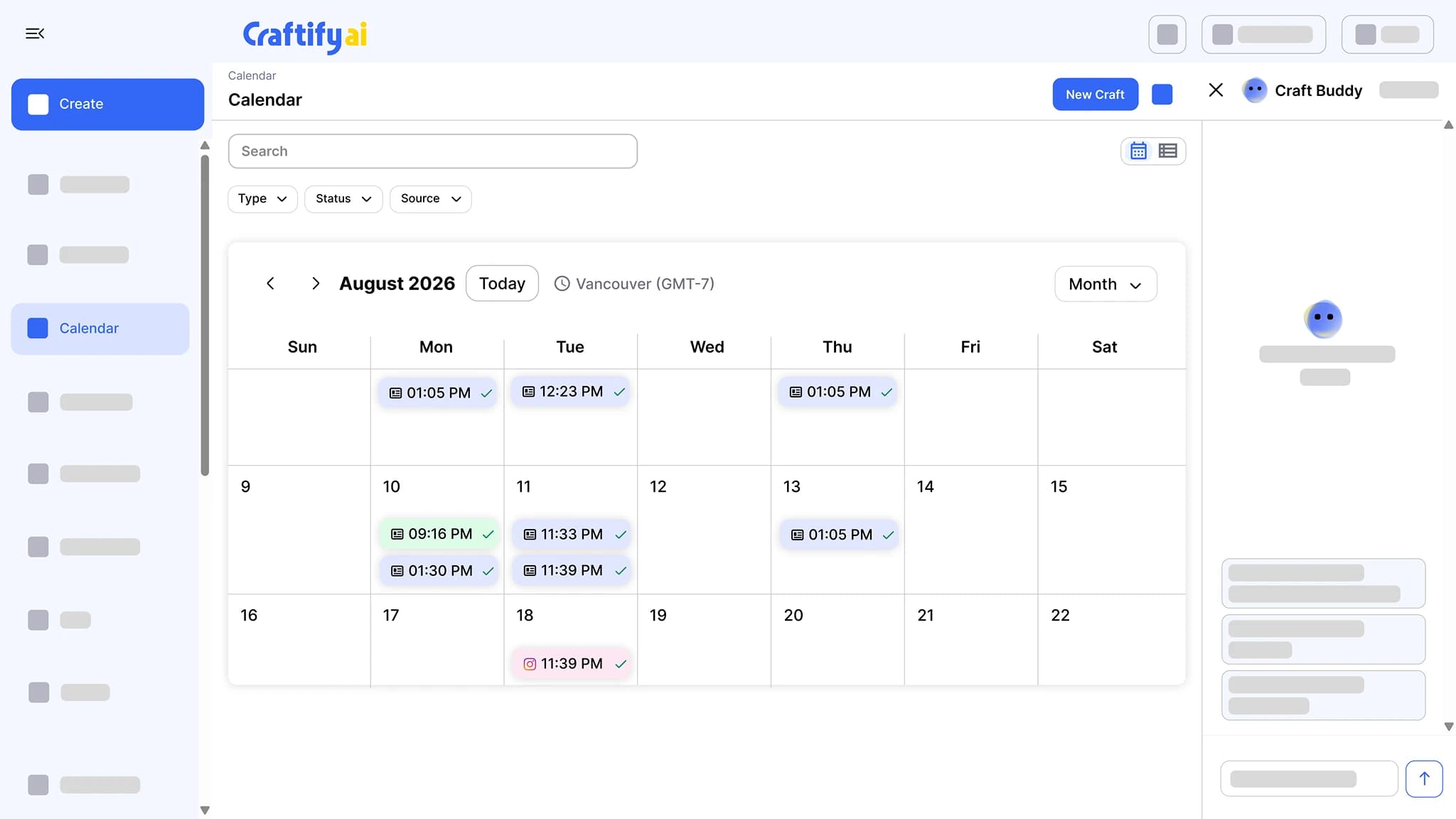
Every scheduled post, email, and article on one calendar, color-coded by channel, with a check mark once it has gone out. Filter by type, status, or source.
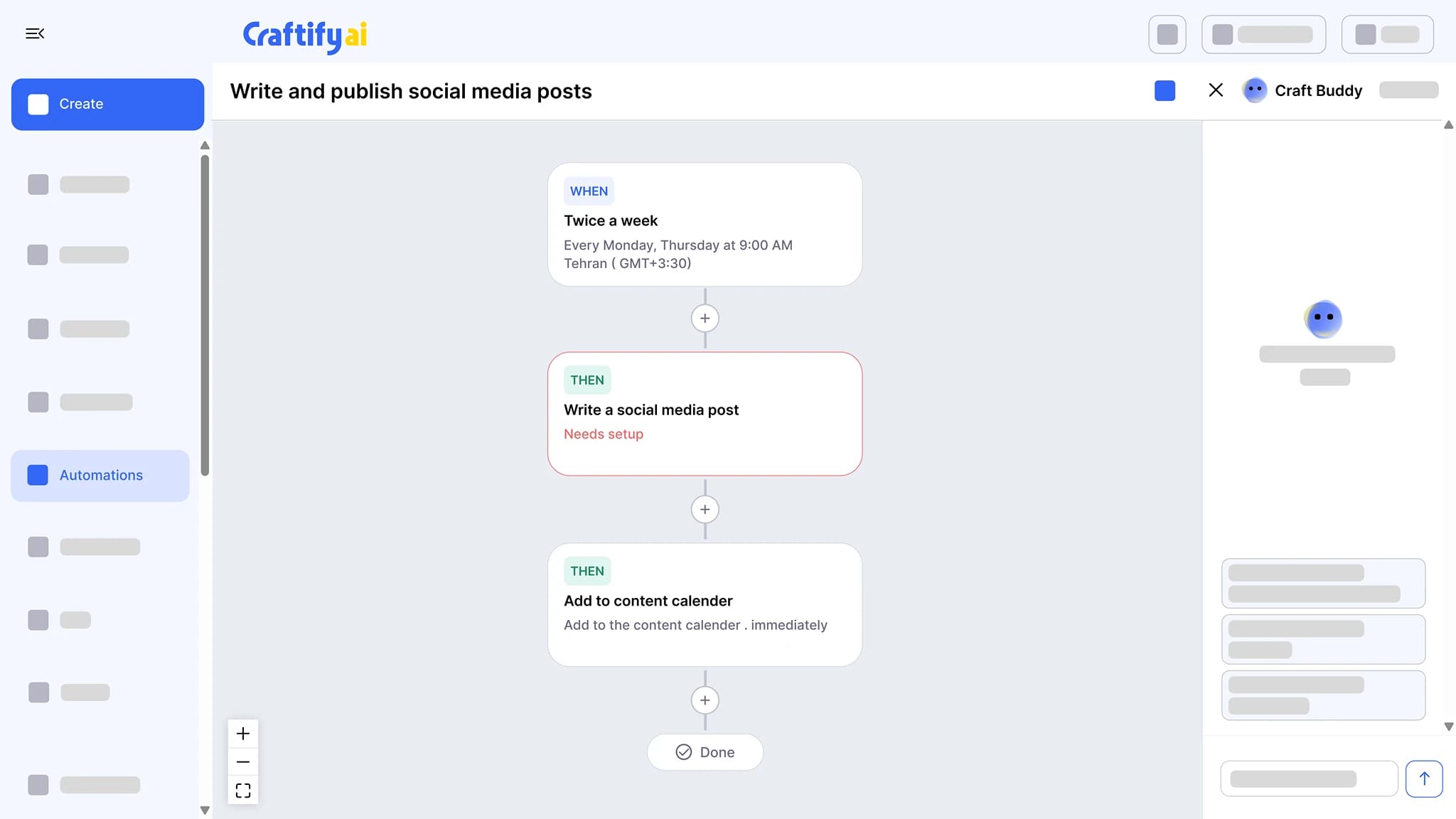
See the content calendarChain a trigger to actions: write a social post twice a week and add it to the calendar, send a birthday email, or follow up after a job. Set the schedule once and approve what it drafts.
See marketing automation
Need help shaping a launch? Talk to our team about your next campaign.
How it works
Three steps from idea to scheduled rollout. The pieces stay in one place after.
1
Pick a goal or a template
Choose what the campaign should do, or start from an SEO, ads, or social engagement template. Craftify drafts the slogan, message, and visuals.
2
Review the plan
Read the week-by-week action items, drop the ones you do not want, and pick the CRM segment the emails go to.
3
Approve and publish
Each approved item becomes a post, an email, or an article, scheduled on your content calendar and published to your channels.
Ready to ship a campaign without the glue?
Frequently asked questions
Campaigns is the planning tool in Craftify AI: you pick a goal, and it drafts the slogan, the campaign message, the visuals, and a week-by-week plan of action items. Each item becomes a social post, an email, or a blog article you approve before it is scheduled.
SEO campaigns built around keywords and blog articles, ad campaigns for Google, Facebook, Pinterest, and TikTok, and social engagement campaigns built around posts and carousels. Templates are available for each type, or you can start from a goal in your own words.
Craftify generates the campaign from your business profile, services, and the goal you pick, so the slogan and message already use your brand voice. You can edit any of it before approving the plan.
Yes. Pull a CRM segment by tag, custom field, or pipeline stage, and the emails in the campaign go to that segment.
On the content calendar with the rest of your marketing. Each approved action item is scheduled there, color-coded by channel, and gets a check mark once it has gone out.
Yes. A campaign plan can mix any of them. You plan the rollout once and approve each item from one place.