Gift cards
Thank customers with real gift cards, on autopilot
Send a Starbucks or Amazon gift card on a customer's birthday, after a first visit, or with any email you send. It arrives inside an email from your business, and every card comes from your own gift card balance.
Birthday gifts on autopilot
With any email
Your own balance and limits
A thank-you gift is easy to promise and hard to keep doing.
Buying cards one at a time, emailing codes by hand, and remembering whose birthday is this week takes time a small business does not have. So the gifts stop after the first month.
Remembering every customer's birthday, or the visit that deserves a thank-you.
Buying cards on a gift card site and copying codes into emails by hand.
No idea which gifts were used, or whether they brought anyone back.
See how gift cards send themselves →
Why small businesses send gift cards from Craftify
The gift goes out from the same contacts, emails, and automations you already run, with limits you set once.
Set it once, it sends itself
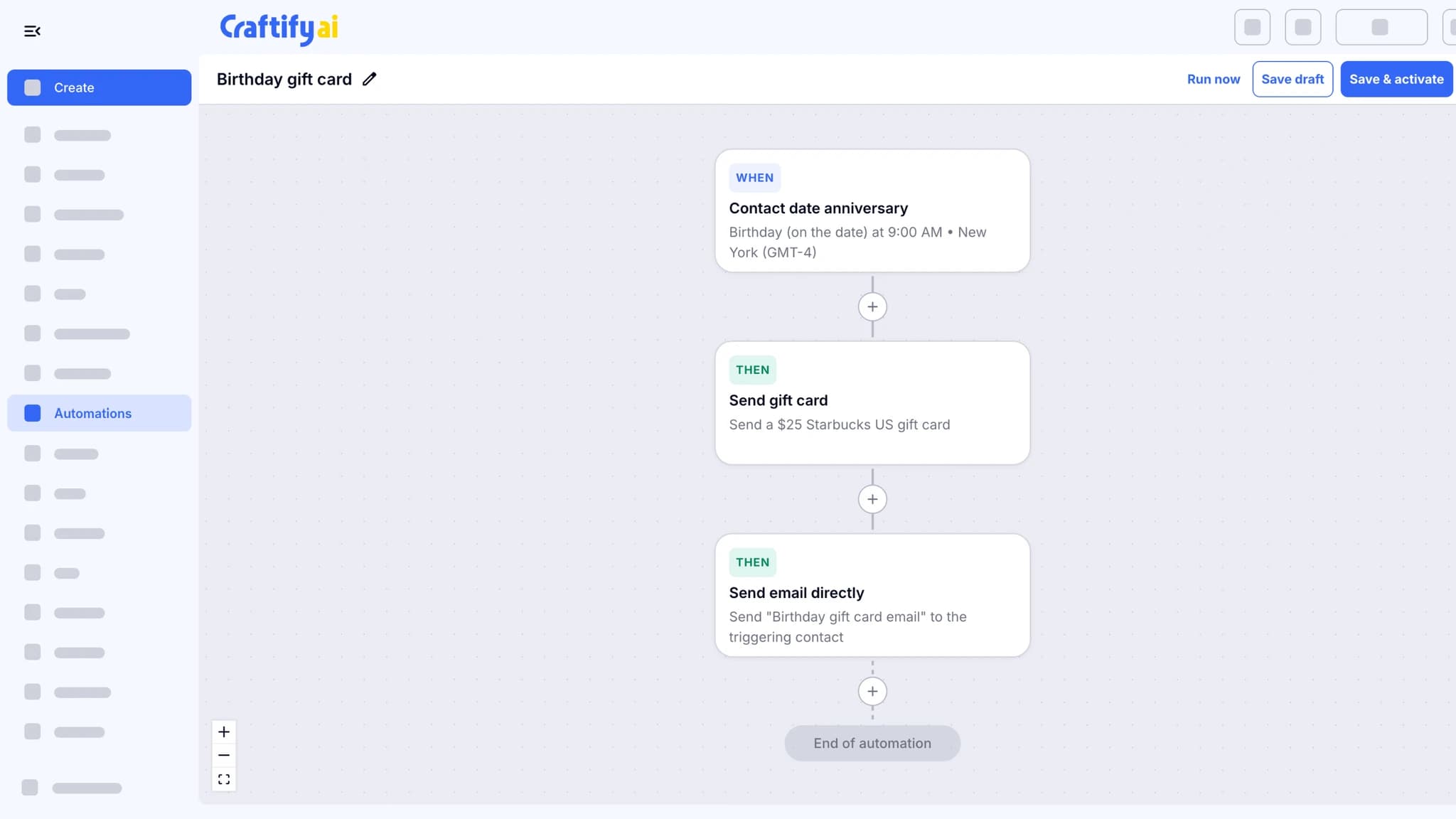
Add a Send gift card step to an automation, such as each contact's birthday, and every contact gets their card on the day, in an email from your business.
Or add one to any email
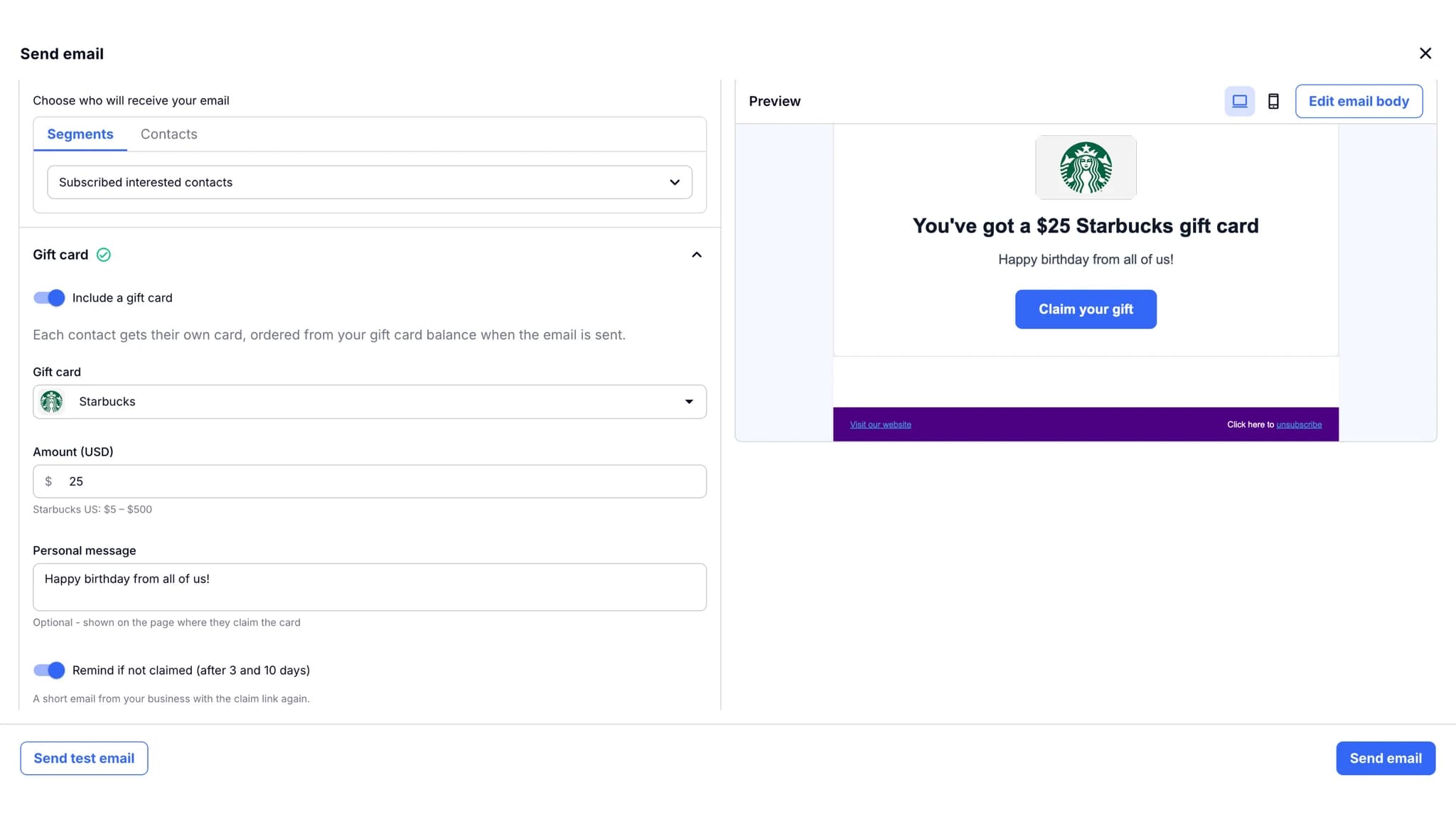
Sending a thank-you to one customer or a list? Turn on Include a gift card. Each person gets their own card, and you see the total before you send.
Your money stays yours
Cards are paid from your own Tremendous account in US or Canadian dollars. Craftify never holds your balance or card details, and a monthly limit keeps spending where you set it.
From a birthday to a claimed gift
Automate the moments you want to reward, send a card with any email, and see which gifts were claimed.
What it does
Gift cards that send themselves
A gift card with any email, an automation for the moments that repeat, and one report for both.
Send a real Starbucks or Amazon gift card on a customer's birthday, after a first visit, or with any email. It arrives inside an email from your business, paid from your own gift card balance.
Add a Send gift card step to an automation, such as each contact's birthday, followed by your gift card email. Every contact gets their own card on the day, with no one to remember it.
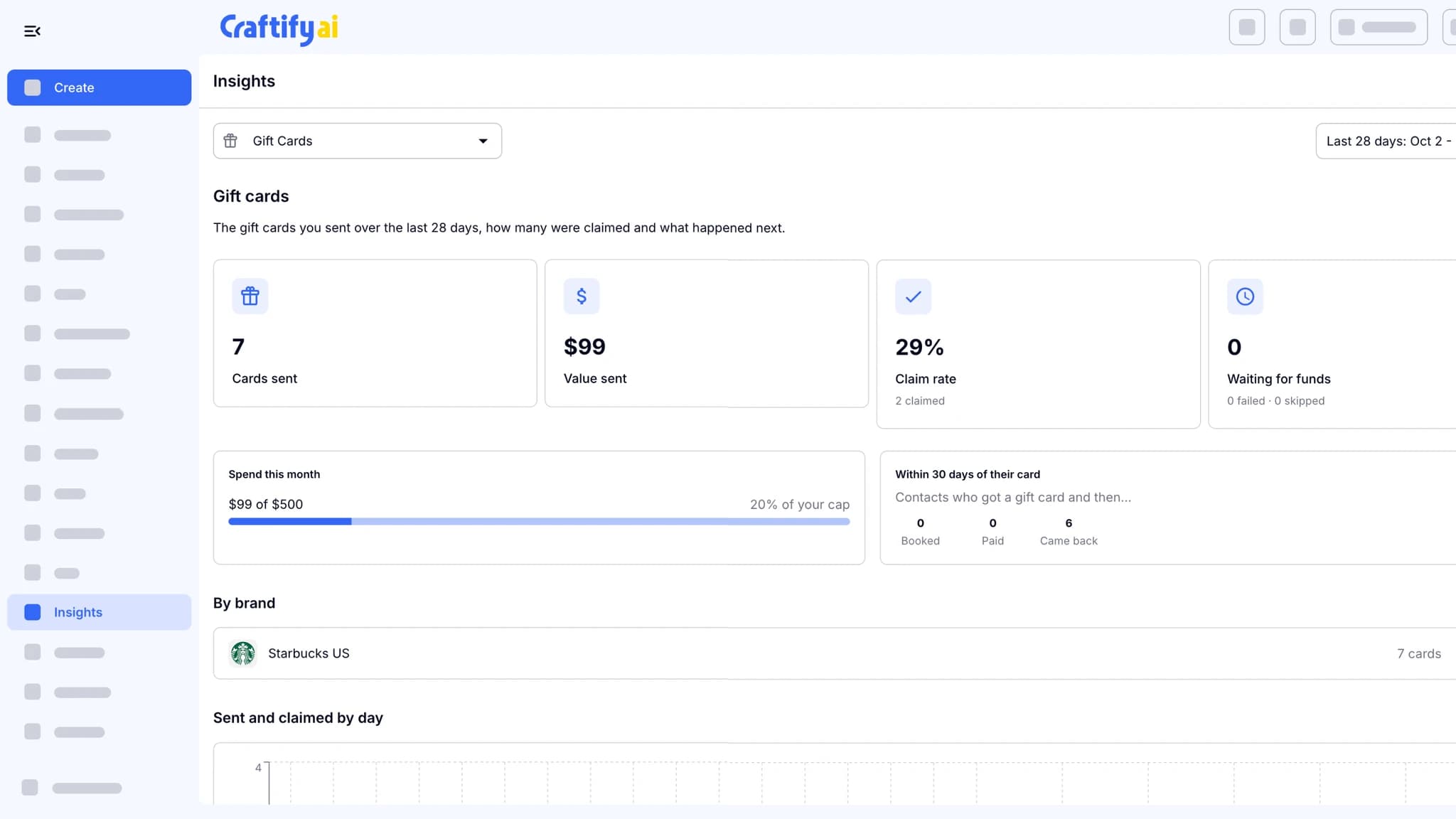
Cards sent, value, claim rate, and spend against your monthly limit, plus what customers did within 30 days of their card. Cancel any card that has not been claimed.
Want to plan your first gift? Talk to our team about the moments worth rewarding.
How it works
Connect once, then send gifts from automations or from any email.
1
Connect your gift card account
In Settings, connect Tremendous, our gift card partner, pick US or Canadian dollars, add funds, and set a monthly limit.
2
Choose the brand and amount
Pick a brand, an amount, and a short message. Add the Gift card block to your email so the card shows up inside it.
3
Send it, or let it send itself
Use a Send gift card step in an automation, or turn on Include a gift card when you send an email. Track every card in Insights.
Ready to thank your customers properly?
Frequently asked questions
Gift cards lets you send customers real brand e-gift cards, like Starbucks or Amazon, inside an email from your business. Send them automatically from an automation, such as on each contact's birthday, or add one to any email you send yourself.
You do. Cards are delivered by Tremendous, our gift card partner. You fund your own Tremendous account, and Craftify orders cards from it on your behalf. Craftify never holds your balance or your payment details.
The face value of each card, paid from your Tremendous balance. See Tremendous's pricing for any fees on adding funds.
Yes. In the Send email window, turn on Include a gift card and send to one contact, several contacts, or a segment, up to 200 at a time. Each person gets their own card, and you see the total and your balance before you send.
Set a monthly limit when you connect, and an optional alert for when your balance runs low. Gift cards never go over the limit, and a card that cannot be paid for is not sent, so nobody gets a gift email without a gift.
One email from your business with the gift card inside it. Claim your gift opens a page from your business, and one more click opens their card, ready to use in store or online.
Turn on reminders and they get a short email from you after 3 and 10 days. You can also cancel any card that has not been claimed yet.
US dollars and Canadian dollars. You choose one when you connect, and your balance and every card use it.