Instagram & Facebook Integration Tutorial
Instagram & Facebook Integration Tutorial
If you've been hoping to make it even easier to post your Craftify AI Crafts directly to your social media accounts, then look no further! Integration is here!
In this tutorial we will show you just how easy it is to set this up on your account.
Step 1: Log in and go to Settings
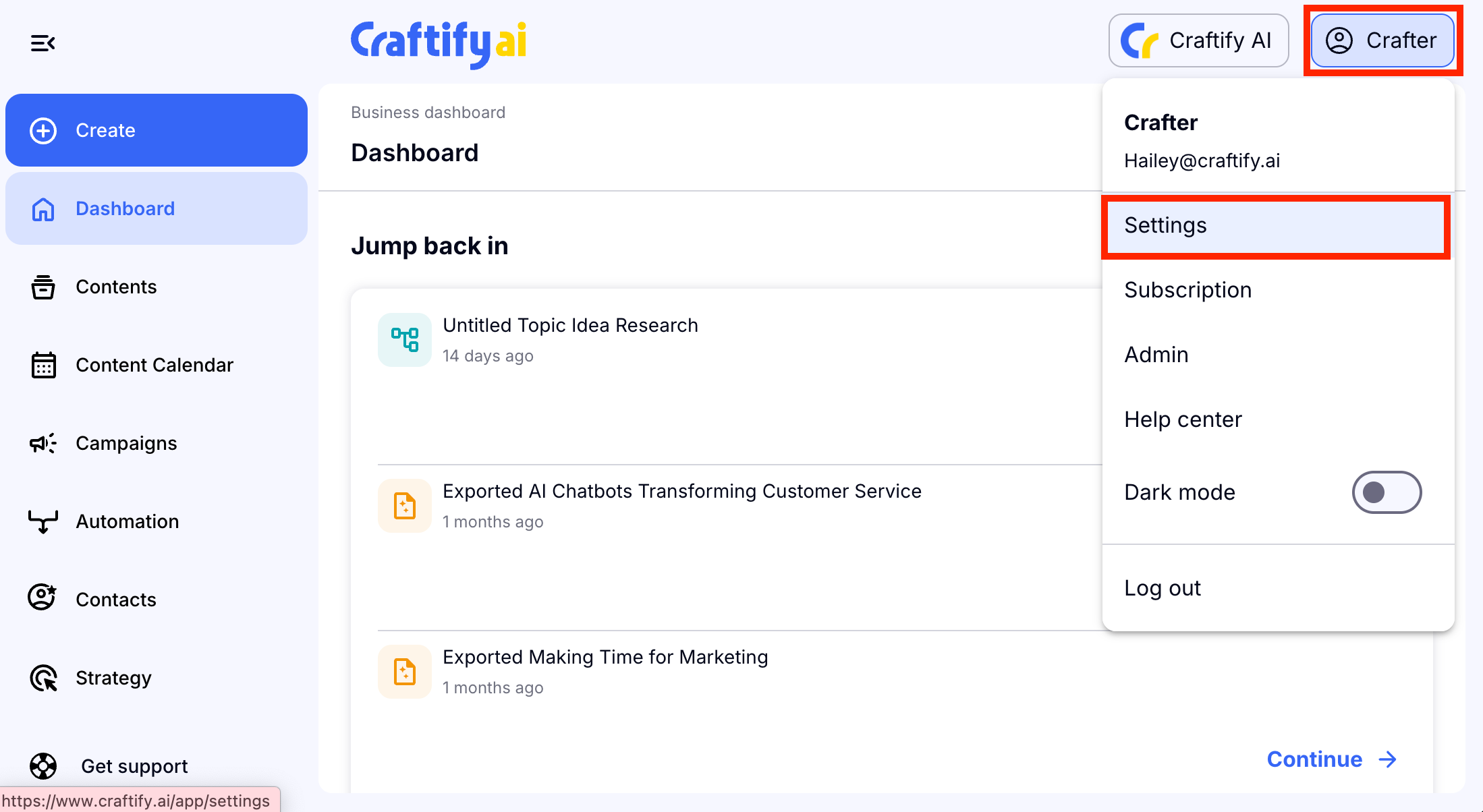
Log into your account, then choose your name in the top right hand corner and choose 'Settings.'
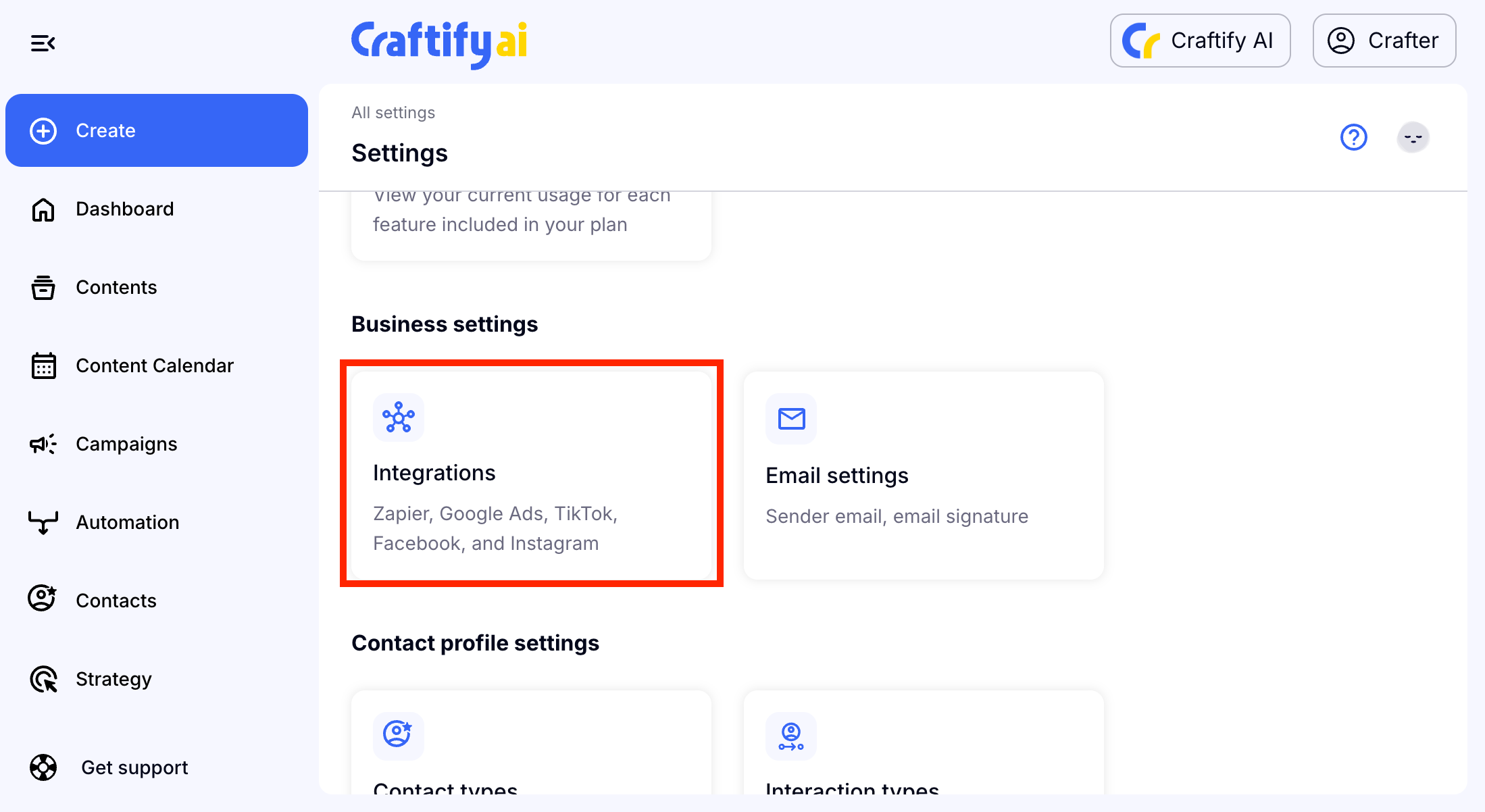
Then, scroll down and choose 'Integrations' under Business Settings.
Step 2: Connect to Instagram and Facebook
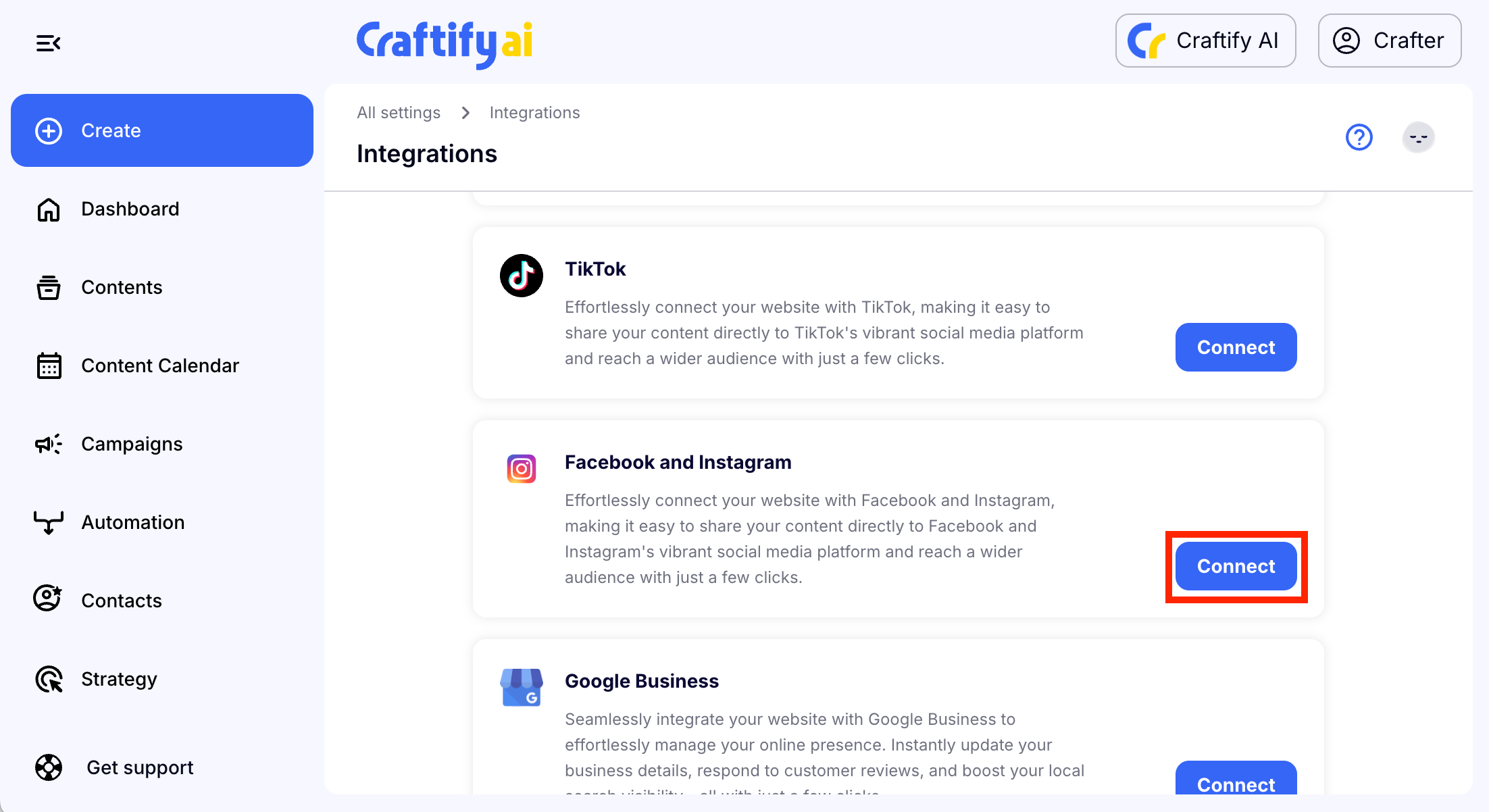
Scroll down to see the Facebook and Instagram integration and choose 'Connect.'
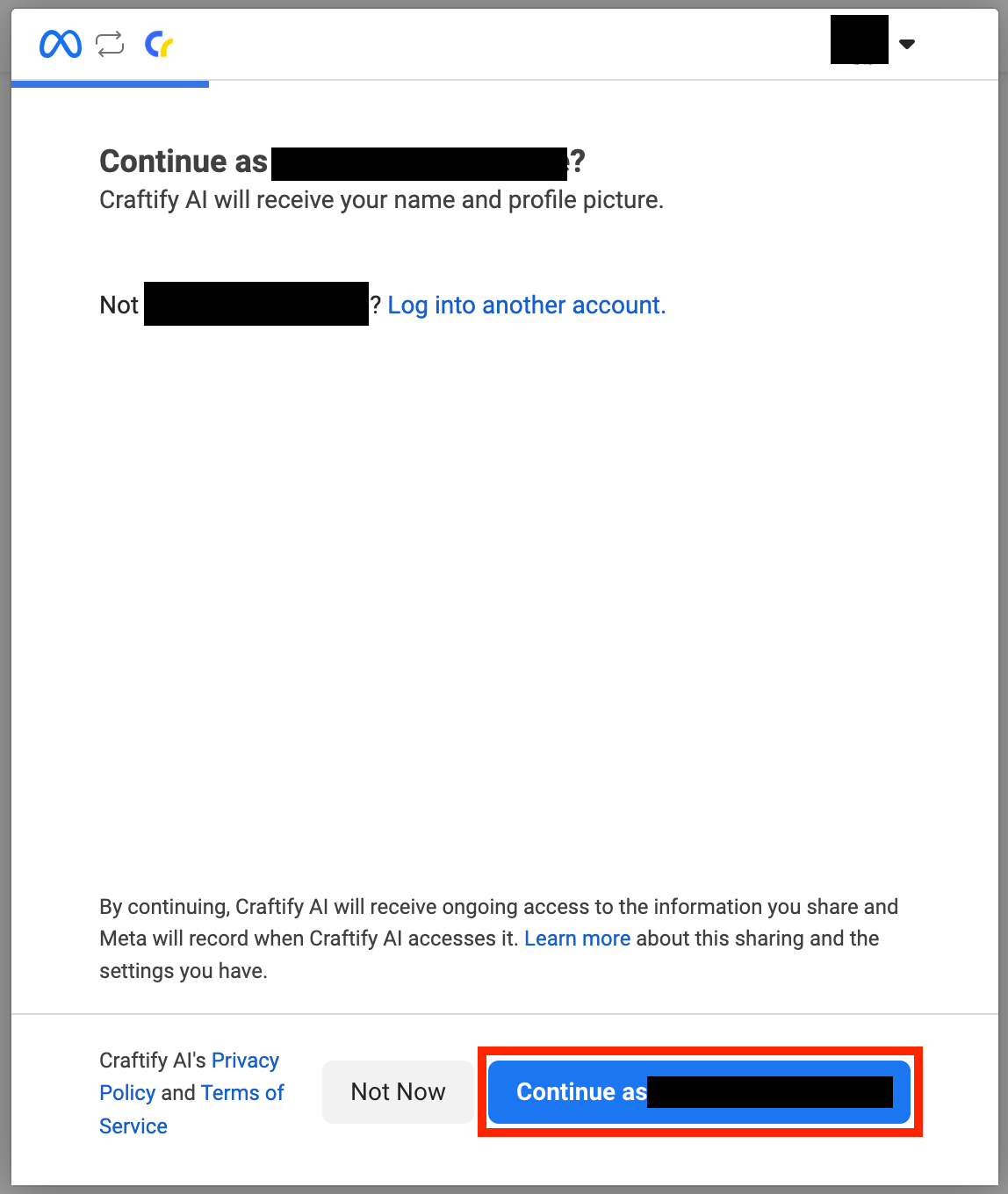
Step 3: Log into Facebook and follow the prompts
You will log into your personal Facebook account that is connected to your business page.
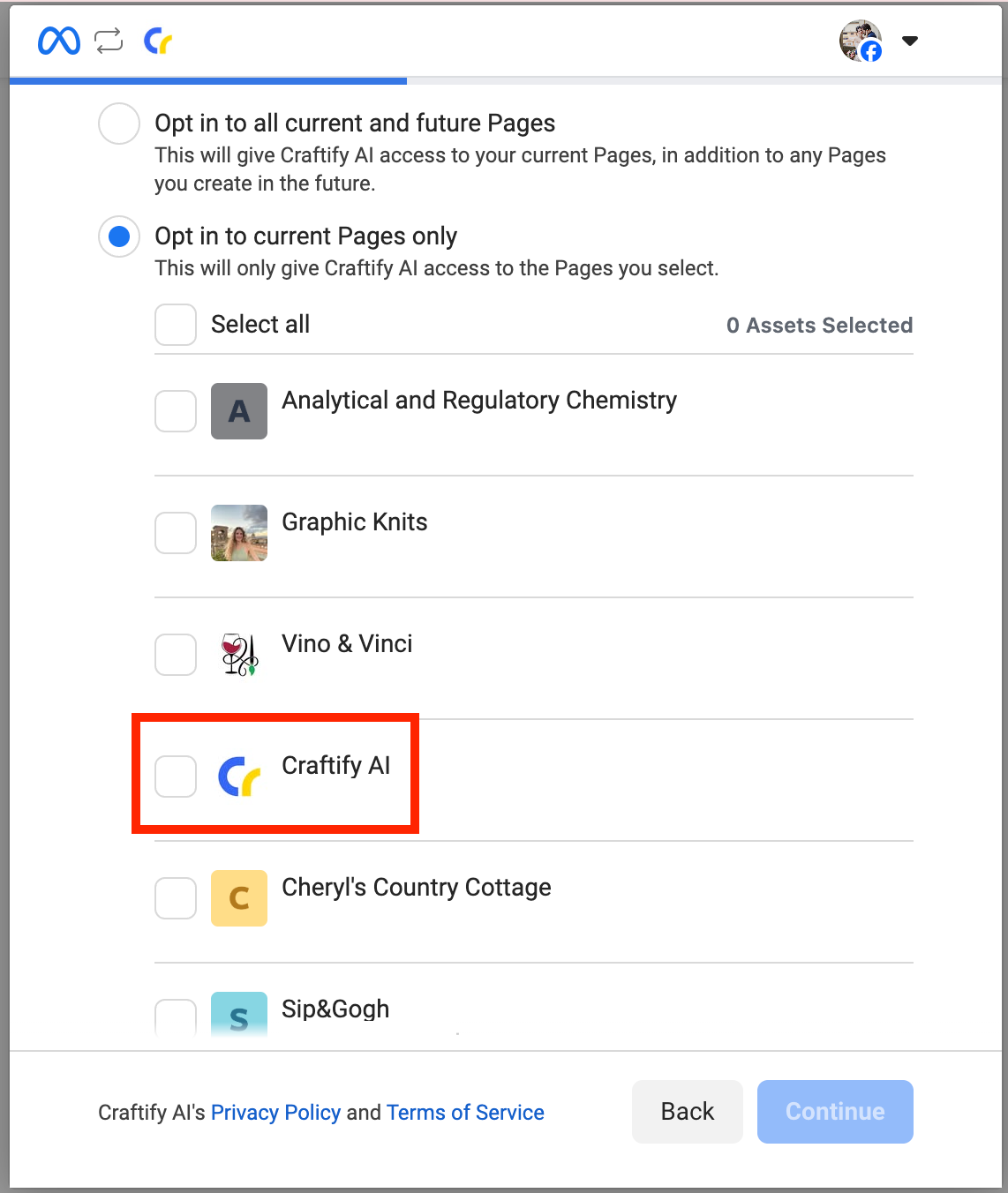
You can choose to Opt In all Facebook pages that you manage, or just choose the specific one to integrate.
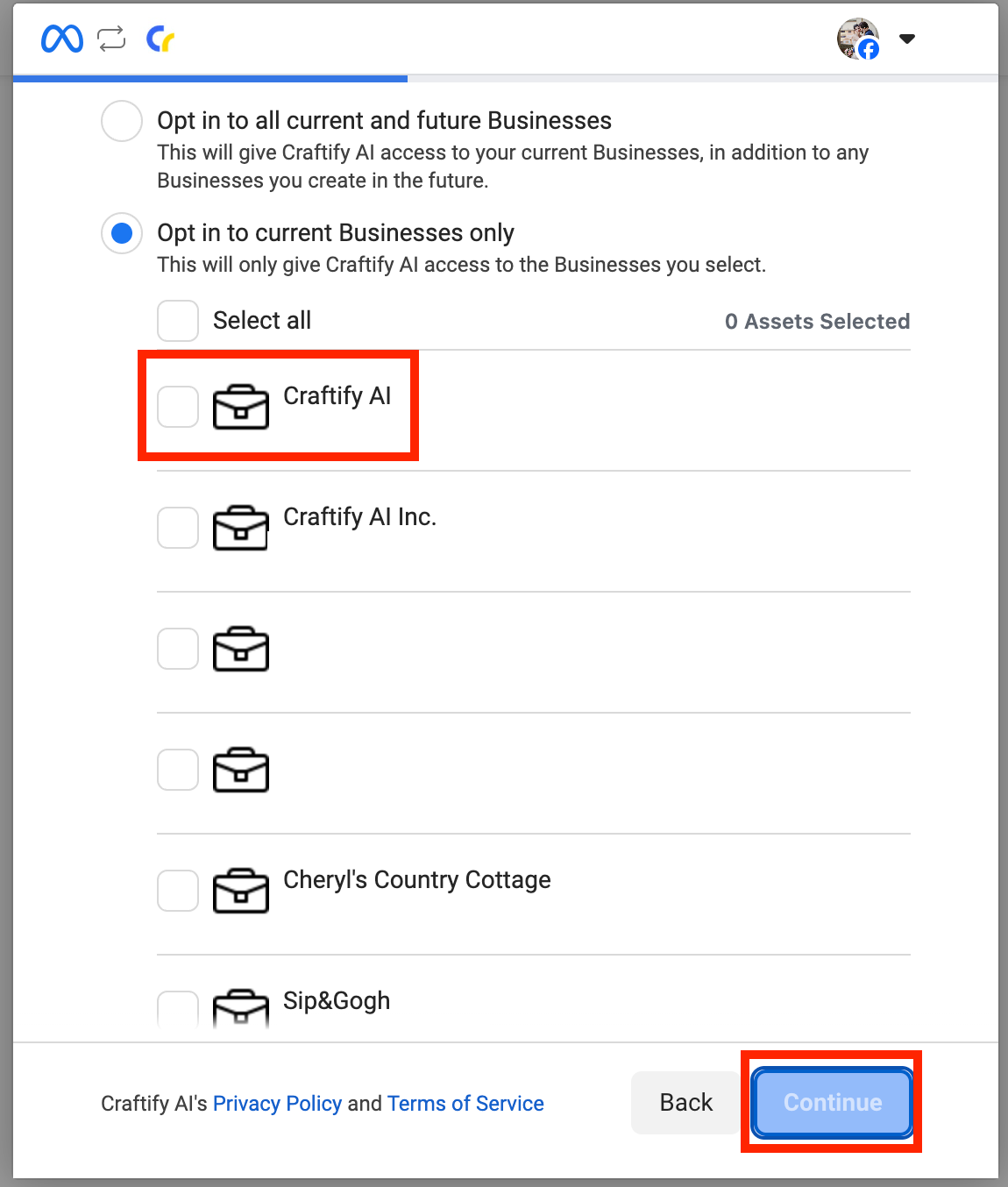
Then you will choose the business that is relevant to that Facebook page.
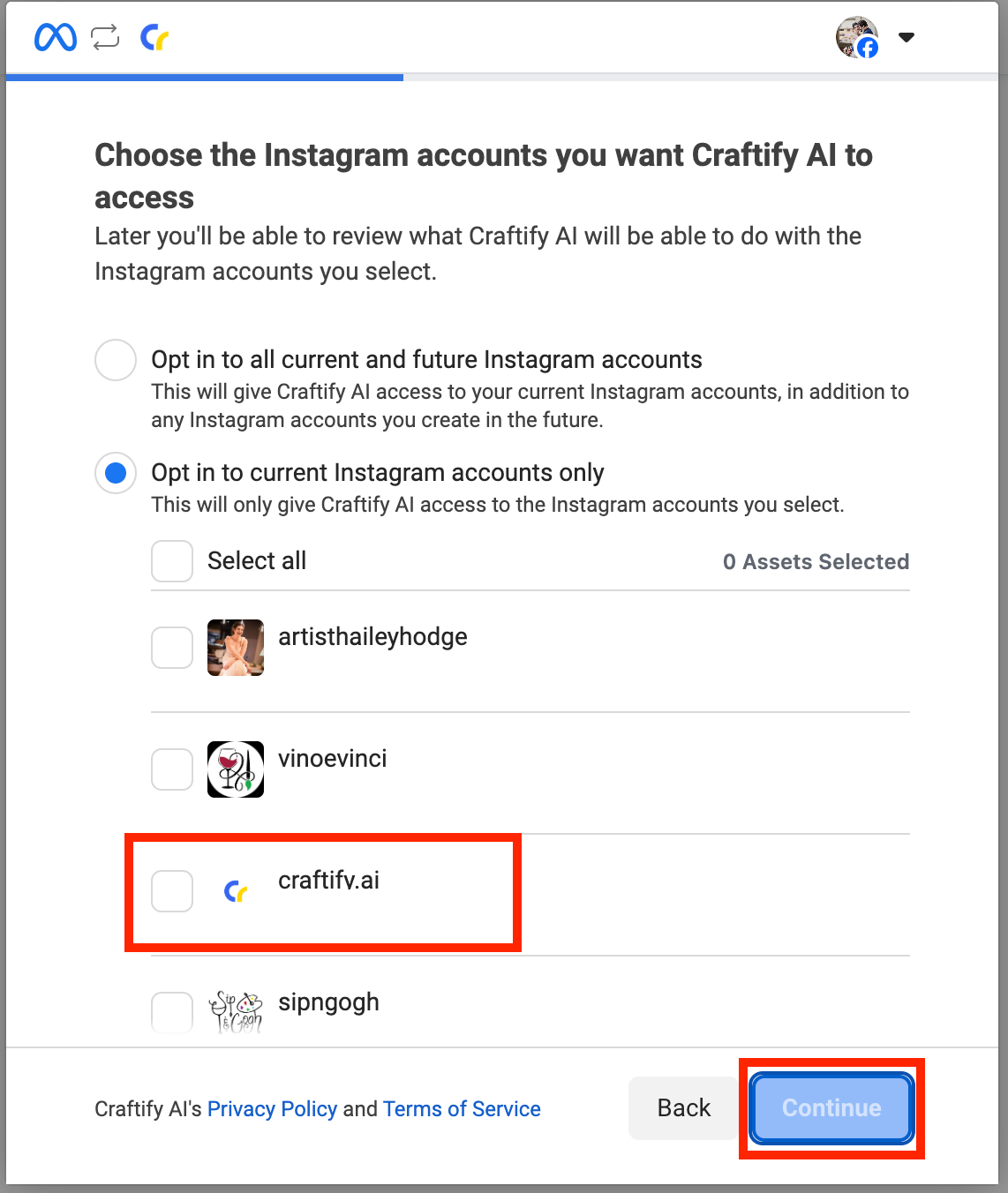
Then you will choose the correct Instagram account that is linked to your page.
Review the request and then choose 'Save.'

Facebook will then confirm that it is connected to Craftify AI. Choose 'Got it' to continue back to Craftify AI.

Step 4: Make sure the integration was successful
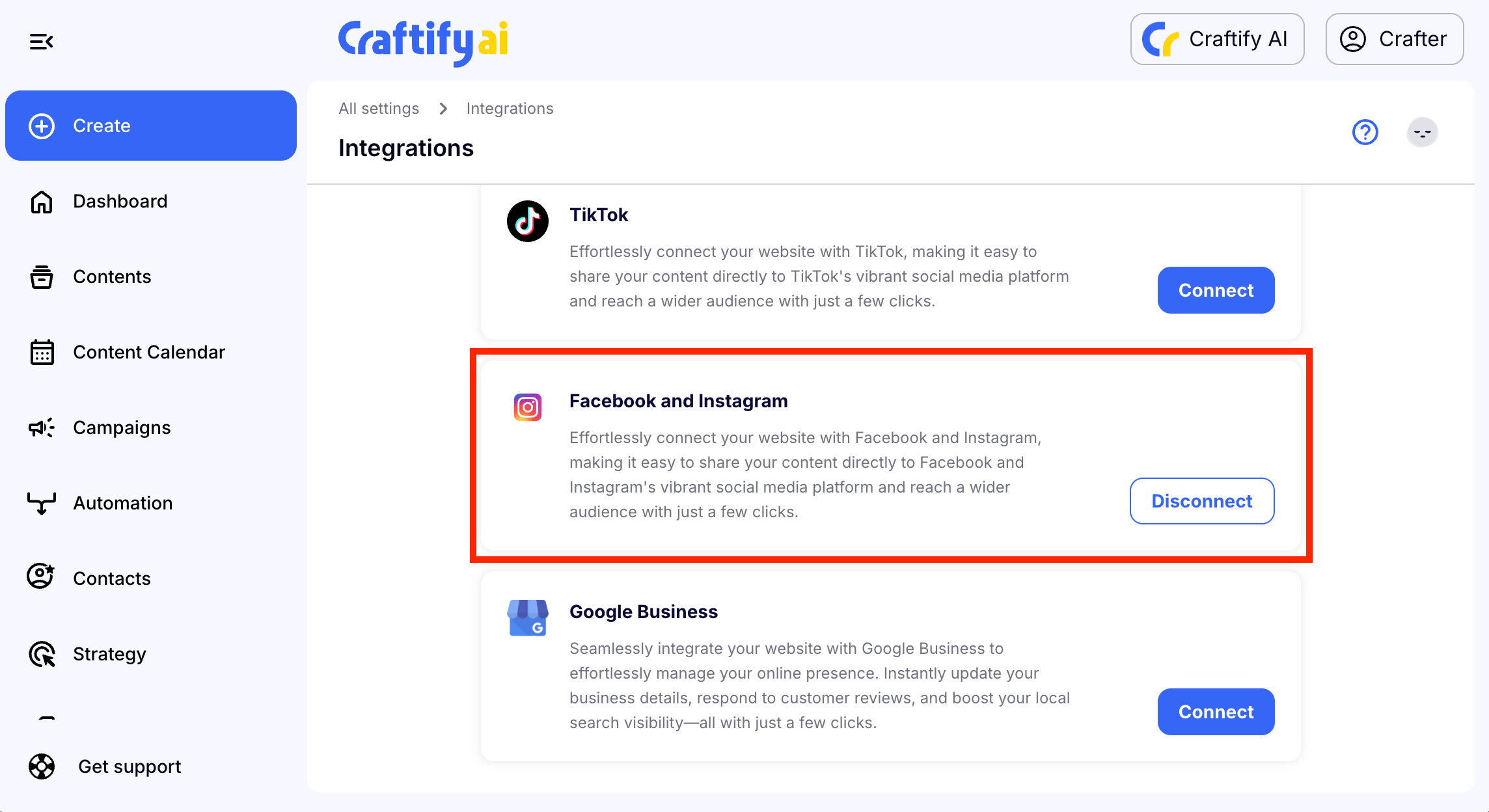
In your integration settings you should now see that Facebook and Instagram is connected! You can disconnect it at any time.