Shopify integration
Turn Shopify shoppers into repeat customers, on autopilot
Install Craftify AI from the Shopify App Store. Your customers and their marketing consent sync into Contacts, their orders land on the customer timeline, and blog posts publish to your store blog.
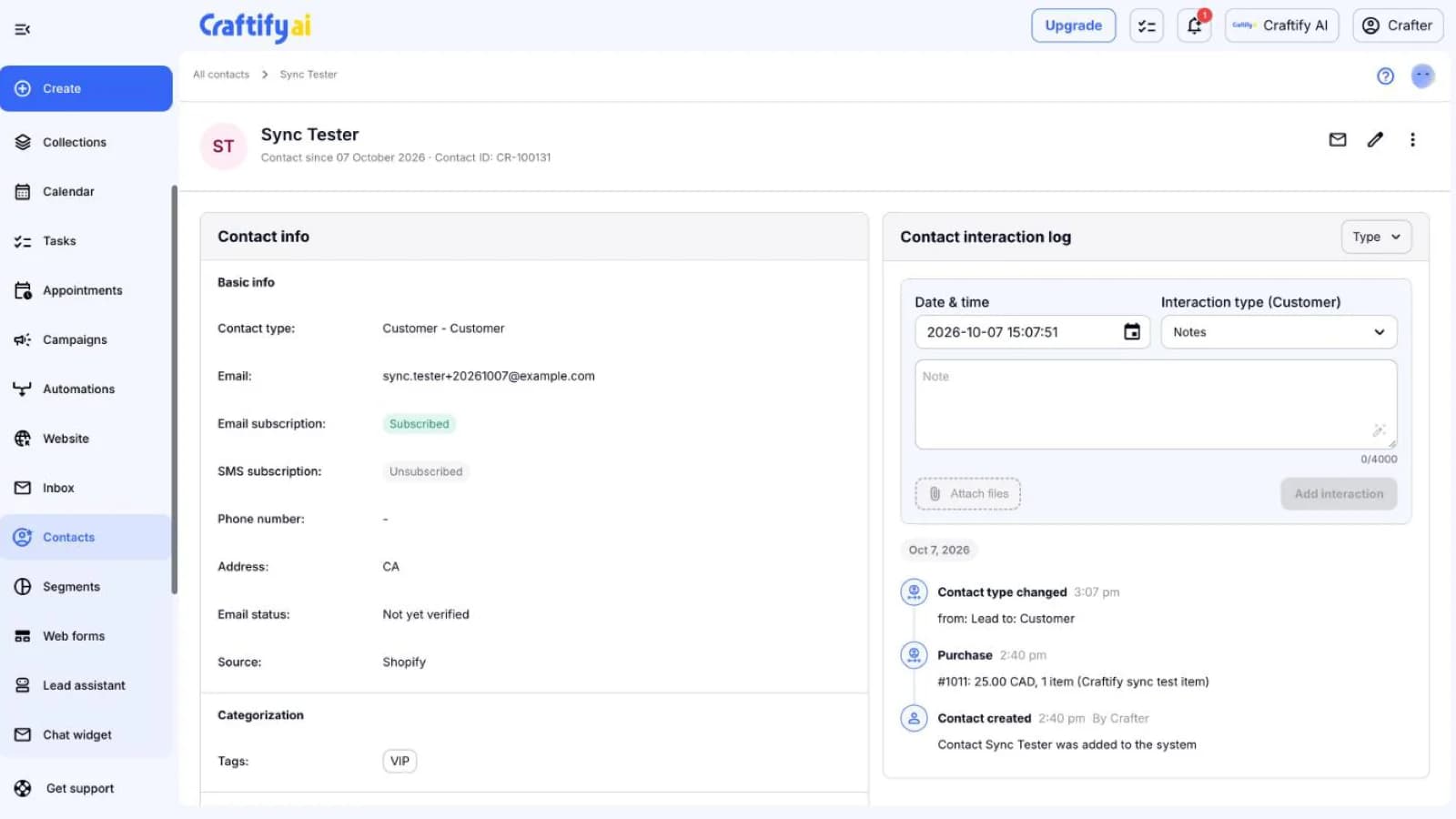
Customers and consent in sync
Orders on the timeline
Blog posts to your store
What the Shopify app does
Your store already knows who buys from you. Craftify puts that to work for the follow-up.
Customers sync on their own
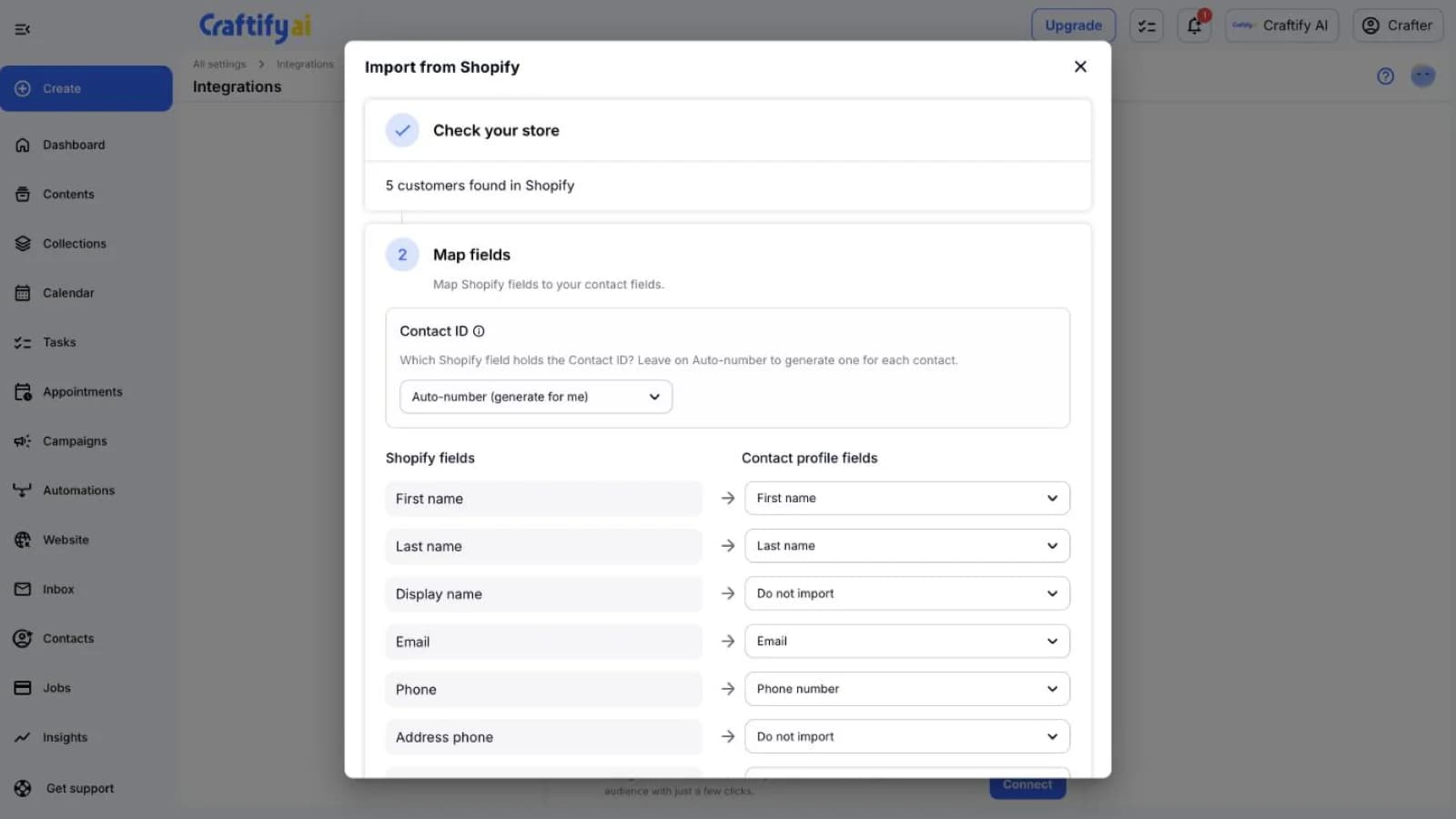
Import your existing Shopify customers once, then new and updated customers arrive in Contacts within a minute, with their name, email, phone, address, and tags.
Orders on the customer timeline
When a customer orders, it is logged as a Purchase with the order number, total, and items, and a cancellation is logged too. The import brings in the last 60 days of orders.
Blog posts on your store blog
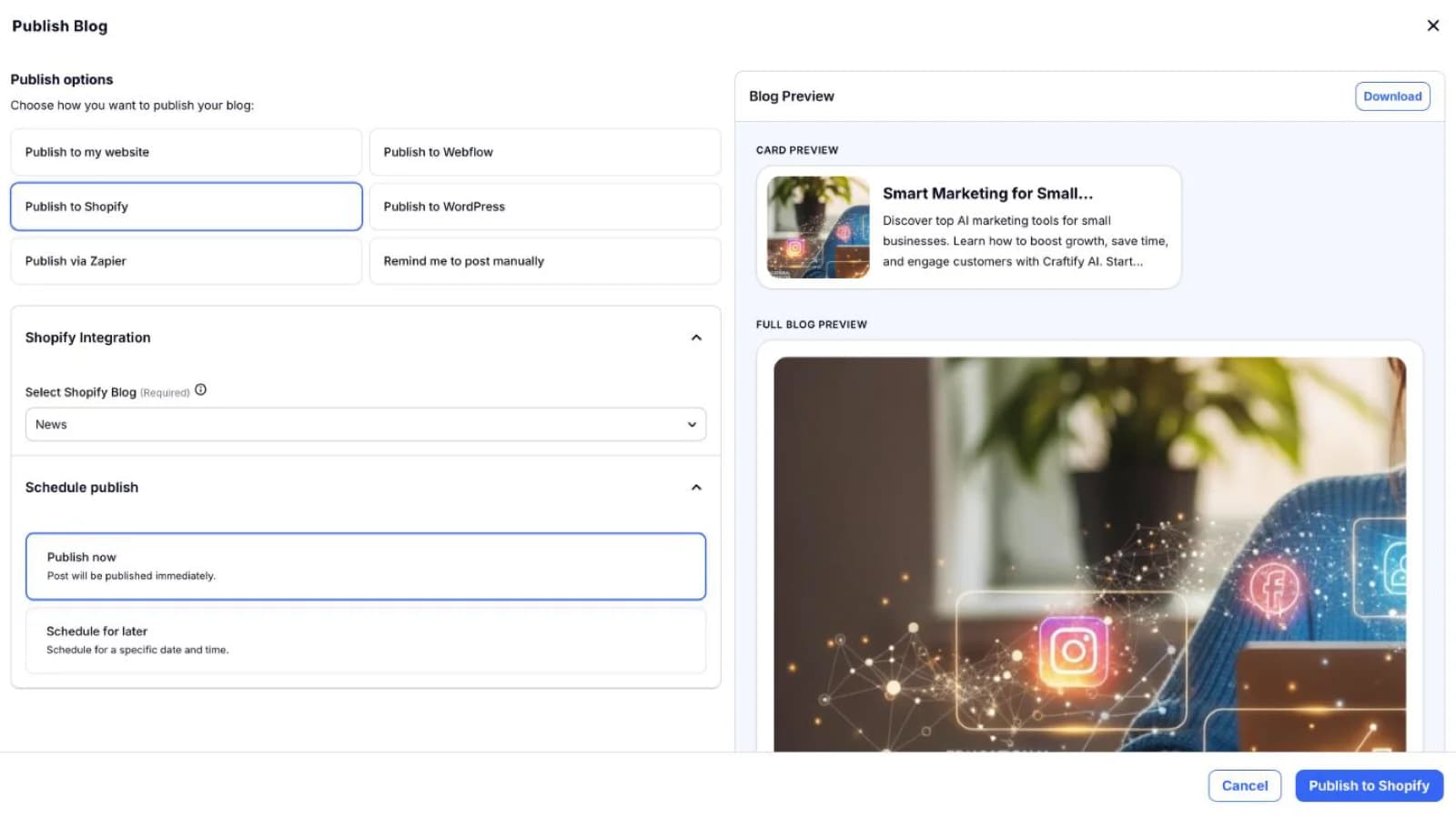
Articles written in Craftify publish to the Shopify blog you pick, now or on a schedule, so the store keeps getting fresh content for search.
Marketing consent comes with them
Email marketing consent is copied from Shopify and kept current. Customers who did not opt in are imported as unsubscribed and left out of marketing sends.
Your store, inside your customer platform
Contacts, orders, blog posts, and store results in the same workspace as your emails and automations.
What it does
Sync, publish, and measure your Shopify store
Four things the app does from the day you connect it.
Each Shopify customer becomes a contact with source Shopify, their consent, and every purchase on the interaction log.
See the CRMSee how many customers the store has, map Shopify fields to your own contact fields, and import them, with their recent orders on each timeline.
Write an SEO-friendly article in Craftify and publish it to the Shopify blog you pick, now or on a schedule, with its cover image.
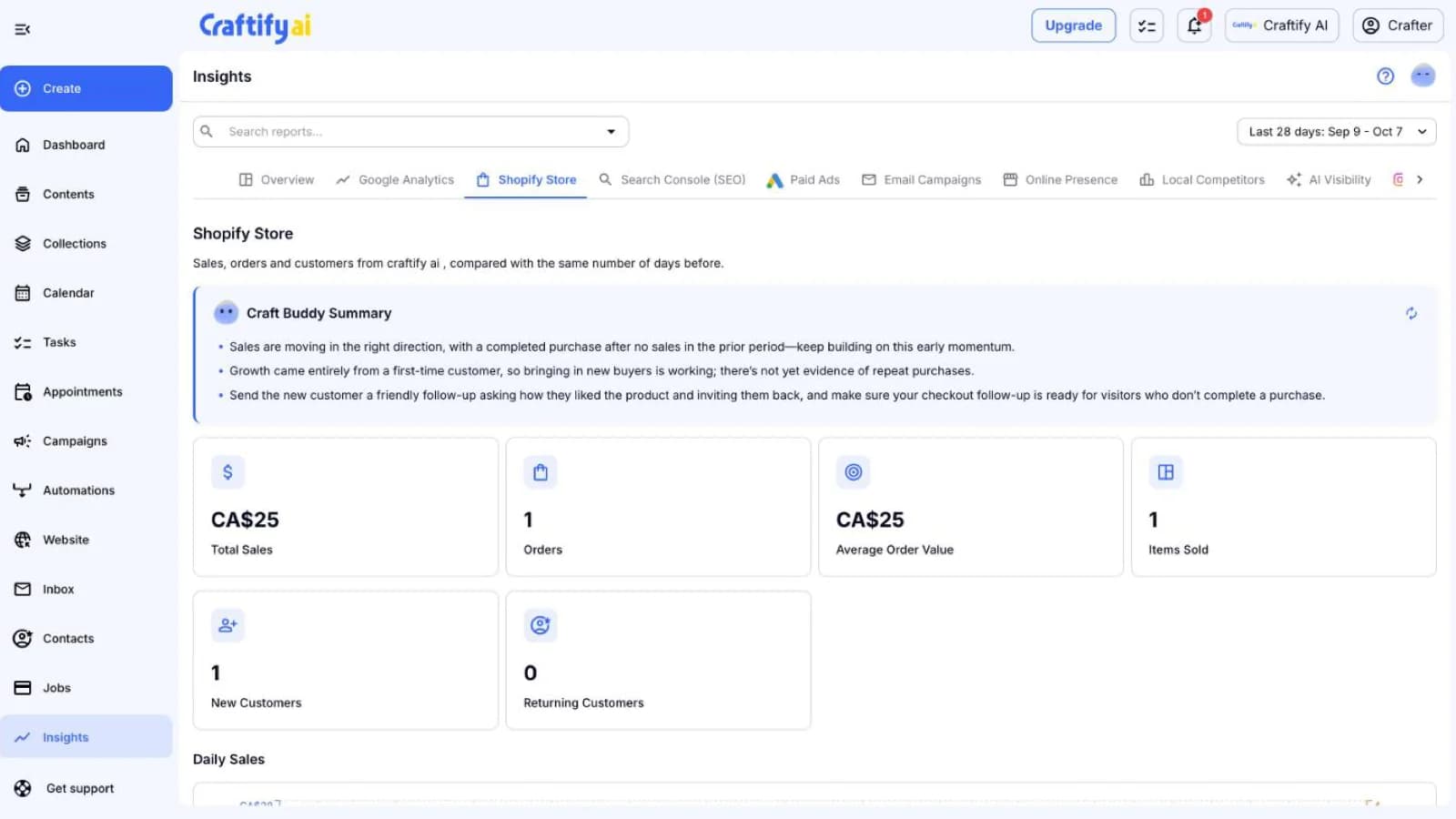
See the blog post writerSales, orders, average order value, and new and returning customers, compared with the previous period, with a Craft Buddy summary of what to do next.
See insights
How to connect your store
The install starts on Shopify. No store address to type and no developer needed.
1
Install the app
Add Craftify AI from the Shopify App Store and start the free trial. Shopify asks you to approve the plan on its own page.
2
Connect to Craftify
From the app home in your Shopify admin, click Connect to Craftify and sign in, or create your Craftify account. The store links to your workspace.
3
Import and keep in sync
Turn on Keep contacts in sync and import your customers. From then on new customers and orders arrive by themselves.
Ready to follow up with every Shopify customer?
Frequently asked questions
It is the Craftify AI app for Shopify. It syncs your Shopify customers and their marketing consent into Craftify contacts, logs every order on the customer timeline, publishes Craftify blog posts to your store blog, and reports store sales in Insights.
From the Craftify AI listing on the Shopify App Store, at apps.shopify.com/craftify-ai. After installing, open the app from Apps in your Shopify admin and click Connect to Craftify to link the store to your workspace.
Yes. With sync on, an order from a customer in your contacts is logged as a Purchase on their timeline within about a minute, with the order number, total, and items. Cancelled orders are logged as well. Test orders are ignored.
Yes. Synced customers are contacts like any other, so you can group them into a segment and send them an email campaign. Only customers who opted in to email marketing receive it.
Customers with an email address or phone number. Guest checkouts with no customer record are not added as contacts. Consent is copied as is, so a customer who did not opt in to email marketing is imported as unsubscribed.
The Shopify app has its own plan, billed through Shopify with a free trial. Your Craftify plan covers the rest of the workspace: emails, automations, and the other tools.
Syncing stops and the integration shows as disconnected in Craftify. Contacts you already imported stay in your workspace. When Shopify asks for a customer's data to be erased, Craftify deletes it.