Online booking
Online booking for salons and service businesses, on autopilot
Clients book one or several services from your booking page, your website, Google, Instagram, or Facebook, and pick a stylist or anyone free. Confirmations and reminders go out by email, and your front desk runs the day from one screen.
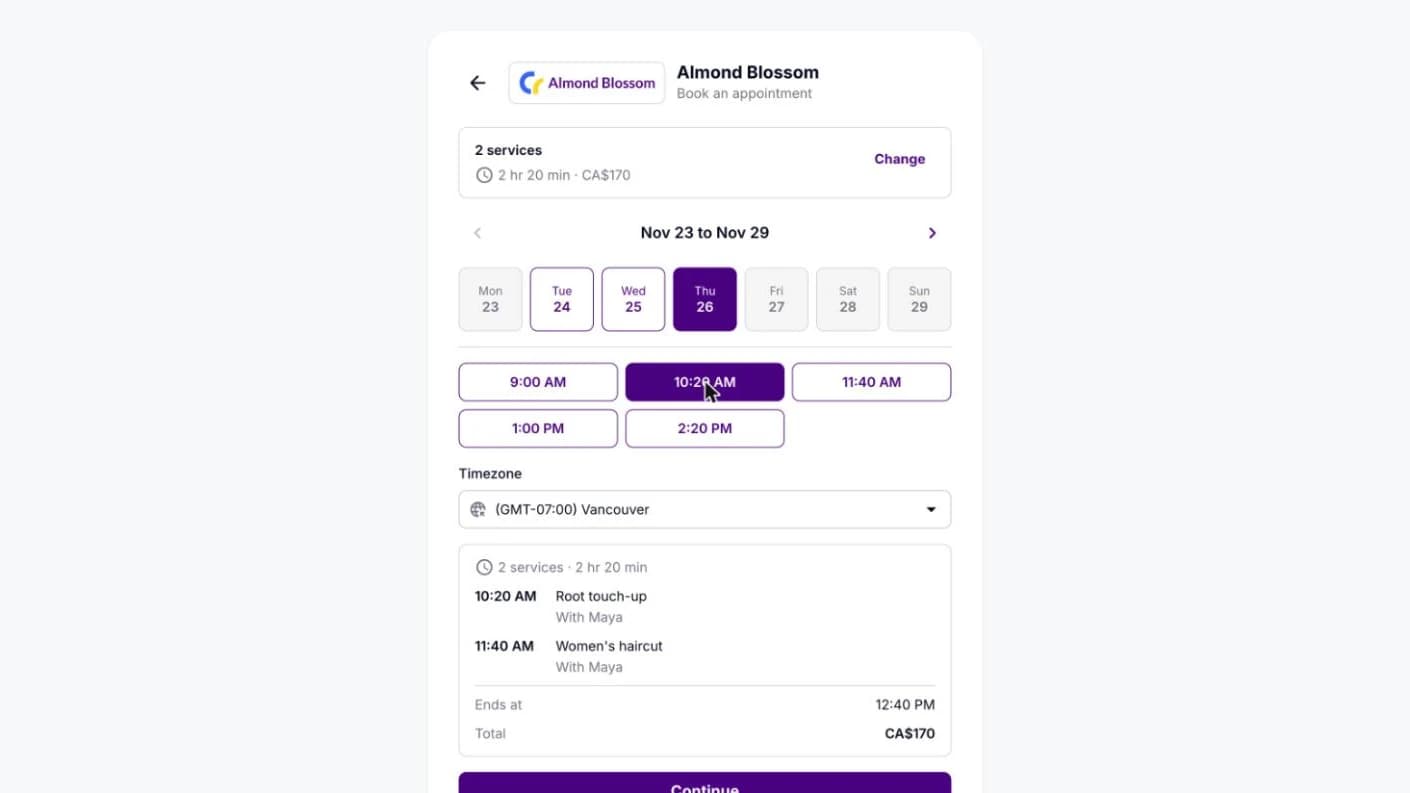
Several services in one visit
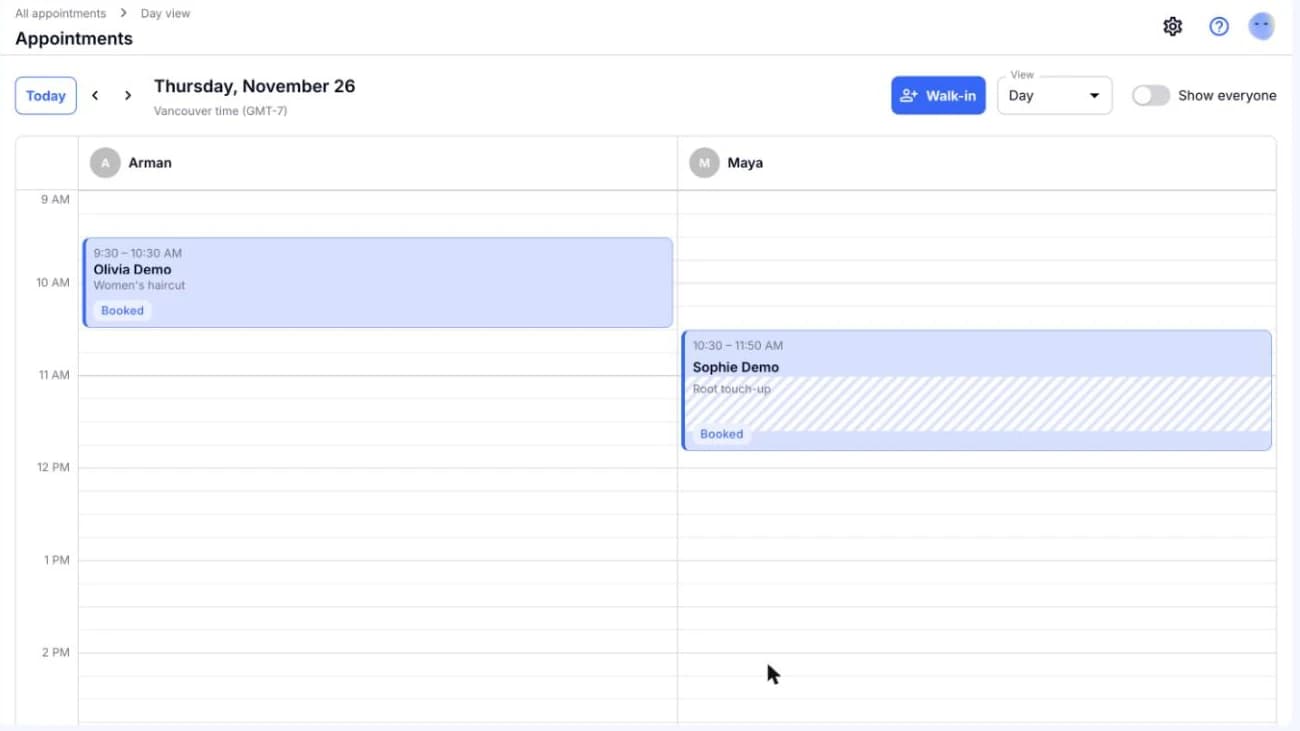
Day view for each stylist
Clients reschedule themselves
Your booking app stops at the appointment.
Bookings live in one app, client notes in another, and your emails in a third. So no-shows cost you the chair, changes eat up the front desk, and nobody remembers to ask for the next visit.
Clients message you to move a visit, and someone rebuilds the day by hand.
No-shows and late cancellations leave a stylist with an empty hour.
A booking app, an email tool, and a client spreadsheet, each paid for and set up on its own.
See how booking fits in →
Why service businesses take bookings with Craftify
Booking sits on the same client record as your emails, automations, and reports, all in one customer platform.
Book a whole visit in one go
Clients add several services back to back, choose options like short, medium, or long hair, add extras, and pick a stylist, the same one for everything, or anyone free.
Clients change plans on their own
Every booking has a link to add it to a calendar, reschedule, or cancel within your cancellation window. A waitlist offers freed-up times, and Book again links bring clients back.
Every visit starts the follow-up
Automations run when a visit is booked, cancelled, moved, missed, or due a rebook. Segments and a Bookings report in Insights show who to bring back.
From the booking page to the front desk
What clients see when they book, what your team needs on the day, and how you move over from your old app.
What it does
Booking that runs your day
Online booking, deposits, client records, and the move from your old app, with automations that follow up after each visit.
Clients book one or several services from your booking page, website, Google, Instagram, or Facebook. Your team sees every visit in a Day view with a column per stylist.
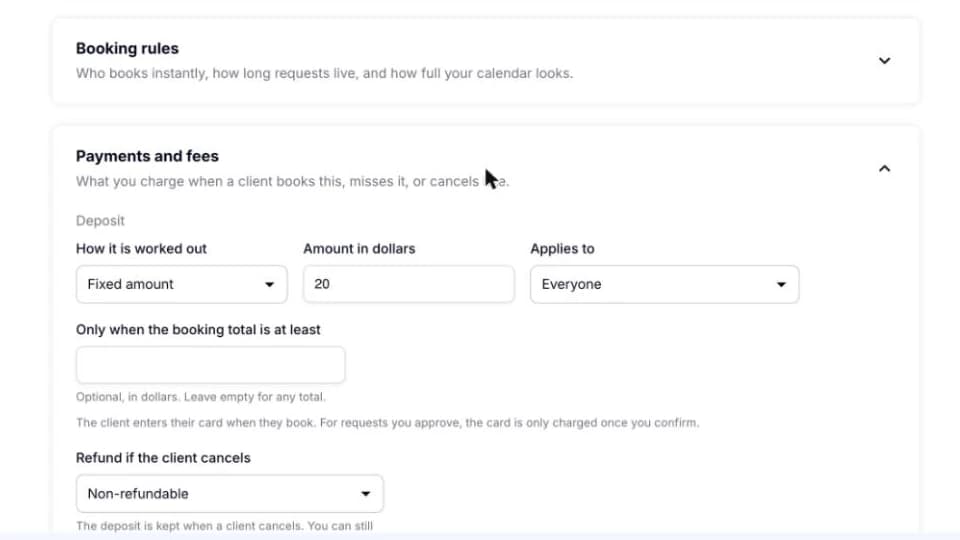
Take a deposit or keep a card on file when clients book, charge a fee for a no-show or a late cancellation, and refund from the booking. Needs the Sales add-on and a connected Stripe account.
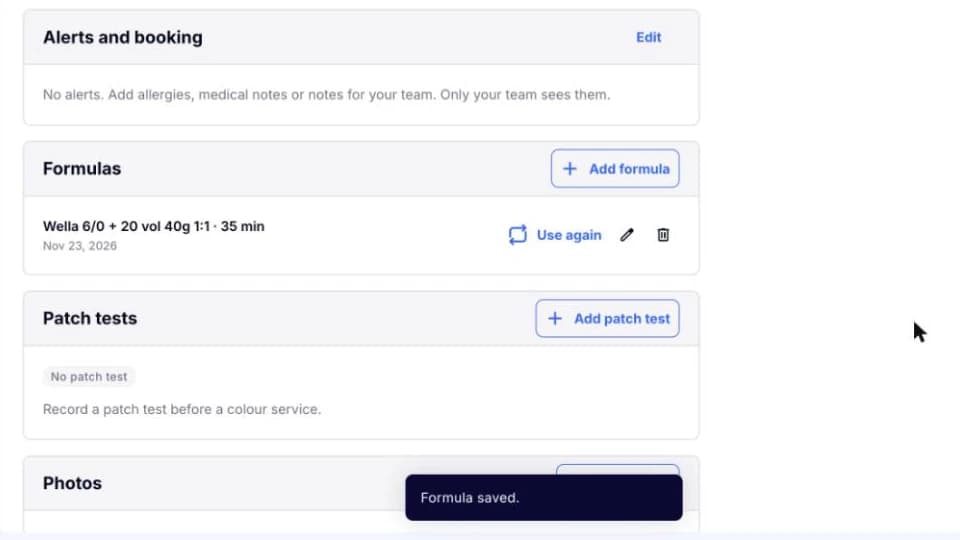
Alerts only your team sees, colour formulas you can use again, patch test results, and photos, all on the client record next to every visit.
Import your team, services, clients, and booked appointments as CSV files, with Fresha files matched for you. Import again just before you switch so nothing is missed.
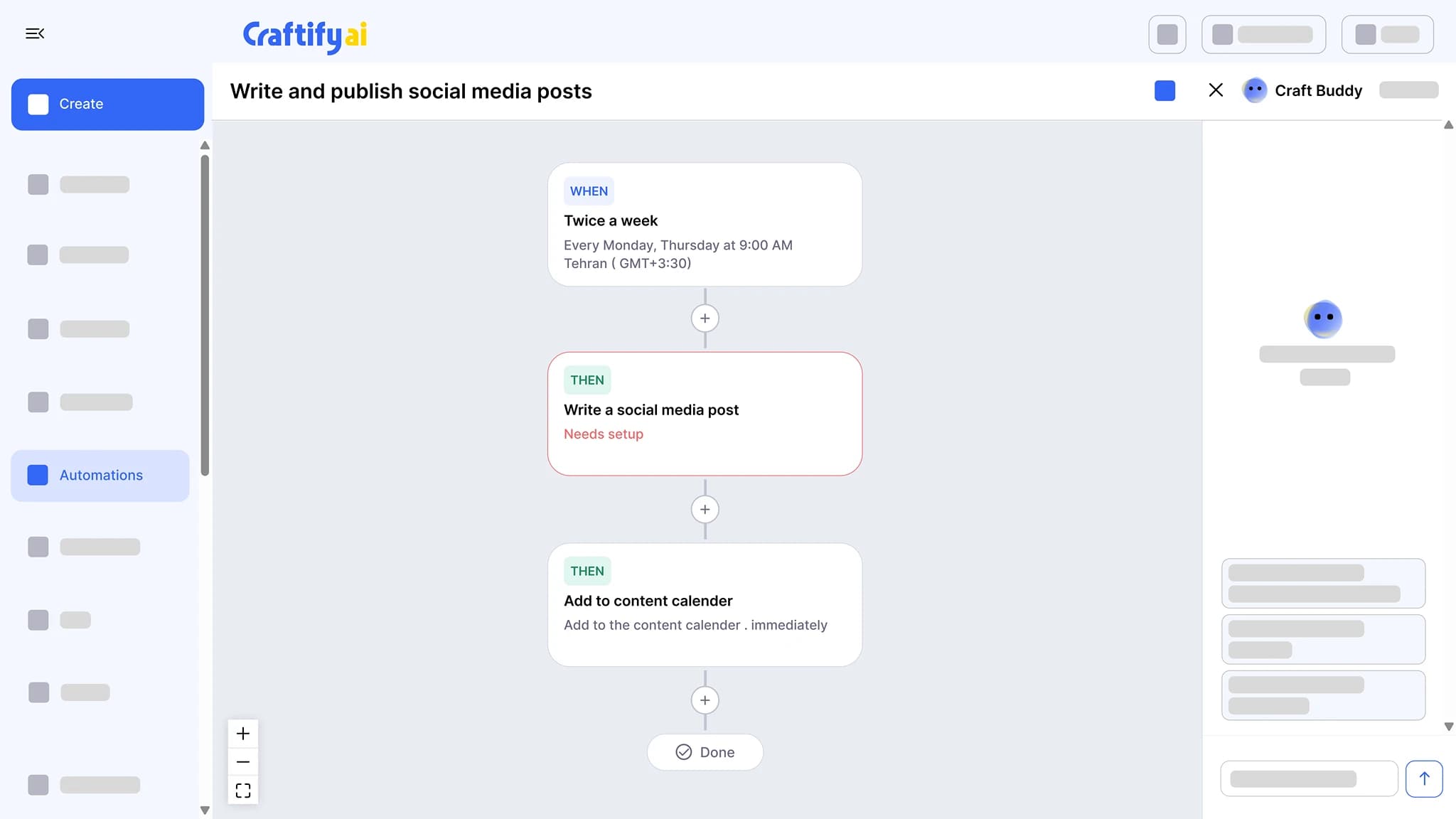
Chain a trigger to actions: write a social post twice a week and add it to the calendar, send a birthday email, or follow up after a job. Set the schedule once and approve what it drafts.
See marketing automation
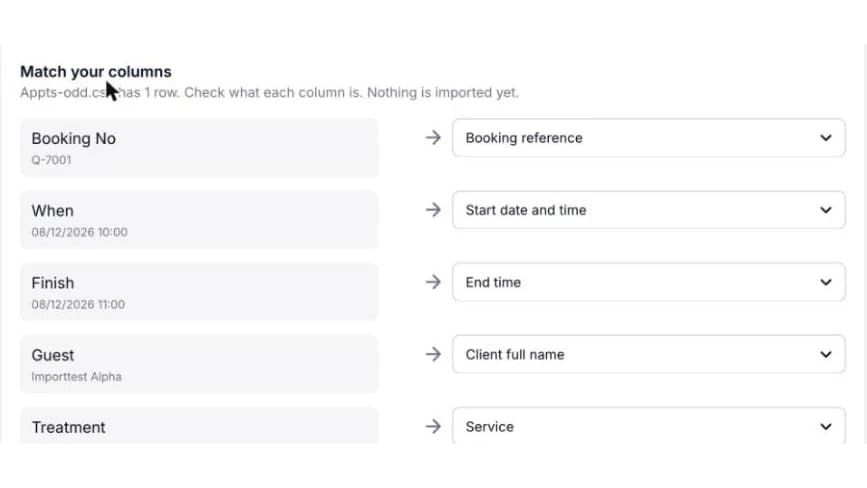
Moving from another booking app? Talk to our team about your switch.
How it works
Set up your menu and team once, share your link, and run the day from one screen.
1
Add your menu and team
Start from a ready-made menu for a hair salon, barber, nails, or lash and brow, or import from your old app. Edit every price and length on one screen, then set each stylist's shifts, breaks, and services.
2
Share your booking link
Add your booking page to Google, Instagram, and Facebook, embed it on your website, print the QR code, or send a link for one service. Each booking shows the channel it came from.
3
Run the day
Open the Day view, add walk-ins and bookings you take at the desk, drag a visit to move it, and mark clients Arrived and Started. Staff-only notes stay with the visit.
Ready to take bookings online?
Frequently asked questions
Online booking in Craftify AI lets clients book your services from a booking page, your website, Google, Instagram, or Facebook, and gives your team a Day view to run each day. Every visit lands on the same client record your emails, automations, and reports use.
Yes. Clients add several services to one visit and they are booked back to back. Services can have options, like short, medium, or long hair, each with its own price and length, plus extras. Clients pick a stylist, the same one for everything, or anyone free.
Yes, with the Sales add-on and a connected Stripe account. Take a deposit or keep a card on file when clients book, charge a no-show or late cancellation fee, send a card or deposit link after booking, and refund from the booking.
Yes. Import your team, services, clients, and booked appointments as CSV files from any booking app, and Fresha files are matched for you. Import again close to the switch, ask imported clients to add a card, and follow a checklist to move clients to your new link.
Yes. Every booking comes with a link where clients add the visit to their calendar, reschedule, or cancel within the cancellation window you set. Confirmations, changes, and reminders go out by email.
Yes. Clients can join the waitlist, and when a time frees up it is offered to them, so a cancellation can still fill the chair.
Yes. Each team member can connect their own Google Calendar, so their appointments land on it and times they are already busy stop being offered to clients.
You need one seat for each stylist who takes bookings. Each one gets a profile with a name, photo, and bio, their own shifts and breaks, time off, and the services they do with their own prices and lengths.