Craftify AI vs Mailchimp
Craftify AI is an all-in-one AI customer platform for local service businesses. Mailchimp sends the email; Craftify sends it from your own domain and also designs your posts, schedules them, runs your CRM, and requests your Google reviews, all in one plan.
No credit card • Setup in 5 minutes • From $32/month
Where Mailchimp stops, Craftify AI keeps going
Craftify AI is an all-in-one customer platform for local service businesses: it helps you win new customers and keep them. Here is where it differs from Mailchimp.
Email from your own domain, plus everything around it
Send branded campaigns with per-contact open and click tracking, scheduling, and automations. Then keep going: design the social post that links to your offer, schedule it, capture the lead from your site, and follow up without touching another tool.
Your audience, your contacts, your CRM
Tags and segments stop being just for email. Pipelines, custom fields, interaction logs, and notes per contact. Import from CSV, QuickBooks, or Shopify, or let your lead forms add contacts. Automations trigger on segment changes and email actions.
Designs that don't end at the email cover
The Visual Designer covers social posts, carousels, ad creatives, blog headers, business cards, and print, with AI image generation and background removal built in. Every design pulls your logo, brand colors, and contact info from your business profile, so a branding change updates everything.
AI that already knows your business
Craftify builds your business profile from your website URL or Google Business Profile, so emails, captions, ads, and blog posts already use your services, audience, and brand voice. Pick a template and review instead of writing prompts.
Everything you need in one plan
Mailchimp's price climbs with every contact tier. Craftify Core includes 1,500 contacts and Pro 8,000, and you add more only if you need them. Every plan covers design, CRM, and social too. Cancel anytime.
Built to run on autopilot
Birthday emails, post-service Google review requests, segment-triggered campaigns, and scheduled social posts keep going on their own, even on weeks you forget to log in. Insights reports come with a Craft Buddy summary of what to do next.
73%
Average cost reduction vs. using multiple tools
12hrs
Weekly time savings on marketing tasks
3x
Average lead increase reported by users
Craftify AI vs. Mailchimp, feature by feature
| Features |  | Mailchimp |
|---|---|---|
| Email marketing from your own domain | ||
| Reusable email templates | ||
| Audience segmentation | ||
| Per-contact open and CTA click tracking | ||
| Marketing automations (birthdays, review requests, segment triggers) | ||
| Auto-removal of non-working addresses to protect domain reputation | ||
| Drag-and-drop visual designer for social, ads, business cards, and print | ||
| AI image generation and background removal | ||
| Text messages (SMS) to contacts and in automations | ||
| AI that writes from your services, audience, and brand voice | ||
| Schedule social posts to Instagram, Facebook, and TikTok | ||
| Publish blog posts directly to WordPress | ||
| Built-in CRM with contacts, tags, custom fields, and pipelines | ||
| Lead capture forms that auto-fill your contacts | ||
| SEO, keyword, and competitor research tools | ||
| Google Search Console and Google Business Profile integrations | ||
| QuickBooks contact sync | ||
| Zapier integration | ||
| White-labeled (no platform mention in your sent emails) | ||
| Pricing | $32/Month**Billed yearly, or $39/month billed monthly | From $20/Month |
Everything you need to win and keep customers
One workspace for leads, contacts, reviews, email, social, ads, and automation. Click through to see what each one looks like inside Craftify AI.
Plan and automate
Set it up once, then let it run
Campaign plans, one calendar, and automations that fire on their own, even on weeks you do not log in.
Pick a goal, and Craftify drafts the slogan, the message, the visuals, and a week-by-week plan of action items. Each item becomes a post, an email, or an article you approve.
See campaigns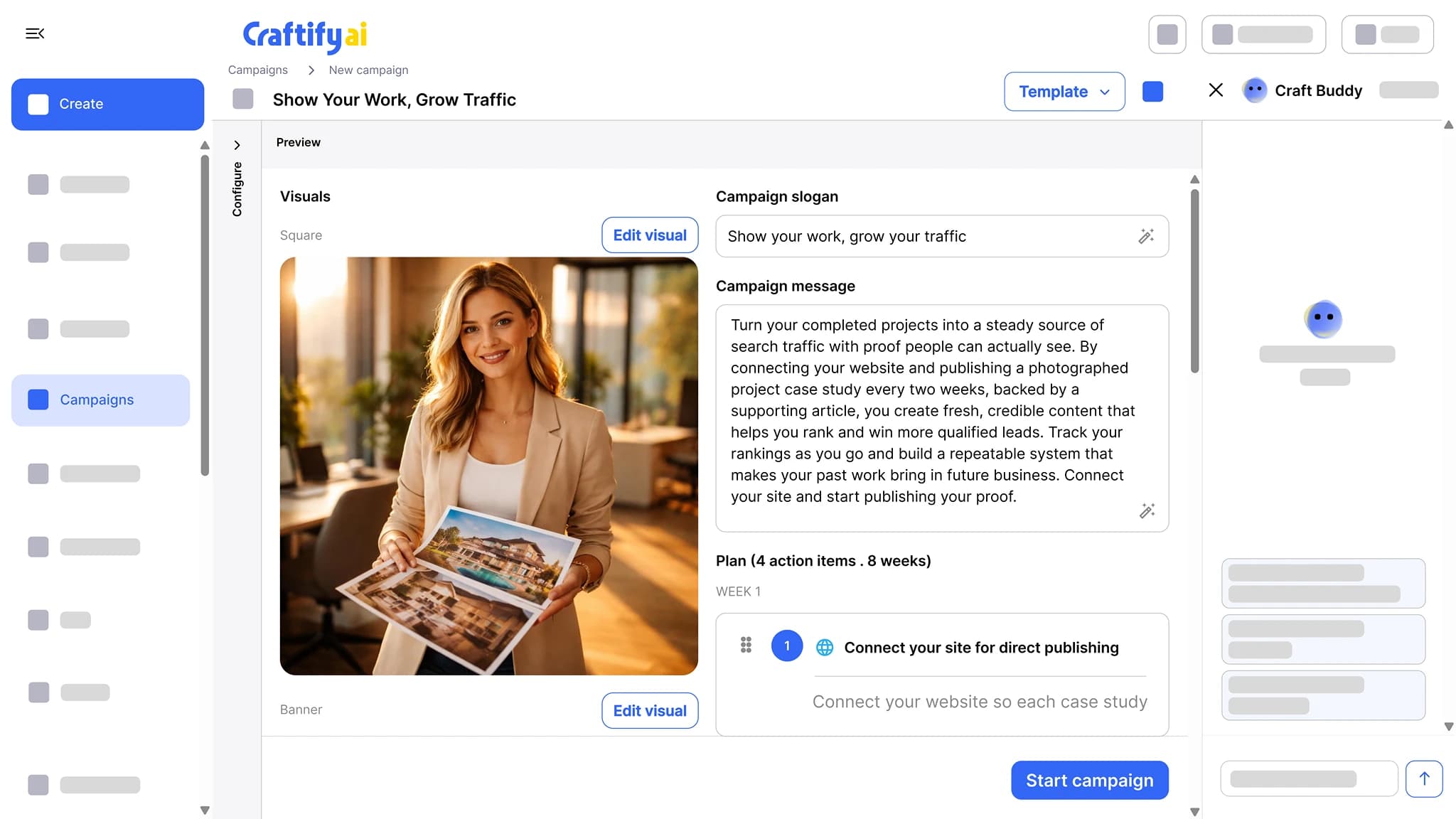
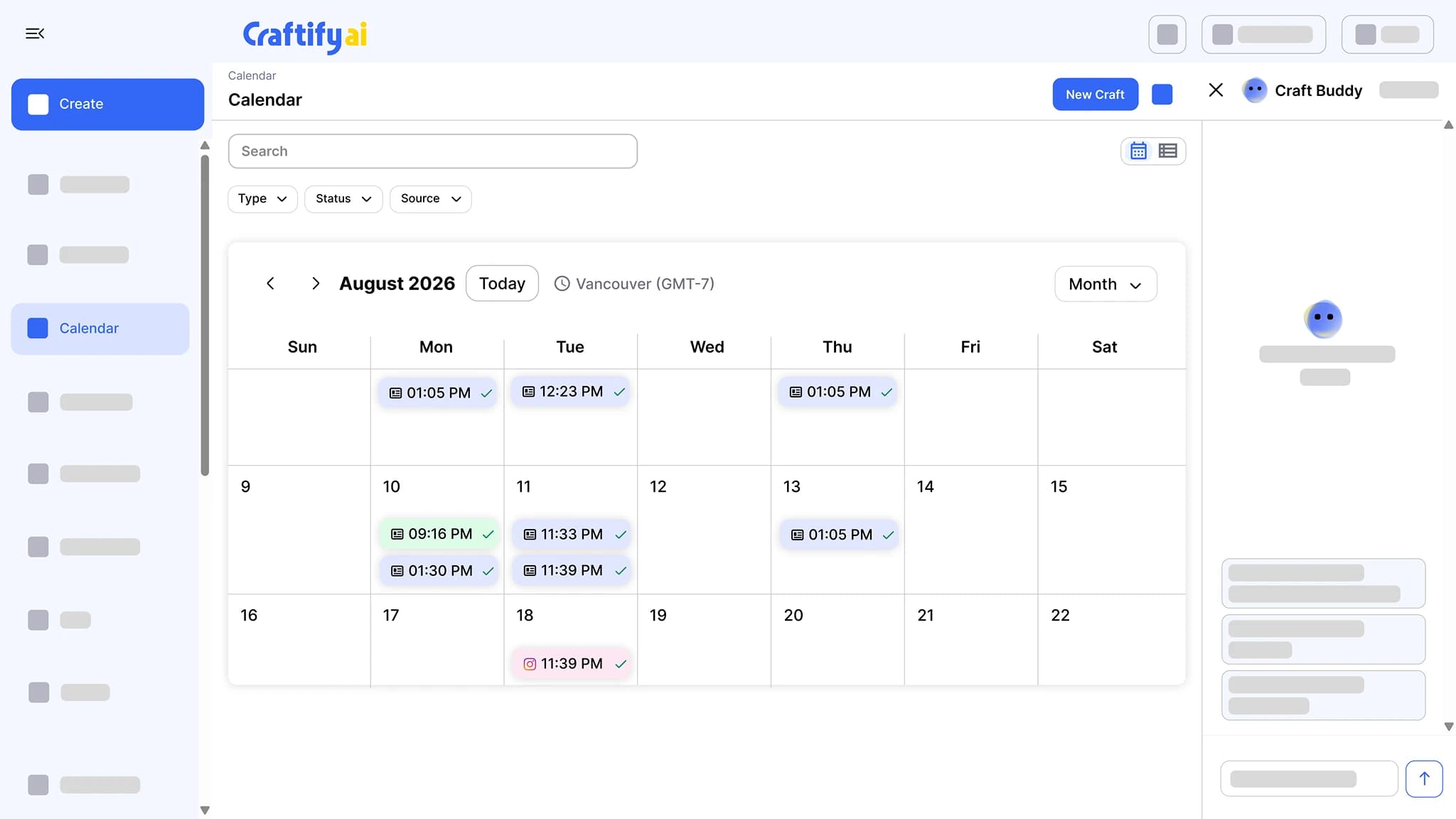
Every scheduled post, email, and article on one calendar, color-coded by channel, with a check mark once it has gone out. Filter by type, status, or source.
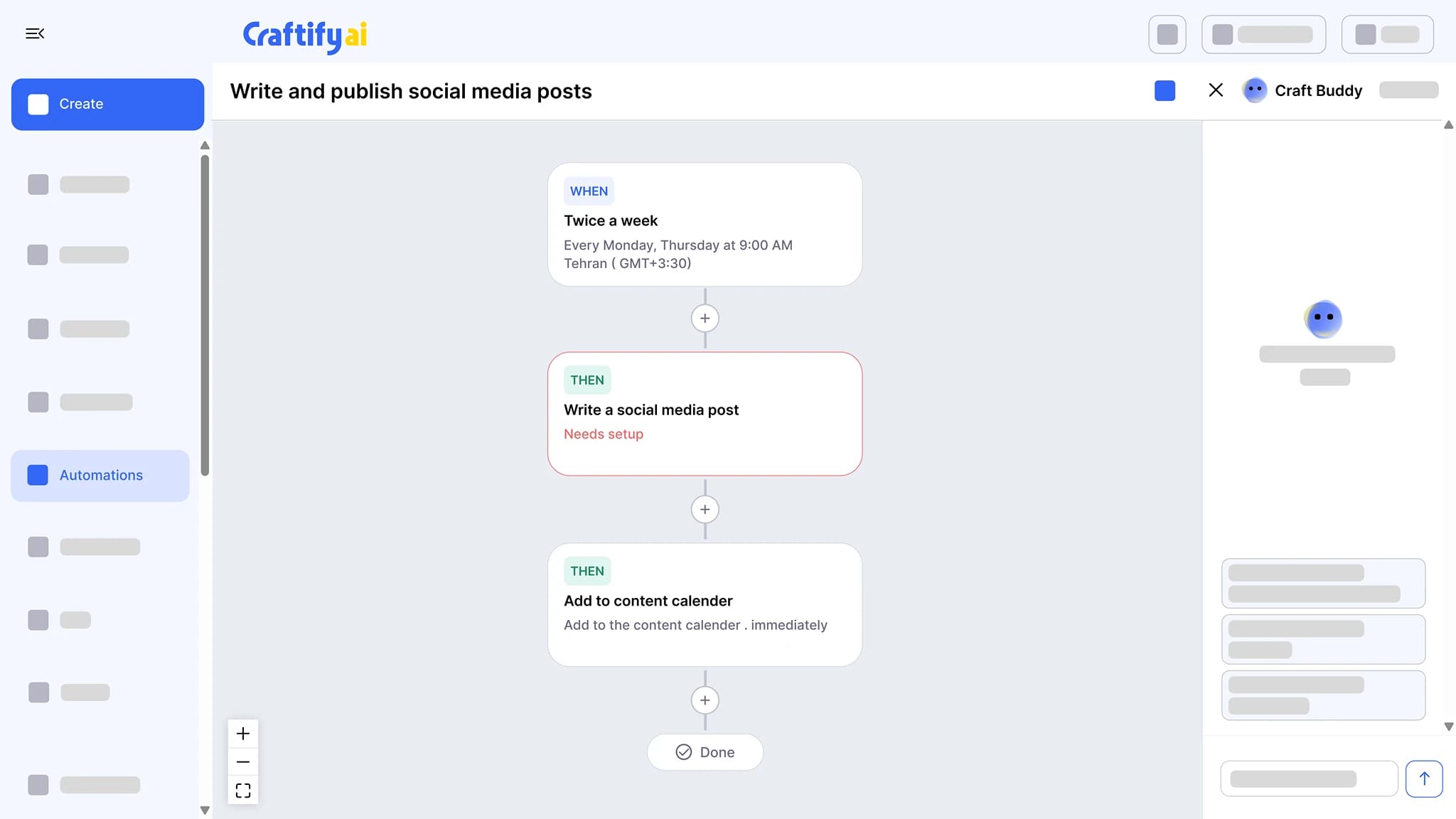
See the content calendarChain a trigger to actions: write a social post twice a week and add it to the calendar, send a birthday email, or follow up after a job. Set the schedule once and approve what it drafts.
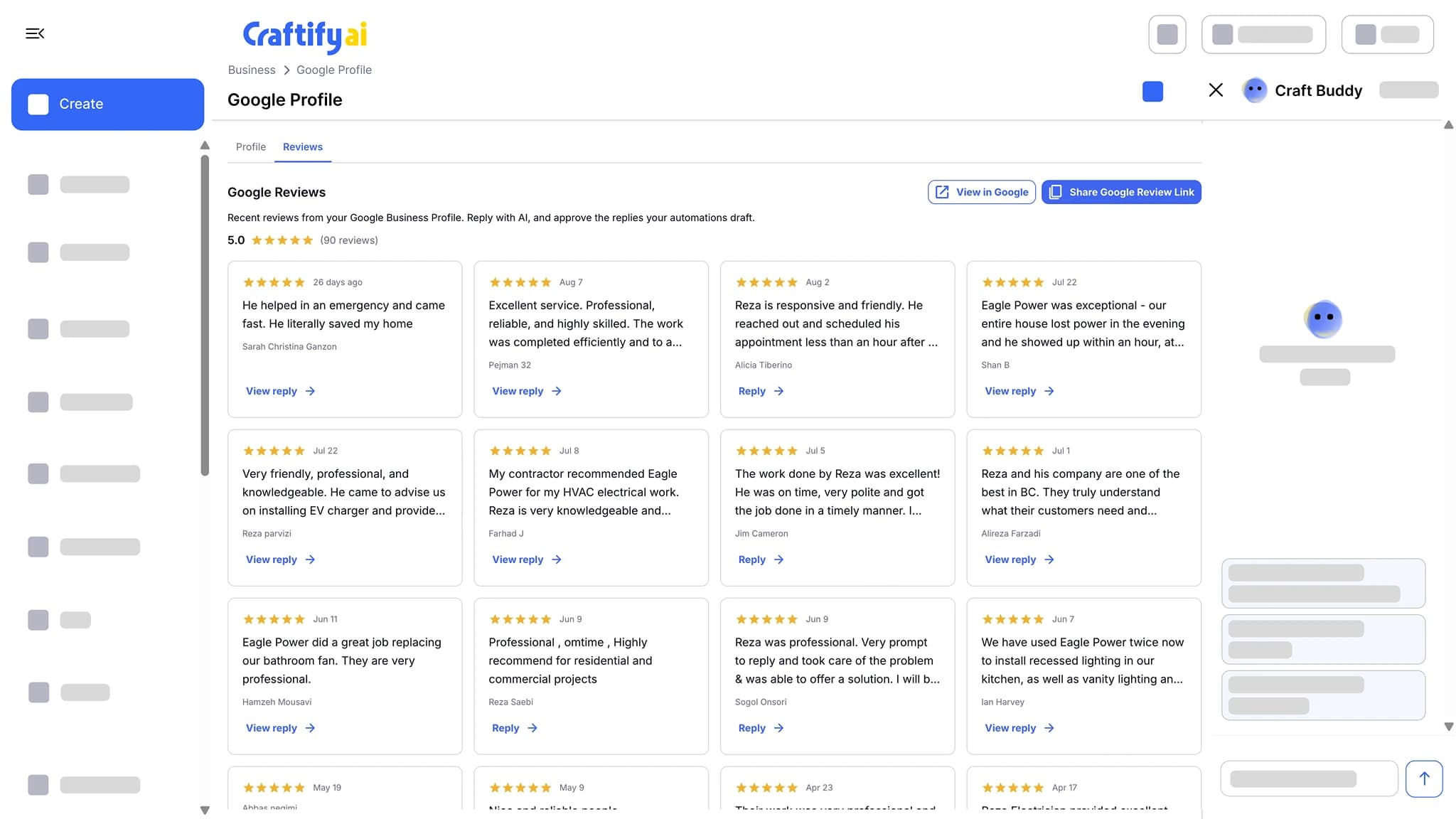
See marketing automationSend every customer a review request after each job, with your Google review link one tap away. New reviews land in Craftify, where AI drafts the reply and you approve it.
See Google reviews
Create
Publish-ready content, in your brand voice
Craftify already knows your services, audience, and brand voice, so you pick a template and review, instead of writing prompts.
Get the caption, the hashtags, and the visual for Instagram, Facebook, or TikTok in one pass. Edit the design in the built-in Visual Designer, then publish or schedule from the same screen.
See the social post tool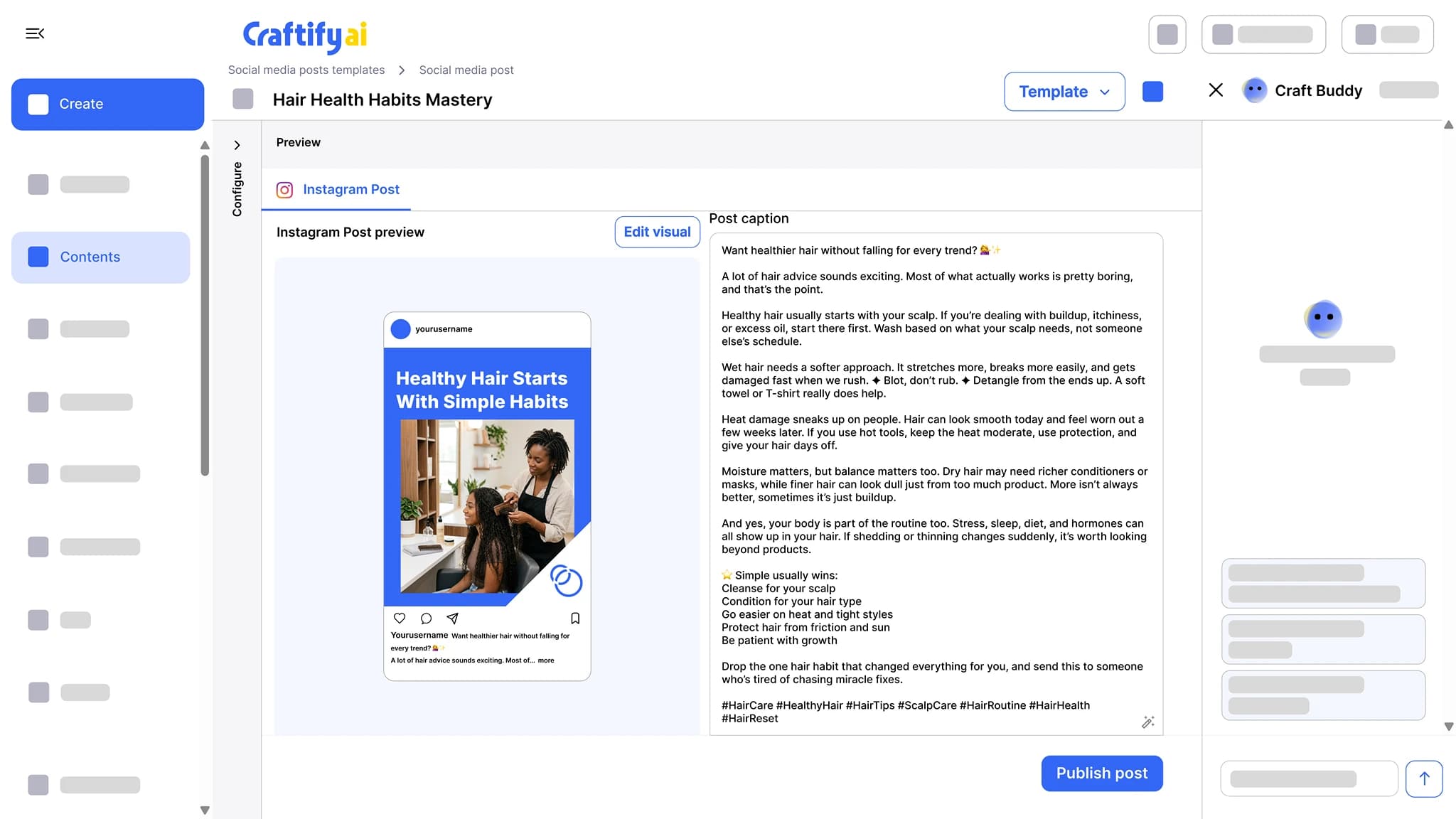
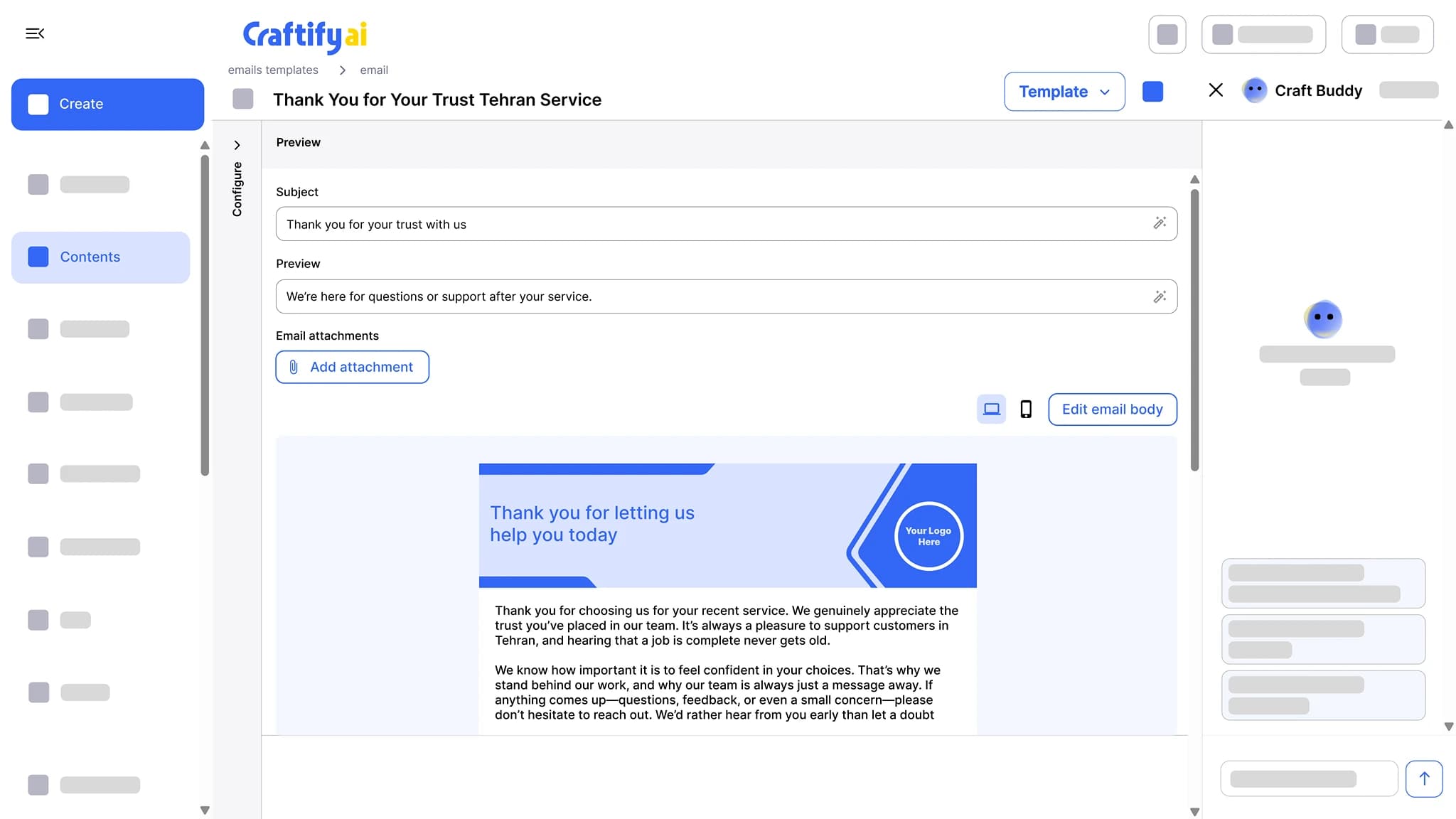
Write the subject line, preview text, and a branded email body, then send from your own domain with no Craftify branding on it. Opens and clicks are tracked per contact.
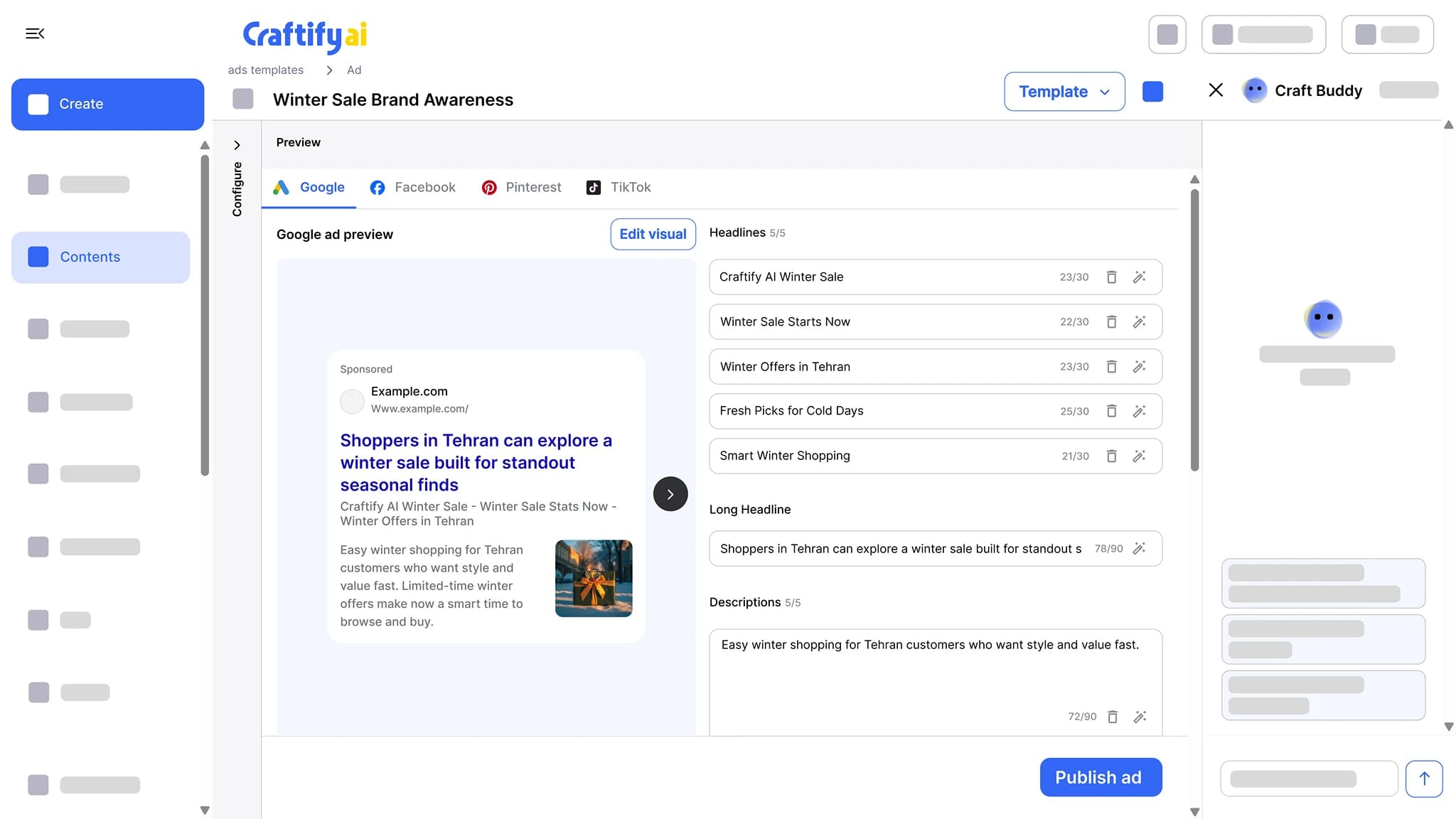
See email marketingHeadlines, descriptions, and images sized for each network, with character counts checked as you edit. Google Ads publish straight from Craftify.
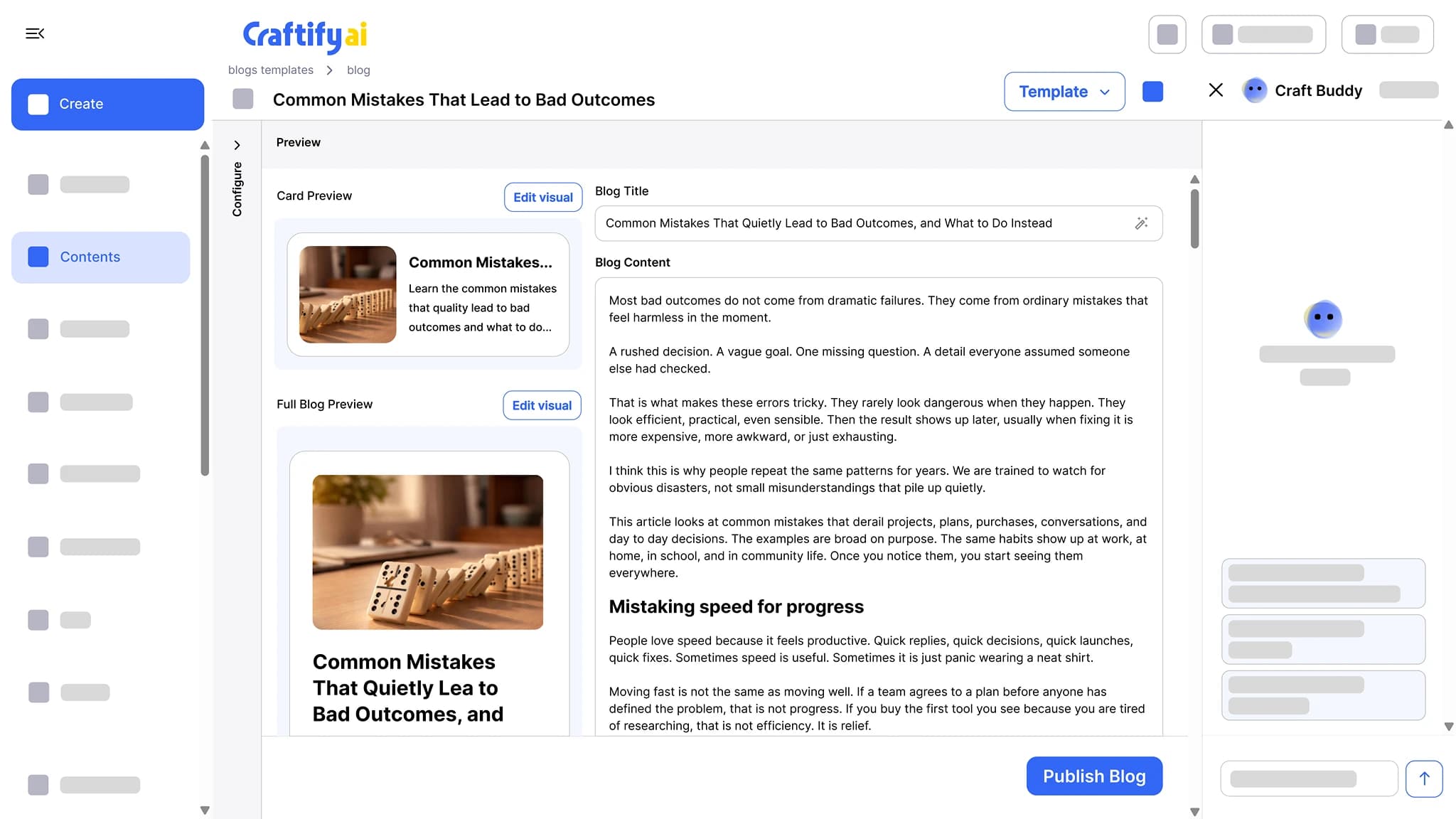
See the ad writerSEO-optimized articles written around the keywords you want to rank for, with a cover image and a card preview. Publish to WordPress or Shopify in one click.
See the blog post writer
Grow and measure
Know who to follow up with, and what works
Contacts, reports, and the tools you already use, connected in one place.
Import from CSV, QuickBooks, or Shopify, or let your website lead forms add contacts for you. Tag, segment, add notes, and move leads through pipelines that trigger follow-ups.
See the CRM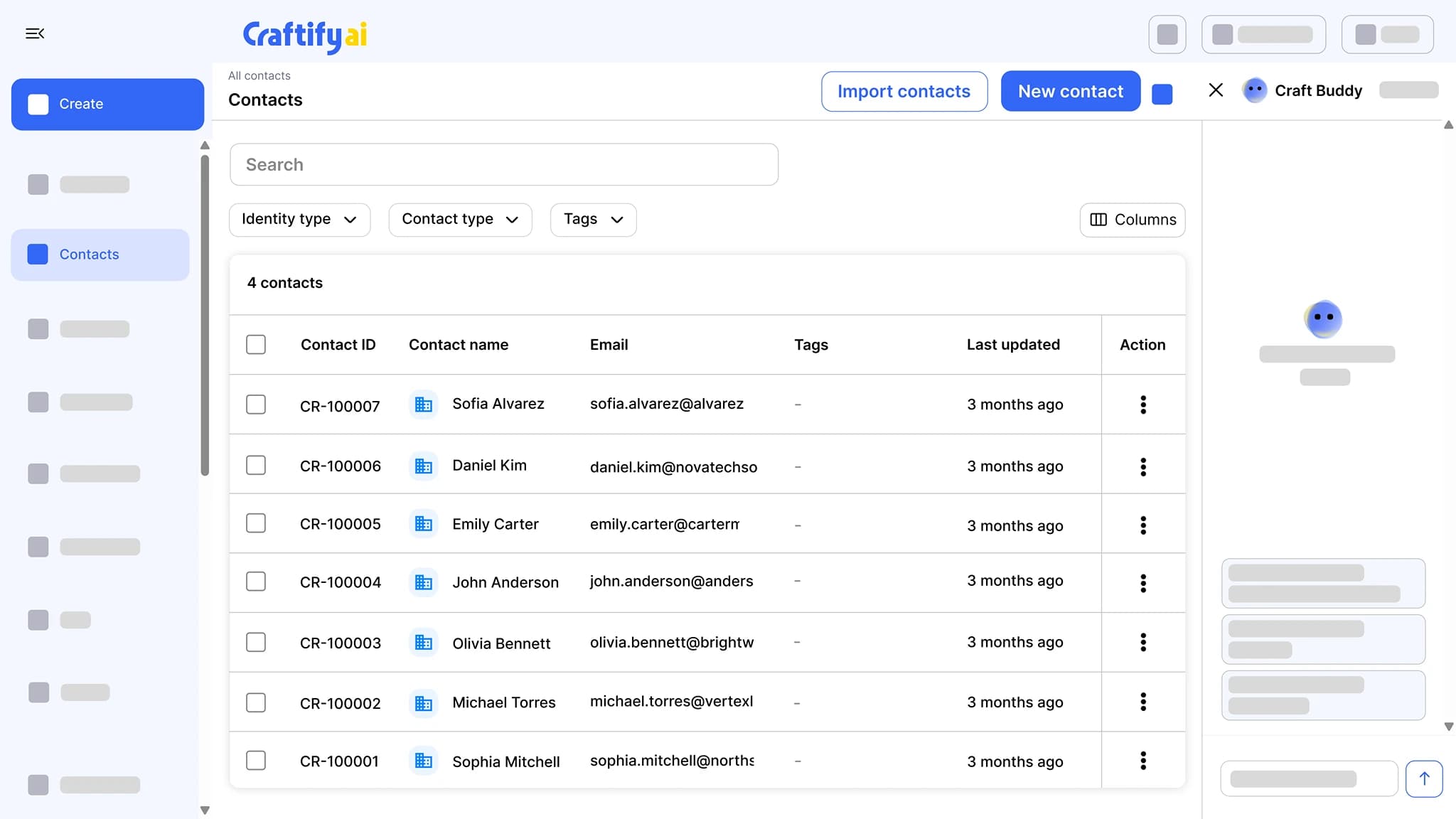
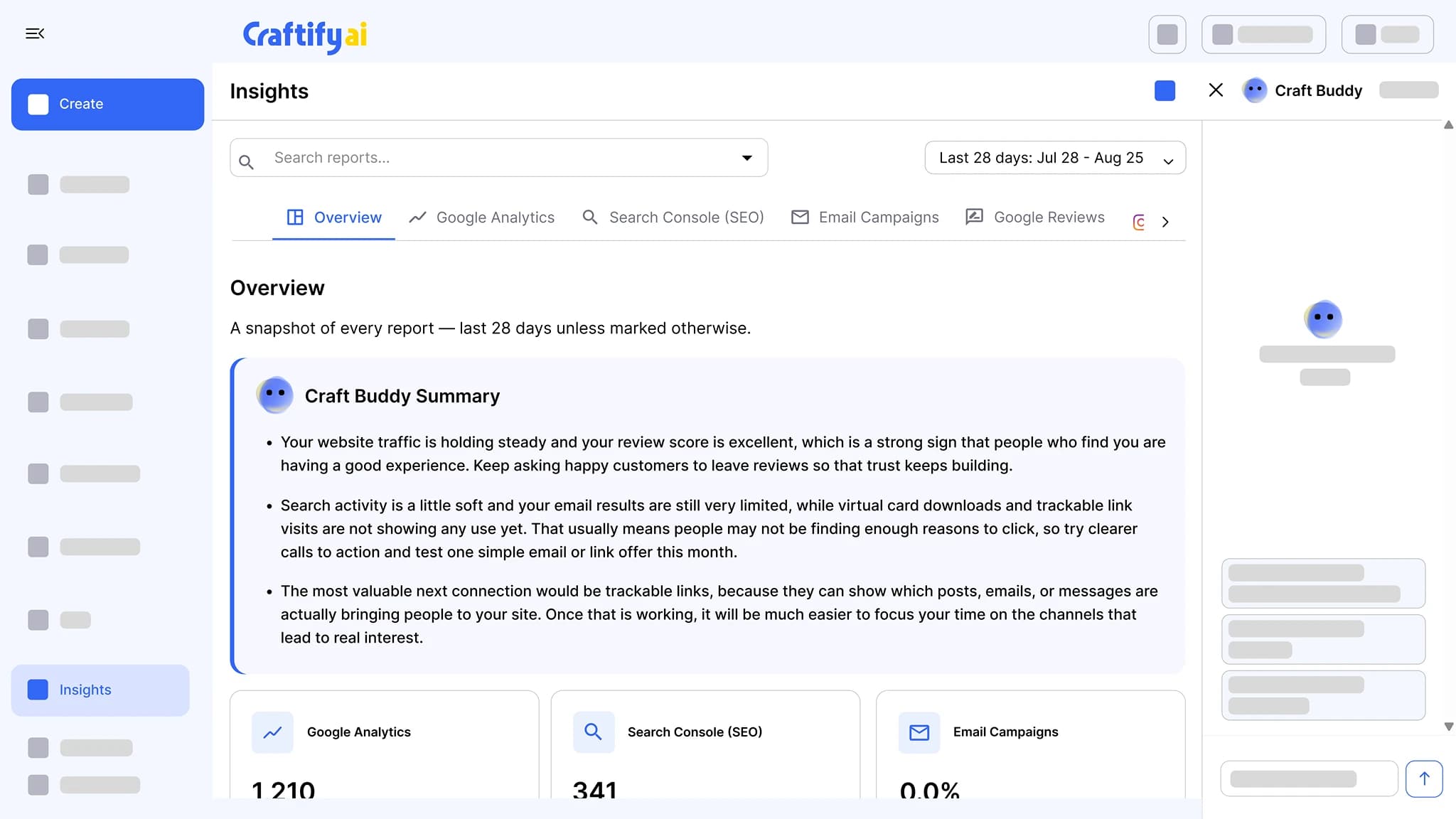
Google Analytics, Search Console, email results, Instagram, and Google reviews in one place, each with a Craft Buddy summary that says what to do next.
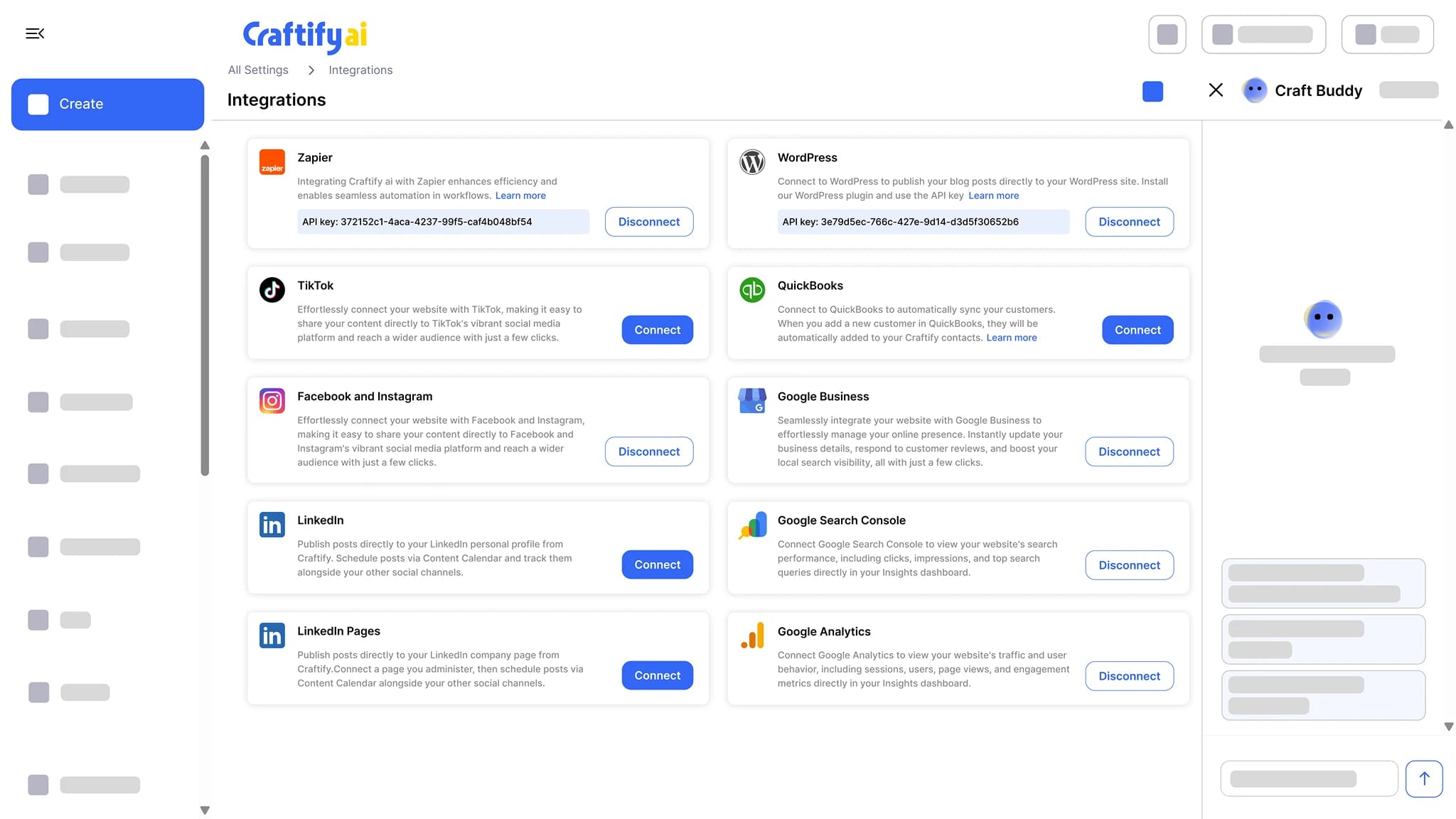
See insightsConnect Google Business Profile, Google Ads, Google Analytics, Search Console, Facebook and Instagram, TikTok, WordPress, Shopify, QuickBooks, and Zapier. Publish and sync without copy-pasting.
See integrations
Real results from local service businesses
How real service pros use Craftify AI to win more customers, cut tool costs, and spend less time on marketing.
"Craftify AI transformed my business. Their all-in-one platform made my marketing effortless, and the website and content they helped me create brought in a $100,000 project from a single ad. My SEO and Google Ads results have never been better!"
$100k project from one ad
in 2 yearsHeather
Spruce Wood LtdCabinet Maker"With Craftify AI, I finally have a marketing system that works for electricians. The automated follow-ups and local ad templates helped me double my inbound calls, and I spend way less time on marketing every week."
2x more inbound calls
in 6 monthsAmir
A1 Arc ElectricElectrician"As a financial advisor, compliance and professionalism are key. Craftify AI's email and content tools made it easy to reach new clients and keep my brand consistent. My email open rates and client engagement have soared!"
65% higher email opens
in 2 monthsAzza
QuantaLeap FinancialsFinancial AdvisorPricing built for small business
Every plan includes the full platform. Add more contacts, team members, or extras like text messages only when you need them.
Craftify Core (14-day free trial)
14 days of full Core access. No credit card.
$0 for 14 days
1,500 contacts
500 AI credits a month
3 team members
1,500 contacts
3,000 emails a month
500 AI credits a month
3 team members
8,000 contacts
16,000 emails a month
1,000 AI credits a month
8 team members
See the full comparison
All three plans side by side, including Craftify Agency with a human strategist, monthly pricing, add-ons, and everything each plan includes.
Not sure which plan fits? The call is free, and there is nothing to cancel during the trial.
Craftify AI vs Mailchimp: common questions
Mailchimp is built around email lists, while Craftify AI is an all-in-one AI customer platform for local service businesses. Alongside email from your own domain, Craftify includes a visual designer, a CRM with pipelines, social posting to Instagram, Facebook, and TikTok, blog publishing to WordPress or Shopify, lead forms, Google reviews, SEO research, and automation across all of it.
For most local service businesses, yes. Send email campaigns from your own domain, segment your audience, schedule sends, run automations like birthday emails and post-service review requests, and track opens and clicks per contact. Craftify AI is built to replace an email tool like Mailchimp directly.
Yes, Craftify AI sends email from your own domain. Set your sender name, signature, and reply-to, and emails go out from your brand address. A "Maximize delivery" domain warm-up protects your sender reputation, and non-working addresses are removed automatically.
Yes, you can move your Mailchimp audience into Craftify AI with a CSV file. Export your audience from Mailchimp to CSV and import into Craftify, which supports multiple CSV formats. You can also bring in contacts from QuickBooks or Shopify.
Yes, Craftify AI runs marketing automations tied to your CRM. Automations fire on contact birthdays, after a job to request a Google review, when a contact enters or leaves a segment, and on email actions like CTA clicks, and a step can send an email or a text message, so the right contact gets the right message.
Yes, Craftify AI tracks opens and CTA clicks for each contact, plus campaign-level stats for delivery, open rate, and clicks. Email actions can trigger automations, so a click on a satisfaction link can start a different follow-up.
Yes, Craftify AI includes a drag-and-drop Visual Designer for social posts, carousels, ad creatives, email covers, blog headers, business cards, brochures, pamphlets, and print. Every design pulls from your business profile, so your logo, colors, contact info, and social links fill in automatically. AI image generation and background removal are built in.
Yes, Craftify AI schedules posts to Instagram, Facebook, and TikTok and publishes blog posts to WordPress or Shopify. The content calendar shows blog posts, emails, social posts, and reminders in one view.
Yes, emails sent from Craftify AI carry no Craftify branding. Your contact sees only your business.
Yes, Craftify AI sends every customer a review request after each job, with your Google review link one tap away. Action links can check satisfaction first, and new reviews land in Craftify, where AI drafts the reply and you approve it.
Mailchimp's price rises with your contact count. Its Standard plan starts around $20/month for small lists and scales up as your list grows. Craftify Core includes 1,500 contacts and Pro 8,000, you add more only if you need them, and every plan includes the visual designer, CRM, social scheduling, lead forms, and SEO research that Mailchimp doesn't.
Yes. Every account starts with a free trial of Craftify Core, and it does not ask for a credit card.
Put your email, and everything around it, on autopilot
Replace Mailchimp, Canva, your CRM, and your social scheduler with one workspace built for local service businesses. One login, one bill.
Start free for 14 days →No credit card. Setup in 5 minutes. Cancel anytime.