Insights Tutorial
Insights is place where you can see all of the data for your integrations in Craftify AI!
You can view your Google Analytics, Search Console, Instagram, Website Health, and Business Profile.
If you don't know how to set all of these up, you can click on each above to get them set up before you go through this tutorial.
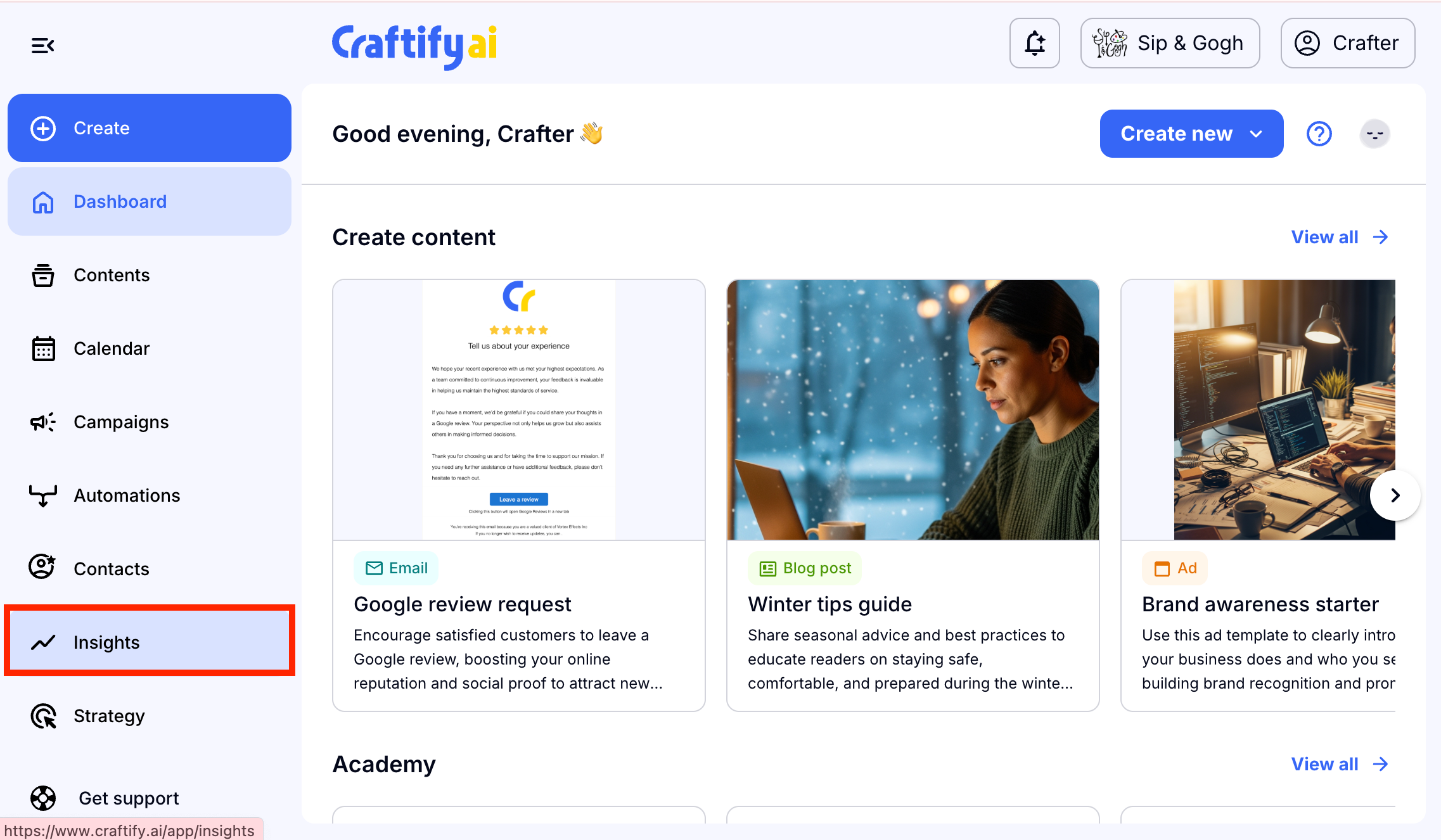
Go to the Insights Tab
You can find the Insights tab on the left-hand dashboard.
Google Analytics
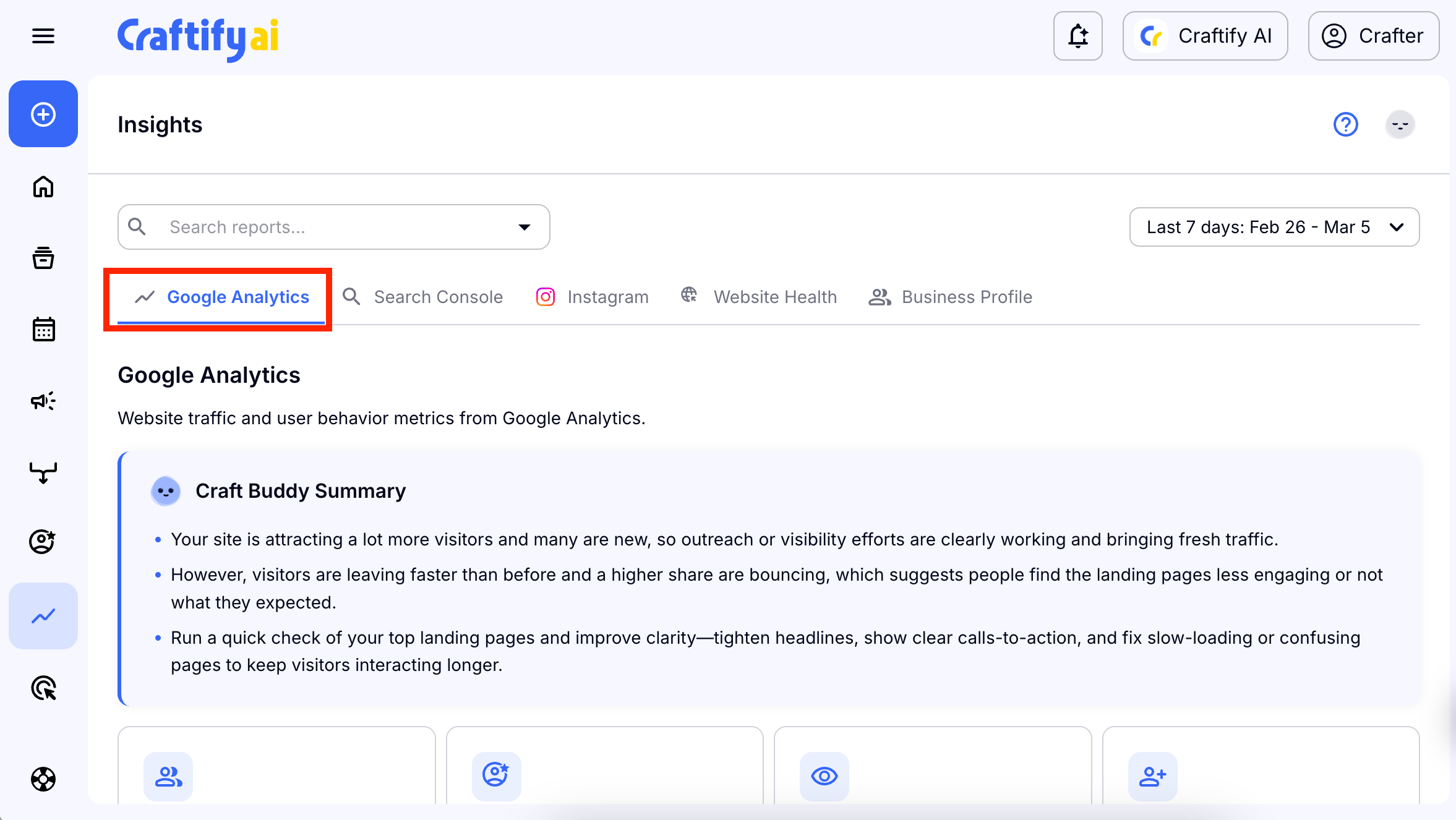
Choose 'Google Analytics.'
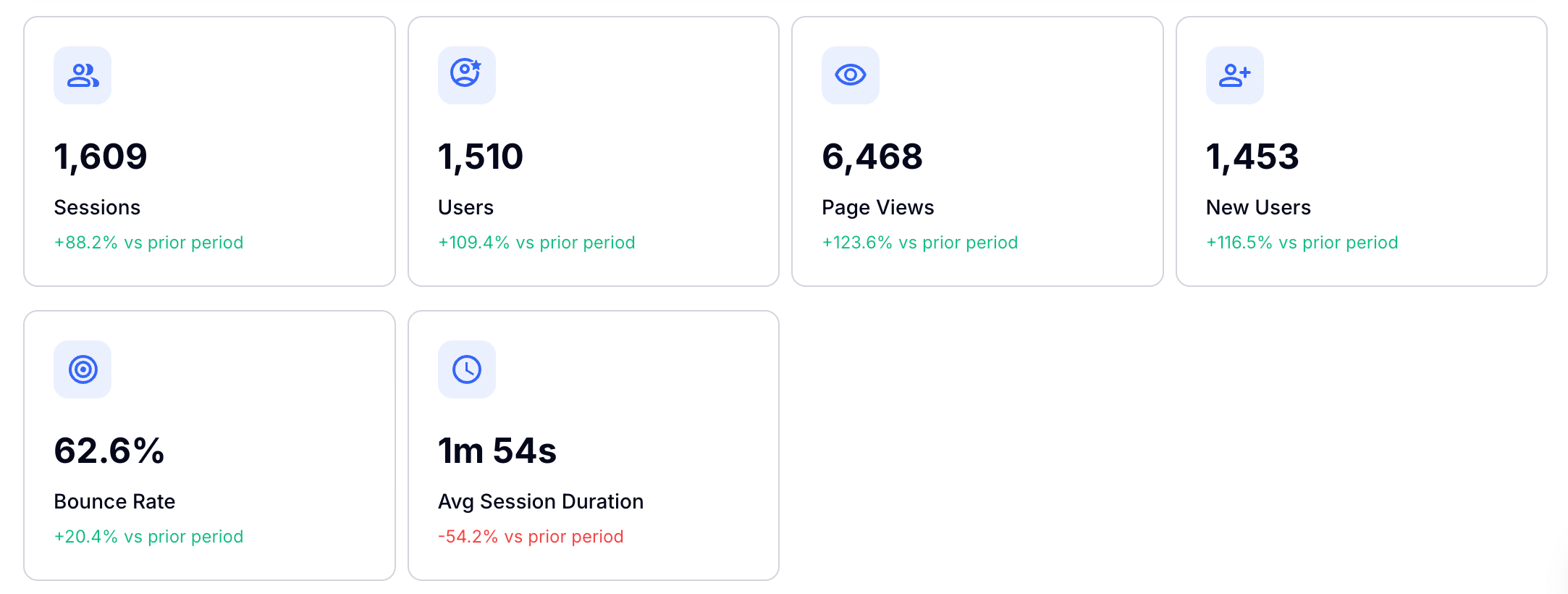
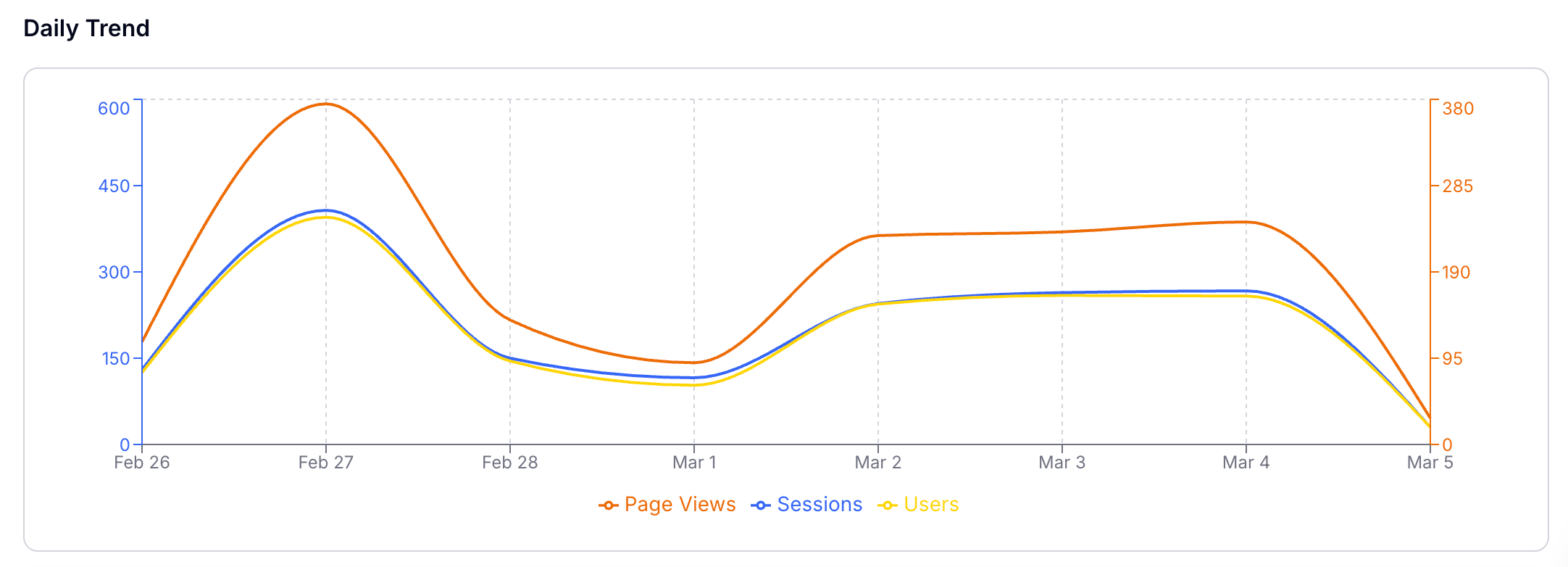
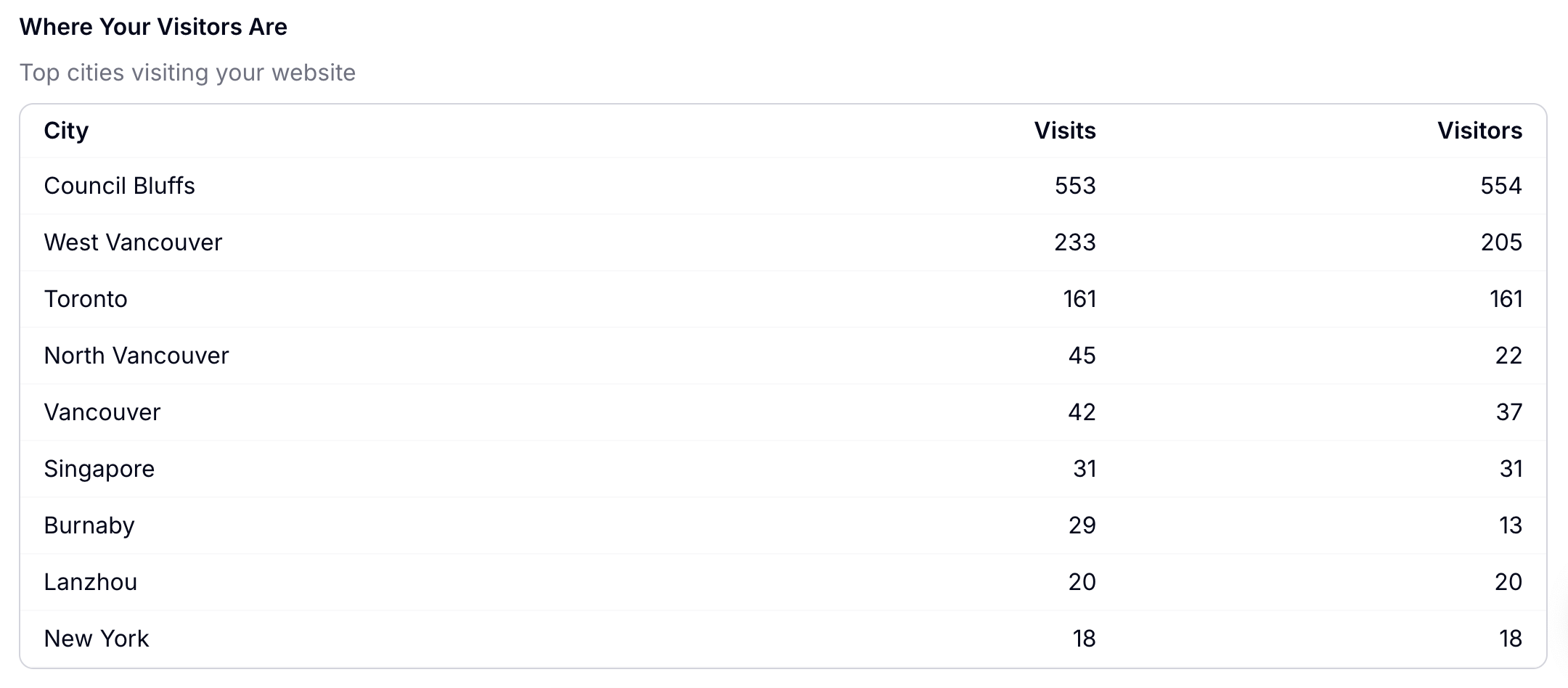
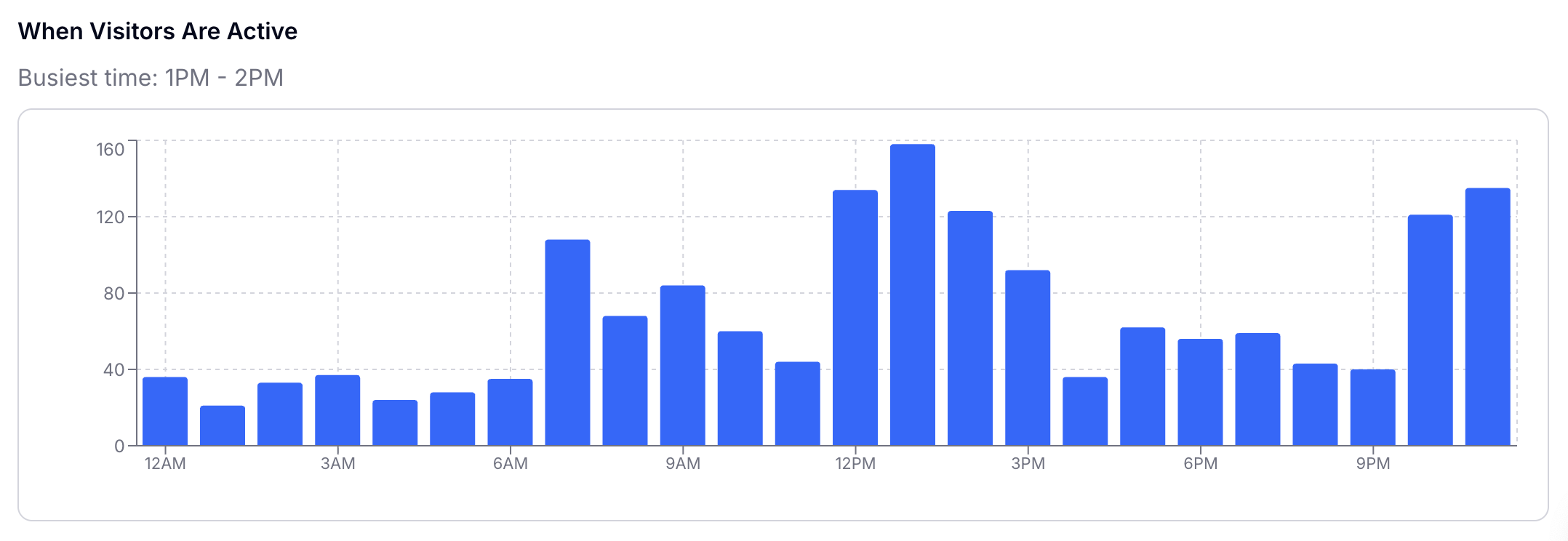
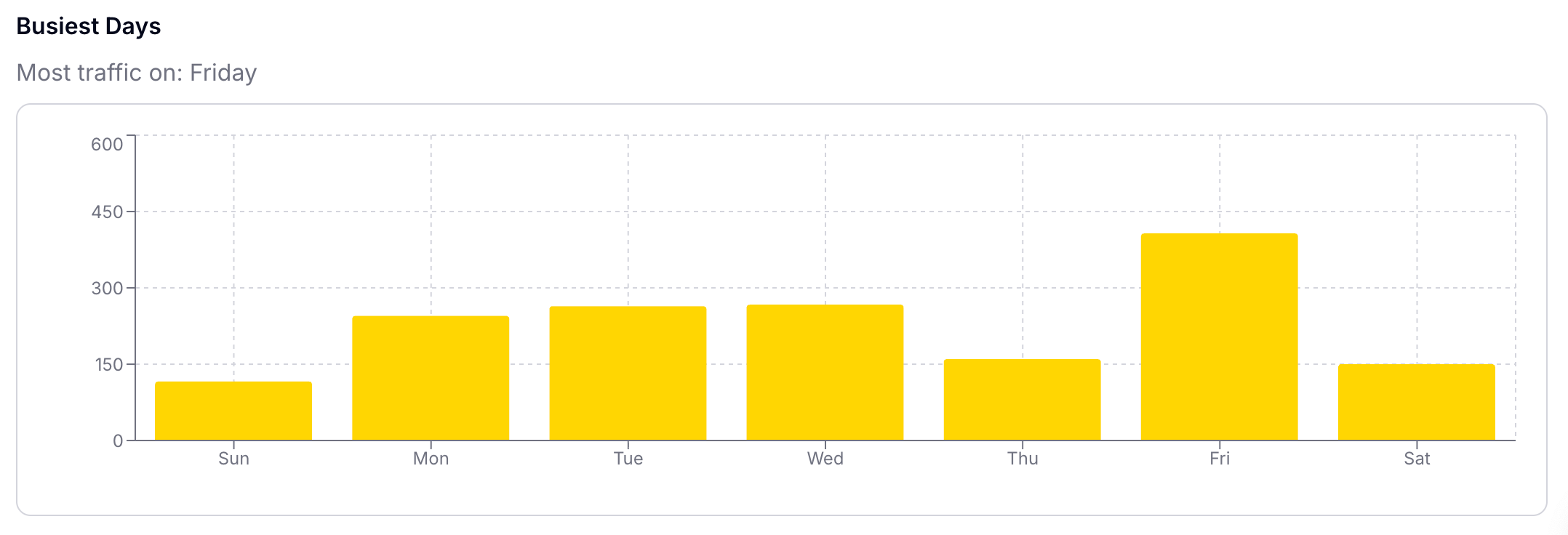
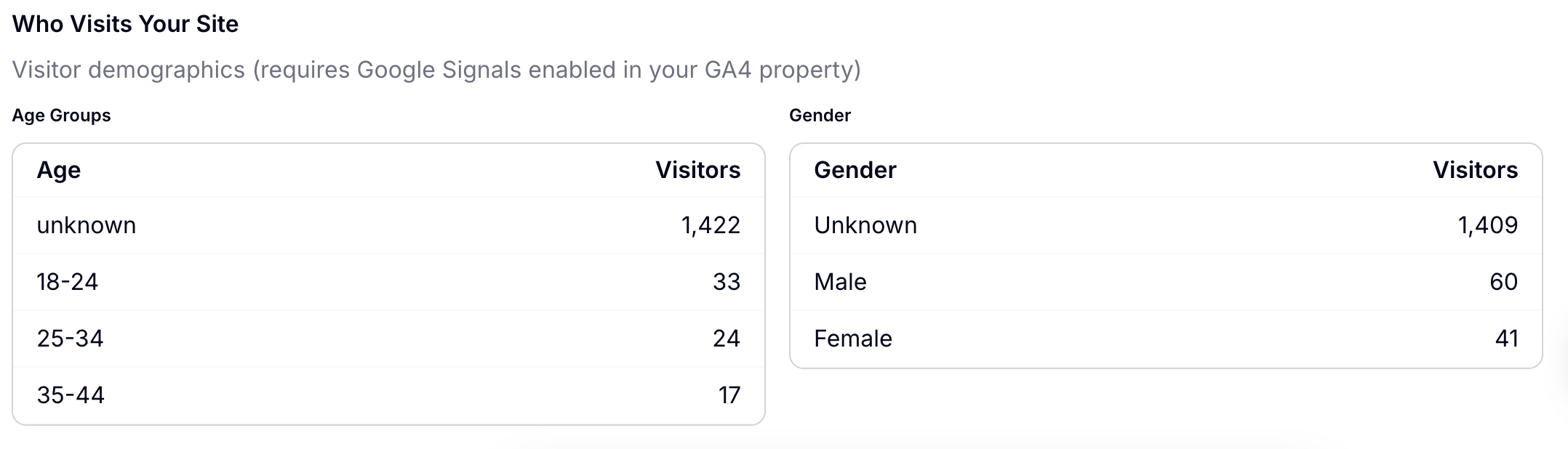
Once your Google Analytics is linked through integrations, you can see all of the relative data here.
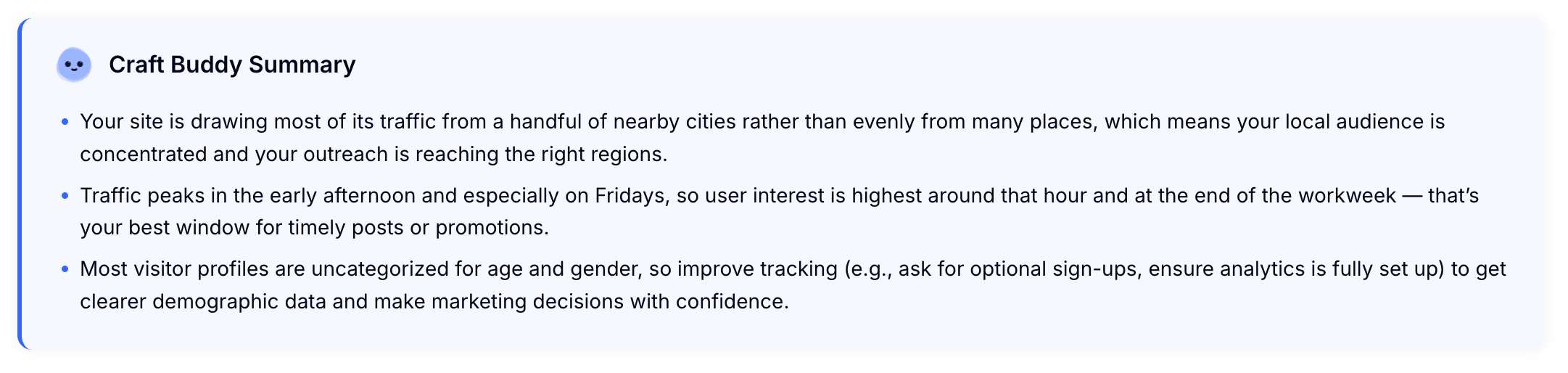
The Craft Buddy Summary is helpful in understanding your data.
Search Console
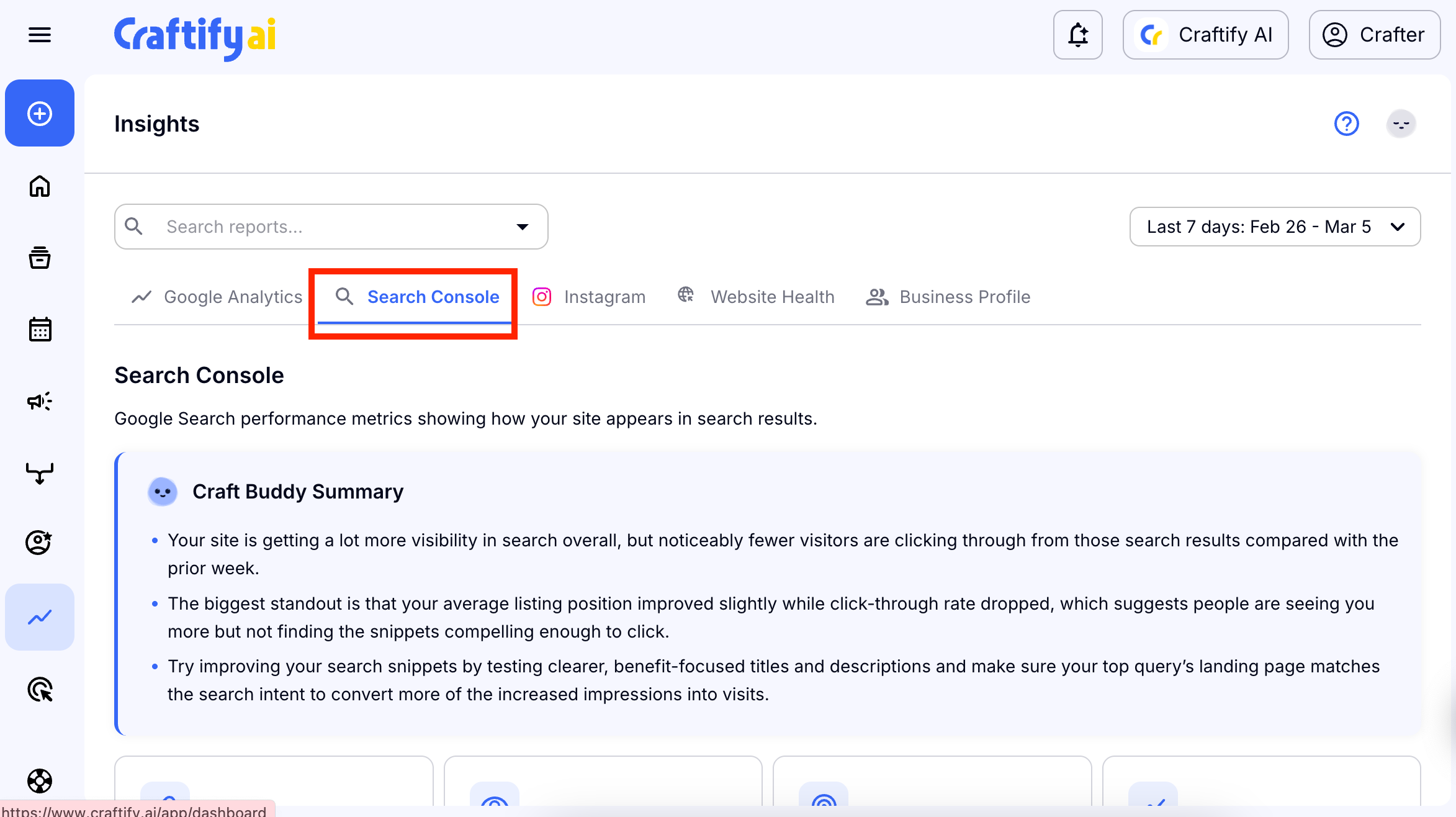
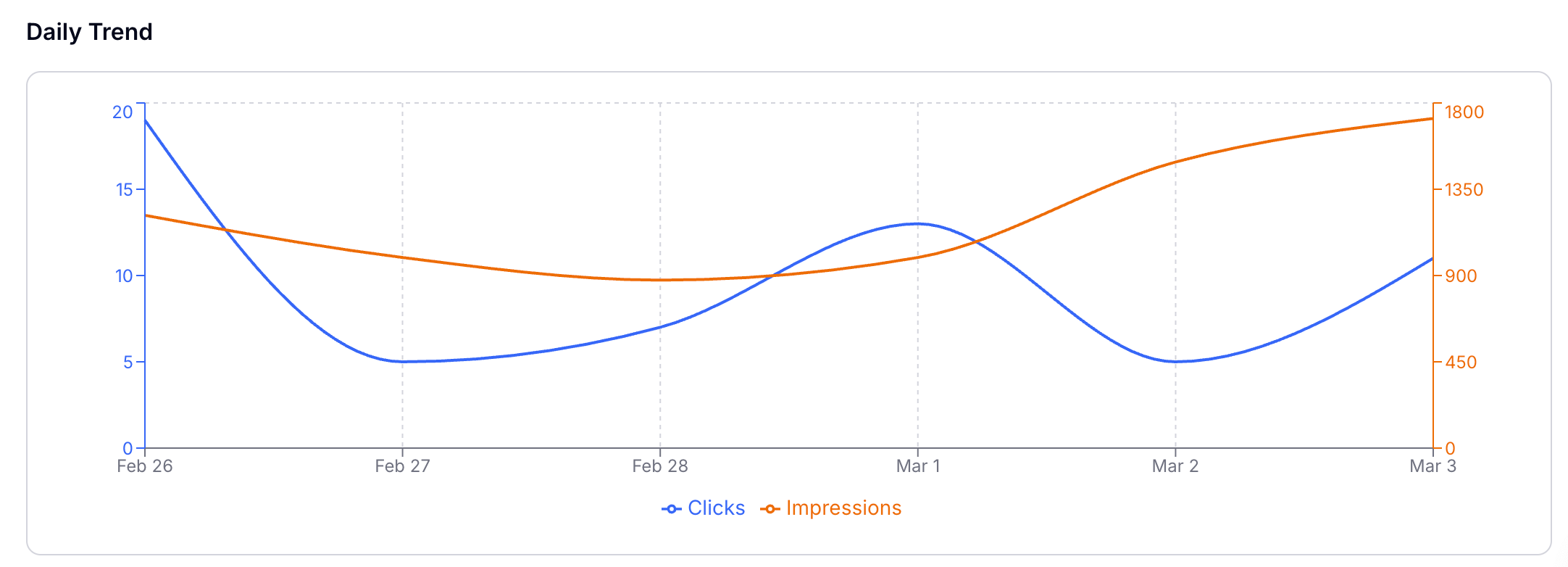
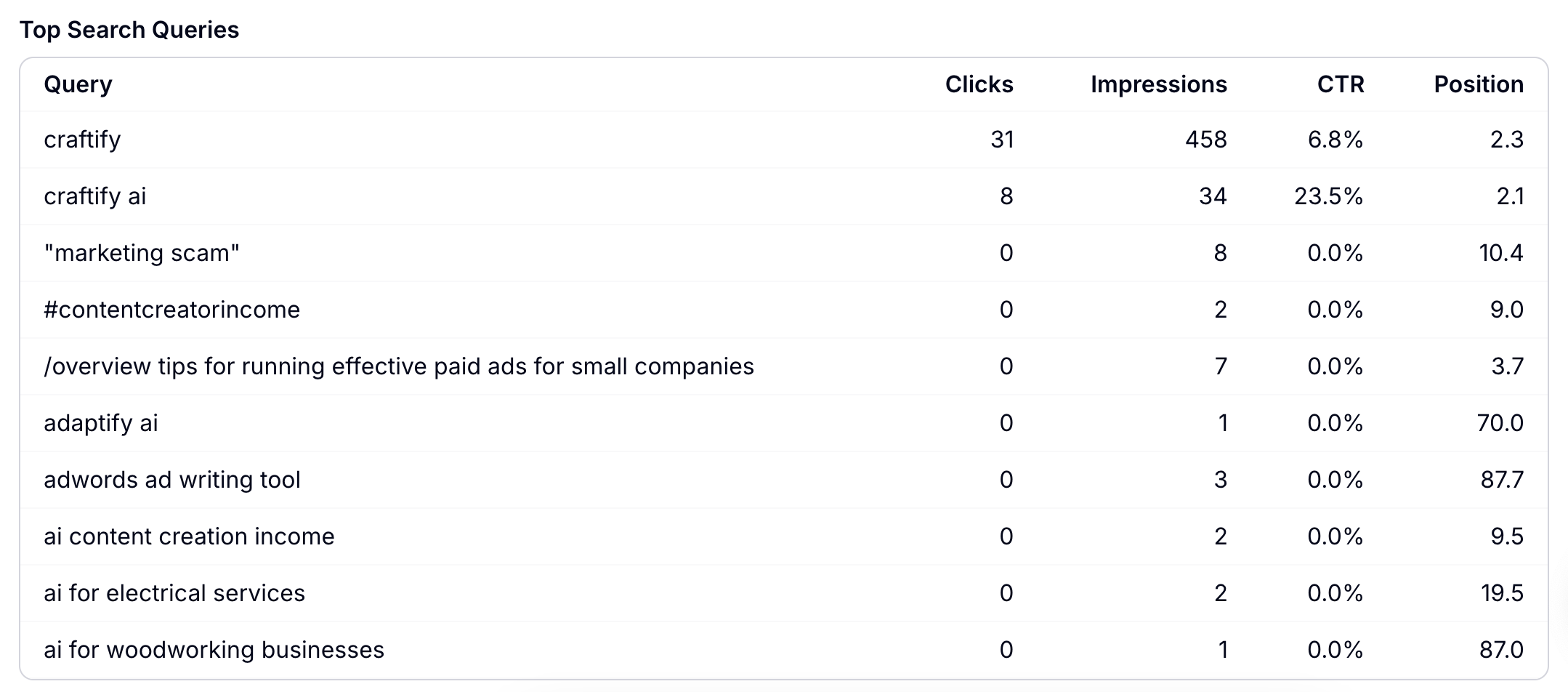
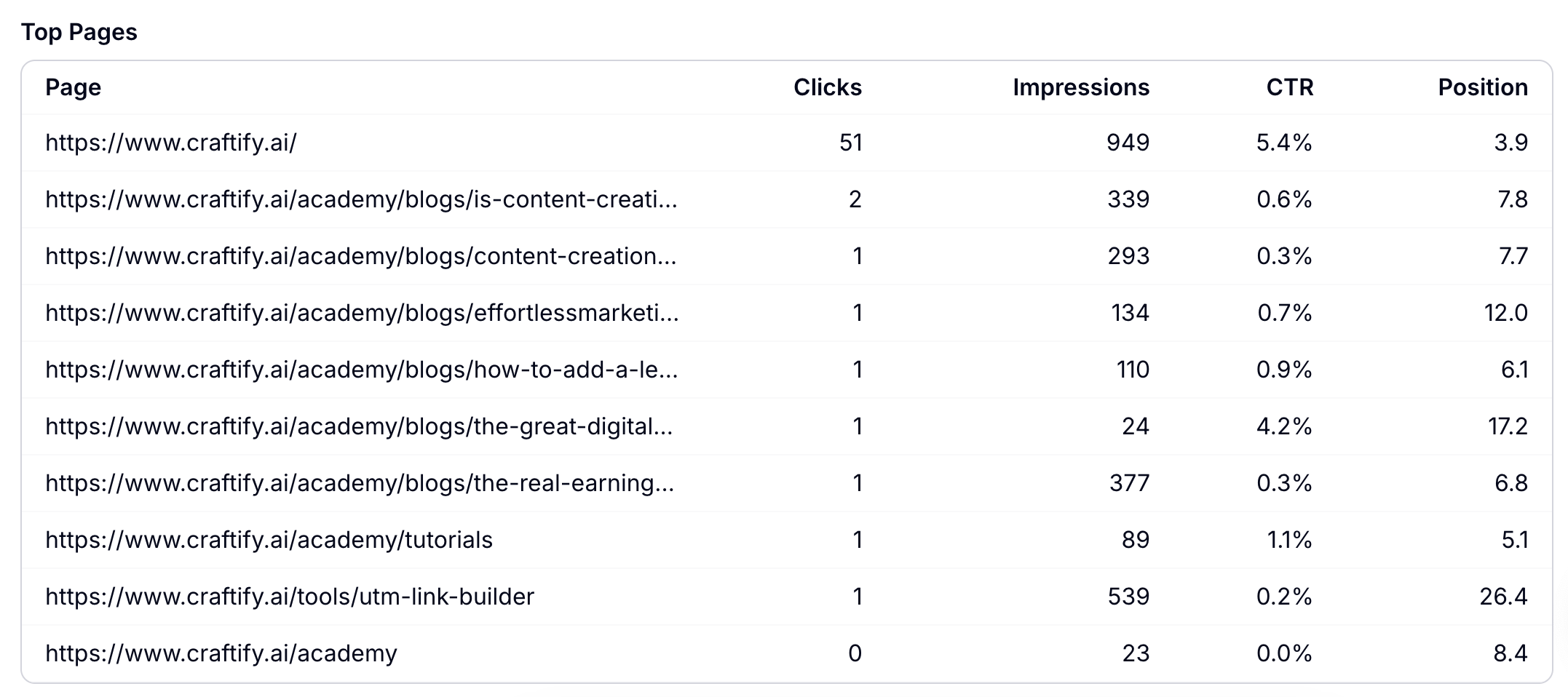
Choose 'Search Console' to see the data from Google Search Console.

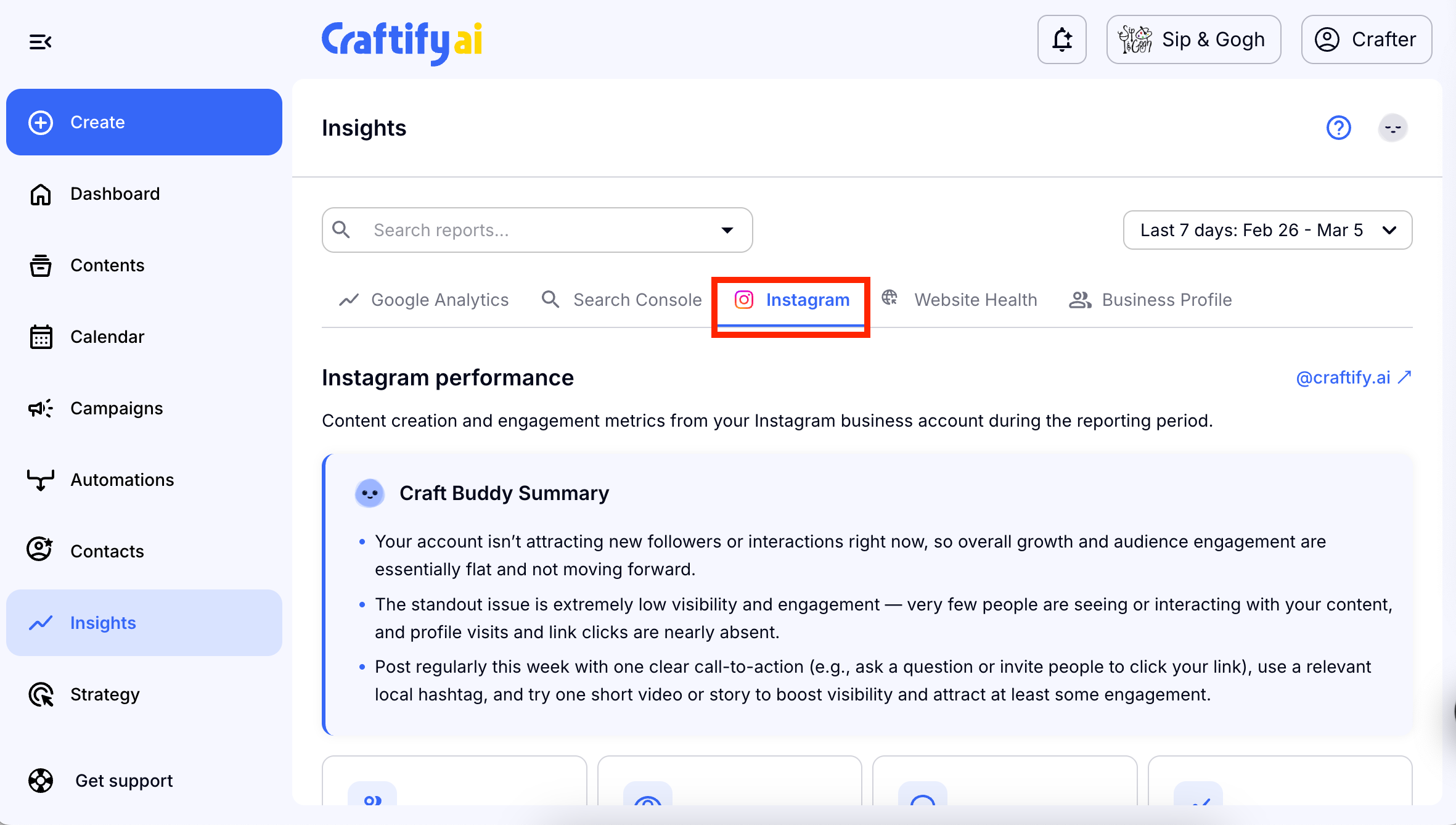
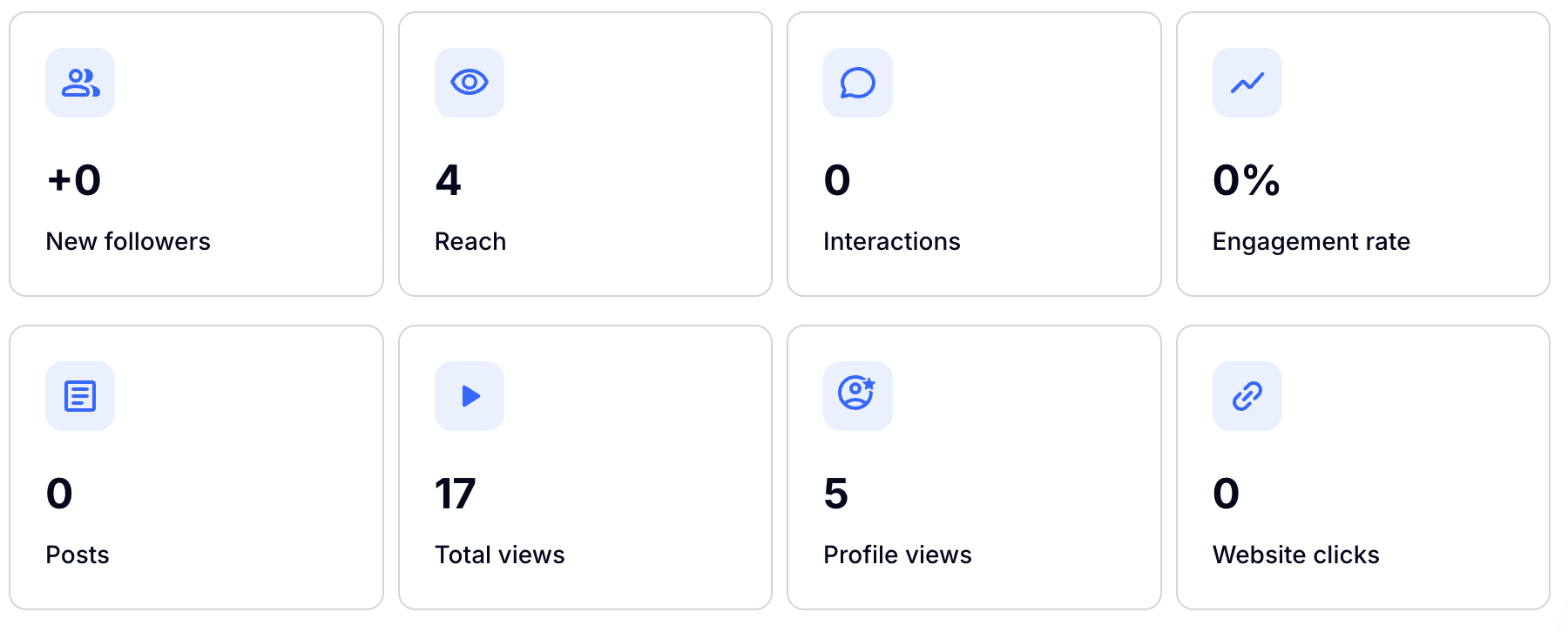
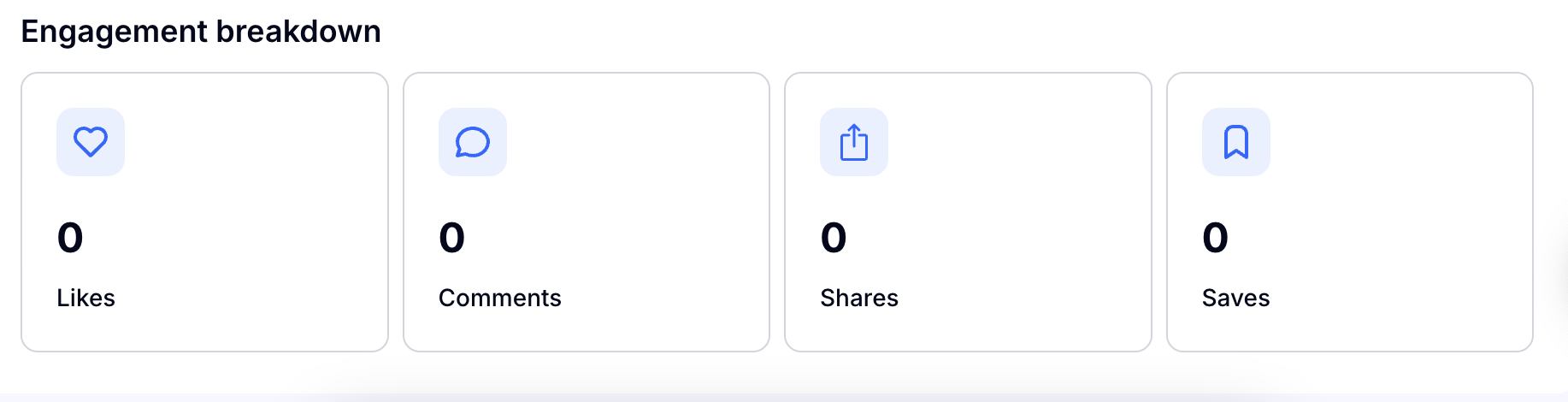
Keep your Instagram by posting often and using the Social Media Post writer! Here you can see all the data from your most recent posts.
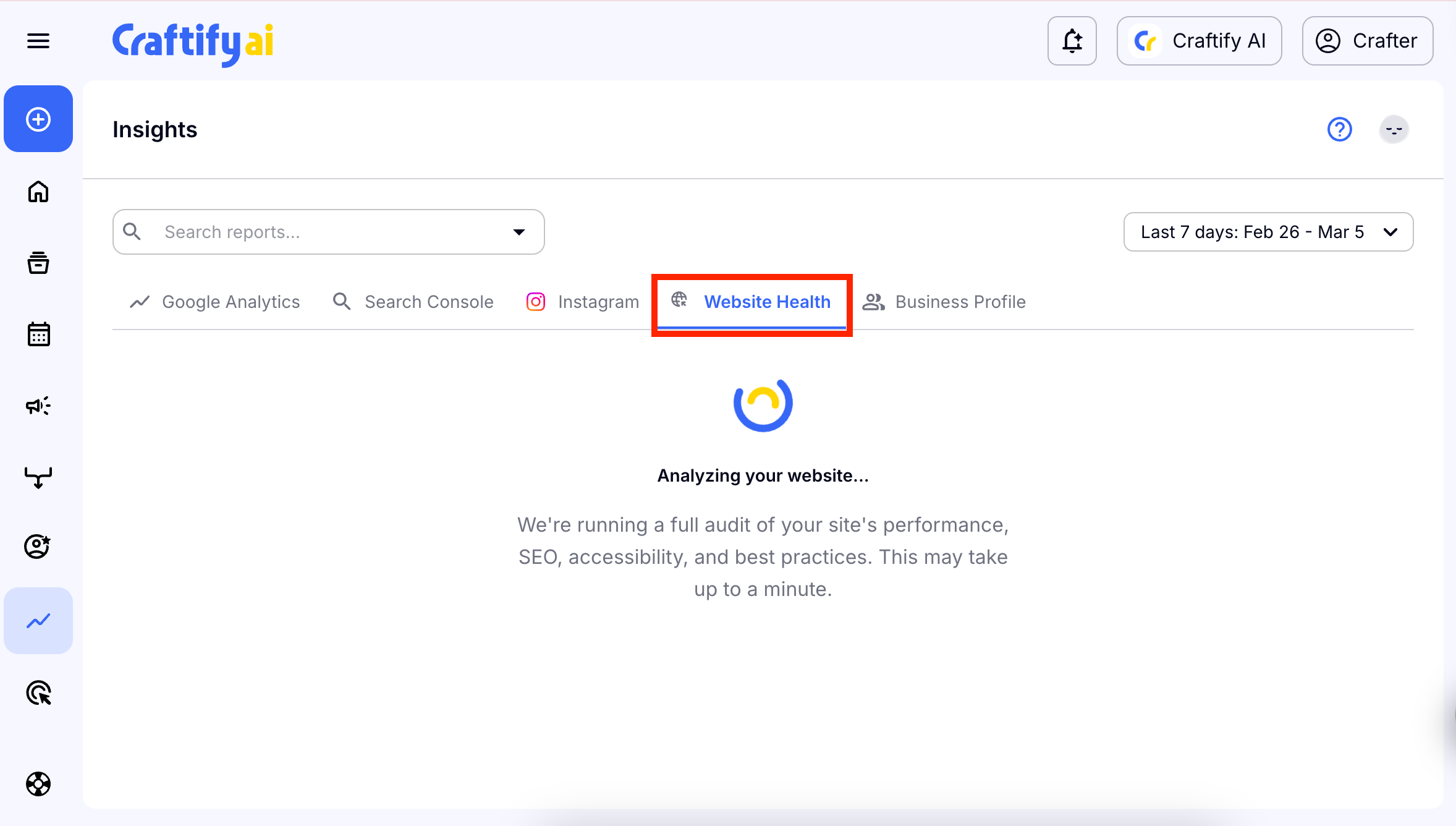
Website Health
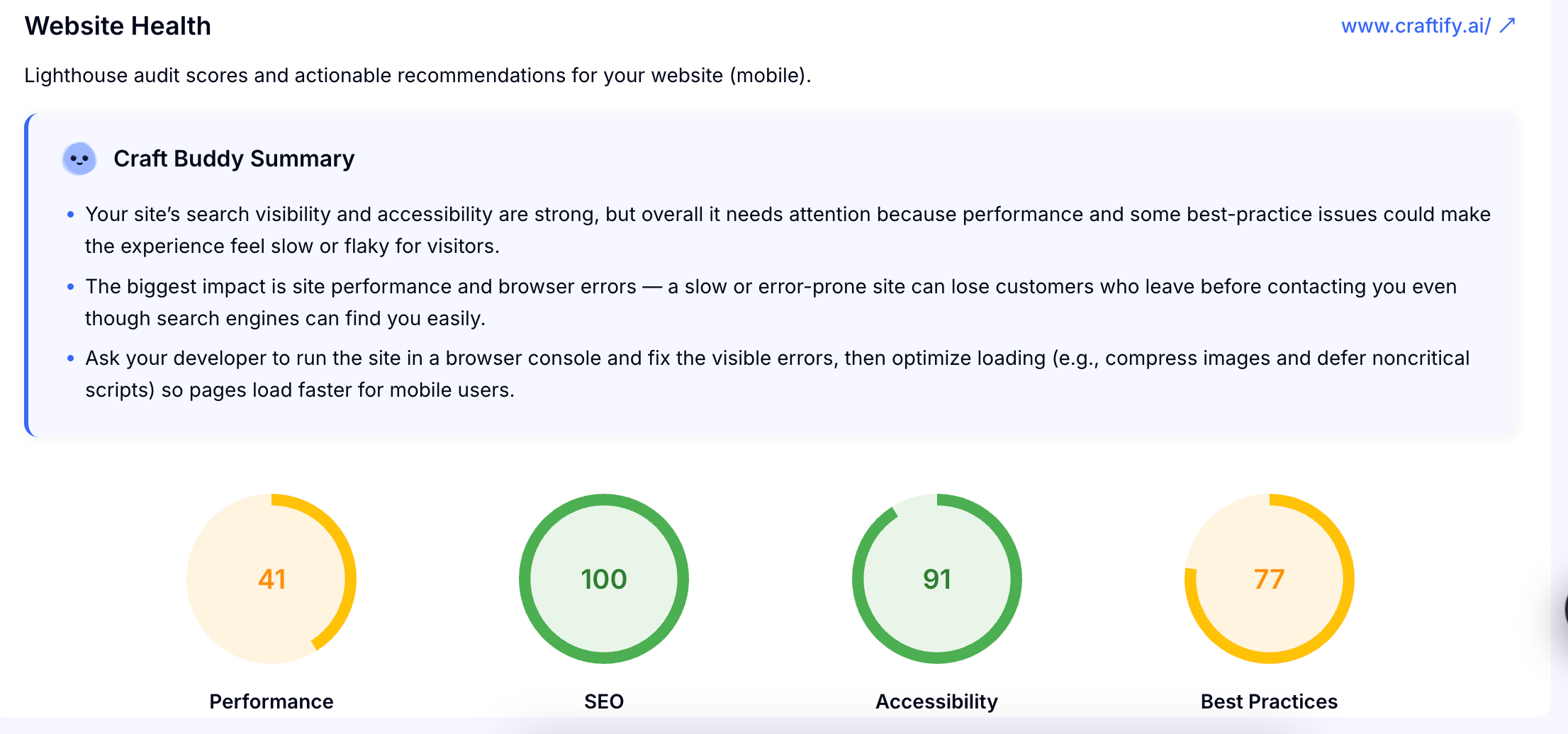
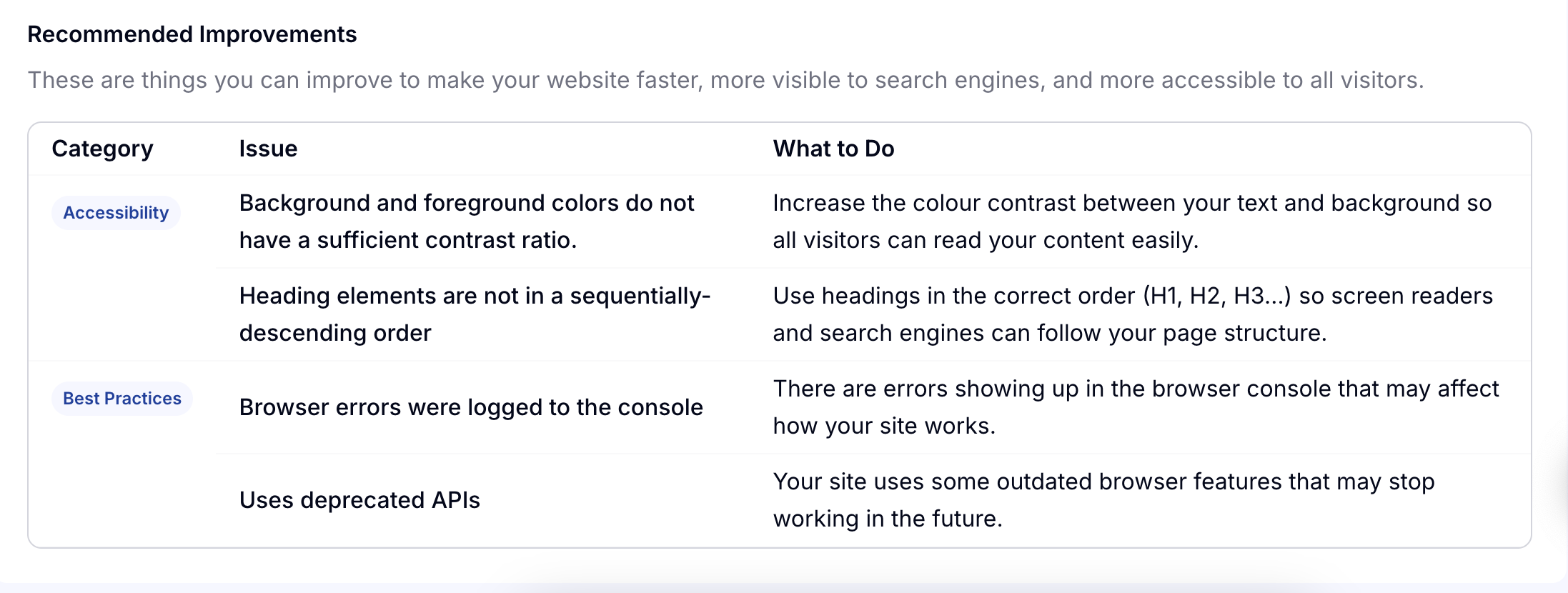
Knowing your website health can be super important in improving your performance and gaining leads. Our tool can analyze your website and give you suggestions for improvement and praise you for what you're doing right.
Business Profile
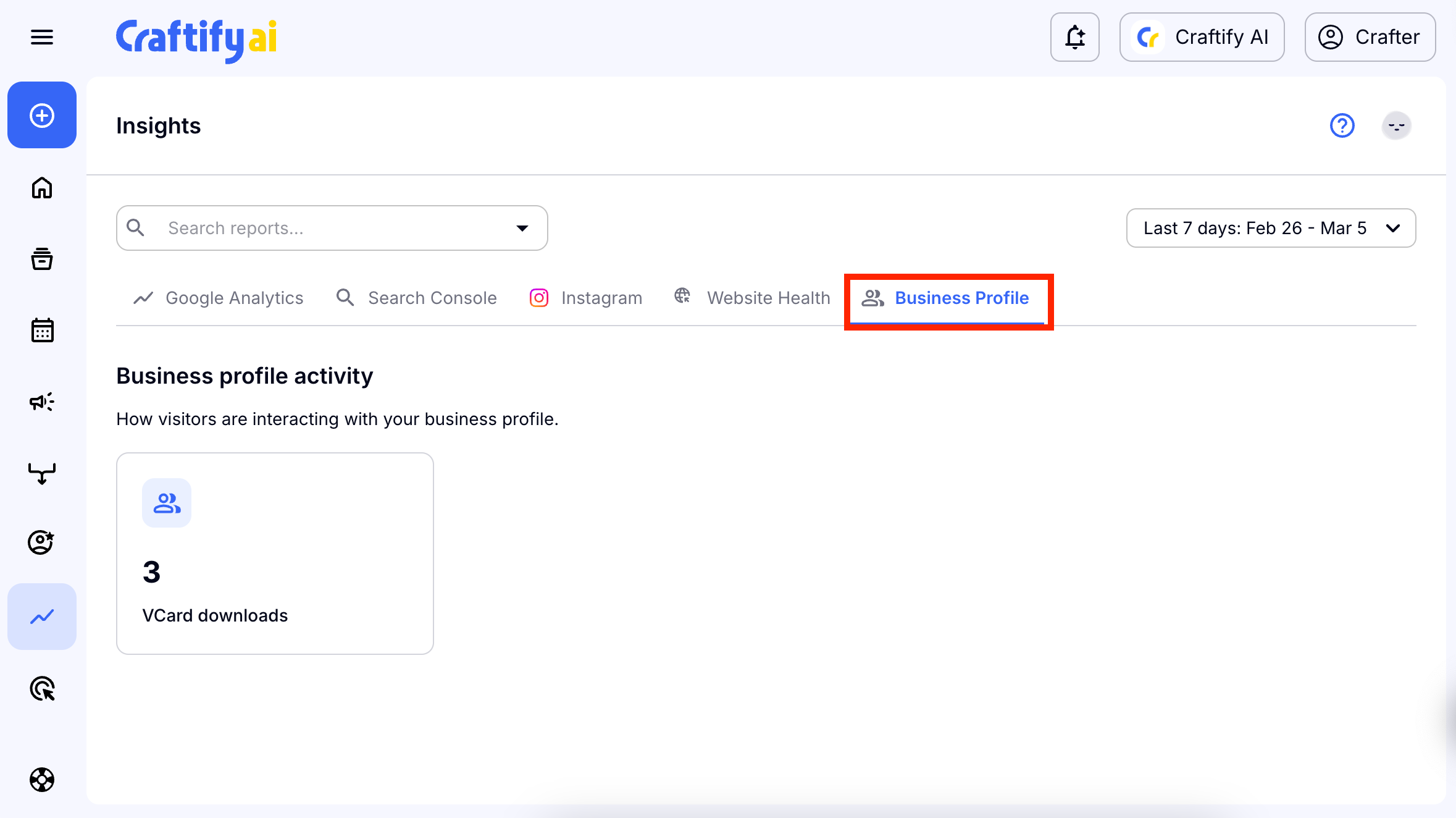
In this section you can see the the downloads for your vCard!
We hope that Insights will be helpful so you can see the performance across all of your apps in one place!

