Support Tickets Tutorial
Get help from a Craftify AI representative when something doesn't go as planned
Things don't always work, and we want to be there to help you when you need it! If you find a bug, or something in your Craft or Dashboard isn't working, you can report that to us by making a Support Ticket. You can easily start a conversation with us and we can try to resolve the issue for you!
Watch this short tutorial on how to send a support ticket.
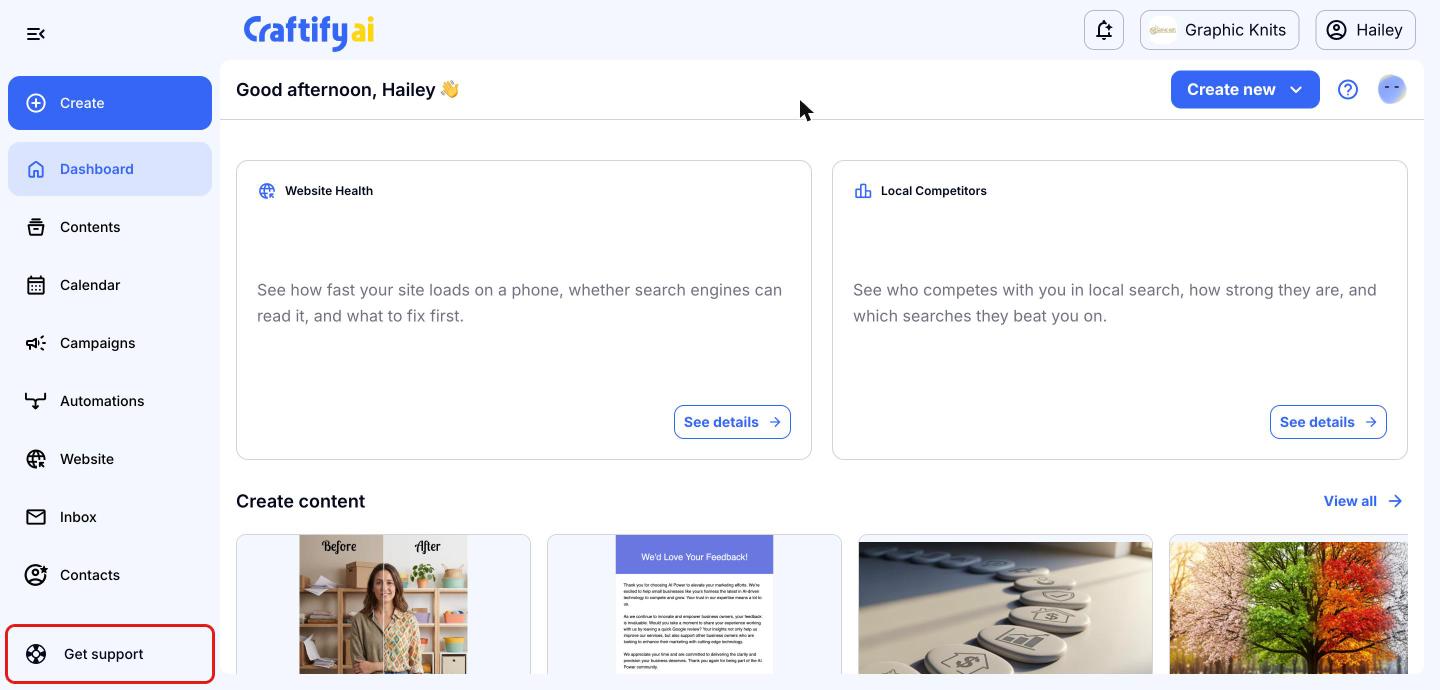
Click Get support
From your Craftify AI dashboard, click 'Get support' at the bottom of the left-hand menu. You can do this from any page in Craftify AI, so it's a good idea to open it from the page where you're having trouble.
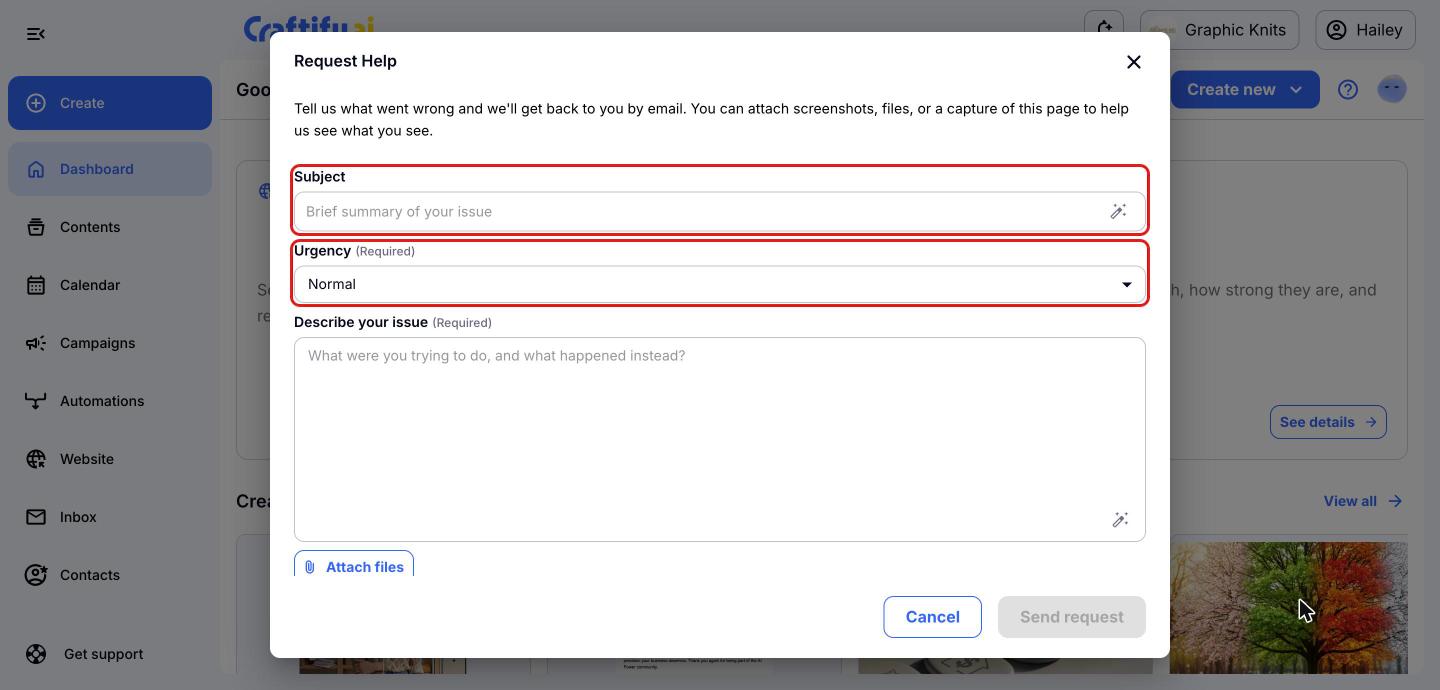
Add a subject and choose the urgency
A 'Request Help' window will open. Give your request a short 'Subject' that sums up the issue, then choose the 'Urgency': Low, Normal, High or Critical.
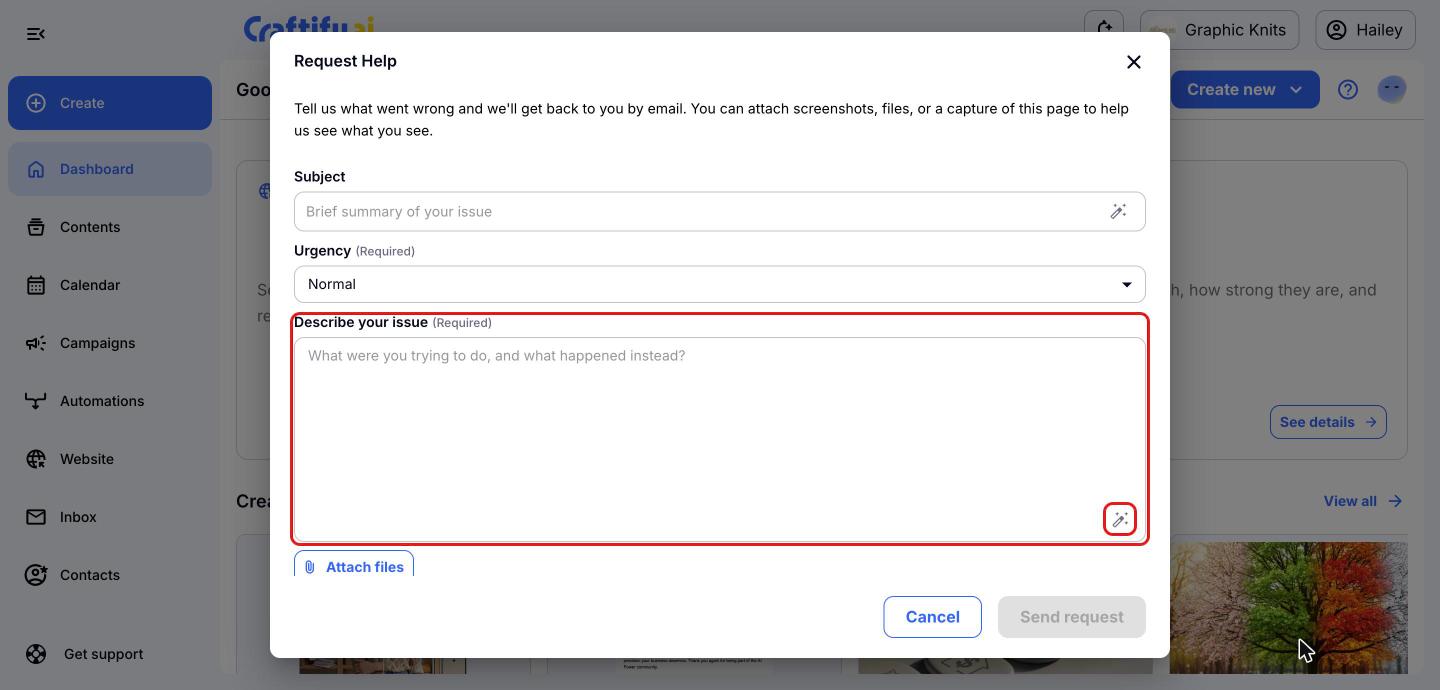
Describe your issue
Under 'Describe your issue', tell us what you were trying to do and what happened instead. The more detail you give, the faster we can help. Click the magic wand icon to 'Enhance with AI' if you'd like help wording your subject or description.
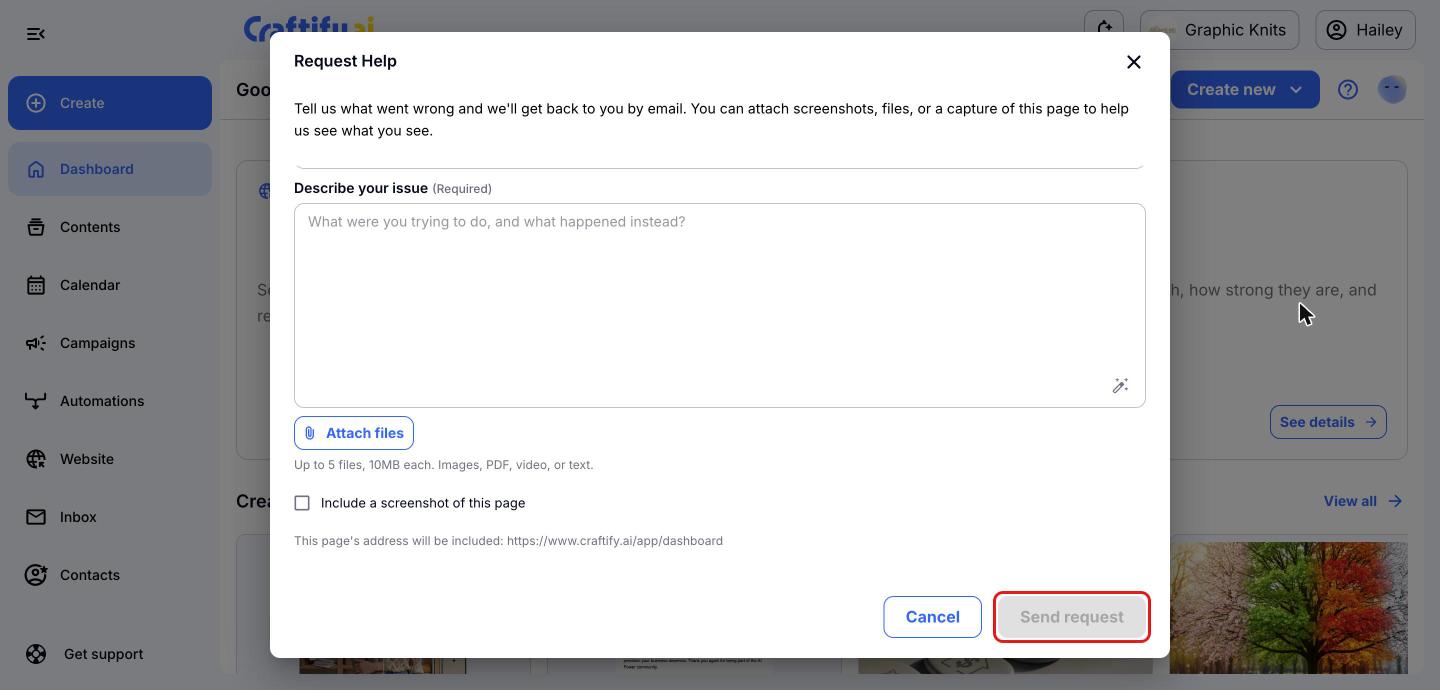
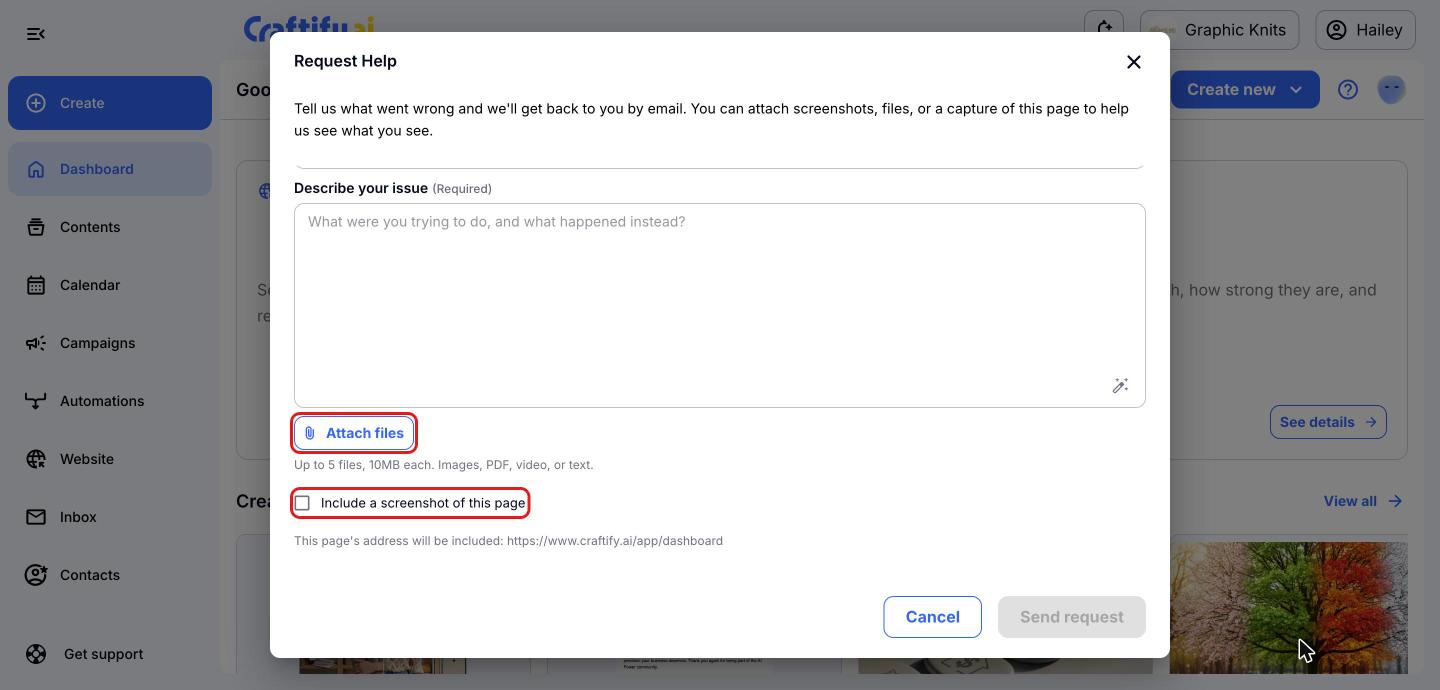
Add files or a screenshot
To show us exactly what you're seeing, click 'Attach files' to add up to 5 files (10MB each), such as images, PDFs, videos or text files. You can also tick 'Include a screenshot of this page'. The address of the page you're on is included automatically.
Send your request
Once you've filled in the required fields, click 'Send request'. A member of the Craftify AI team will get back to you by email to help sort out the issue.