Craft Buddy Tutorial
How to use Craft Buddy with Craftify AI
In this Craft Buddy tutorial, explore how your AI assistant within Craftify AI can enhance your marketing efforts. Discover how Craft Buddy provides personalized insights, content suggestions, and guidance tailored to your business's needs. Whether you're crafting content or developing strategies, Craft Buddy is here to empower your journey to success.
Open Craft Buddy
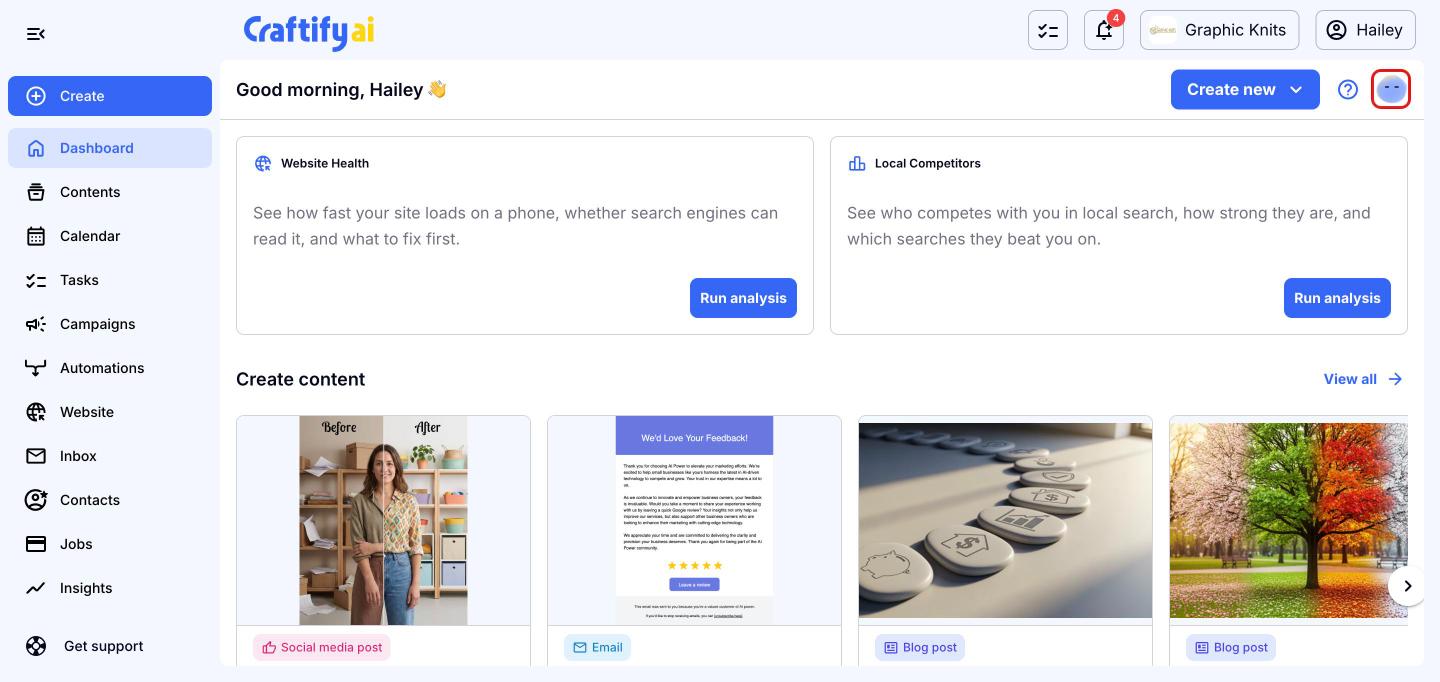
Craft Buddy is your AI assistant, and it's available on every page of Craftify AI. From your dashboard, click the Craft Buddy icon at the top right of the page.
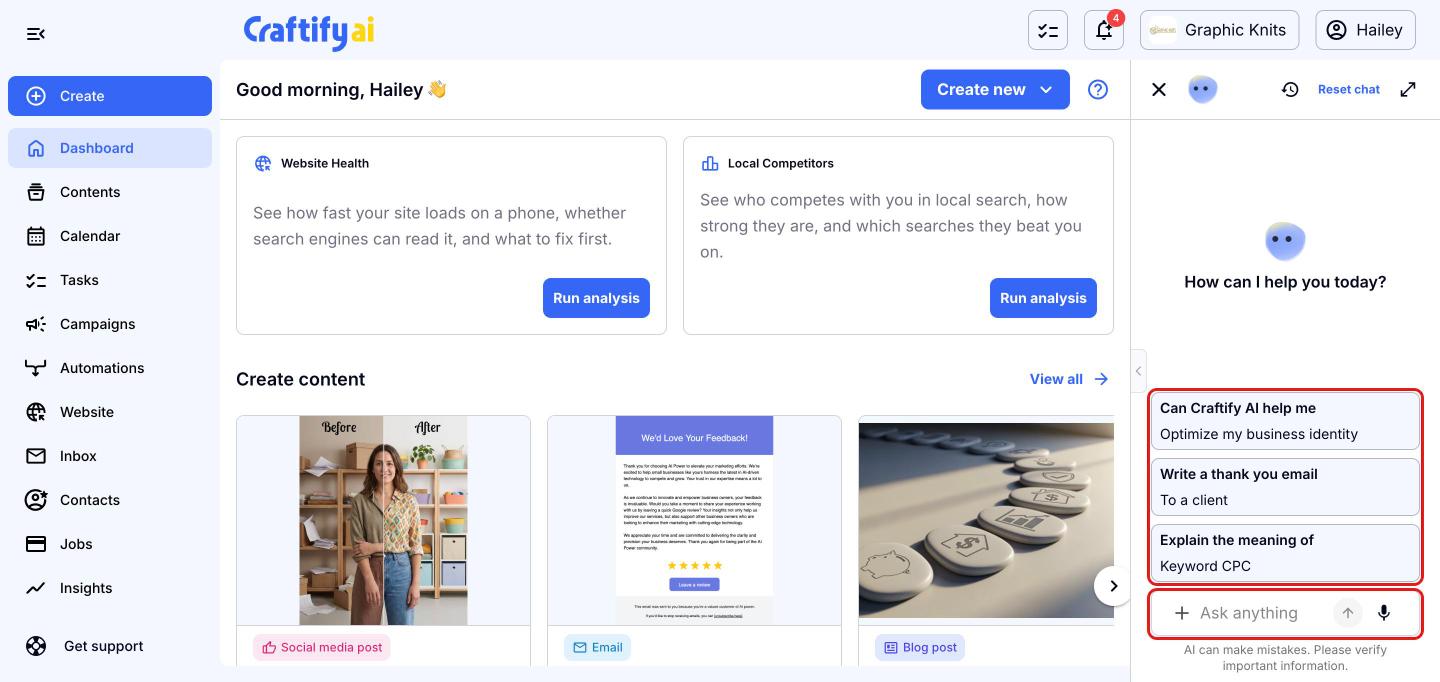
Ask Craft Buddy anything
The Craft Buddy panel opens on the right. Click one of the suggestions, or type your own request in the 'Ask anything' box and press enter. You can ask it to write content, explain marketing terms, or help with your business. Click the '+' button to add attachments, or the microphone to dictate your request instead of typing.
Let Craft Buddy set it up for you
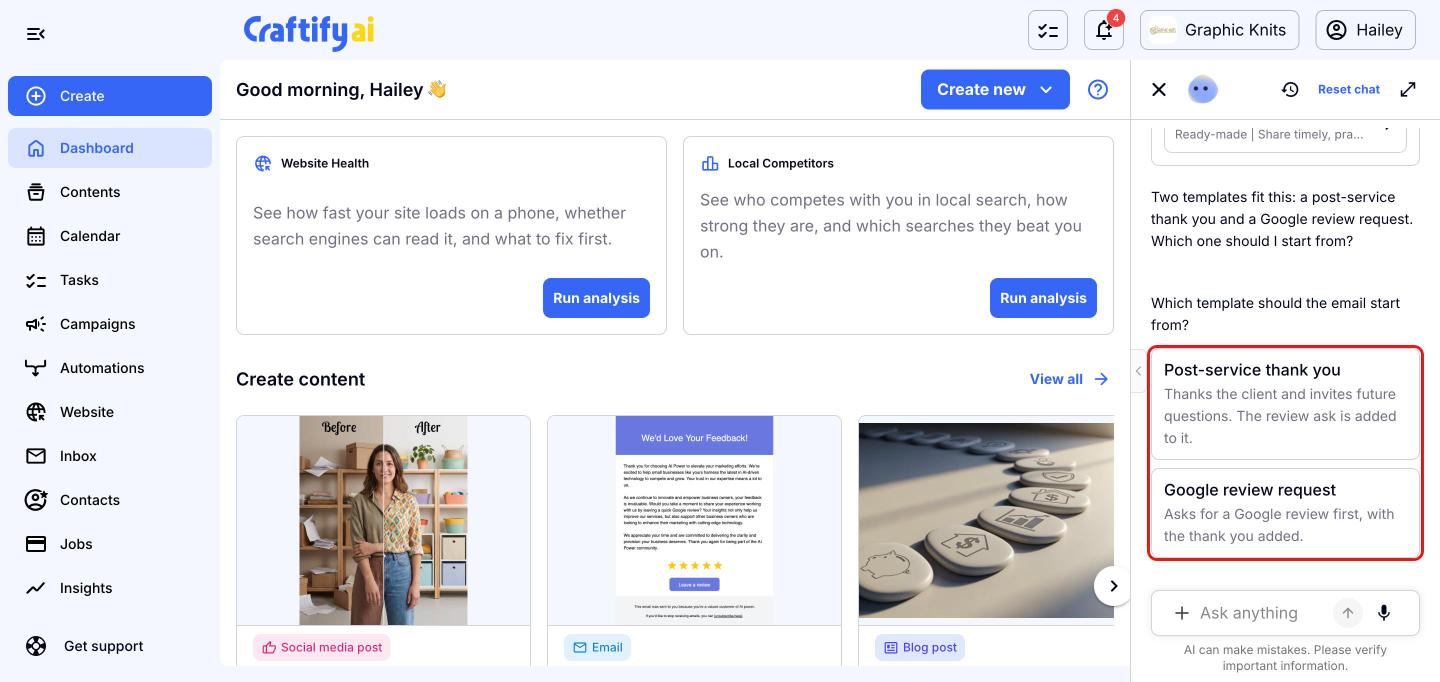
When you ask Craft Buddy to create something, it tells you what it's doing and looks for the right tool and template. If there's more than one good fit, it asks you to choose. Just click the option you want.
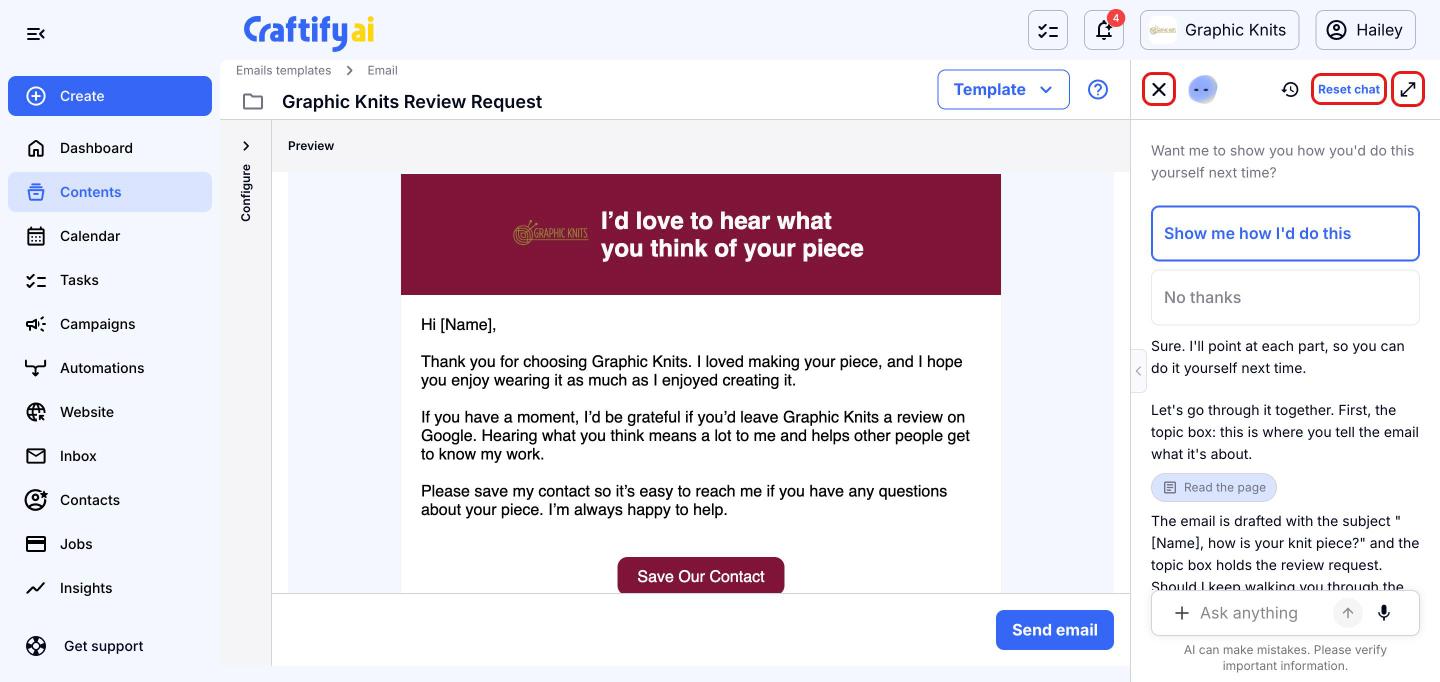
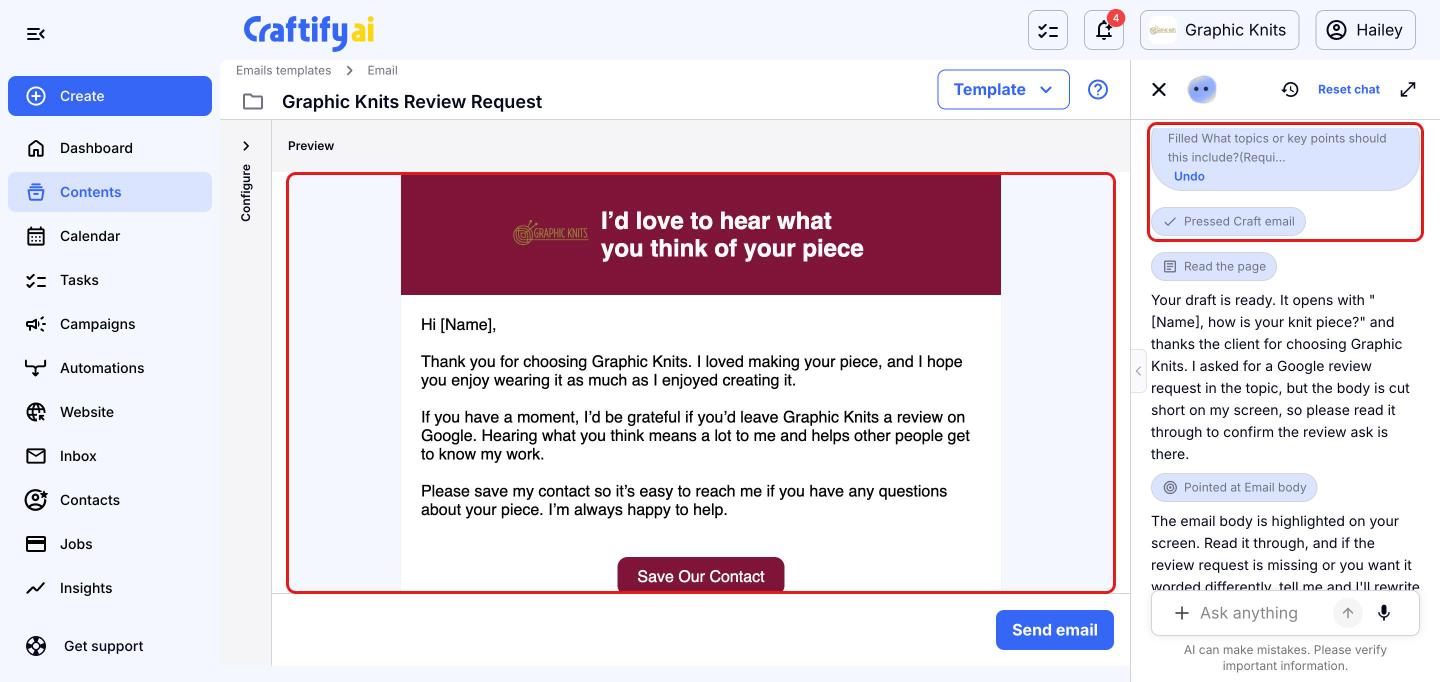
Craft Buddy then opens the tool, fills in the details and crafts it for you. Each action shows in the chat, and you can click 'Undo' on anything it filled in. Your draft appears on the page, ready to review. Craft Buddy won't send or publish anything for you, so that final click is always yours.
Learn how to do it yourself
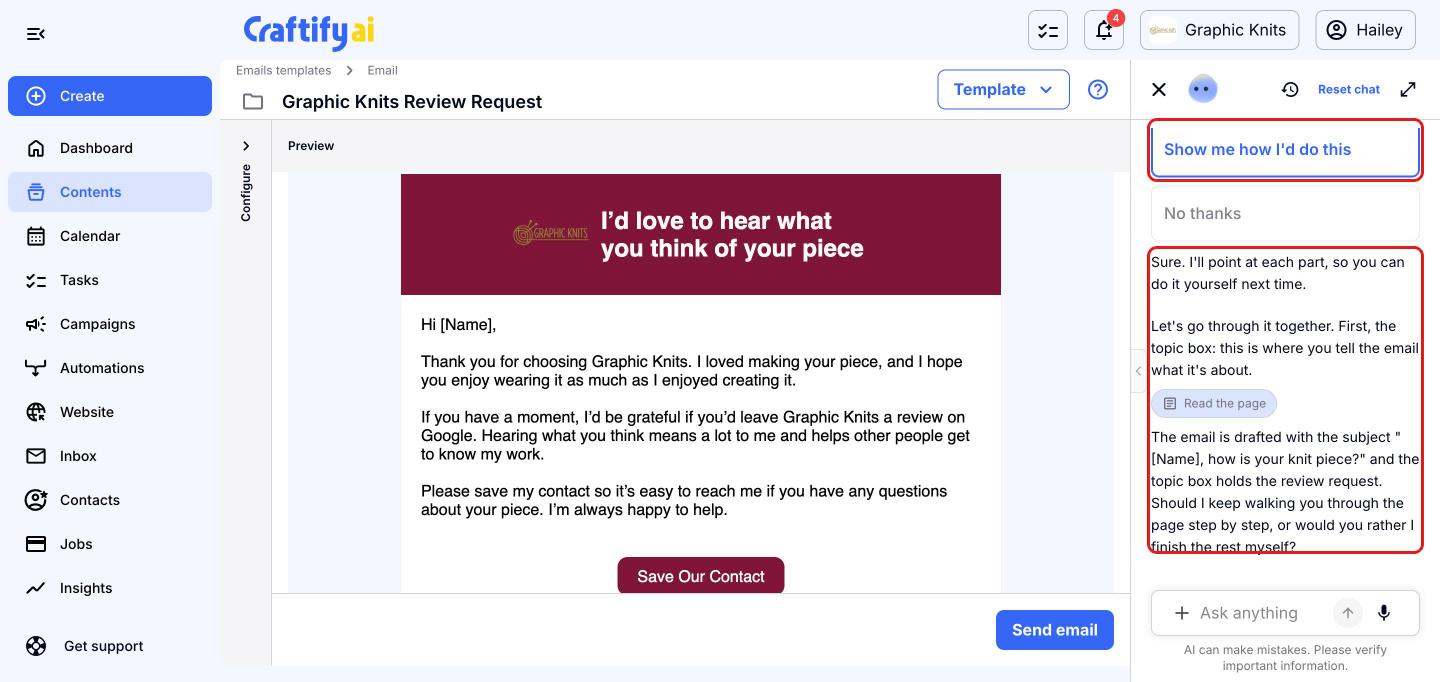
After it finishes, Craft Buddy offers to show you how to do the same thing on your own next time. Click 'Show me how I'd do this' and it walks you through the page step by step, pointing at each part as it explains it. Click 'No thanks' if you don't need the walkthrough.
Find your past chats
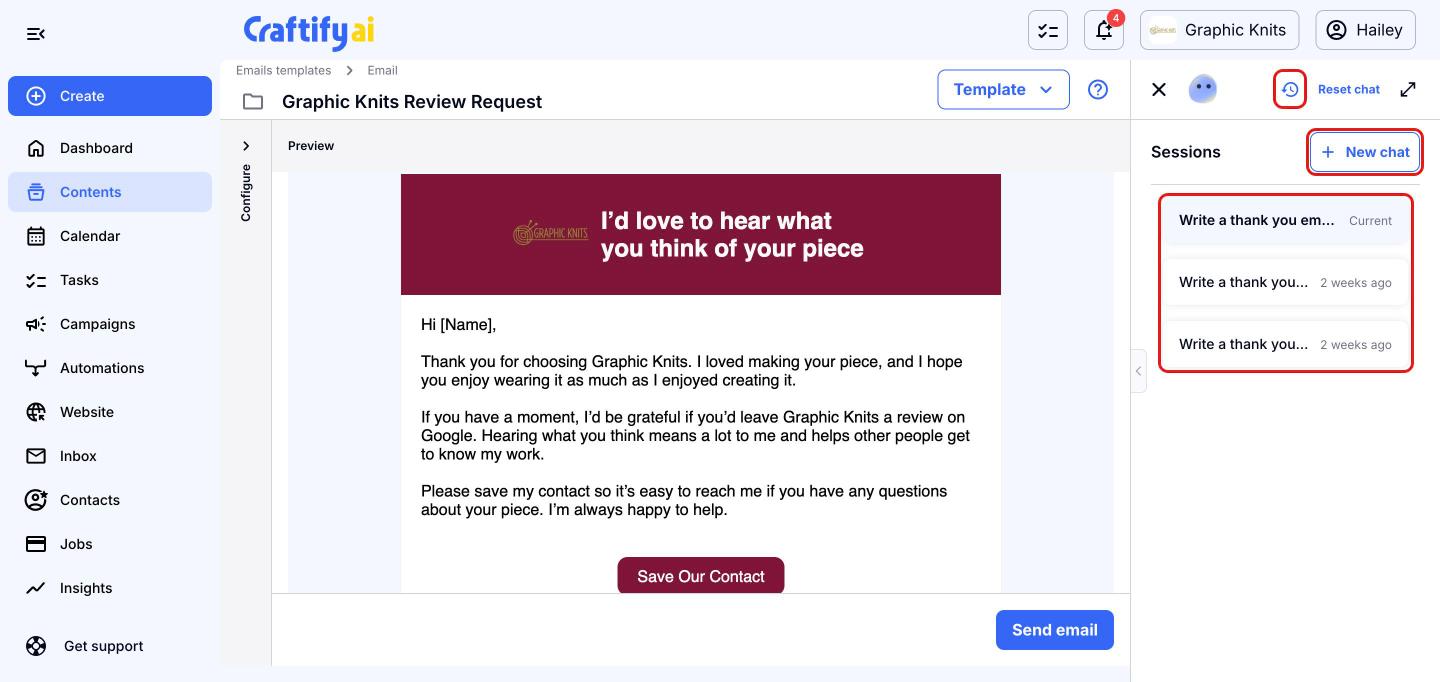
Click the history icon at the top of the Craft Buddy panel to see your 'Sessions'. Click any session to pick up where you left off, or click 'New chat' to start a new conversation.
Go full screen or start fresh
Want more room to chat? Click the expand icon at the top right of the panel to open Craft Buddy in full screen. Click 'Reset chat' to clear the conversation and start over, or the X to close the panel.