Automate Blogs Tutorial
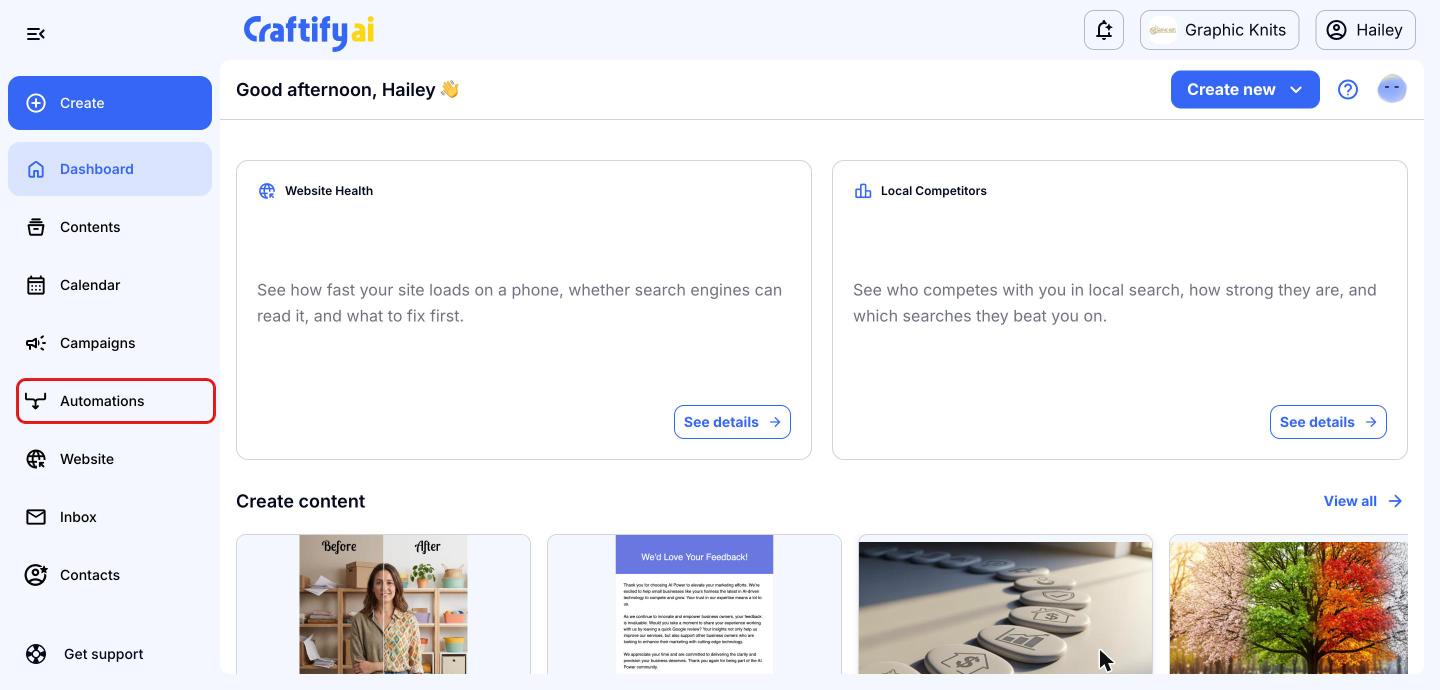
Go to Automations
From your Craftify AI dashboard, click 'Automations' in the left menu.
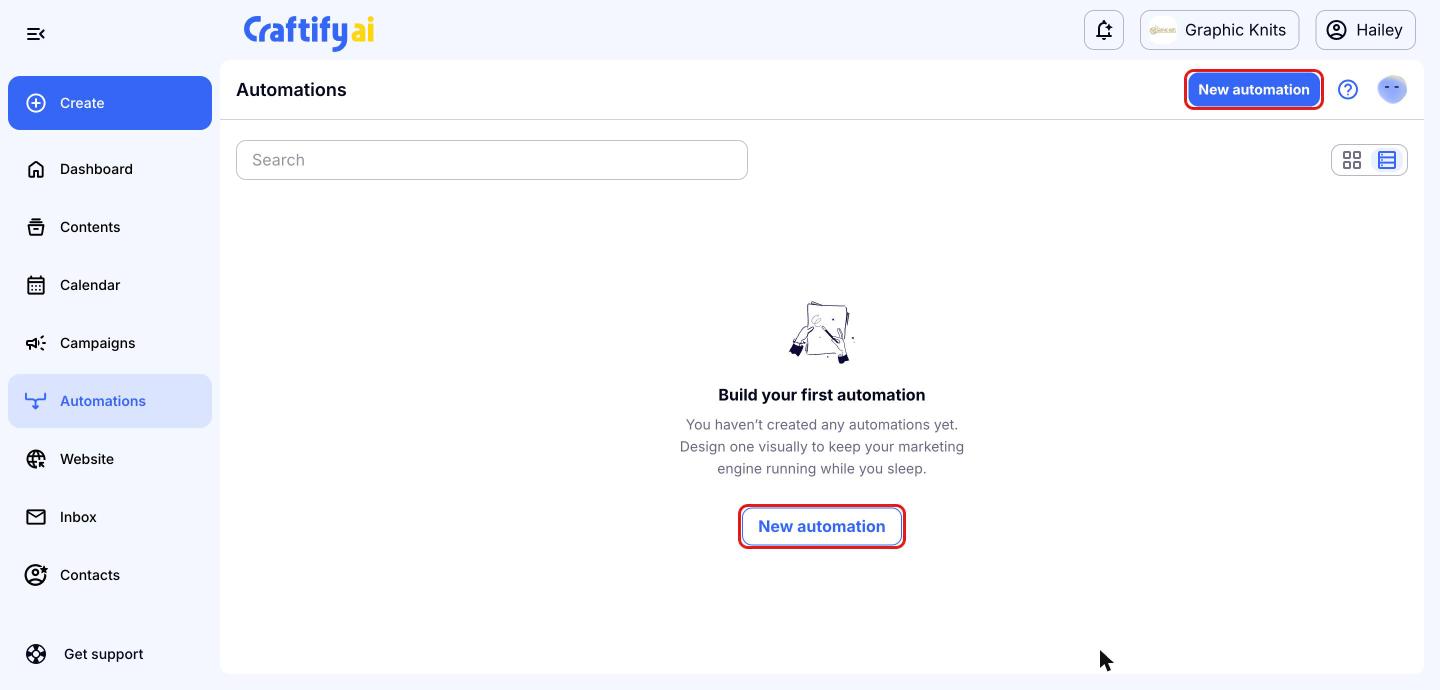
Create a new automation
Click the blue 'New automation' button at the top right. If this is your first automation, you can also click 'New automation' in the middle of the page.
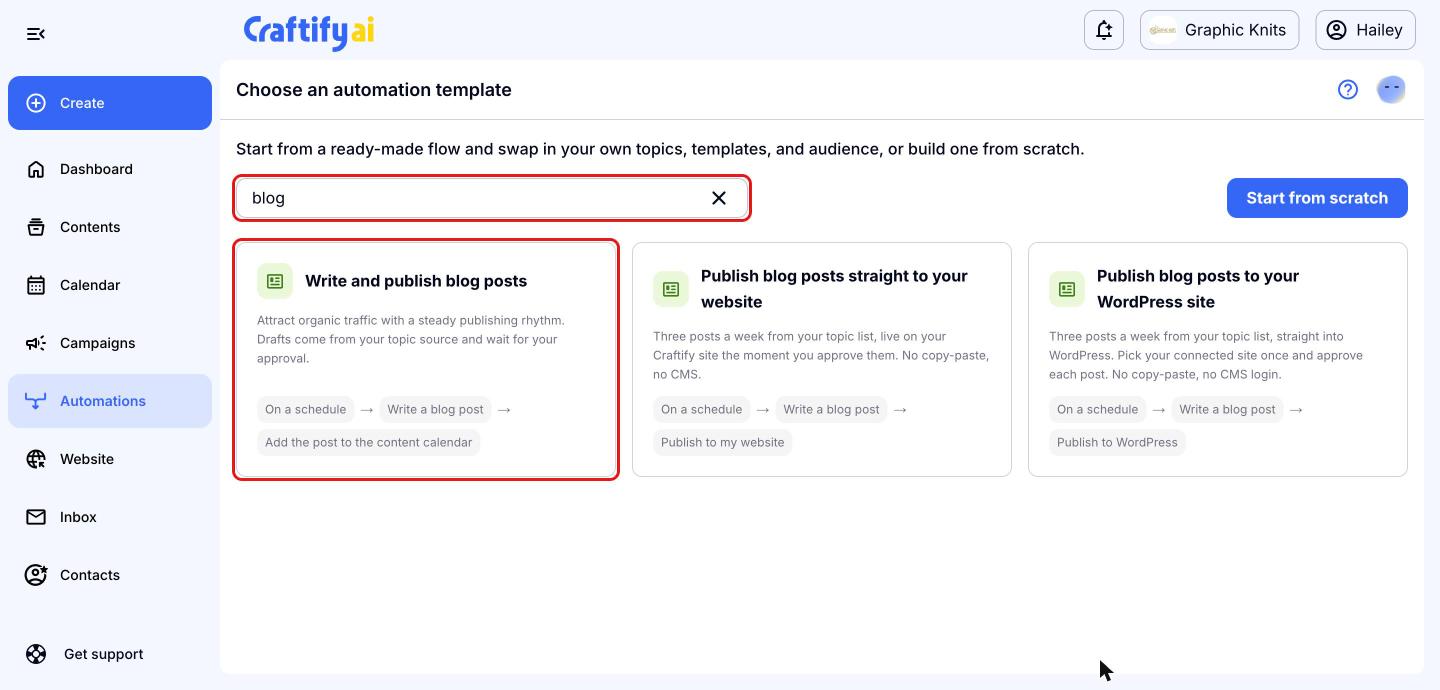
Choose the blog post template
On the 'Choose an automation template' page, find 'Write and publish blog posts' and click it. You can type 'blog' in the search bar to find it quickly.
Set your blog schedule
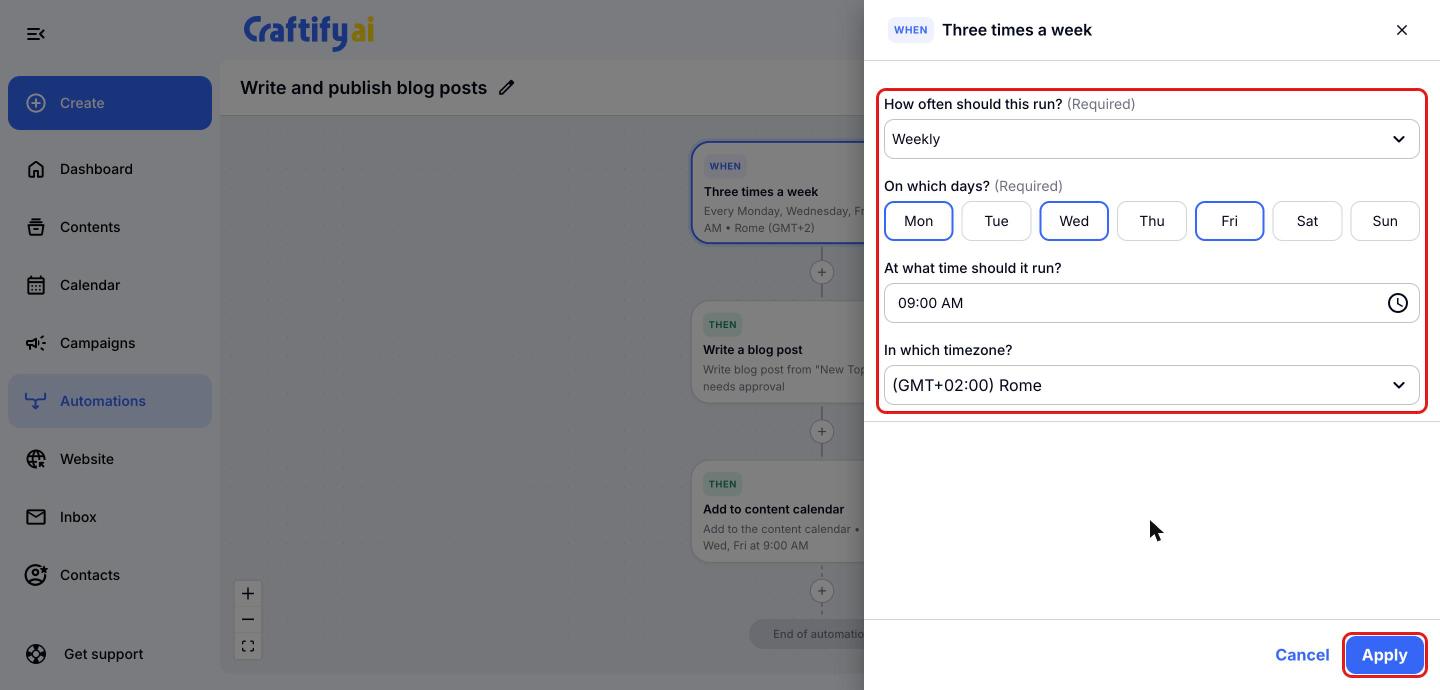
Your automation opens in the visual designer. Click the 'WHEN' step at the top to choose how often a new blog post is written. Pick 'Daily', 'Weekly', 'Monthly' or 'Annually', then choose the days, the time and your time zone. Click 'Apply' to save the step.
Choose your topics and blog style
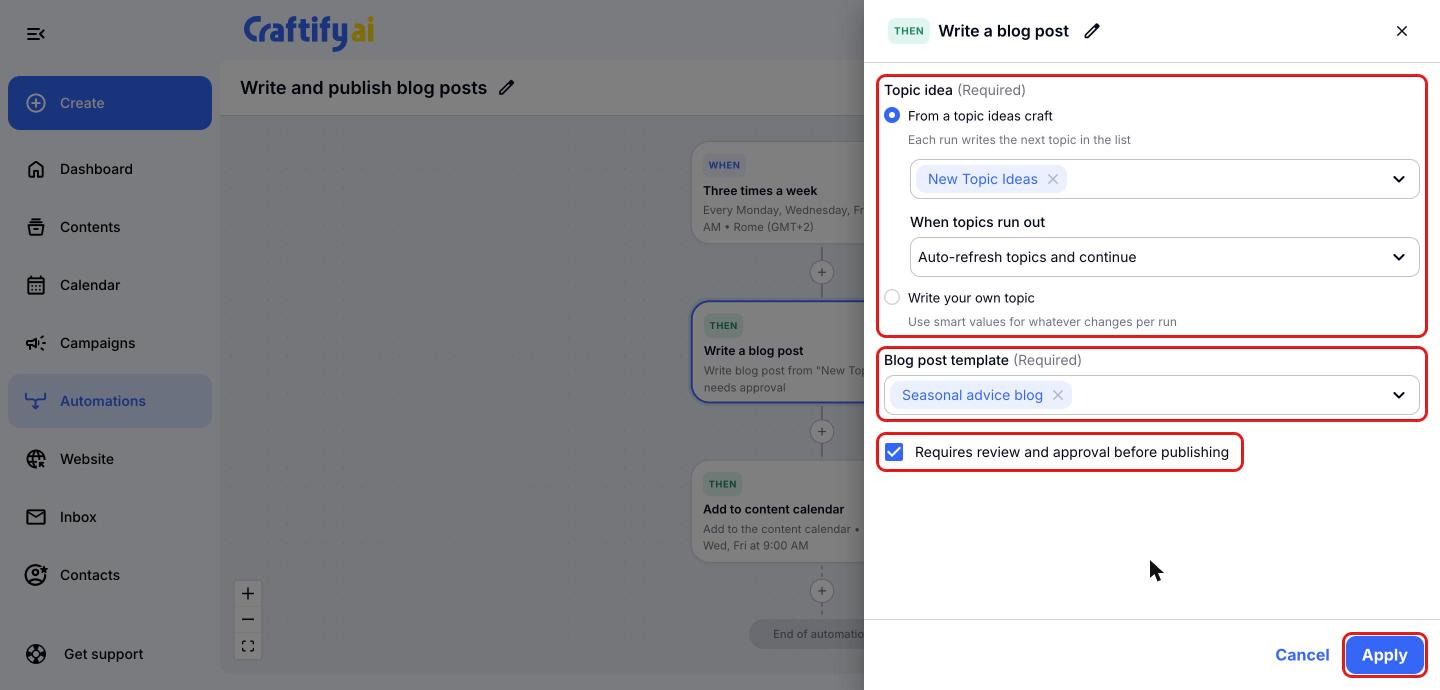
Click the 'Write a blog post' step. Under 'Topic idea', pick a topic ideas craft (each run writes the next topic in the list) or choose 'Write your own topic'. Decide what happens 'When topics run out', then pick a 'Blog post template' such as 'Seasonal advice blog'. Keep 'Requires review and approval before publishing' checked so you can review each blog post before it goes anywhere. Click 'Apply'.
Keep it to writing only
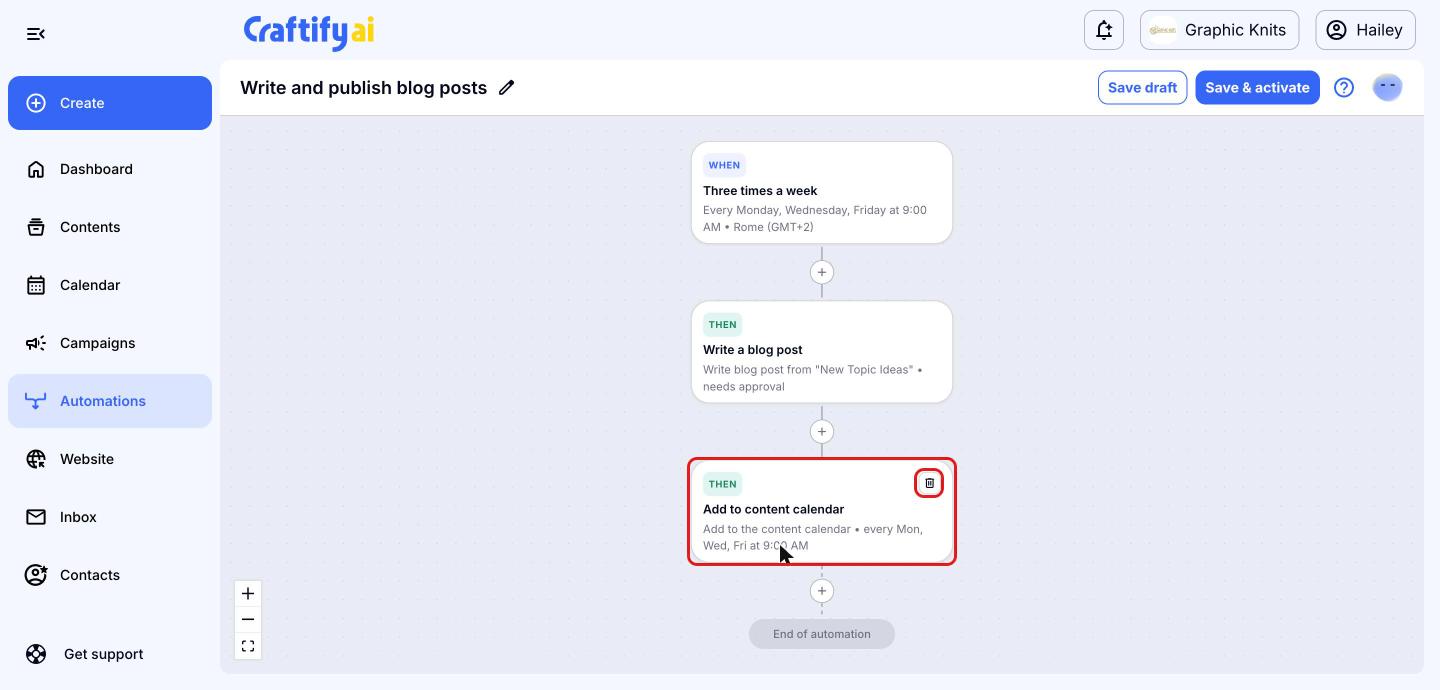
This template also adds each post to your content calendar. If you only want the automation to write your blog posts, hover over the 'Add to content calendar' step and click the trash icon to remove it.
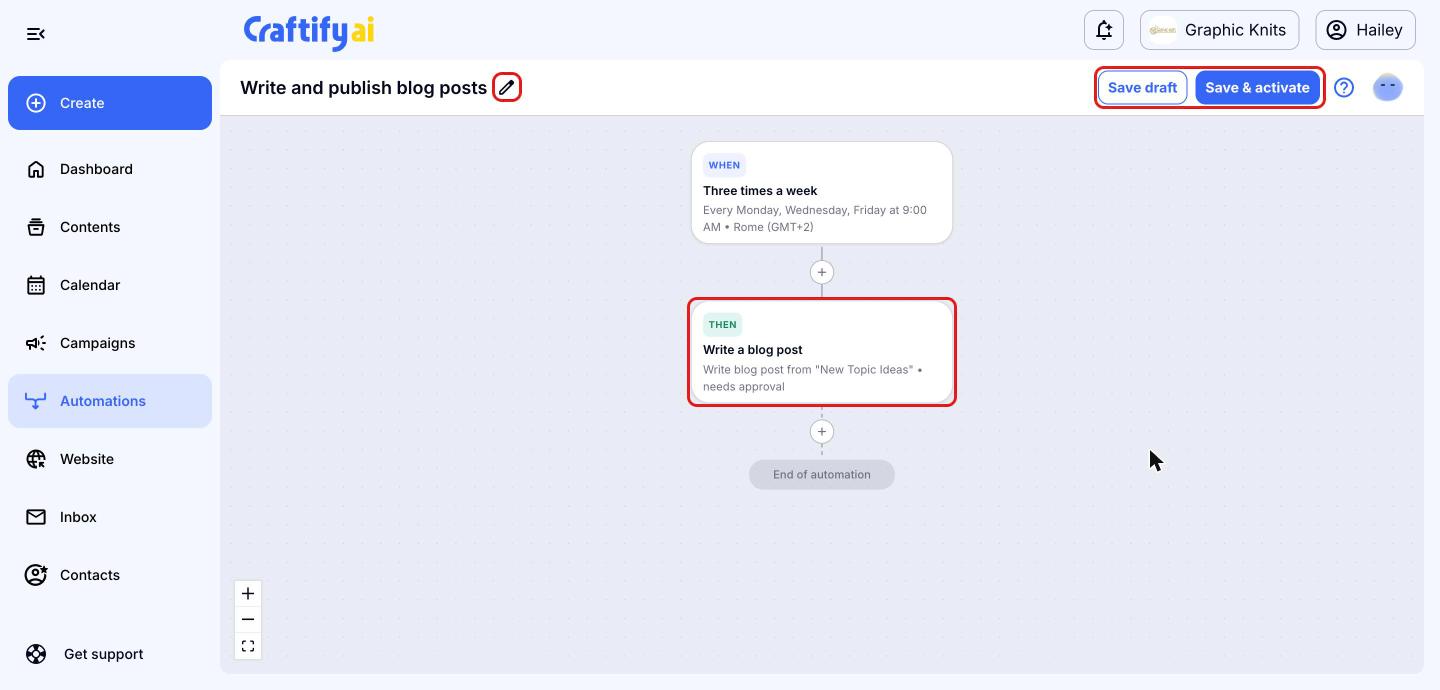
Name and save your automation
Your automation now ends after 'Write a blog post'. Click the pencil icon next to the name to rename it, for example 'Write weekly blog posts'. Click 'Save draft' to save it without turning it on, or 'Save & activate' to start writing blog posts on your schedule. New posts wait for your review and approval.