Adding a Team Member in Craftify Ai
Collaborating with team members is easy in Craftify AI!
If you'd like to tag team on marketing projects with someone on your team, you can easily add a team member as a collaborator on your Craftify AI account.
To get this set up, follow these simple steps!
Sign in and open your settings
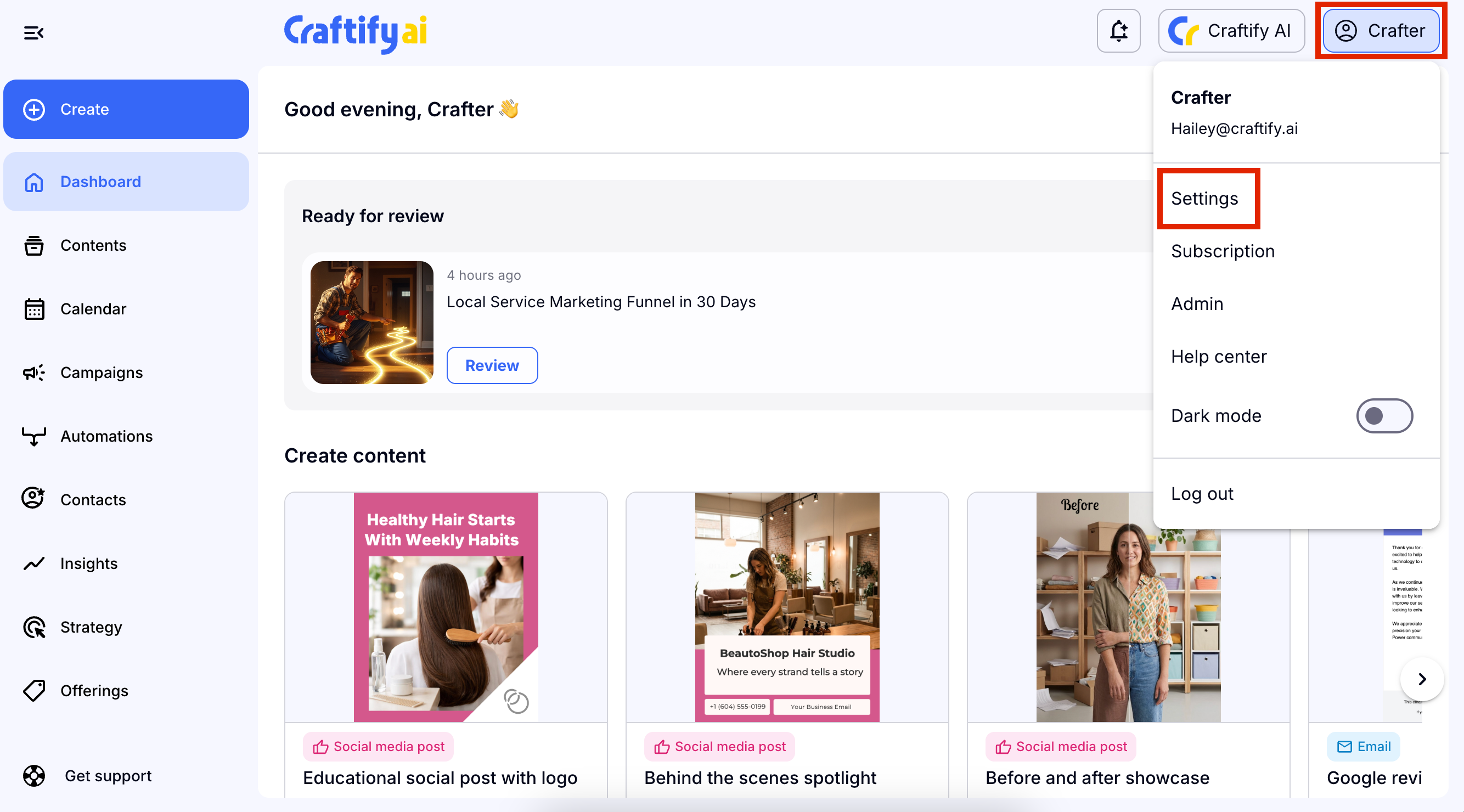
Once you have signed into your Craftify AI account, choose your name in the top right-hand corner, then choose 'Settings' from the drop-down menu.
Choose Team Member under Business Settings
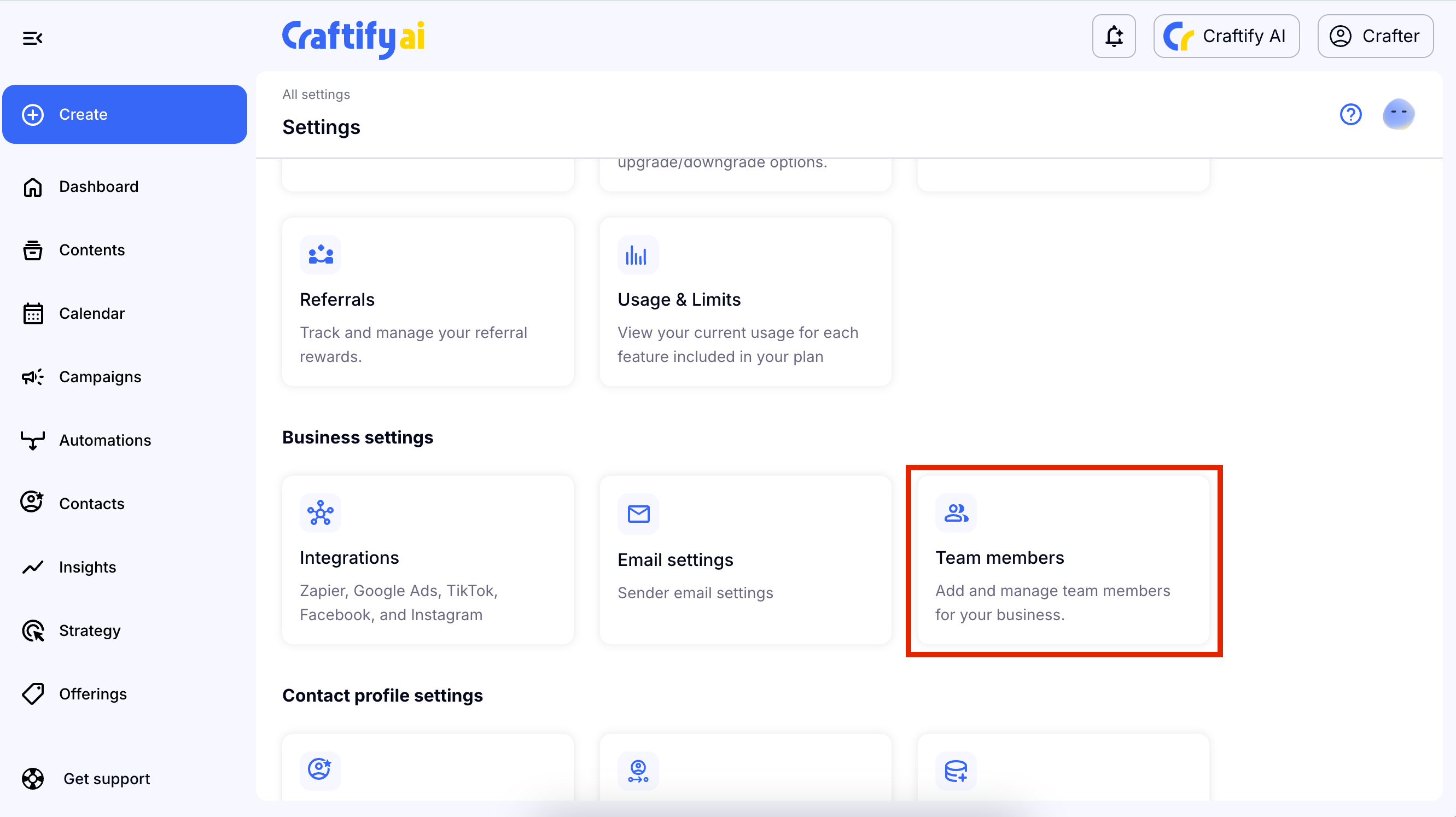
Scroll down to the Business Settings and chose 'Team Members.'
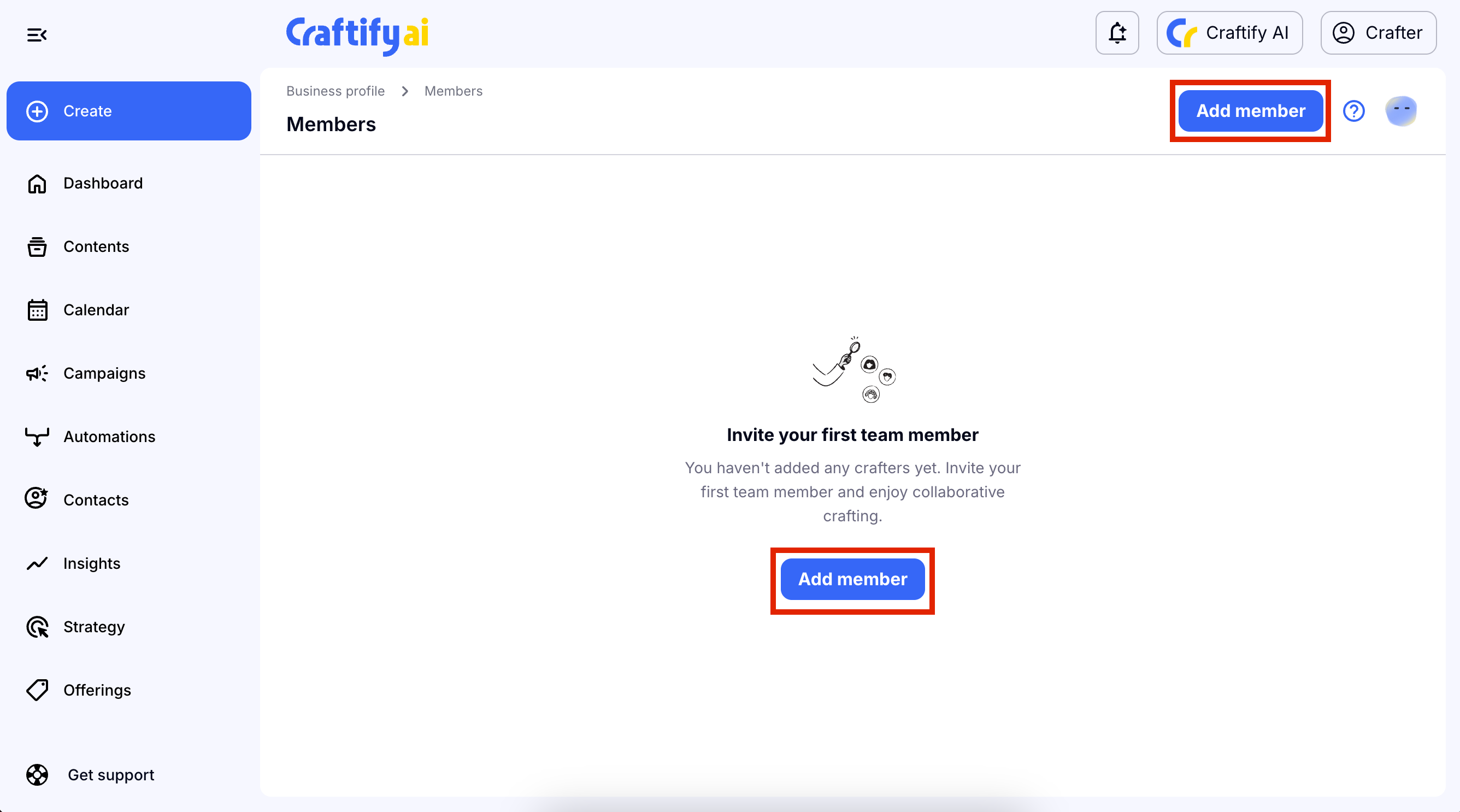
Choose New Team Member and add in the details
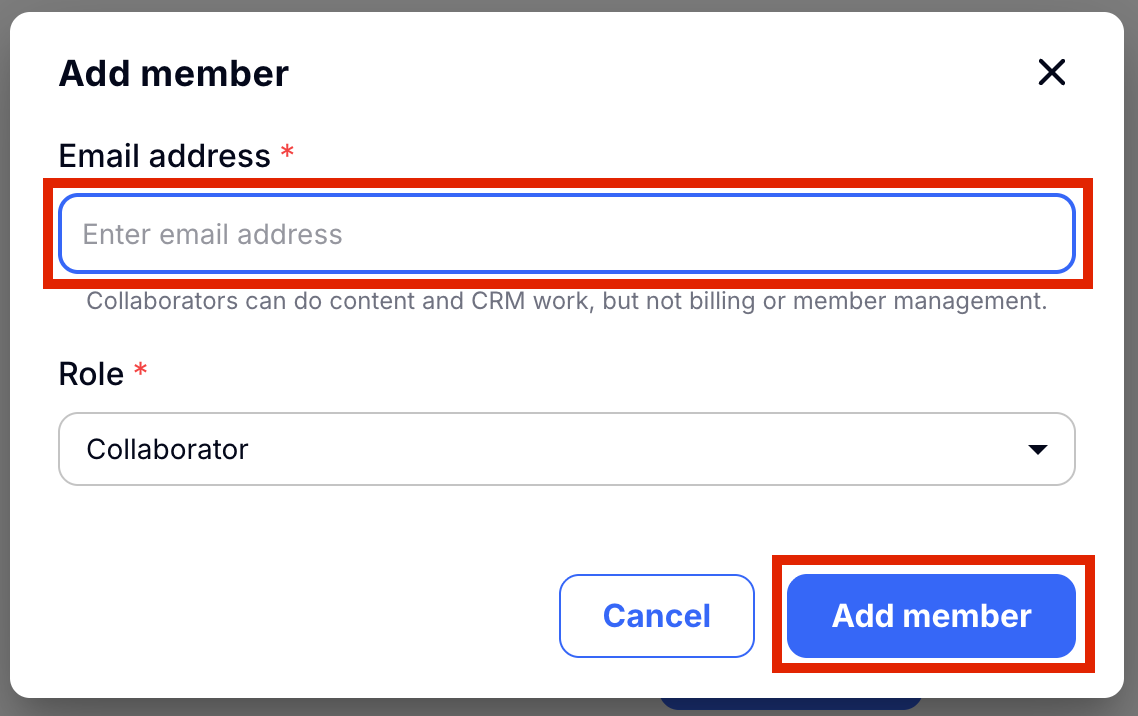
Click the blue button that says 'New Team Member' either in the center of the page or up in the top right-hand corner. A pop up will appear and will ask that you add the email of the person you would like to collaborate with. The basic Craftify AI account will allow you to have 1 collaborator on your account.
Once you have added the email, choose 'Add member.'
Edit or delete the team member
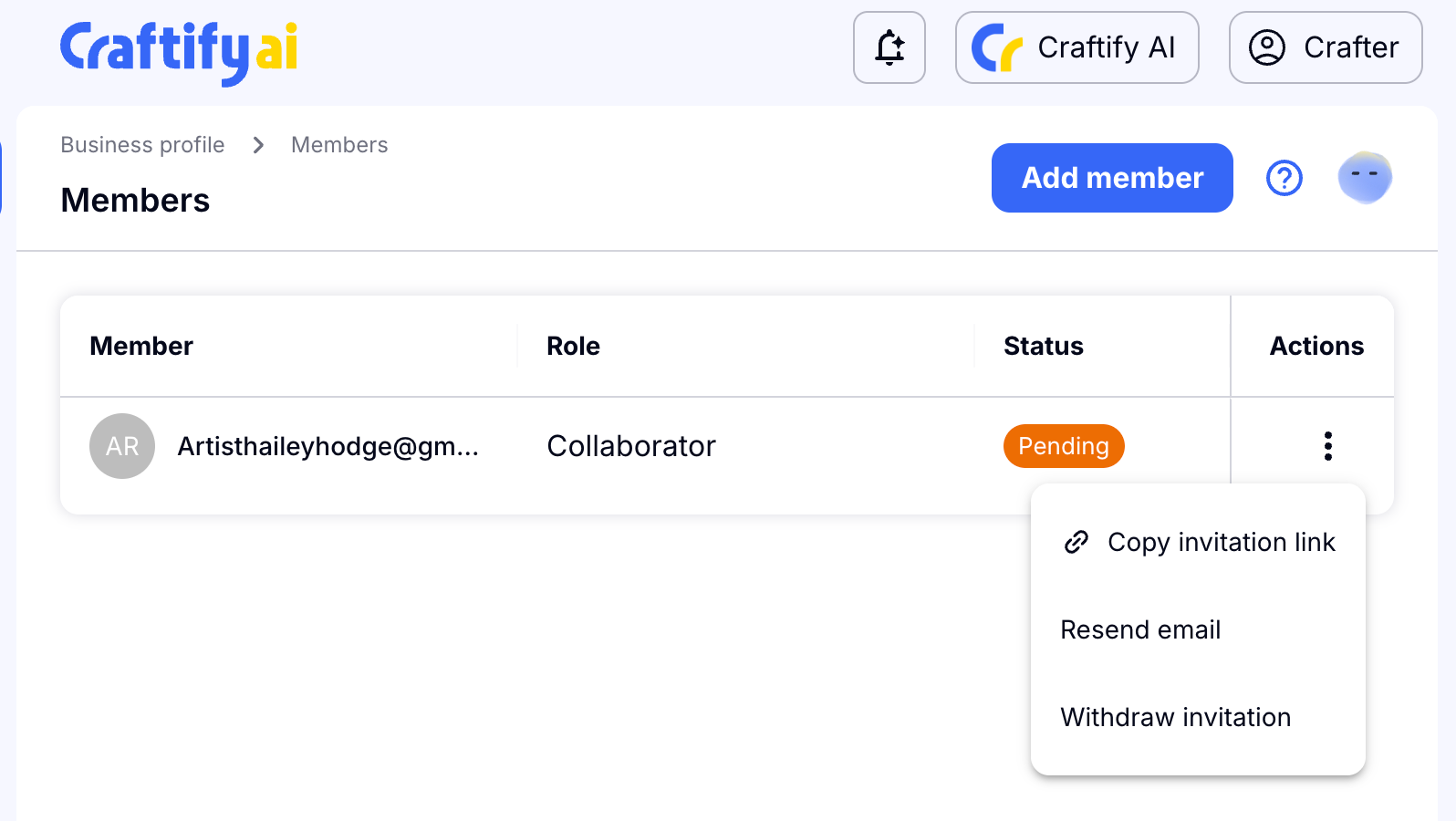
You will see if the team member has accepted your invite or not. It will say 'Pending' if they have not yet accepted or denied the invitation to collaborate.
By choosing the 3 dots on the right-hand side, you can either copy the invitation so that you can send it in a different way, or you can resend the email, and finally you can withdraw the invitation.